Page 152 of 413
2-85 Security Light
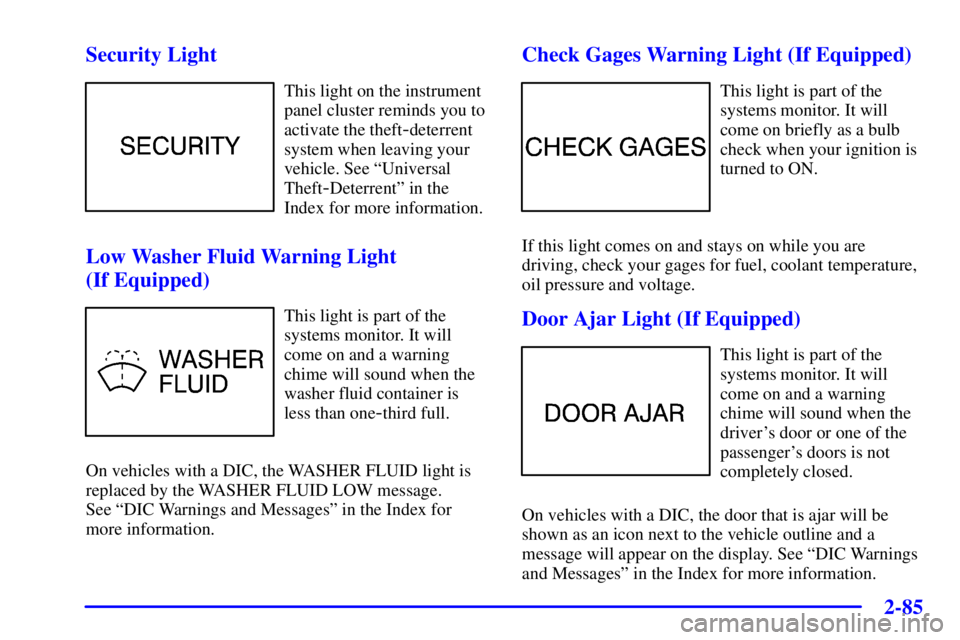
This light on the instrument
panel cluster reminds you to
activate the theft
-deterrent
system when leaving your
vehicle. See ªUniversal
Theft
-Deterrentº in the
Index for more information.
Low Washer Fluid Warning Light
(If Equipped)
This light is part of the
systems monitor. It will
come on and a warning
chime will sound when the
washer fluid container is
less than one
-third full.
On vehicles with a DIC, the WASHER FLUID light is
replaced by the WASHER FLUID LOW message.
See ªDIC Warnings and Messagesº in the Index for
more information.
Check Gages Warning Light (If Equipped)
This light is part of the
systems monitor. It will
come on briefly as a bulb
check when your ignition is
turned to ON.
If this light comes on and stays on while you are
driving, check your gages for fuel, coolant temperature,
oil pressure and voltage.
Door Ajar Light (If Equipped)
This light is part of the
systems monitor. It will
come on and a warning
chime will sound when the
driver's door or one of the
passenger's doors is not
completely closed.
On vehicles with a DIC, the door that is ajar will be
shown as an icon next to the vehicle outline and a
message will appear on the display. See ªDIC Warnings
and Messagesº in the Index for more information.
Page 153 of 413
2-86
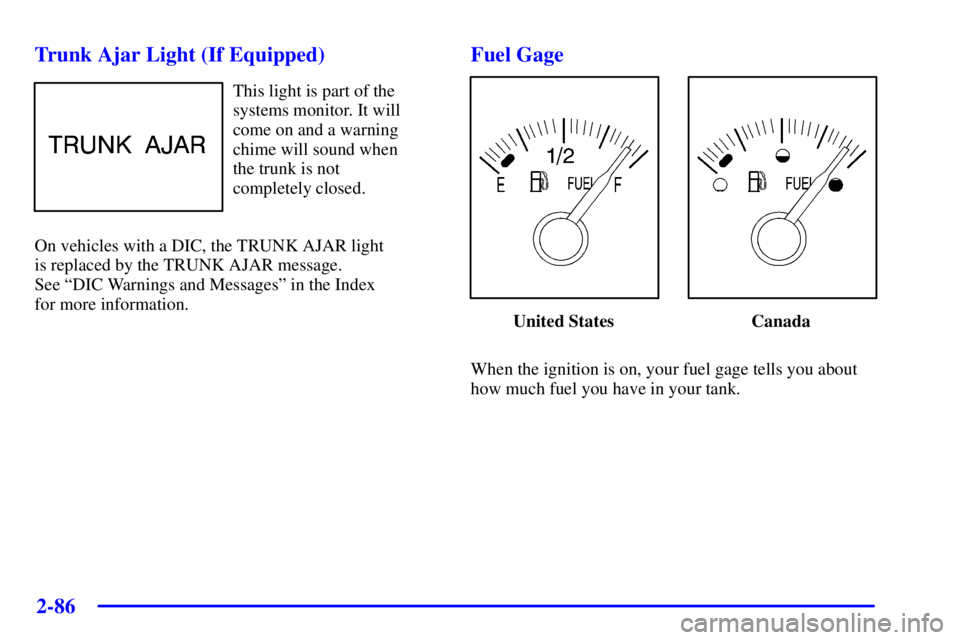
Trunk Ajar Light (If Equipped)
This light is part of the
systems monitor. It will
come on and a warning
chime will sound when
the trunk is not
completely closed.
On vehicles with a DIC, the TRUNK AJAR light
is replaced by the TRUNK AJAR message.
See ªDIC Warnings and Messagesº in the Index
for more information.
Fuel Gage
United States Canada
When the ignition is on, your fuel gage tells you about
how much fuel you have in your tank.
Page 154 of 413

2-87
When the gage reads in the yellow band, a warning
chime will sound and the CHECK GAGES warning
light will come on. You still have a little fuel left, but
you need to get more fuel right away.
On vehicles with a DIC, the CHECK GAGES LOW
FUEL message will be displayed when the fuel gage
reads in the yellow band. See ªDIC Warnings and
Messagesº in the Index for more information.
Here are some things that owners ask about. None of
these show a problem with your fuel gage:
�At the service station, the gas pump shuts off before
the gage reads full.
�It takes a little more (or less) fuel to fill up than the
gage indicated. For example, the gage may have
indicated the tank was half full, but it actually took a
little more (or less) than half the tank's capacity to
fill the tank.Boost Gage (If Equipped)
Vehicles equipped with
the supercharged engine
have this boost gage that
indicates vacuum during
light to moderate throttle
and boost under
heavier throttle.
The gage displays the air pressure level going into the
engine's combustion chamber.
The gage is automatically centered at zero every time
the ignition key is turned to ON. Actual vacuum or
boost is displayed from this zero point. Changes in
ambient pressure, such as driving in mountains and
changing weather, will slightly change the zero reading.
Page 155 of 413

2-88
Systems Monitor (If Equipped)
If you have the systems
monitor, it gives you
important safety and
maintenance facts about
your vehicle.
When you turn the ignition on, the systems monitor and
warning lights will briefly light up. If a problem is
detected, the warning lights will turn on and a chime
will sound.The following warning lights are displayed in the
systems monitor:
�CHECK OIL LEVEL: This message could mean
your oil level is low. If it comes on for more than
five seconds, see ªCheck Oil Level Warning Lightº
in the Index.
�WASHER FLUID: This message means your
washer fluid tank is less than about 30 percent full. If
this light comes on, see ªLow Washer Fluid Warning
Lightº in the Index.
�DOOR AJAR: This message means that either the
driver's door or one of the passenger's doors is not
completely closed. If this light comes on, see ªDoor
Ajar Lightº in the Index.
�TIRE PRESS: This message means one or more of
your tires may be low. See ªCheck Tire Pressure
Systemº in the Index.
� CHECK GAGES: This means one or more of your
gages may be in their respective warning bands. If
this light comes on, see ªCheck Gages Warning
Lightº in the Index.
�TRUNK AJAR: This message means your trunk is
not completely closed.
Page 163 of 413

2-96
Be aware that metal objects are sometimes buried in the
ground. They can affect accuracy and you may not know
they are there. As an example, many concrete roads
have metal reinforcements inside.
Also, if you drive with the trunk open, this could affect
accuracy and could decalibrate the compass.
Driver Identifier DIC Display
This feature allows two different drivers to store and recall
their own preferred display mode. The personalization
settings displayed on the DIC are determined by the
transmitter used to enter the vehicle. After the unlock
button of a remote keyless entry transmitter (if equipped)
is pressed and the ignition is in ON, the DIC will display
the identified driver. The settings can also be changed by
briefly pressing one of the MEMORY buttons located on
the driver's door.
The DIC is used to program information for DRIVER #1
and DRIVER #2. The DIC will identify a person as
UNKNOWN DRIVER if they are neither DRIVER #1 nor
DRIVER #2.
DIC Personalization Programming
The DIC can be used to program the following
personalization features available with your vehicle:
�Automatic Door Locks
�Window Lockout
�Security Feedback
�Delayed Locking
�Perimeter Lighting
�Memory Seats
�Parallel Park Assist Mirror (Tilt Mirror)
�Driver ID
The DIC is used to program the personal choices of two
drivers. The drivers are recognized as DRIVER #1 and
DRIVER #2. You will let the DIC know which driver you
are by using your remote keyless entry transmitter or by
pressing the appropriate memory seat control button
located on the driver's door or by choosing the driver with
the DIC. Each remote keyless entry transmitter was
preprogrammed to belong to DRIVER #1 or DRIVER #2.
Each transmitter may be programmed differently for
each driver.
Page 165 of 413

2-98
Scroll through the following messages and
feature options:
�AUTO DOOR LOCKS
- OFF/ON
�UNLOCK
- OFF/ON
�UNLOCK
- KEY OFF/PARK
�DOOR TO UNLOCK
- DRIVER/ALL
�WINDOW LOCKOUT
- R + PASS/REAR
�KEYLESS FEEDBACK
- OFF/ON
�LIGHTS FEEDBACK
- OFF/ON
�HORN FEEDBACK
- OFF/ON
�DELAYED LOCKING
- OFF/ON
�PERIMETER LIGHTS
- OFF/ON
�PERIMETER LIGHTS
- TIMEOUT 15 SEC
�SEAT RECALL
- OFF/ON
�RECALL POSITION
- MEMORY/EXIT
�TILT MIRROR
- OFF/ON
�DRIVER ID
- OFF/ONIf you would like to exit the selection mode without
moving through each of the personalization features,
simply press a different button on the DIC or turn off the
ignition. The personal choices you made will still be
retained, even without passing through each of the
features. In order for your personal choices to save, you
must press SELECT after making your selections.
If you happen to move past a selection you would like to
make a personal choice for, press unlock on your
transmitter or press the appropriate driver number on the
memory seat control. This will return you to the
beginning of the option feature programming mode.
A description of each feature programmable through the
DIC follows.
Page 167 of 413

2-100
Window Lockout Personalization
The number of passenger windows locked out by the
window LOCK switch can be programmed through
the DIC.
If you choose R + PASS, all three passenger window
switches will be inactive when the window LOCK
switch is enabled.
If you choose REAR, only the two rear passenger
window switches will be locked out when the window
LOCK switch is enabled.
To change modes do the following:
1. Move the arrow on the display between R + PASS
and REAR by pressing the RESET button.
2. Once you have made your selection, press the
SELECT button. Your choice will be retained in memory.
For more information on this feature, see ªWindow
Lockº in the Index.Security Feedback
By choosing different combinations of these selections,
you can choose the type of transmitter activated
feedback when locking and unlocking your vehicle with
your transmitter. Each time you make a selection by
pressing the RESET button, press the SELECT button to
record your choice.
�KEYLESS FEEDBACK
- OFF/ON
�LIGHTS FEEDBACK
- OFF/ON
�HORN FEEDBACK
- OFF/ON
If you choose ON for KEYLESS FEEDBACK you will
also need to choose LIGHTS and/or HORN FEEDBACK.
You can select the following modes:
�If you choose OFF for KEYLESS FEEDBACK, you
will receive no security feedback when locking or
unlocking your vehicle.
�If you choose ON for KEYLESS FEEDBACK and
ON for LIGHTS FEEDBACK, the exterior lamps
will flash twice when unlocking your vehicle and
once when locking your vehicle.
Page 168 of 413

2-101
�If you choose ON for KEYLESS FEEDBACK and
ON for HORN FEEDBACK, your horn will chirp
when locking and unlocking your vehicle.
�If you choose ON for KEYLESS, LIGHTS and
HORN FEEDBACK, your exterior lamps will flash
twice at the first unlock button press, your exterior
lamps will flash twice and your horn will chirp once
at the second unlock button press, and the exterior
lamps will flash once and the horn will chirp once
when locking your vehicle.
For more information on this feature, see ªSecurity
Feedbackº in the Index.
Delayed Locking
The delayed locking feature, which delays the actual
locking of the vehicle, can be made active or inactive
through the DIC. When DELAYED LOCKING
-
OFF/ON appears on the display, use the RESET button
to toggle the arrow between OFF and ON. When you
have made your choice, press the SELECT button to
record your selection.
For more information on this feature, see ªDelayed
Lockingº in the Index.Perimeter Lighting Personalization
When the button with the unlock symbol on the
transmitter is pressed, the Daytime Running Lamps
(high
-beams at reduced intensity), parking lamps and
back
-up lamps will turn on if it is dark enough
according to the Twilight Sentinel�.
You can control activation of this feature by choosing
OFF or ON when the PERIMETER LIGHTS choice is
displayed on the DIC. Make your choice by pressing the
RESET button and record your choice by pressing the
SELECT button. You will then be prompted to choose a
TIMEOUT period.
The PERIMETER LIGHTS TIMEOUT feature can be
changed to desired setting by using the RESET button to
toggle from 5 to 30 seconds. Each toggle will increase
the time by five seconds. Once the desired timeout is
displayed, press select to record your choice and move
on to the next personalization feature.
For more information on this feature, see ªPerimeter
Lightingº in the Index.