Page 89 of 413
2-22
To program the new key:
1. Insert the current driver's key (black in color) in the
ignition and start the engine. If the engine will not
start, see your dealer for service.
2. After the engine has started, turn the key to OFF, and
remove the key.
3. Insert the key to be programmed and turn it to
ON within 10 seconds of removing the previous key.
4. The SECURITY telltale light will turn off once the
key has been programmed. It may not be apparent
that the SECURITY light went on due to how
quickly the key is programmed.
5. Repeat Steps 1 through 4 if additional keys are to
be programmed.
If you are ever driving and the SECURITY light comes
on and stays on, you will be able to restart your engine if
you turn it off. Your PASS
-Key III system, however, is
not working properly and must be serviced by your
dealer. Your vehicle is not protected by the PASS
-Key
III system at this time.
If you lose or damage a PASS
-Key III key, see your
dealer to have a new key made.
New Vehicle ªBreak-Inº
NOTICE:
Your vehicle doesn't need an elaborate
ªbreak
-in.º But it will perform better in the
long run if you follow these guidelines:
�Don't drive at any one speed -- fast or
slow
-- for the first 500 miles (805 km).
Don't make full
-throttle starts.
�Avoid making hard stops for the first
200 miles (322 km) or so. During this time
your new brake linings aren't yet broken
in. Hard stops with new linings can mean
premature wear and earlier replacement.
Follow this breaking
-in guideline every
time you get new brake linings.
�Don't tow a trailer during break
-in.
See ªTowing a Trailerº in the Index for
more information.
Page 90 of 413
2-23
Ignition Positions
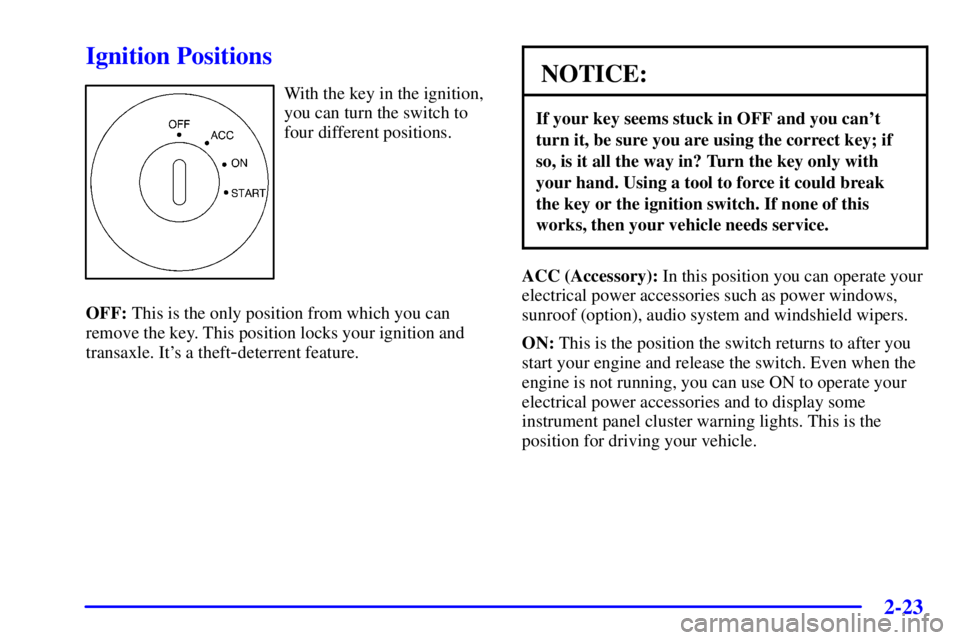
With the key in the ignition,
you can turn the switch to
four different positions.
OFF: This is the only position from which you can
remove the key. This position locks your ignition and
transaxle. It's a theft
-deterrent feature.
NOTICE:
If your key seems stuck in OFF and you can't
turn it, be sure you are using the correct key; if
so, is it all the way in? Turn the key only with
your hand. Using a tool to force it could break
the key or the ignition switch. If none of this
works, then your vehicle needs service.
ACC (Accessory): In this position you can operate your
electrical power accessories such as power windows,
sunroof (option), audio system and windshield wipers.
ON: This is the position the switch returns to after you
start your engine and release the switch. Even when the
engine is not running, you can use ON to operate your
electrical power accessories and to display some
instrument panel cluster warning lights. This is the
position for driving your vehicle.
Page 97 of 413
2-30
FIRST (1): This position gives you even more power
(but lower fuel economy) than SECOND (2). You can
use it on very steep hills, or in deep snow or mud.
If the selector lever is put in FIRST (1), the transaxle
won't shift into first gear until the vehicle is going
slowly enough.
NOTICE:
If your front wheels will not turn, don't try to
drive. This might happen if you were stuck in
very deep sand or mud or were up against a solid
object. You could damage your transaxle.
Also, if you stop when going uphill, don't hold
your vehicle there with only the accelerator
pedal. This could overheat and damage the
transaxle. Use your brakes or shift into PARK (P)
to hold your vehicle in position on a hill.
Parking Brake
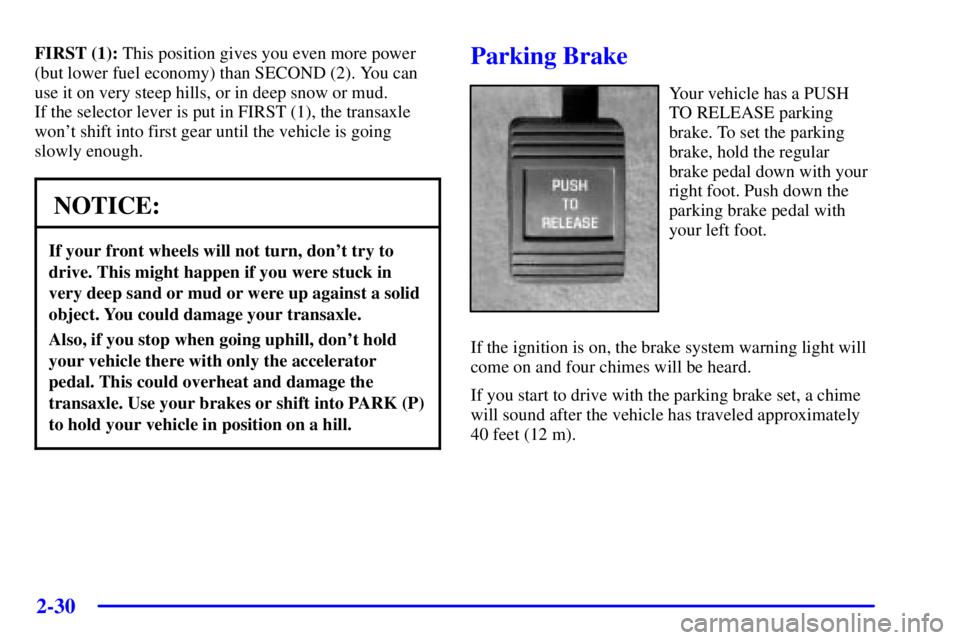
Your vehicle has a PUSH
TO RELEASE parking
brake. To set the parking
brake, hold the regular
brake pedal down with your
right foot. Push down the
parking brake pedal with
your left foot.
If the ignition is on, the brake system warning light will
come on and four chimes will be heard.
If you start to drive with the parking brake set, a chime
will sound after the vehicle has traveled approximately
40 feet (12 m).
Page 98 of 413
2-31
To release the parking brake, hold the regular brake
pedal down with your right foot and push the parking
brake pedal with your left foot. This will release the
parking brake pedal. When you lift your left foot, the
parking brake pedal will follow it to the release position.
If you try to drive with the parking brake on, the brake
light stays on and a chime sounds until you release the
parking brake.
NOTICE:
Driving with the parking brake on can cause
your rear brakes to overheat. You may have to
replace them, and you could also damage other
parts of your vehicle.
If you are towing a trailer and are parking on any hill,
see ªTowing a Trailerº in the Index. That section shows
what to do first to keep the trailer from moving.
Shifting Into PARK (P)
CAUTION:
It can be dangerous to get out of your vehicle if
the shift lever is not fully in PARK (P) with the
parking brake firmly set. Your vehicle can roll.
If you have left the engine running, the vehicle
can move suddenly. You or others could be
injured. To be sure your vehicle won't move, even
when you're on fairly level ground, use the steps
that follow. If you're pulling a trailer, see
ªTowing a Trailerº in the Index.
Page 106 of 413
2-39 Headlamps
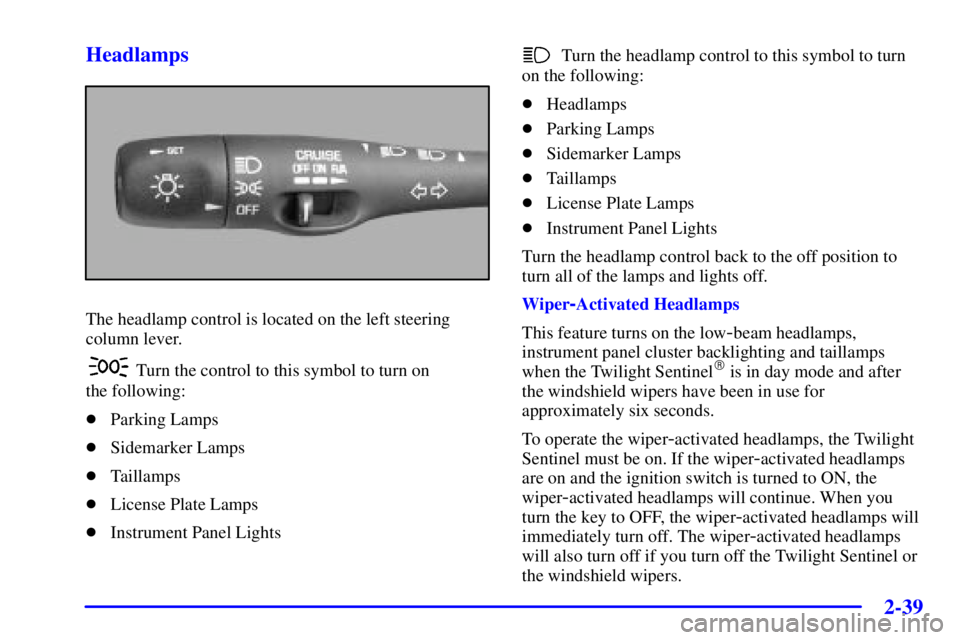
The headlamp control is located on the left steering
column lever.
Turn the control to this symbol to turn on
the following:
�Parking Lamps
�Sidemarker Lamps
�Taillamps
�License Plate Lamps
�Instrument Panel Lights
Turn the headlamp control to this symbol to turn
on the following:
�Headlamps
�Parking Lamps
�Sidemarker Lamps
�Taillamps
�License Plate Lamps
�Instrument Panel Lights
Turn the headlamp control back to the off position to
turn all of the lamps and lights off.
Wiper
-Activated Headlamps
This feature turns on the low
-beam headlamps,
instrument panel cluster backlighting and taillamps
when the Twilight Sentinel
� is in day mode and after
the windshield wipers have been in use for
approximately six seconds.
To operate the wiper
-activated headlamps, the Twilight
Sentinel must be on. If the wiper
-activated headlamps
are on and the ignition switch is turned to ON, the
wiper
-activated headlamps will continue. When you
turn the key to OFF, the wiper
-activated headlamps will
immediately turn off. The wiper
-activated headlamps
will also turn off if you turn off the Twilight Sentinel or
the windshield wipers.
Page 107 of 413
2-40
Lamps On Reminder
If you open the driver's door while leaving the
headlamps or parking lamps on and the key is in OFF,
you will hear a warning chime.
Headlamp High/Low-Beam Changer
To change the headlamps from low beam to high beam,
push the lever forward. To change from high beam to
low beam, pull the turn signal lever toward you, then
release it.
When the high beams are
on, this light on the
instrument panel cluster
will also be on.
Flash-To-Pass Feature
This feature lets you use your high-beam headlamps to
signal a driver in front of you that you want to pass.
It works even if your headlamps are off.
To use it, pull the turn signal lever toward you.If your headlamps are off or on low beam, your
high
-beam headlamps will turn on. They'll stay on as
long as you hold the lever toward you and the
high
-beam indicator on the instrument panel cluster will
come on. Release the lever to turn the high
-beam
headlamps off.
Windshield Wipers
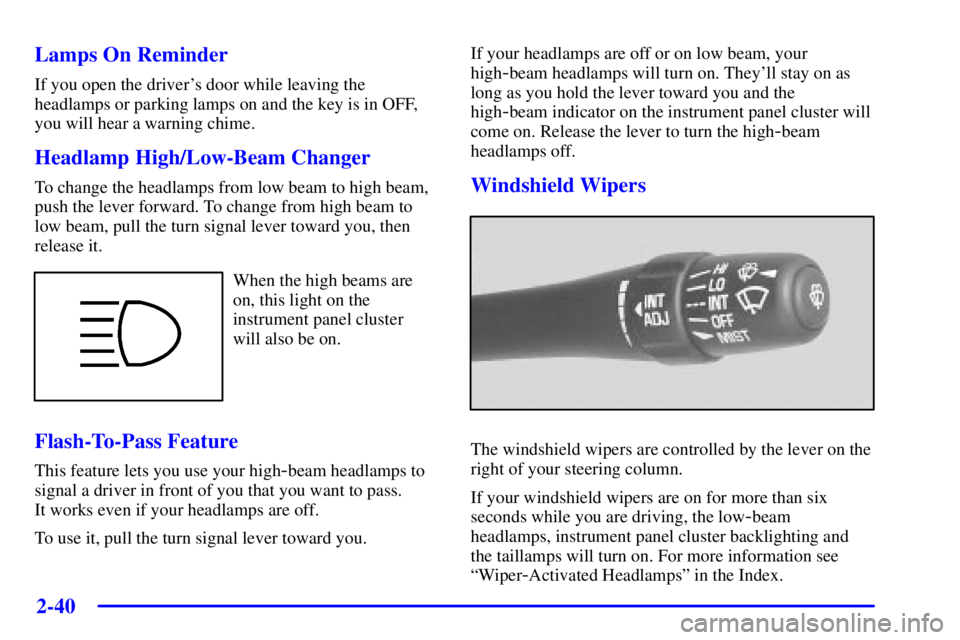
The windshield wipers are controlled by the lever on the
right of your steering column.
If your windshield wipers are on for more than six
seconds while you are driving, the low
-beam
headlamps, instrument panel cluster backlighting and
the taillamps will turn on. For more information see
ªWiper
-Activated Headlampsº in the Index.
Page 108 of 413
2-41
MIST: For a single wiping cycle, push the lever down
to the MIST position and let go. The wipers will stop
after one cycle. If you want more cycles, hold the
lever down.
LO or HI: Push the lever up to LO for steady wiping at
a slow speed. Push the lever up to HI for steady wiping
at a high speed.
INT: Push the lever up to the INT position and turn the
INT ADJ band to adjust the delay time. The further you
turn the band, the shorter the delay between wiping cycles.
OFF: Lower the lever to its original position to turn the
wipers OFF.
Heavy snow or ice can overload your wiper motor.
A circuit breaker will stop the motor until it cools.
Clear away snow or ice to prevent an overload.
Keep in mind that damaged wiper blades may prevent
you from seeing well enough to drive safely. To avoid
damage, be sure to clear ice and snow from the wiper
blades before using them. If your blades do become
damaged, get new blades or blade inserts. See ªWiper
Blade Replacementº in the Index.Windshield Washer
At the end of the wiper lever, there's a button. To spray
washer fluid on the windshield, push the button until
you have enough fluid to clean the windshield. The
wipers will clear the window and either stop or return to
your preset speed.
CAUTION:
In freezing weather, don't use your washer until
the windshield is warmed. Otherwise the washer
fluid can form ice on the windshield, blocking
your vision.
A WASHER FLUID warning light will indicate if the
fluid level in the windshield washer reservoir is low.
See ªLow Washer Fluid Warning Lightº in the Index.
Page 111 of 413
2-44
Reducing Speed While Using Cruise Control
There are two ways to reduce your speed while using
cruise control:
�Press and hold the SET button until you get to the
speed you want, and then release it.
�To slow down in very small amounts, press and
release the SET button briefly. Each time you do
this, you'll go about 1 mph (1.6 km/h) slower.
Passing Another Vehicle While Using Cruise Control
Use the accelerator pedal to increase your speed. When
you take your foot off the pedal, your vehicle will slow
down to the cruise control speed you set earlier.
Using Cruise Control on Hills
How well your cruise control will work on hills depends
upon your speed, load and the steepness of the hills.
When going up steep hills, you may have to step on the
accelerator pedal to maintain your speed. When going
downhill, you may have to brake or shift to a lower gear to
keep your speed down. Of course, applying the brake takes
you out of cruise control. Many drivers find this to be too
much trouble and don't use cruise control on steep hills.Ending Cruise Control
There are three ways to turn off the cruise control:
�Step lightly on the brake pedal,
�move the cruise switch to OFF, or
�push the cruise lever toward the driver.
Erasing Speed Memory
When you turn off the cruise control or the ignition,
your cruise control set speed memory is erased.