2001 Peugeot 306 C buttons
[x] Cancel search: buttonsPage 50 of 133

70
YOUR 306 CABRIOLET IN DETAIL
GENERAL FUNCTIONS On / off
With the ignition key in the ACCESSORIES or IGNITION position, press the "ON/VOL"button to switch the set
on or off. The set can operate for 30 minutes without switching the ignition on. ANTI-THEFT SYSTEM
The first time you use the set following disconnection of the set or the battery, you must enter the confidential code which was given to you on handover of your vehicle. Entering the code Switch the set on. The display shows Ò CODEÓ then the set changes over to code request mode and " - - - -" is displayed.
Enter your four-digitcode number using buttons " 1" to " 6".
For example: if your code is 5345 press buttons " 5", " 3", " 4" and " 5" in turn.
When the fourth number has been entered correctly, the radio starts automatically.
Error in entering the code
If an error is made when entering one of the first three digits, do not continue the operation and switch off the radio to prevent blocking it. Each incorrect code entry will result in the set being blocked for a period of from 5 seconds to 30 minutes, after
the 7th incorrect entry.
To unblock the set, leave it switched on during the waiting period. When " - - - -" is displayed, you can enter the code again.
If the set is switched off during the waiting period, this waiting period will restart when the set is switched on again.After incorrectly inputting the code 14 times, the radio will be permanently locked and will display the message " END ".
ADJUSTING THE SOUND Adjusting the volume
Turn the " ON/VOL" button Mto increase or decrease the volume of the set.
In the event of the radio overheating, the volume level decreases.
NoteIf you have a telephone fitted with a Ò muteÓ signal output connected to the set, the set will automatically change
to Ò mute Ó when the telephone is used.
Page 51 of 133

71
YOUR 306 CABRIOLET IN DETAIL
AUDIO SETTINGS Press the Ò AUDIOÓ button several times to select bass (BASS), treble(TREB) , loudness (LOUD), fader (FAD)and
balance (BAL).
Exit from audio mode is automatic after a few seconds, without pressing any button or by pressing the Ò AUDIOÓ
button after adjusting the balance. Note: the bass and treble settings are specific to each source. It is possible to set the radio, CD, or CD multi-changer
differently.
Bass setting When ÒBASSÓ is displayed, press the Ò DÓ or Ò EÓ buttons to vary the setting.
-Ò BASS -9 Ó for a minimum bass setting,
-Ò BASS 0 Ó for a normal position,
-Ò BASS +9 Ó for a maximum bass setting.
Treble settingWhen Ò TREBÓ is displayed, press the Ò DÓ or Ò EÓ buttons to vary the setting.
-Ò TREB -9 Ó for a minimum treble setting,
-Ò TREB 0 Ó for a normal position,
-Ò TREB +9 Ó for a maximum treble setting.
Adjusting the loudness
This function automatically emphasises bass and treble tones when the volume is low. Press the ÒDÓor ÒEÓ buttons to switch this function on or off.
Setting the front/rear sound distribution (Fader) When Ò FA DÓ is displayed, press the Ò DÓ or Ò EÓ buttons to vary the setting.
The Ò DÓ button increases the volume at the front.
The Ò EÓ button increases the volume at the rear.
This function may be switched off by simultaneously pressing buttons Ò MÓ and Ò FÓ.
Setting the right/left sound distribution (Balance)When Ò BALÓ is displayed, press the Ò DÓ or Ò EÓ buttons to vary the setting.
The ÒDÓbutton increases the volume on the right-hand side.
The ÒEÓbutton increases the volume on the left-hand side.
Page 53 of 133

73
YOUR 306 CABRIOLET IN DETAIL
Manual storing of stations in the memory Select the station required. Press for more than two seconds one of the buttons Ò 1Ó to Ò 6Ó.
The sound stops then becomes audible again, confirming that the station has been stored in memory. Automatic storing of FM stations in the memory (autostore) Press the Ò TUNERÓ button for more than two seconds, to automatically store the 6 stations with the strongest signal
in FM. These stations are stored in the FM3 waveband.
- If it is not possible to find 6 stations, the remaining memories are empty. Recalling stations stored in the memory For each waveband, briefly pressing the buttons Ò 1Ó to Ò 6Ó recalls the corresponding stored station.
RDS FUNCTION Using the RDS (Radio Data System) function on FM RDS allows you to continue to listen to the same station, whatever frequency it is using for the region you are going through.
Switch the function on or off by briefly pressing the Ò RDSÓ button.
RDS station following
The display indicates the name of the station selected. The radio is continually searching for the station which has the best reception and which is transmitting the same programme.
Page 54 of 133

74
YOUR 306 CABRIOLET IN DETAIL
Traffic information programme Press the Ò TAÓ button to switch the function on or off.
Any traffic information flash will be broadcast as a priority, whether you are using the radio, CD, CD multi-
changer. If you wish to interrupt a message, press the ÒTAÓbutton; this switches off the function.
Note : the volume of the traffic information announcements is independent of the volume of normal radio
listening. You can adjust it using the volume button. The setting will be stored and will be used when thenext messages are broadcast.
While traffic information is being broadcast, the display will alternately show Ò TRAFFICÓ and the name of the
station.
When the station selected cannot broadcast traffic information, the display shows Ò NO TAÓ.
Regional following mode (REG) When they are part of a network, certain stations broadcast regional programmes in the various areas they serve. With regional following mode you can keep listening to the same programme.
To do this press the ÒRDSÓbutton for more than two seconds to switch this function on or off.
PTY function This allows you to listen to stations broadcasting a specific type of programme (news, culture, sport, rock etc.). With FM selected, press the Ò TAÓ button for two seconds to switch this function on or off.
To find a PTY programme:
- switch on the PTYfunction,
- briefly press button ÒGÓor ÒHÓ to scroll down the list of the various types of programmes offered,
- when the programme of your choice is displayed, keep button ÒGÓ orÒHÓ pressed for more than two seconds
to carry out an automatic search (after an automatic search the PTY function is switched off).
In PTY mode the different types of programmes can be stored in memory. To do this, press down the preselec-
tion buttons Ò1Óto Ò6Ó for more than two seconds. Recalling the type of programme stored in the memory is by
a brief press on the corresponding button.
Page 55 of 133

75
YOUR 306 CABRIOLET IN DETAIL
EON system
This connects stations which are part of the same network. It enables broadcasting of traffic information or a PTY programme from a station which is part of the same network as the station to which you are listening.
This service is available when you have selected the TA traffic information programme or the PTY function.
COMPACT DISC Selecting the CD as source
After inserting a disc, with the printed surface upwards, the player starts automatically. If a disc is already inserted, press the " K" button.
Ejecting a disc Press button Ò AÓ to eject the disc from the player.
Selecting a trackPress button Ò GÓ to select the next track.
Press button Ò HÓ to return to the start of the current track or to select the previous track.
Accelerated playPress the Ò MANÓ button.
Keep button Ò GÓ or Ò HÓ pressed for forwards or backwards accelerated play.
Accelerated play stops as soon as you release the button. Buttons Ò GÓ and Ò HÓ resume the Òtrack selectionÓ function when the Ò MANÓ button is pressed again.
Shuffle (RDM) When the CD is selected, keep the Ò KÓ button pressed for two seconds. The tracks will be played in random
sequence. Pressing the Ò KÓ button again for two seconds returns you to normal play.
Page 56 of 133

75
YOUR 306 CABRIOLET IN DETAIL
EON system
This connects stations which are part of the same network. It enables broadcasting of traffic information or a PTY programme from a station which is part of the same network as the station to which you are listening.
This service is available when you have selected the TA traffic information programme or the PTY function.
COMPACT DISC Selecting the CD as source
After inserting a disc, with the printed surface upwards, the player starts automatically. If a disc is already inserted, press the " K" button.
Ejecting a disc Press button Ò AÓ to eject the disc from the player.
Selecting a trackPress button Ò GÓ to select the next track.
Press button Ò HÓ to return to the start of the current track or to select the previous track.
Accelerated playPress the Ò MANÓ button.
Keep button Ò GÓ or Ò HÓ pressed for forwards or backwards accelerated play.
Accelerated play stops as soon as you release the button. Buttons Ò GÓ and Ò HÓ resume the Òtrack selectionÓ function when the Ò MANÓ button is pressed again.
Shuffle (RDM) When the CD is selected, keep the Ò KÓ button pressed for two seconds. The tracks will be played in random
sequence. Pressing the Ò KÓ button again for two seconds returns you to normal play.
Page 57 of 133
76
YOUR 306 CABRIOLET IN DETAIL
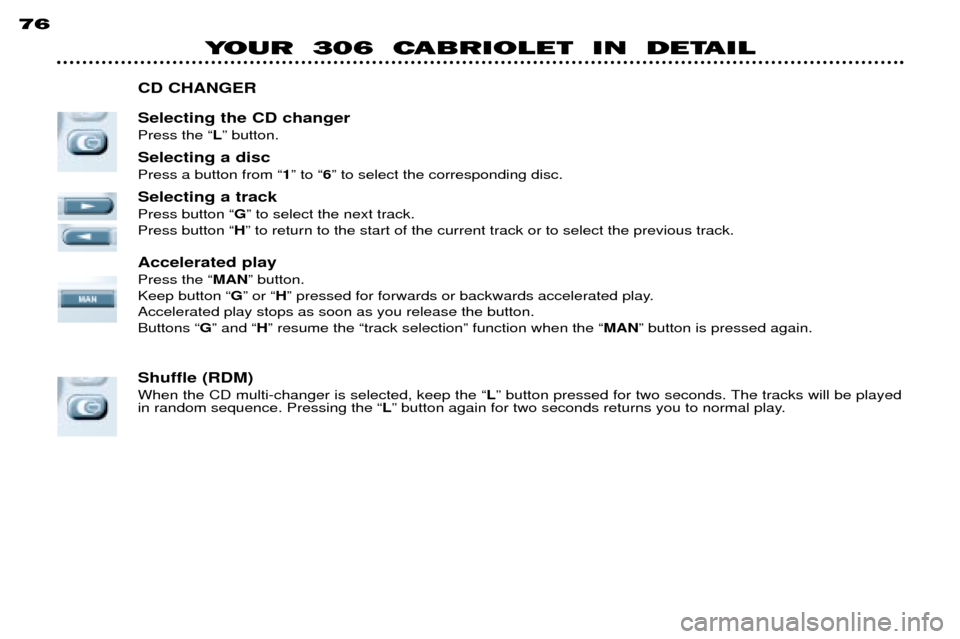
CD CHANGER Selecting the CD changer Press the Ò LÓ button.
Selecting a discPress a button from Ò 1Ó to Ò 6Ó to select the corresponding disc.
Selecting a trackPress button Ò GÓ to select the next track.
Press button Ò HÓ to return to the start of the current track or to select the previous track.
Accelerated playPress the Ò MANÓ button.
Keep button Ò GÓ or Ò HÓ pressed for forwards or backwards accelerated play.
Accelerated play stops as soon as you release the button. Buttons Ò GÓ and Ò HÓ resume the Òtrack selectionÓ function when the Ò MANÓ button is pressed again.
Shuffle (RDM) When the CD multi-changer is selected, keep the Ò LÓ button pressed for two seconds. The tracks will be played
in random sequence. Pressing the Ò LÓ button again for two seconds returns you to normal play.