Page 72 of 290
SWITCH OPERATION
The ignition switch must be in the ON
position for the wipers or washer to be
activated. Push the lever down to operate
the wipers, and pull the lever toward you to
operate the washer. Operating the washer
automatically cycles the wipers several
times.
Intermittent wiper operation can be adjusted
from 1 to 19 seconds by turning the time
control knob (Type C only).
CAUTION
cDo not operate the washer continu-
ously for more than 30 seconds.
cDo not operate the washer if the
reservoir tank is empty.
cDo not fill the window washer reser-
voir tank with washer fluid concen-
trates at full strength. Some methyl
alcohol based washer fluid concen-
trates may permanently stain the
grille if spilled while filling the win-
dow washer reservoir tank.Pre-mix washer fluid concentrates
with water to the manufacturer's rec-
ommended levels before pouring the
fluid into the window washer reser-
voir tank. Do not use the window
washer reservoir tank to mix the
washer fluid concentrate and water.
WARNING
In freezing temperatures the washer
solution may freeze on the windshield
and obscure your vision which may
lead to an accident. Warm the wind-
shield with the defroster before you
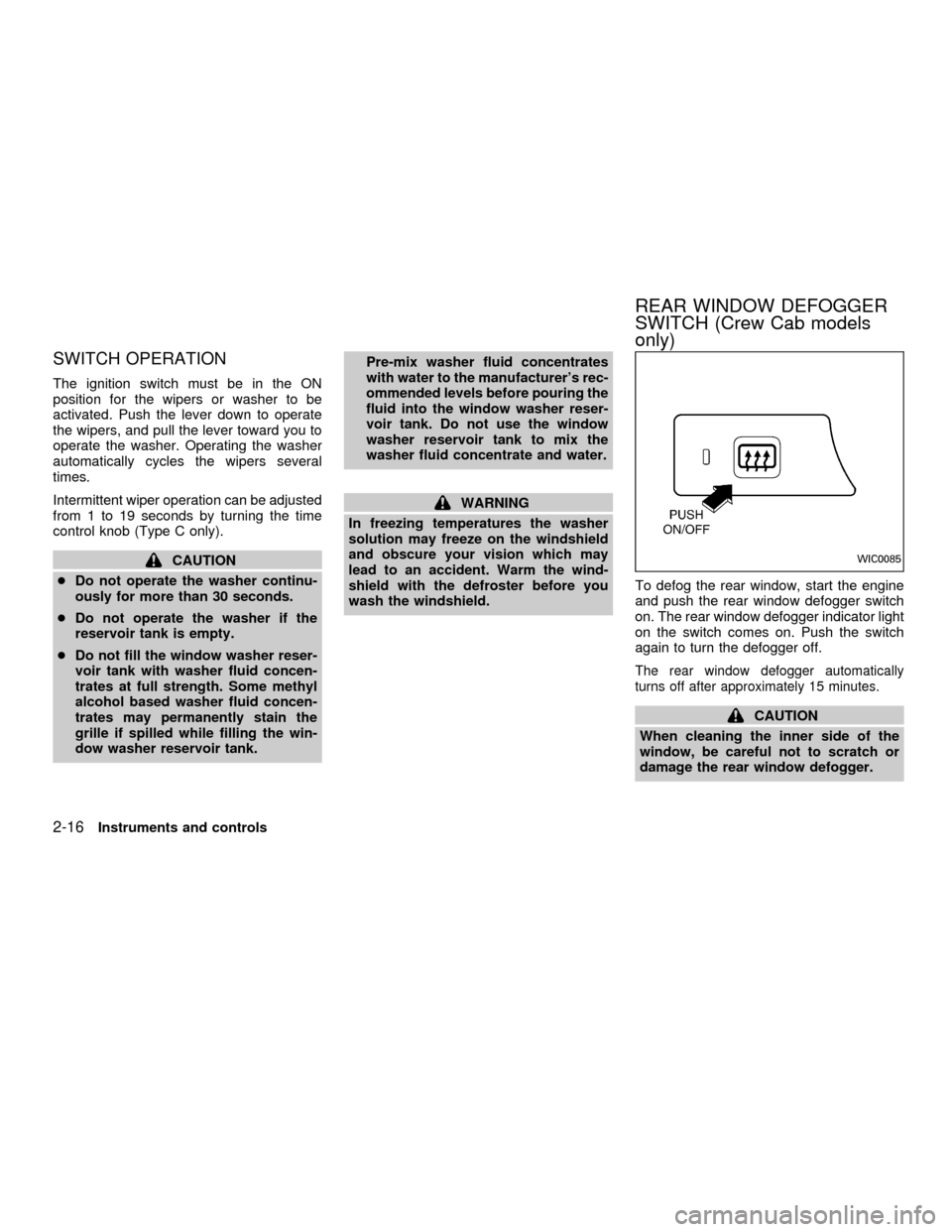
wash the windshield.To defog the rear window, start the engine
and push the rear window defogger switch
on. The rear window defogger indicator light
on the switch comes on. Push the switch
again to turn the defogger off.
The rear window defogger automatically
turns off after approximately 15 minutes.
CAUTION
When cleaning the inner side of the
window, be careful not to scratch or
damage the rear window defogger.
WIC0085
REAR WINDOW DEFOGGER
SWITCH (Crew Cab models
only)
2-16Instruments and controls
ZX
Page 77 of 290
WARNING
The cigarette lighter should not be
used while driving so that full attention
may be given to vehicle operation.
CAUTION
The cigarette lighter socket is a power
source for the cigarette lighter element
only. The use of the cigarette lighter
socket as a power source for any other
accessory is not recommended.
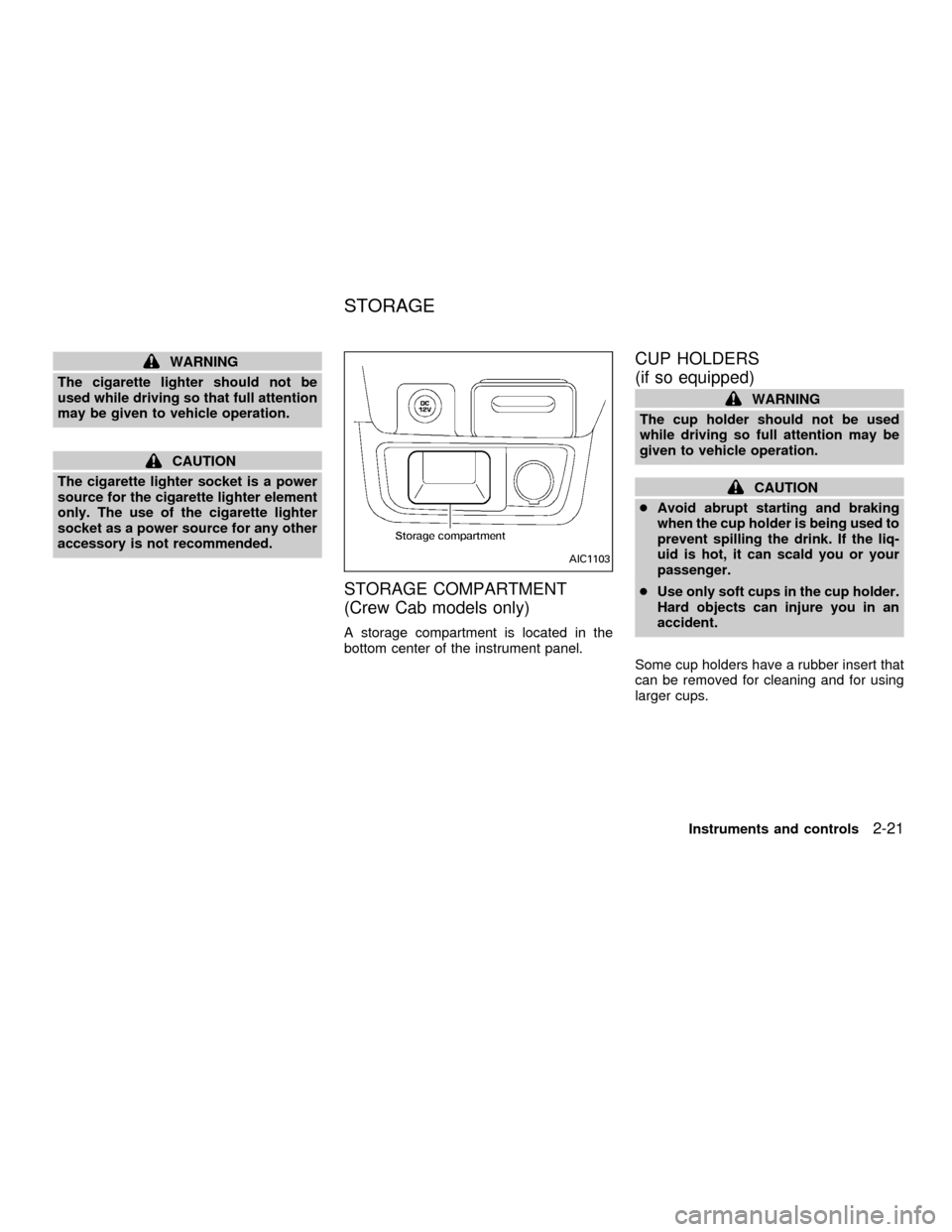
STORAGE COMPARTMENT
(Crew Cab models only)
A storage compartment is located in the
bottom center of the instrument panel.
CUP HOLDERS
(if so equipped)
WARNING
The cup holder should not be used
while driving so full attention may be
given to vehicle operation.
CAUTION
cAvoid abrupt starting and braking
when the cup holder is being used to
prevent spilling the drink. If the liq-
uid is hot, it can scald you or your
passenger.
cUse only soft cups in the cup holder.
Hard objects can injure you in an
accident.
Some cup holders have a rubber insert that
can be removed for cleaning and for using
larger cups.
AIC1103
STORAGE
Instruments and controls2-21
ZX
Page 90 of 290
CHILD SAFETY REAR DOOR
LOCK (Crew Cab models only)
Child safety locks help prevent the rear
doors from being opened accidentally, es-
pecially when small children are in the ve-
hicle.
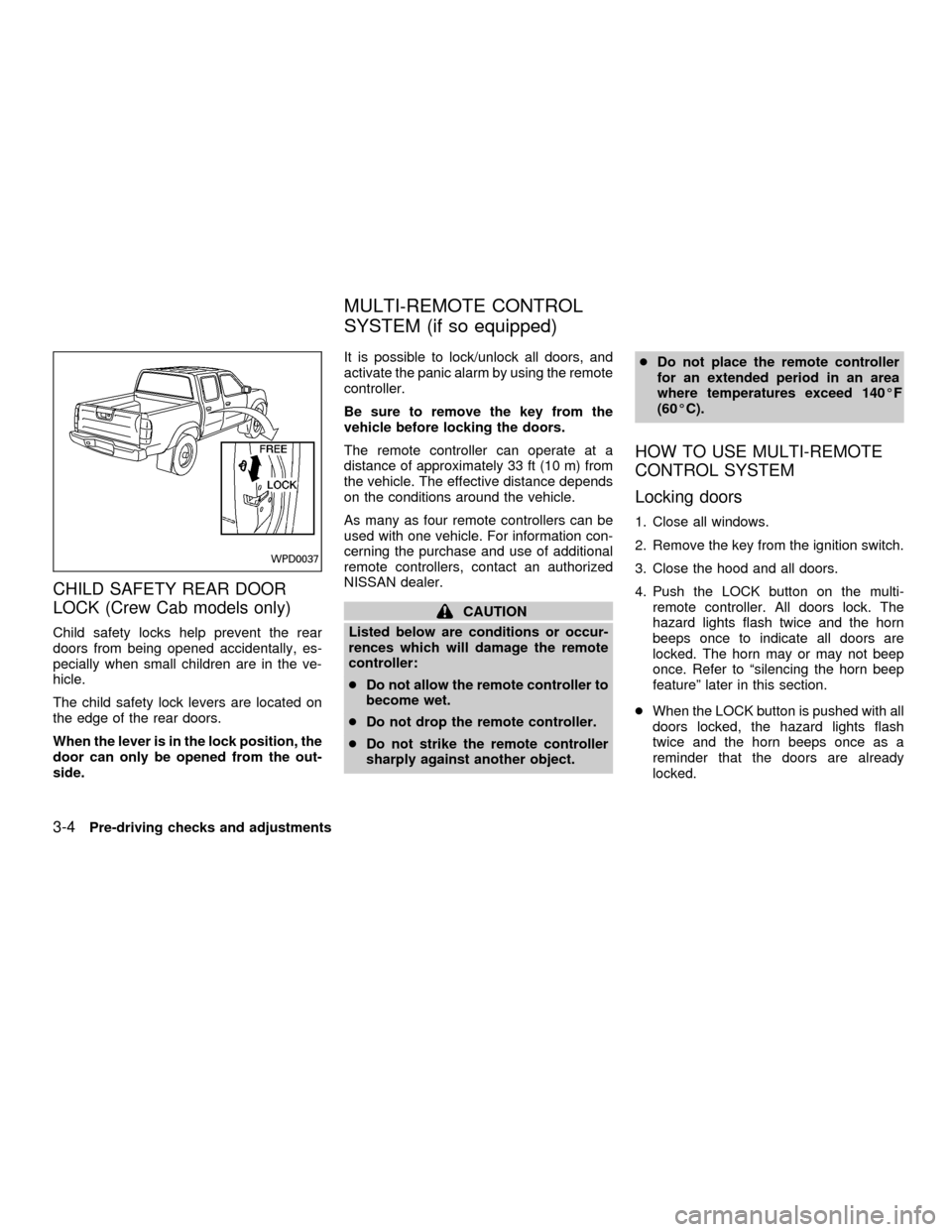
The child safety lock levers are located on
the edge of the rear doors.
When the lever is in the lock position, the
door can only be opened from the out-
side.It is possible to lock/unlock all doors, and
activate the panic alarm by using the remote
controller.
Be sure to remove the key from the
vehicle before locking the doors.
The remote controller can operate at a
distance of approximately 33 ft (10 m) from
the vehicle. The effective distance depends
on the conditions around the vehicle.
As many as four remote controllers can be
used with one vehicle. For information con-
cerning the purchase and use of additional
remote controllers, contact an authorized
NISSAN dealer.
CAUTION
Listed below are conditions or occur-
rences which will damage the remote
controller:
cDo not allow the remote controller to
become wet.
cDo not drop the remote controller.
cDo not strike the remote controller
sharply against another object.cDo not place the remote controller
for an extended period in an area
where temperatures exceed 140ÉF
(60ÉC).
HOW TO USE MULTI-REMOTE
CONTROL SYSTEM
Locking doors
1. Close all windows.
2. Remove the key from the ignition switch.
3. Close the hood and all doors.
4. Push the LOCK button on the multi-
remote controller. All doors lock. The
hazard lights flash twice and the horn
beeps once to indicate all doors are
locked. The horn may or may not beep
once. Refer to ªsilencing the horn beep
featureº later in this section.
cWhen the LOCK button is pushed with all
doors locked, the hazard lights flash
twice and the horn beeps once as a
reminder that the doors are already
locked.
WPD0037
MULTI-REMOTE CONTROL
SYSTEM (if so equipped)
3-4Pre-driving checks and adjustments
ZX
Page 107 of 290
WARNING
cThe air conditioner cooling function
operates only when the engine is
running.
cDo not leave children, unreliable
adults, or pets alone in your vehicle.
On hot, sunny days, temperatures in
a closed vehicle could quickly be-
come high enough to cause severe
or possibly fatal injuries to people or
animals.
cDo not use the recirculation mode
for long periods as it may cause the
interior air to become stale and the
windows to fog up.
cPositioning of the heater and air con-
ditioner controls should not be done
while driving so full attention may be
given to vehicle operation.
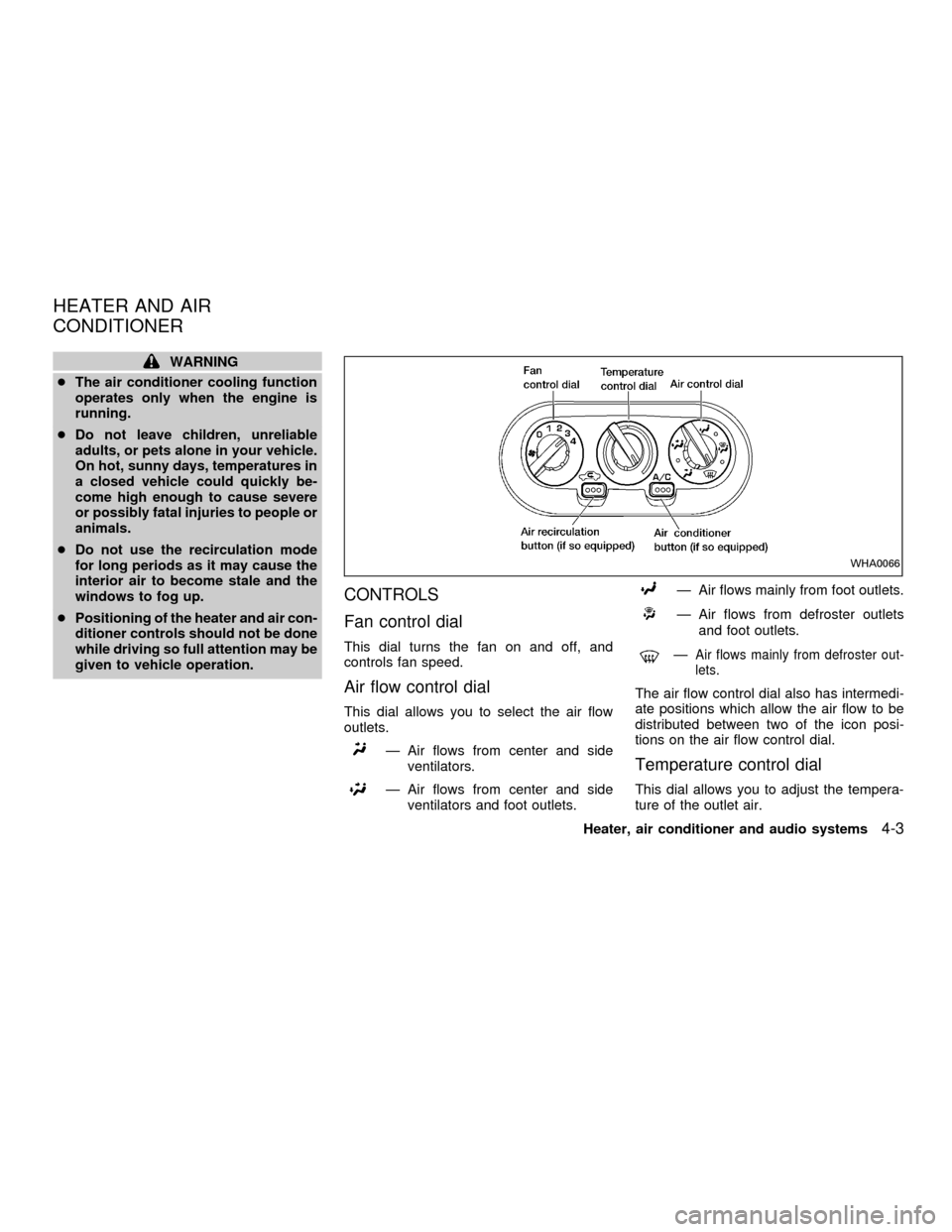
CONTROLS
Fan control dial
This dial turns the fan on and off, and
controls fan speed.
Air flow control dial
This dial allows you to select the air flow
outlets.
Ð Air flows from center and side
ventilators.
Ð Air flows from center and side
ventilators and foot outlets.
Ð Air flows mainly from foot outlets.
Ð Air flows from defroster outlets
and foot outlets.
ÐAir flows mainly from defroster out-
lets.
The air flow control dial also has intermedi-
ate positions which allow the air flow to be
distributed between two of the icon posi-
tions on the air flow control dial.
Temperature control dial
This dial allows you to adjust the tempera-
ture of the outlet air.
WHA0066
HEATER AND AIR
CONDITIONER
Heater, air conditioner and audio systems4-3
ZX
Page 115 of 290

Turn the power/volume control knob to the
right to increase volume or to the left to
decrease volume.
Adjusting tone quality and speaker bal-
ance.
To adjust Bass, Treble, Fader (Crew Cab
models only) or Balance, press the
knob for less than 1.5 seconds. A
beep signals entry into the audio adjustment
mode and BASS will appear in the display.
Rotate the
knob to adjust Bass
(BASS) to the desired level.
Press the
knob a second time and
TREB appears in the display. Rotate the
knob to adjust Treble (TREB) to the
desired level.
Press the
knob a third time and FAD
appears in the display (Crew Cab models
only). Fader (FAD) adjusts the sound be-
tween the front and rear speakers. Rotate
the
knob to adjust Fader (FAD) to the
desired level.
Press the
knob a fourth time and BAL
appears in the display. Balance (BAL) ad-
justs the sound between the right and left
speakers. Rotate the
knob to adjust
Balance (BAL) to the desired level.After 10 seconds, the radio or CD display
will reappear. Once the sound quality is set
to the desired level, press the
knob
repeatedly until the radio or CD display
reappears.
Heater, air conditioner and audio systems
4-11
ZX
Page 116 of 290
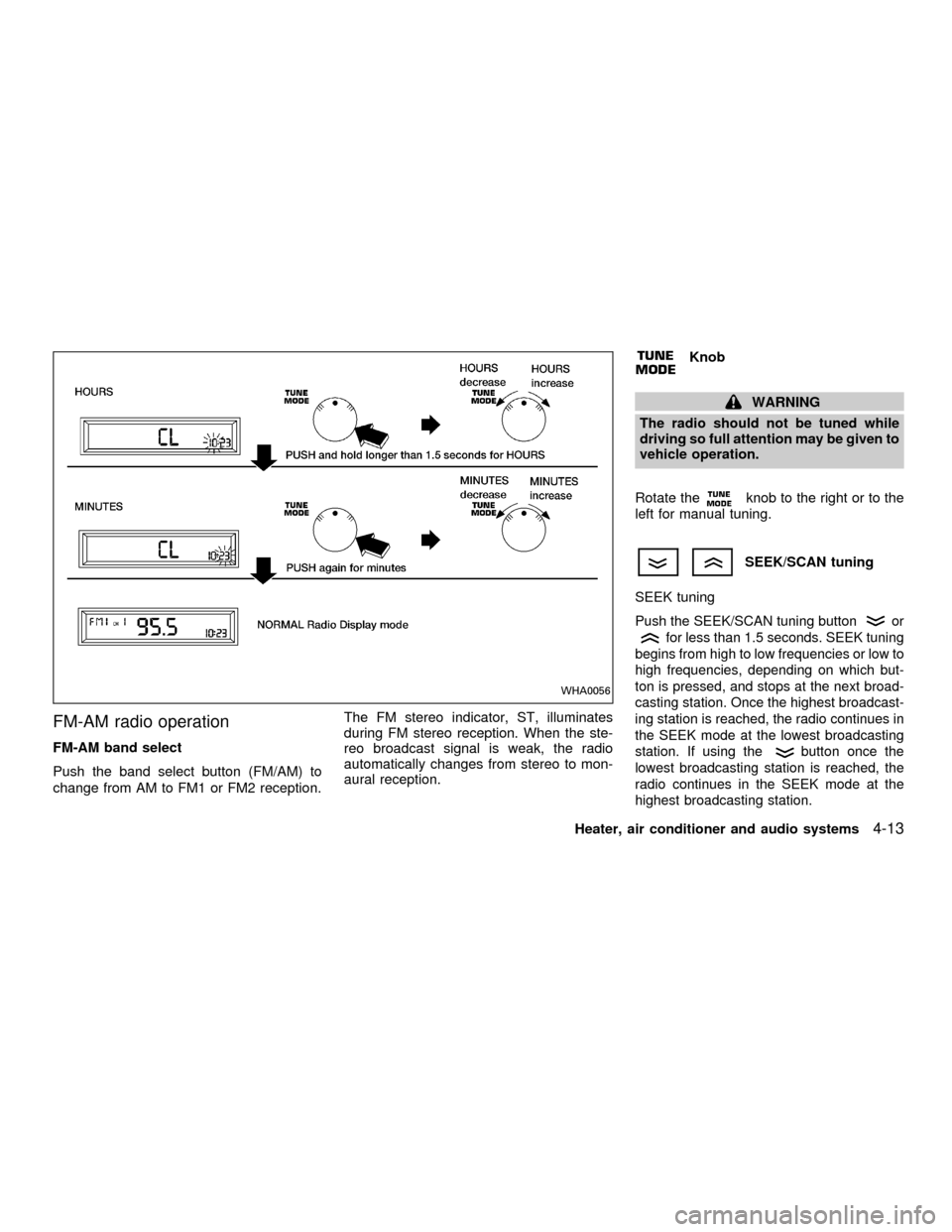
Clock operation
The clock is on in the display regardless of
what mode, media, or function the radio is in
as long as the ignition is in ACC or ON.
Clock set
To adjust the clock, press the
knob
for longer than 1.5 seconds. A beep signals
entry into the clock adjustment mode and
CL appears in the display. The hours will be
blinking. Rotate the
knob to adjust
the hours to the desired level.
Press the
knob a second time and
the minutes will start to blink. Rotate the
knob to adjust the minutes to the
desired level.
After 10 seconds, the radio or CD display
will reappear. Once the clock is set to the
desired level, press the
knob repeat-
edly until the radio or CD display reappears.
WHA0096
4-12Heater, air conditioner and audio systems
ZX
Page 117 of 290
FM-AM radio operation
FM-AM band select
Push the band select button (FM/AM) to
change from AM to FM1 or FM2 reception.The FM stereo indicator, ST, illuminates
during FM stereo reception. When the ste-
reo broadcast signal is weak, the radio
automatically changes from stereo to mon-
aural reception.
Knob
WARNING
The radio should not be tuned while
driving so full attention may be given to
vehicle operation.
Rotate the
knob to the right or to the
left for manual tuning.
SEEK/SCAN tuning
SEEK tuning
Push the SEEK/SCAN tuning buttonor
for less than 1.5 seconds. SEEK tuning
begins from high to low frequencies or low to
high frequencies, depending on which but-
ton is pressed, and stops at the next broad-
casting station. Once the highest broadcast-
ing station is reached, the radio continues in
the SEEK mode at the lowest broadcasting
station. If using the
button once the
lowest broadcasting station is reached, the
radio continues in the SEEK mode at the
highest broadcasting station.
WHA0056
Heater, air conditioner and audio systems4-13
ZX
Page 122 of 290
right to increase volume or to the left to
decrease volume.
Adjusting tone quality and speaker bal-
ance
To adjust the audio levels for bass, treble,
fader and balance, push the AUDIO button
and adjust the level with the TUNE/FF-REW
orbuttons. Press the audio
button once for BAS (bass), twice for TRE
(treble), three times for FAD (fader) and four
times for BAL (balance). Once the audio
level is set the display will return back to
radio, cassette or CD display mode after 7
seconds or the AUDIO button can be
pressed again within 7 seconds to set the
next audio level. Pressing the AUDIO button
a fifth time will return the display back to
radio, cassette or CD display mode.
Fader adjusts the sound level between the
front and rear speakers, balance adjusts the
sound level between the right and left
speakers.
Clock operation
Pressing the clock button displays the clock.
AHA1128
4-18Heater, air conditioner and audio systems
ZX