2001 HONDA ODYSSEY ECO mode
[x] Cancel search: ECO modePage 5 of 363

You’ll f ind many saf ety
recommendations throughout this
section, and throughout this manual.
Therecommendationsonthispage
are the ones we consider to be the
most important.Excessive speed is a major f actor in
crash injuries and deaths. Generally,
the higher the speed the greater the
risk, but serious accidents can also
occur at lower speeds. Never drive
f aster than is saf e f or current
conditions, regardless of the
maximum speed posted.
While airbags can save lives, they
can cause serious or fatal injuries to
occupants who sit too close to them,
or are not properly restrained.
Inf ants, young children, and short
adults are at the greatest risk. Be
sure to f ollow all instructions and
warnings in this manual. (See page
.)
Having a tire blowout or a
mechanical f ailure can be extremely
hazardous. To reduce the possibility
of such problems, check your tire
pressures and condition f requently,
and perform all regularly scheduled
maintenance. (See page .)
Children are saf est when they are
properly restrained in a back seat,
notthefrontseat.Achildwhoistoo
smallforaseatbeltmustbeproperly
restrained in a child saf ety seat. (See
page .) Alcohol and driving don’t mix. Even
one drink can reduce your ability to
respond to changing conditions, and
your reaction time gets worse with
every additional drink. So don’t drink
and drive, and don’t let your f riends
drink and drive, either.
A seat belt is your best protection in
all types of collisions. Airbags
supplement seat belts, but airbags
are designed to inf late only in a
moderate to severe f rontal collision.
So even though your vehicle is
equipped with airbags, make sure
you and your passengers always
wear your seat belts, and wear them
properly. (See page .)
15
22 9
240
Driver and Passenger Saf ety
Important Saf ety Precautions
Always Wear Your Seat Belt Be Aware of Airbag Hazards Control Your Speed
K eep Your Vehicle in Saf e
Condition
Restrain All Children Don’t Drink and Drive
6
Page 28 of 363

CONT INUED
Due to variations in the design of
child seats, vehicle seats, and seat
belts, all child seats will not f it all
vehicle seating positions.
However, Honda is conf ident that
one or more child seat models can f it
andbeproperlyinstalledinall
recommended seating positions in
your vehicle.Bef ore purchasing a child seat, we
recommend that parents test the
child seat in the specif ic vehicle
seating position (or positions) where
they intend to use the seat. If a
previously purchased child seat does
not f it, you may need to buy a
different one that will fit.
Your vehicle has lower anchorages
installed f or use with Child Restraint
Anchorage System-compatible child
seats. For more inf ormation, see
page .
47
Protecting Children
Driver and Passenger Saf ety
T he child seat should f it the
vehicle seat ing posit ion (orposit ions) where it will be used.
3.
29
Page 31 of 363
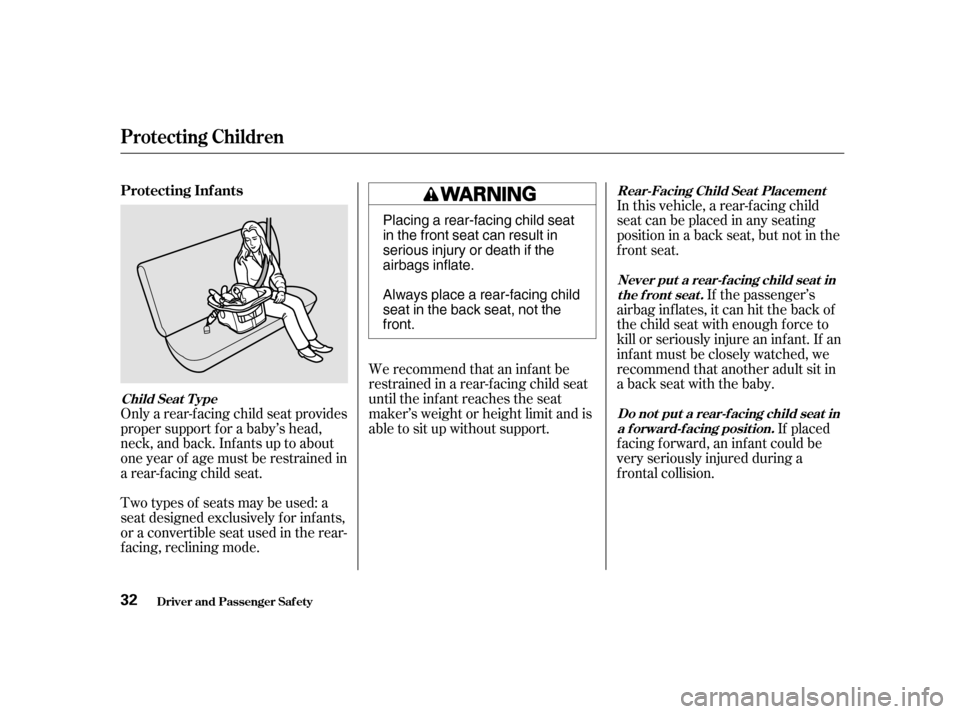
Only a rear-f acing child seat provides
proper support f or a baby’s head,
neck, and back. Inf ants up to about
one year of age must be restrained in
a rear-f acing child seat.We recommend that an inf ant be
restrained in a rear-f acing child seat
until the inf ant reaches the seat
maker’s weight or height limit and is
able to sit up without support. If placed
f acing f orward, an inf ant could be
very seriously injured during a
f rontal collision.If the passenger’s
airbag inflates, it can hit the back of
the child seat with enough force to
kill or seriously injure an inf ant. If an
inf ant must be closely watched, we
recommend that another adult sit in
a back seat with the baby.
Two types of seats may be used: a
seat designed exclusively f or inf ants,
or a convertible seat used in the rear-
f acing, reclining mode. In this vehicle, a rear-f acing child
seatcanbeplacedinanyseating
position in a back seat, but not in the
front seat.
Protecting Inf ants
Child Seat T ype
Do not put a rear-f acing child seat ina f orward-f acing position.
Never put a rear-f acing child seat in
the front seat.
Rear-Facing Child Seat Placement
Protecting Children
Driver and Passenger Saf ety
32 Placing a rear-facing child seat
in the front seat can result in
serious injury or death if the
airbags inflate.
Always place a rear-facing child
seat in the back seat, not thefront.
Page 57 of 363
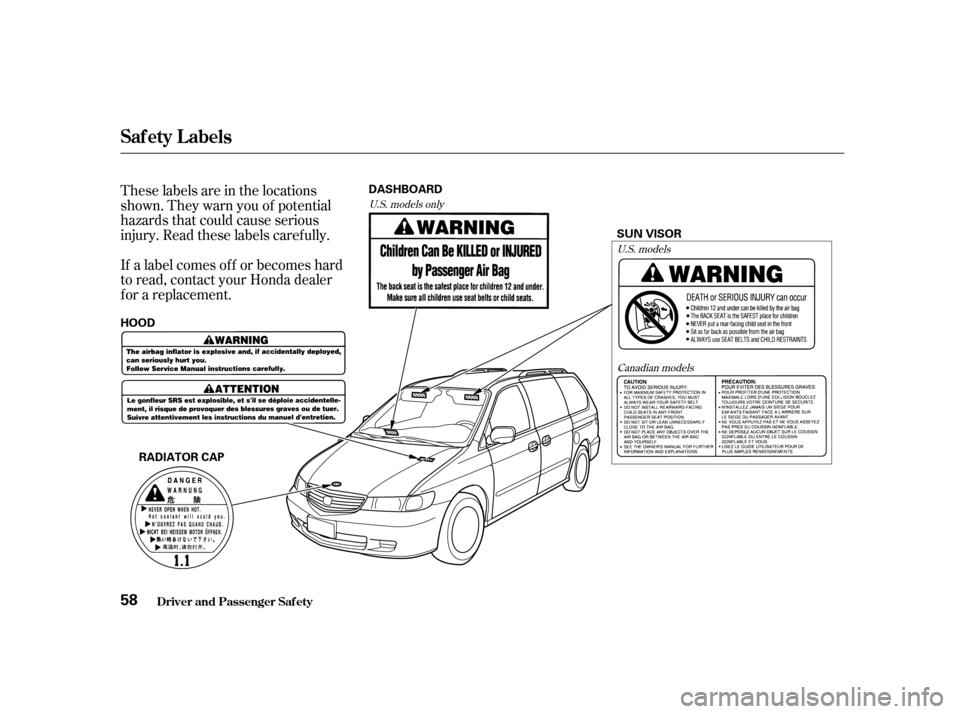
These labels are in the locations
shown. They warn you of potential
hazards that could cause serious
injury. Read these labels caref ully.
If a label comes of f or becomes hard
to read, contact your Honda dealer
f or a replacement.U.S. models onlyU.S. models
Canadian models
Driver and Passenger Saf ety
Saf ety L abels
58RADIATOR CAP SUN VISOR
HOOD DASHBOARD
Page 63 of 363

The lef t or right turn signal light
blinks when you signal a lane change
or turn. If the light does not blink or
blinks rapidly, it usually means one
of the turn signal bulbs is burned out
(see page ). Replace the bulb as
soon as possible, since other drivers
cannot see that you are signalling.
WhenyouturnontheHazard
Warning switch, both turn signal
lights blink. All turn signals on the
outside of the vehicle should f lash.
This indicator comes on f or a f ew
seconds when you turn the ignition
switch ON (II). If it comes on at any
other time, there is a problem in the
power sliding door system. With this
light on, move the main switch on
the dashboard to the OFF position,
and have the system checked by
your Honda dealer as soon as
possible. You can still open or close
each sliding door manually. For
more inf ormation on the power
sliding doors, see page .
All the lights in the monitor display
come on when you turn the ignition
switch ON (II). The lights go of f
after the engine starts and the
tailgate and all doors are closed
tightly.
A burned out brake light is a hazard
when drivers behind you cannot tell
you are braking. Have your brake
lights repaired right away.
The appropriate light comes on in
this display if the tailgate or any door
is not closed tightly. If a brake light
does not work, the
indicator comes on when you push
the brake pedal with the ignition
switch ON (II).
94 283
EX model only
Door and Brake L amp Monitor
Turn Signal and
Hazard Warning
Indicators
Power Sliding Door
Indicator
Indicator L ights
Inst rument s and Cont rols
64 BRAKE LAMP
Page 70 of 363
The Automatic Lighting Of f f eature
turns of f the headlights, parking
lights, taillights, side marker lights,
license plate lights and instrument
panel lights within 15 seconds of
removing the key from the ignition
switch and closing the driver’s door.The lights will turn on again when
you unlock or open the driver’s door.
If you unlock the door, but do not
open it within 15 seconds, the lights
will go off. With the driver’s door
open, you will hear a lights-on
reminder chime.
With the headlight switch off, the
high beam headlights come on with
reduced brightness when you turn
the ignition switch to ON (II) and
release the parking brake. They
remain on until you turn the ignition
of f , even if you set the parking brake.
The headlights revert to normal
operation when you turn them on
with the switch.
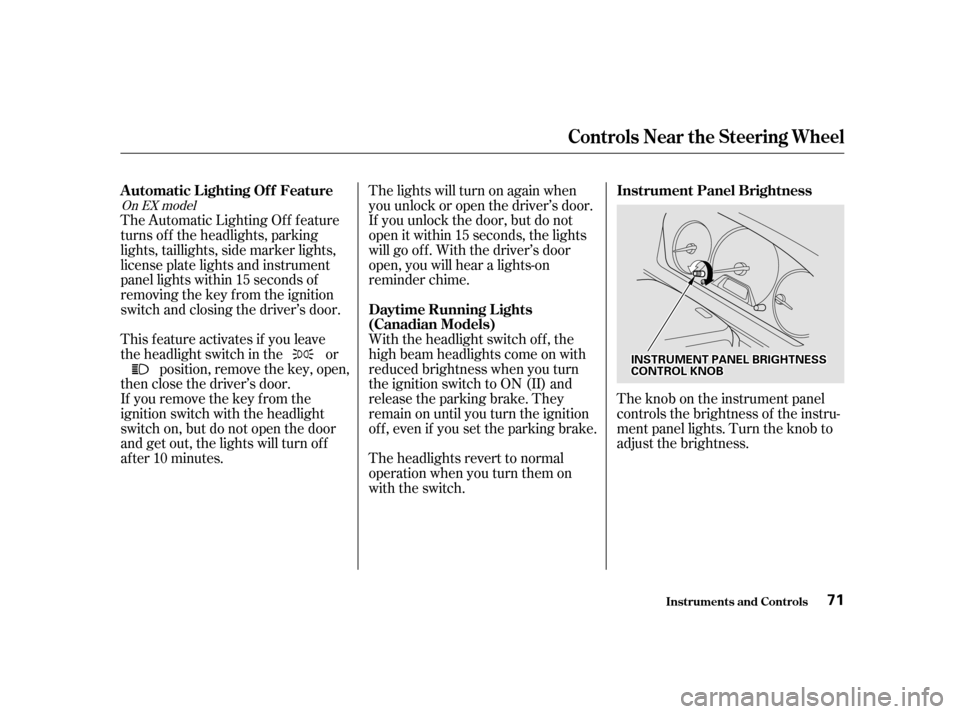
Theknobontheinstrumentpanel
controls the brightness of the instru-
ment panel lights. Turn the knob to
adjust the brightness.
This feature activates if you leave
the headlight switch in the or
position, remove the key, open,
then close the driver’s door.
If you remove the key f rom the
ignition switch with the headlight
switch on, but do not open the door
and get out, the lights will turn of f
af ter 10 minutes.
On EX model
Controls Near the Steering Wheel
Inst rument s and Cont rols
Automatic Lighting Of f Feature
Daytime Running L ights
(Canadian Models)Instrument Panel Brightness
71
IINNSSTTRRUUMMEENNTTPPAANNEELLBBRRIIGGHHTTNNEESSSSCCOONNTTRROOLLKKNNOOBB
Page 72 of 363
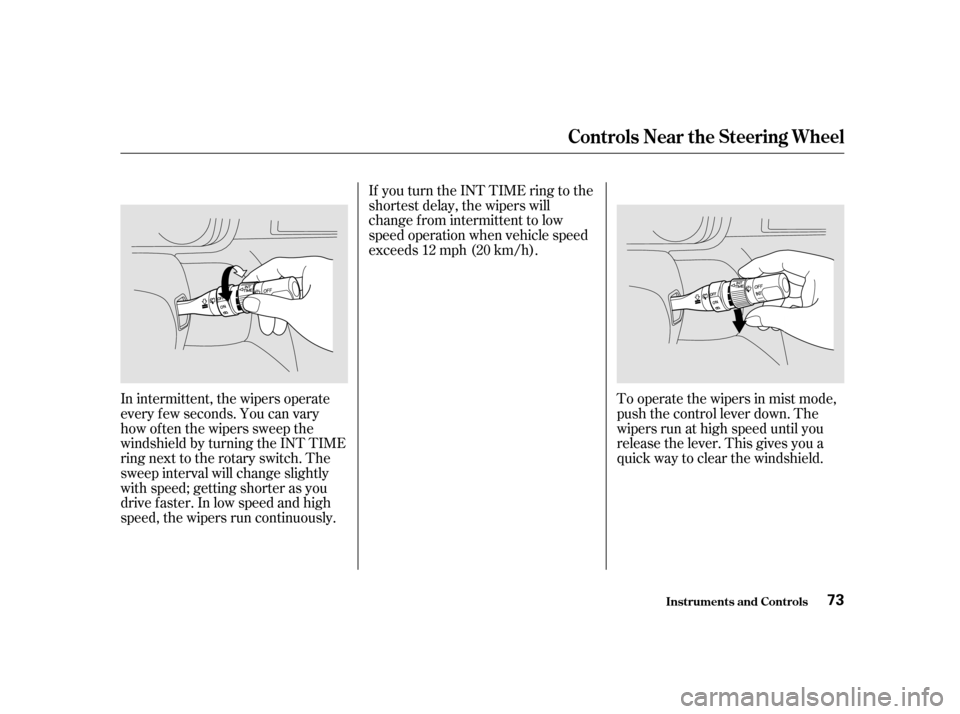
To operate the wipers in mist mode,
push the control lever down. The
wipers run at high speed until you
release the lever. This gives you a
quick way to clear the windshield.
In intermittent, the wipers operate
every f ew seconds. You can vary
how of ten the wipers sweep the
windshield by turning the INT TIME
ring next to the rotary switch. The
sweep interval will change slightly
with speed; getting shorter as you
drive f aster. In low speed and high
speed, the wipers run continuously. If you turn the INT TIME ring to the
shortest delay, the wipers will
change from intermittent to low
speed operation when vehicle speed
exceeds 12 mph (20 km/h).
Controls Near the Steering Wheel
Inst rument s and Cont rols
73
Page 80 of 363

CONT INUED
The Immobilizer System protects
your vehicle f rom thef t. A properly-
coded master or valet key must be
used in the ignition switch f or the
engine to start. If an improperly-
coded key (or other device) is used,
the engine’s f uel system is disabled.
When you turn the ignition switch to
ON (II), the Immobilizer System
indicator should come on f or a f ew
seconds, then go out. If the indicator
starts to blink, it means the system
does not recognize the coding of the
key. Turn the ignition switch to
LOCK (0), remove the key, reinsert
it, and turn the switch to ON (II)
again.
These keys contain electronic
circuits that are activated by the
Immobilizer System. They will not
work to start the engine if the
circuits are damaged.
Protect the keys f rom direct
sunlight, high temperature, and
high humidity.
Donotdropthekeysorsetheavy
objects on them.
Keep the keys away f rom liquids.
If they get wet, dry them immedi-
ately with a soft cloth.
The keys do not contain batteries.
Do not try to take them apart.
Some models also come with a
remote transmitter; see page for
an explanation of its operation. The system may not recognize your
key’s coding if another immobilizer
key or other metal object is near the
ignition switch when you insert the
key. To make sure the system
recognizes the key code: Do not keep other immobilizer
keys on the same key ring.
Use a plastic or leather key f ob,
not metal.
Keep other keys away f rom your
vehicle’s key and the ignition
switch while trying to start the
engine.
If you have lost your key and you
cannot start the engine, contact your
Honda dealer.
Do not attempt to alter this system
or add other devices to it. Electrical
problems could result that may make
your vehicle undriveable.
This indicator will also blink several
times when you turn the ignition
switch f rom ON (II) to ACCESSORY
(I) or LOCK (0).
If the system repeatedly does not
recognize the coding of your key,
contact your Honda dealer.
85 Immobilizer System
Inst rument s and Cont rols
Keys and Locks
Remote Transmitter
81