Page 164 of 363
�µ�µ
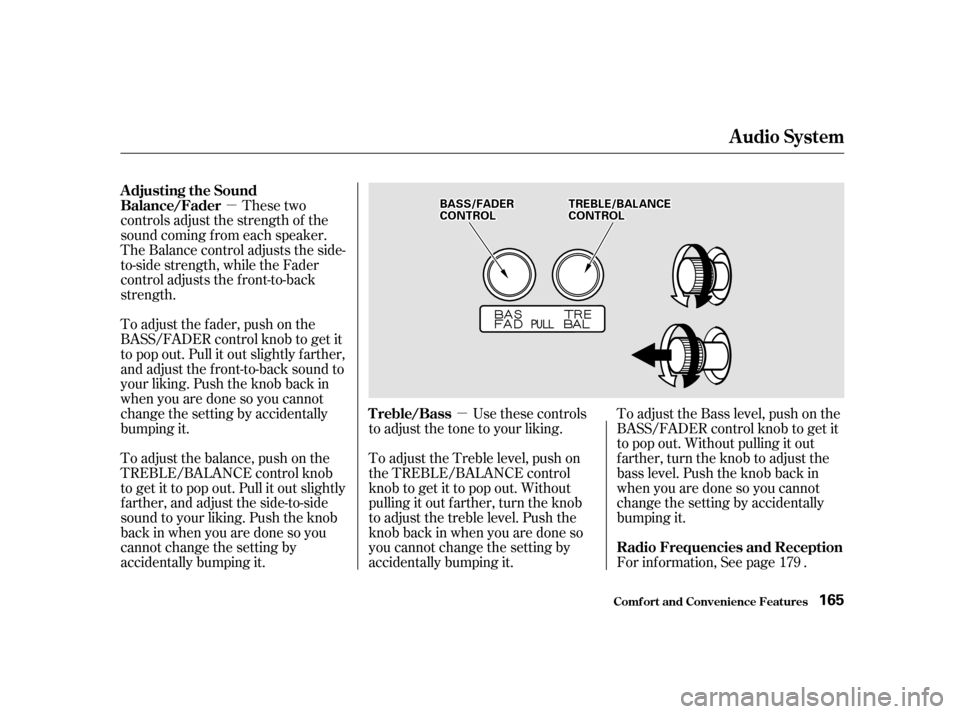
These two
controls adjust the strength of the
sound coming f rom each speaker.
The Balance control adjusts the side-
to-side strength, while the Fader
control adjusts the f ront-to-back
strength.
To adjust the fader, push on the
BASS/FADER control knob to get it
to pop out. Pull it out slightly f arther,
and adjust the f ront-to-back sound to
your liking. Push the knob back in
when you are done so you cannot
change the setting by accidentally
bumping it.
To adjust the balance, push on the
TREBLE/BALANCE control knob
to get it to pop out. Pull it out slightly
f arther, and adjust the side-to-side
sound to your liking. Push the knob
back in when you are done so you
cannot change the setting by
accidentally bumping it. Use these controls
to adjust the tone to your liking. To adjust the Bass level, push on the
BASS/FADER control knob to get it
to pop out. Without pulling it out
f arther, turn the knob to adjust the
bass level. Push the knob back in
when you are done so you cannot
change the setting by accidentally
bumping it.
For inf ormation, See page .
To adjust the Treble level, push on
the TREBLE/BALANCE control
knob to get it to pop out. Without
pulling it out f arther, turn the knob
to adjust the treble level. Push the
knob back in when you are done so
you cannot change the setting by
accidentally bumping it.
179
Adjusting the Sound
Balance/Fader
Treble/BassRadio Frequencies and Reception
Audio System
Comf ort and Convenience Feat ures165
BBAASSSS//FFAADDEERRCCOONNTTRROOLLTTRREEBBLLEE//BBAALLAANNCCEECCOONNTTRROOLL
Page 165 of 363

�Û�µ�µ
Dolby B noise reduction turns on
when you insert a cassette. If the
tape was not recorded with Dolby B
noise reduction, turn it of f by
pressing the button.
When the system reaches the end of
the tape, it will automatically reverse
direction and play the other side. If
you want to remove the cassette
f rom the drive, press the EJECT
button.
You can use the instrument panel
brightness control knob to adjust the
illumination of the audio system (see
page ). The audio system
illuminates when the parking lights
are on, even if the radio is turned of f .
Turn the audio system ON. Make
sure the tape opening on the cassette
is f acing to the right, then insert the
cassette most of the way into the slot.
The system will pull it in the rest of
the way, and begin to play.
The tape direction indicator will light
to show you which side of the
cassette is playing. The indicates
thesideyouinsertedfacingupward
is now playing. If you want to play
the other side, press the PROG
button.
With a cassette playing, you can use
the FF, REW, SKIP, or REPEAT
f unction to f ind a desired program.
Fast Forward and Re-
wind move the tape rapidly. To re-
wind the tape, push the REW button.
You will see REW in the display. To
fast forward the tape, push the FF
button. You will see FF displayed.
Press the PLAY button to take the
system out of rewind or f ast f orward. If the system reaches the end of the
tape while in f ast f orward or rewind,
it automatically stops that function,
reverses direction, and begins to play.
The Skip Function allows
you to f ind the beginning of a song
or passage. To f ind the beginning of
the song or passage currently
playing, push the SKIP switch down.
You will see REW f lashing in the
display as the tape rewinds. To f ind
the beginning of the next song, push
the SKIP switch up. You will see FF
flashing in the display as the tape
f ast f orwards. When the system
f inds the beginning of a song or
passage, it goes back to PLAY mode.
71
Audio System
Comf ort and Convenience Feat ures
A udio System L ighting
Operating the Cassette Player
T ape Search Functions
FF/REWSK IP
166
Page 166 of 363
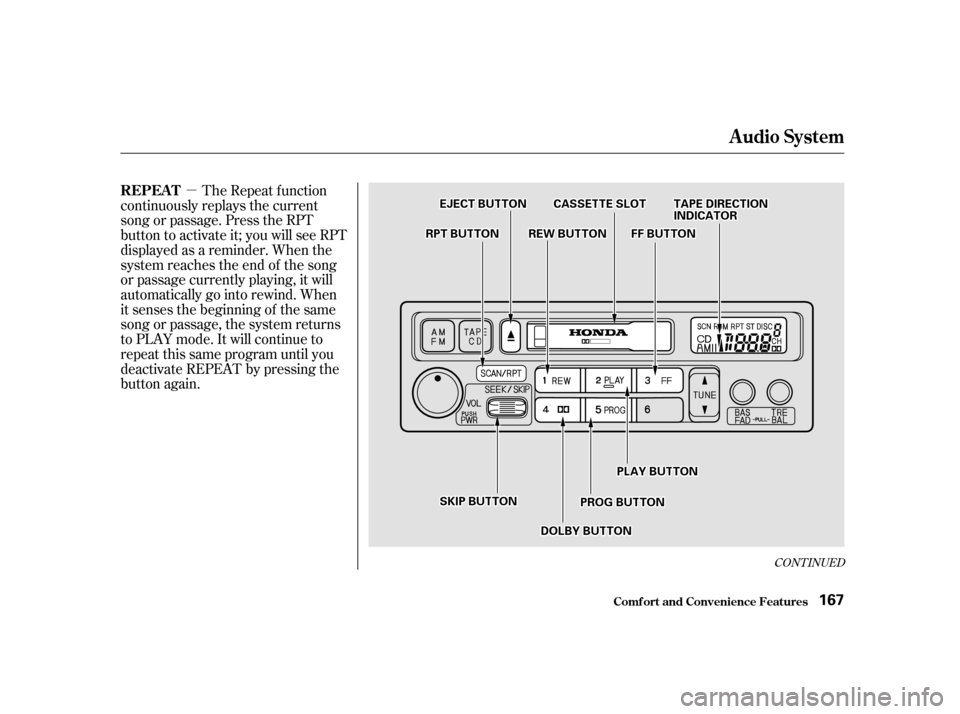
�µThe Repeat f unction
continuously replays the current
song or passage. Press the RPT
button to activate it; you will see RPT
displayed as a reminder. When the
system reaches the end of the song
or passage currently playing, it will
automatically go into rewind. When
it senses the beginning of the same
song or passage, the system returns
to PLAY mode. It will continue to
repeat this same program until you
deactivate REPEAT by pressing the
button again.
CONT INUED
Audio System
Comf ort and Convenience Feat ures
REPEAT
167
RREEWWBBUUTTTTOONN
EEJJEECCTTBBUUTTTTOONN
FFFFBBUUTTTTOONN
TTAAPPEEDDIIRREECCTTIIOONNIINNDDIICCAATTOORRCCAASSSSEETTTTEESSLLOOTT
PPLLAAYYBBUUTTTTOONN
PPRROOGGBBUUTTTTOONN
RRPPTTBBUUTTTTOONN
DDOOLLBBYYBBUUTTTTOONN
SSKKIIPPBBUUTTTTOONN
Page 167 of 363
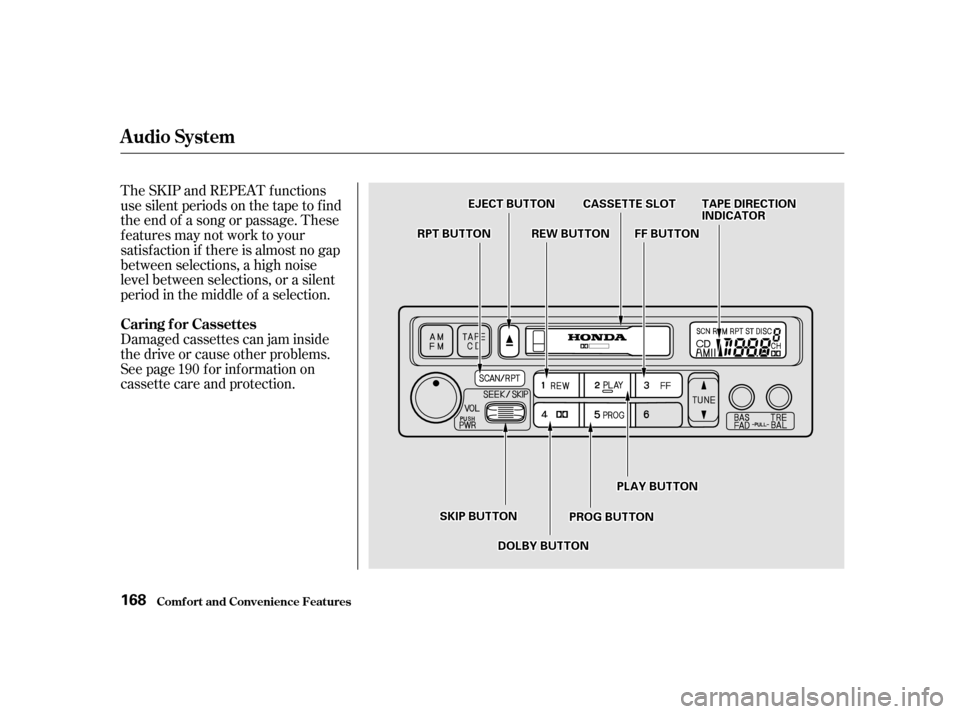
The SKIP and REPEAT f unctions
use silent periods on the tape to f ind
the end of a song or passage. These
f eatures may not work to your
satisfaction if there is almost no gap
between selections, a high noise
level between selections, or a silent
period in the middle of a selection.
Damaged cassettes can jam inside
the drive or cause other problems.
See page for information on
cassette care and protection.190
Caring f or Cassettes
Audio System
Comf ort and Convenience Feat ures
168
EEJJEECCTTBBUUTTTTOONN
SSKKIIPPBBUUTTTTOONNPPRROOGGBBUUTTTTOONN
PPLLAAYYBBUUTTTTOONN
RRPPTTBBUUTTTTOONNRREEWWBBUUTTTTOONNFFFFBBUUTTTTOONN
CCAASSSSEETTTTEESSLLOOTTTTAAPPEEDDIIRREECCTTIIOONNIINNDDIICCAATTOORR
DDOOLLBBYYBBUUTTTTOONN
Page 168 of 363
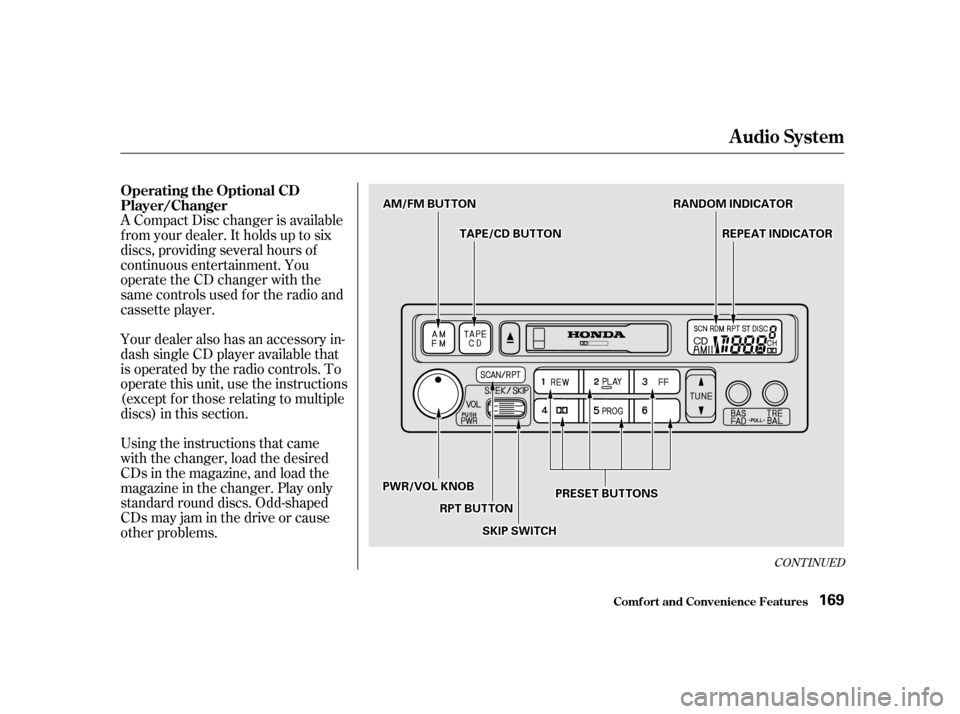
A Compact Disc changer is available
f rom your dealer. It holds up to six
discs, providing several hours of
continuous entertainment. You
operate the CD changer with the
same controls used f or the radio and
cassette player.
Using the instructions that came
with the changer, load the desired
CDs in the magazine, and load the
magazine in the changer. Play only
standard round discs. Odd-shaped
CDs may jam in the drive or cause
other problems.
Your dealer also has an accessory in-
dash single CD player available that
is operated by the radio controls. To
operate this unit, use the instructions
(except f or those relating to multiple
discs) in this section.
CONT INUED
Operating the Optional CD
Player/Changer
Audio System
Comf ort and Convenience Feat ures
169
PPRREESSEETTBBUUTTTTOONNSS
SSKKIIPPSSWWIITTCCHH
AAMM//FFMMBBUUTTTTOONN
TTAAPPEE//CCDDBBUUTTTTOONN
RRAANNDDOOMMIINNDDIICCAATTOORR
RREEPPEEAATTIINNDDIICCAATTOORR
PPWWRR//VVOOLLKKNNOOBB
RRPPTTBBUUTTTTOONN
Page 169 of 363

�µ�µ
�µ
To operate the CD changer or player,
the ignition must be in ACCESSORY
(I) or ON (II) and the audio system
must be on.
Press the CD button until ‘‘CD’’
appears in the display. The system
will start to play the f irst track of the
f irst disc in the magazine. Play only
standard round discs.
When that disc ends, the next disc in
the magazine is loaded and played.
Af ter the last disc f inishes, the
system returns to disc 1.
To select a dif f erent disc, press the
appropriate preset button (1 6). If
you select an empty slot in the
magazine, the changer will, af ter
f inding that slot empty, try to load
the CD in the next slot. This
continues until it f inds a CD to load
and play. When you activate the
Repeat feature by pressing the RPT
button, the system continuously
replays the current track. You will
see RPT in the display as a reminder.
Press the RPT button again to turn it
off.
You can use the SKIP switch to
select tracks within a disc. If you
push and release the SKIP switch,
the system will move to the
beginning of a track. Push the switch
up to move to the beginning of the
next track, and push the switch
down to move to the beginning of
the current track.
If you push and hold the SKIP switch,
you will hear a beep and the system
will continue to move across tracks.
Release the switch when you think it
has reached the desired place on the
disc. This feature,
when activated, plays the tracks on a
CD in random order, rather than in
the order they are recorded on the
CD. To activate Random Play, press
andholdtheRPTbuttonuntilyou
seeRDMinthedisplay.Thesystem
will then select and play tracks
randomly on the current disc. When
all tracks on that disc have been
played, the next disc is loaded and
played randomly. This continues
until you deactivate Random Play by
pressing RPT again.
Audio System
Comf ort and Convenience Feat ures REPEAT
RANDOM PLAY
170
Page 170 of 363
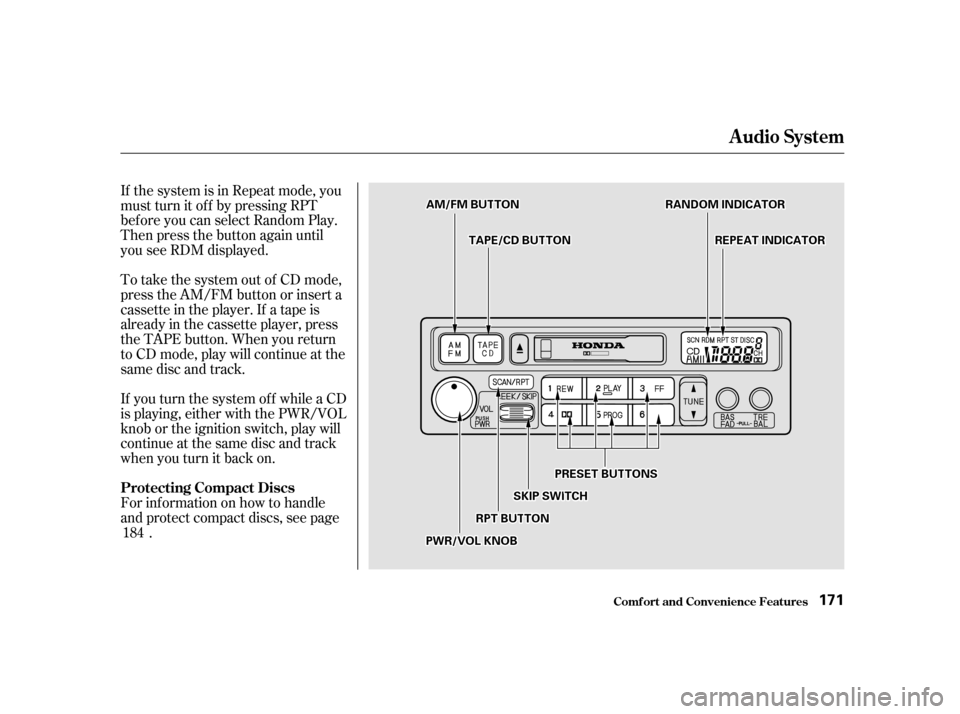
If the system is in Repeat mode, you
must turn it of f by pressing RPT
bef ore you can select Random Play.
Then press the button again until
you see RDM displayed.
To take the system out of CD mode,
press the AM/FM button or insert a
cassette in the player. If a tape is
already in the cassette player, press
the TAPE button. When you return
to CD mode, play will continue at the
same disc and track.
For inf ormation on how to handle
and protect compact discs, see page.
If you turn the system of f while a CD
is playing, either with the PWR/VOL
knob or the ignition switch, play will
continue at the same disc and track
when you turn it back on.
184
Audio System
Comf ort and Convenience Feat ures
Protecting Compact Discs
171
PPRREESSEETTBBUUTTTTOONNSS
RRAANNDDOOMMIINNDDIICCAATTOORR
SSKKIIPPSSWWIITTCCHH
RRPPTTBBUUTTTTOONN
TTAAPPEE//CCDDBBUUTTTTOONN
AAMM//FFMMBBUUTTTTOONN
PPWWRR//VVOOLLKKNNOOBB
RREEPPEEAATTIINNDDIICCAATTOORR
Page 171 of 363

If you see an error indication in the
display while operating the CD
changer, f ind the cause in the chart
to the right. If you cannot clear the
error indication, take the vehicle to
your Honda dealer.Indication Cause Solution
Disc-changer
malf unction.
CD magazine ejection
impossible.
Disc is in changer
mechanism.
High temperature.
Misconnection or
disconnection of CD
changer.
No CD magazine in the
CD changer.
No CD in magazine. If the code disappears within a few seconds,
unit is OK.
Press the magazine eject button and pull out
the magazine, check for error indication. Insert
the magazine again. If the code does not
disappear or the magazine cannot be pulled out,
consult your Honda dealer.
Press the magazine eject button. If the maga-
zine does not eject, consult your Honda dealer.
Press the magazine eject button, and insert an
empty magazine.
Will disappear when the temperature returns to
normal.
See your Honda dealer.
Insert CD magazine.
Insert a CD in the magazine.
CD Changer Error Indications
Audio System
Comf ort and Convenience Feat ures
172