Page 293 of 448
5-19 Removing the Spare Tire and Tools
The jacking equipment you'll need is stored along the
driver's side inner rear quarter panel. In some cases, you
may have to remove the spare tire in order to reach the
jack. Your vehicle is also equipped with work gloves
and a plastic ground mat to assist in the changing of
a flat tire.
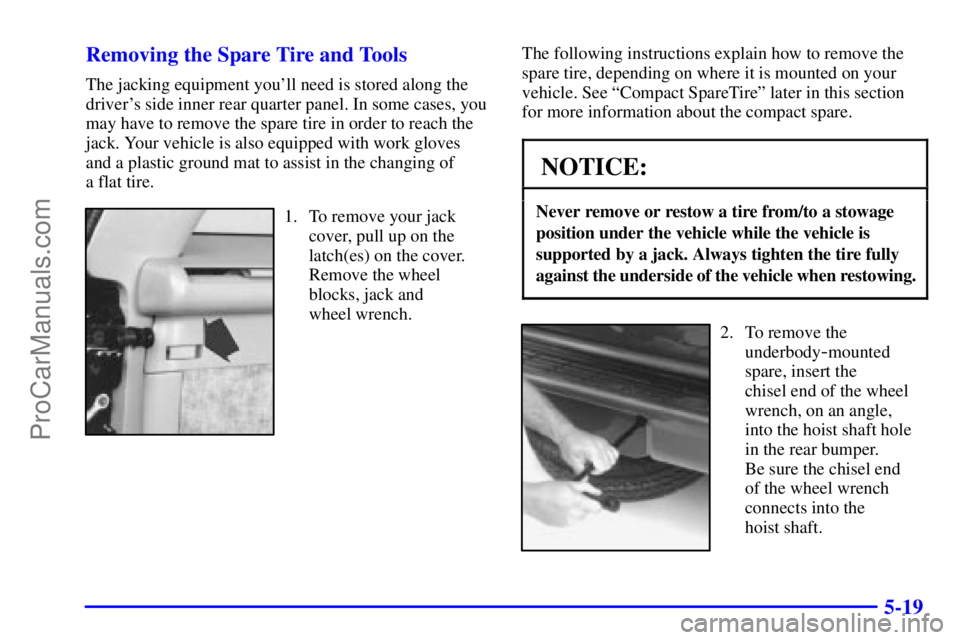
1. To remove your jack
cover, pull up on the
latch(es) on the cover.
Remove the wheel
blocks, jack and
wheel wrench.The following instructions explain how to remove the
spare tire, depending on where it is mounted on your
vehicle. See ªCompact SpareTireº later in this section
for more information about the compact spare.
NOTICE:
Never remove or restow a tire from/to a stowage
position under the vehicle while the vehicle is
supported by a jack. Always tighten the tire fully
against the underside of the vehicle when restowing.
2. To remove the
underbody
-mounted
spare, insert the
chisel end of the wheel
wrench, on an angle,
into the hoist shaft hole
in the rear bumper.
Be sure the chisel end
of the wheel wrench
connects into the
hoist shaft.
ProCarManuals.com
Page 294 of 448
5-20
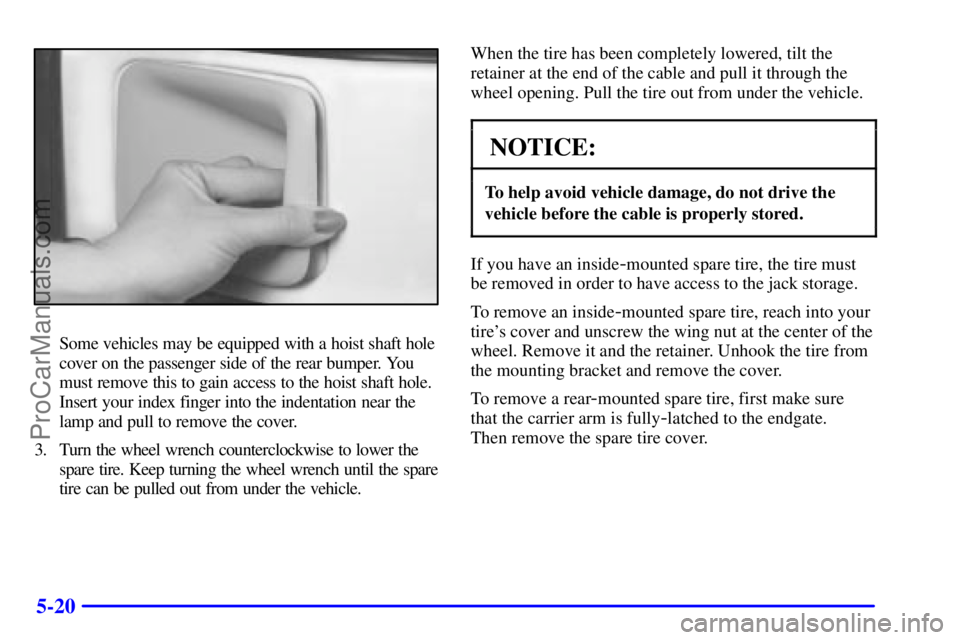
Some vehicles may be equipped with a hoist shaft hole
cover on the passenger side of the rear bumper. You
must remove this to gain access to the hoist shaft hole.
Insert your index finger into the indentation near the
lamp and pull to remove the cover.
3. Turn the wheel wrench counterclockwise to lower the
spare tire. Keep turning the wheel wrench until the spare
tire can be pulled out from under the vehicle.When the tire has been completely lowered, tilt the
retainer at the end of the cable and pull it through the
wheel opening. Pull the tire out from under the vehicle.
NOTICE:
To help avoid vehicle damage, do not drive the
vehicle before the cable is properly stored.
If you have an inside-mounted spare tire, the tire must
be removed in order to have access to the jack storage.
To remove an inside
-mounted spare tire, reach into your
tire's cover and unscrew the wing nut at the center of the
wheel. Remove it and the retainer. Unhook the tire from
the mounting bracket and remove the cover.
To remove a rear
-mounted spare tire, first make sure
that the carrier arm is fully
-latched to the endgate.
Then remove the spare tire cover.
ProCarManuals.com
Page 295 of 448
5-21
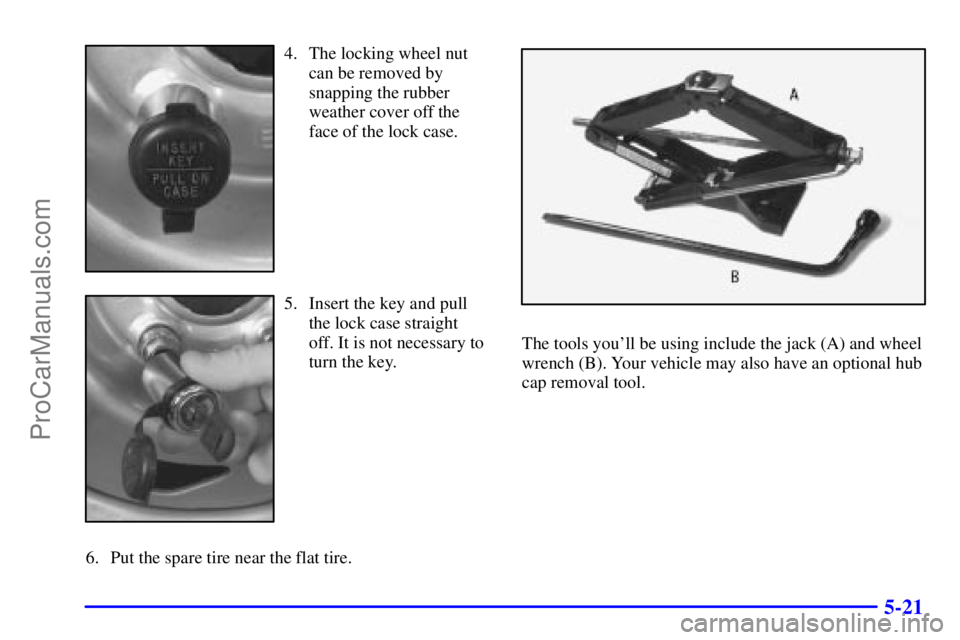
4. The locking wheel nut
can be removed by
snapping the rubber
weather cover off the
face of the lock case.
5. Insert the key and pull
the lock case straight
off. It is not necessary to
turn the key.
6. Put the spare tire near the flat tire.
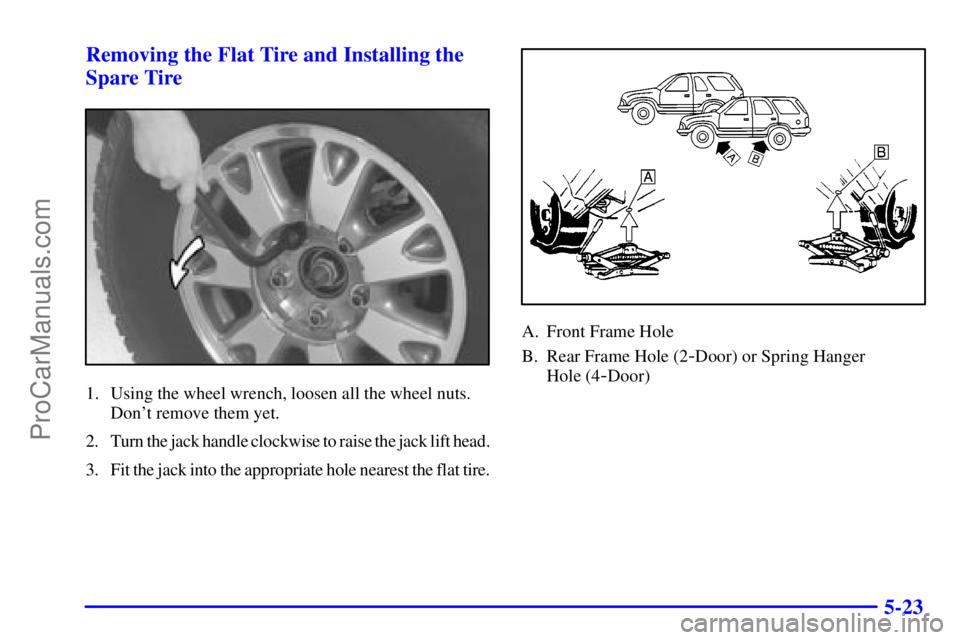
The tools you'll be using include the jack (A) and wheel
wrench (B). Your vehicle may also have an optional hub
cap removal tool.
ProCarManuals.com
Page 297 of 448
5-23 Removing the Flat Tire and Installing the
Spare Tire
1. Using the wheel wrench, loosen all the wheel nuts.
Don't remove them yet.
2. Turn the jack handle clockwise to raise the jack lift head.
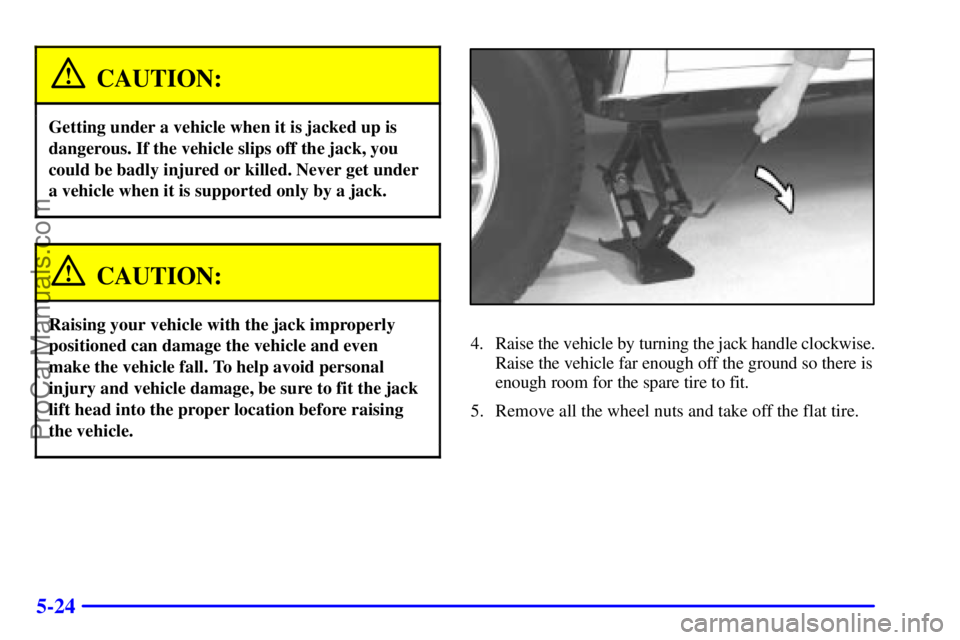
3. Fit the jack into the appropriate hole nearest the flat tire.
A. Front Frame Hole
B. Rear Frame Hole (2
-Door) or Spring Hanger
Hole (4
-Door)
ProCarManuals.com
Page 298 of 448
5-24
CAUTION:
Getting under a vehicle when it is jacked up is
dangerous. If the vehicle slips off the jack, you
could be badly injured or killed. Never get under
a vehicle when it is supported only by a jack.
CAUTION:
Raising your vehicle with the jack improperly
positioned can damage the vehicle and even
make the vehicle fall. To help avoid personal
injury and vehicle damage, be sure to fit the jack
lift head into the proper location before raising
the vehicle.
4. Raise the vehicle by turning the jack handle clockwise.
Raise the vehicle far enough off the ground so there is
enough room for the spare tire to fit.
5. Remove all the wheel nuts and take off the flat tire.
ProCarManuals.com
Page 300 of 448
5-26
9. Lower the vehicle by turning the jack handle
counterclockwise. Lower the jack completely.
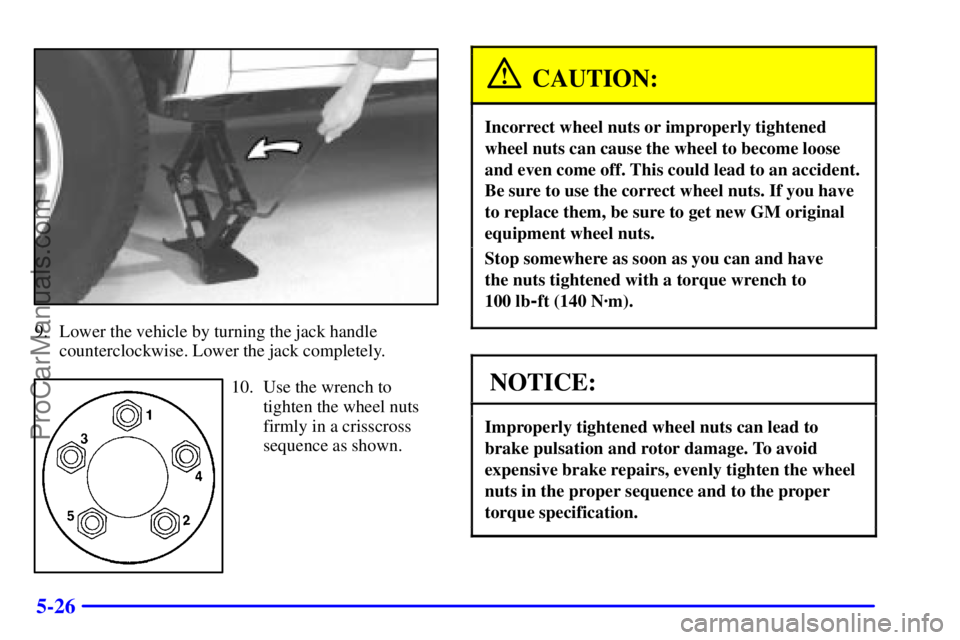
10. Use the wrench to
tighten the wheel nuts
firmly in a crisscross
sequence as shown.
CAUTION:
Incorrect wheel nuts or improperly tightened
wheel nuts can cause the wheel to become loose
and even come off. This could lead to an accident.
Be sure to use the correct wheel nuts. If you have
to replace them, be sure to get new GM original
equipment wheel nuts.
Stop somewhere as soon as you can and have
the nuts tightened with a torque wrench to
100 lb
-ft (140 N´m).
NOTICE:
Improperly tightened wheel nuts can lead to
brake pulsation and rotor damage. To avoid
expensive brake repairs, evenly tighten the wheel
nuts in the proper sequence and to the proper
torque specification.
ProCarManuals.com
Page 303 of 448
5-29
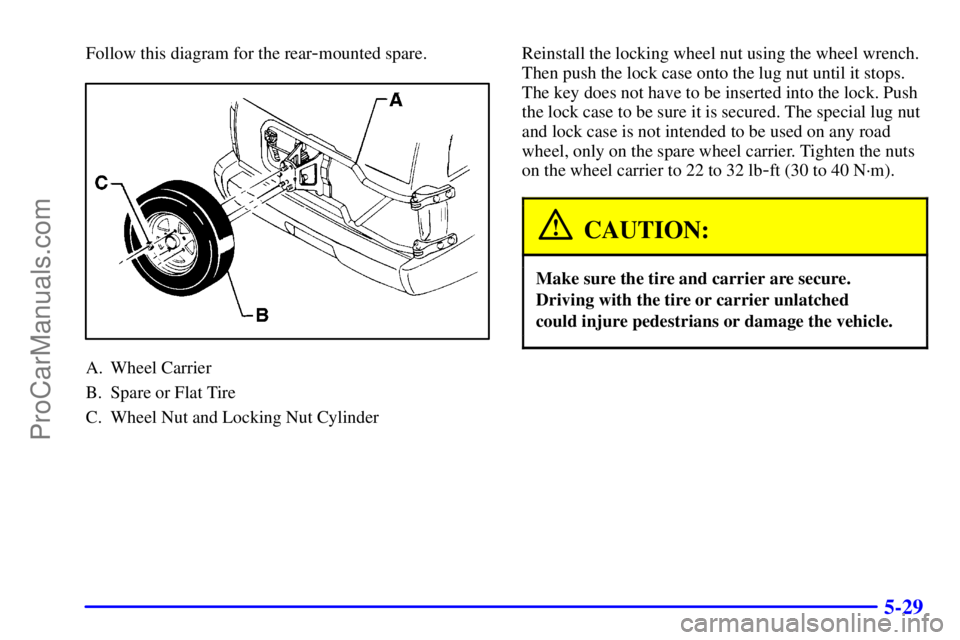
Follow this diagram for the rear-mounted spare.
A. Wheel Carrier
B. Spare or Flat Tire
C. Wheel Nut and Locking Nut CylinderReinstall the locking wheel nut using the wheel wrench.
Then push the lock case onto the lug nut until it stops.
The key does not have to be inserted into the lock. Push
the lock case to be sure it is secured. The special lug nut
and lock case is not intended to be used on any road
wheel, only on the spare wheel carrier. Tighten the nuts
on the wheel carrier to 22 to 32 lb
-ft (30 to 40 N´m).
CAUTION:
Make sure the tire and carrier are secure.
Driving with the tire or carrier unlatched
could injure pedestrians or damage the vehicle.
ProCarManuals.com
Page 304 of 448
5-30
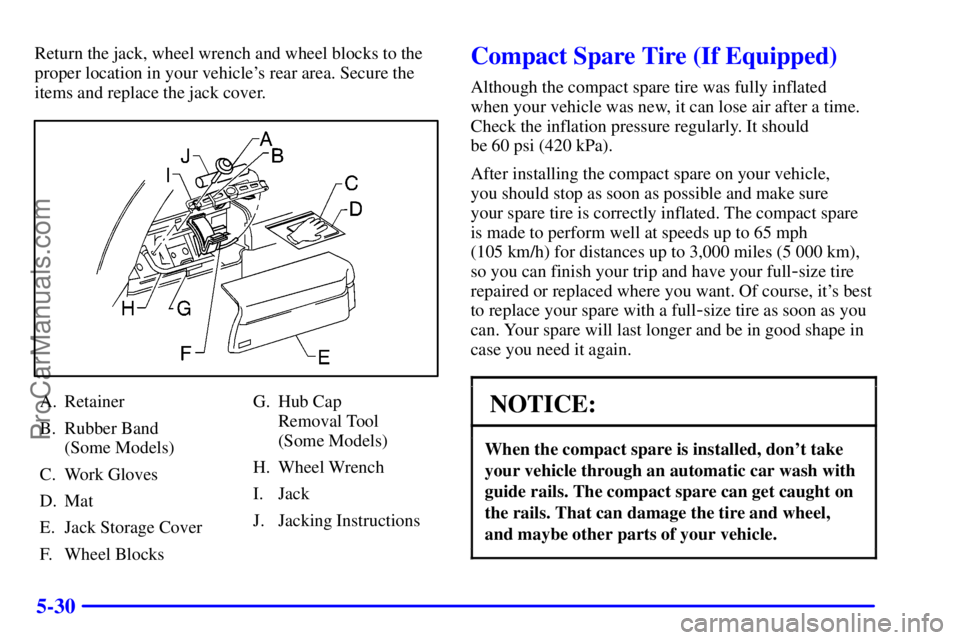
Return the jack, wheel wrench and wheel blocks to the
proper location in your vehicle's rear area. Secure the
items and replace the jack cover.
A. Retainer
B. Rubber Band
(Some Models)
C. Work Gloves
D. Mat
E. Jack Storage Cover
F. Wheel BlocksG. Hub Cap
Removal Tool
(Some Models)
H. Wheel Wrench
I. Jack
J. Jacking Instructions
Compact Spare Tire (If Equipped)
Although the compact spare tire was fully inflated
when your vehicle was new, it can lose air after a time.
Check the inflation pressure regularly. It should
be 60 psi (420 kPa).
After installing the compact spare on your vehicle,
you should stop as soon as possible and make sure
your spare tire is correctly inflated. The compact spare
is made to perform well at speeds up to 65 mph
(105 km/h) for distances up to 3,000 miles (5 000 km),
so you can finish your trip and have your full
-size tire
repaired or replaced where you want. Of course, it's best
to replace your spare with a full
-size tire as soon as you
can. Your spare will last longer and be in good shape in
case you need it again.
NOTICE:
When the compact spare is installed, don't take
your vehicle through an automatic car wash with
guide rails. The compact spare can get caught on
the rails. That can damage the tire and wheel,
and maybe other parts of your vehicle.
ProCarManuals.com