Page 30 of 288
²MAX A/C-Uses recirculated air to cool the vehicle. The temperature
will display 16ÉC (60ÉF). To exit, press AUTOMATIC or any other
override controls. MAX A/C is noisier than normal A/C but more
economical and will cool the inside of the vehicle faster. Airflow is
from the instrument panel registers. This mode can also be used to
prevent undesirable odors from entering the vehicle.
²VENT-Distributes outside air through the instrument panel registers.
However, the air cannot be cooled below the outside temperature
because the air conditioning does not operate in this mode.
²PNL²FLR-Distributes outside air through the instrument panel
registers and the floor ducts. Heating and air conditioning capabilities
are provided in this mode. The air will be heated or cooled based on
the temperature selection. For added customer comfort, the air
distributed through the floor ducts will be slightly warmer than the air
sent to the instrument panel registers.
²FLOOR-Allows for maximum heating by distributing outside air
through the floor ducts. However, the air cannot be cooled below the
outside temperature because the air conditioning does not operate in
this mode.
²FLR²DEF-Distributes outside air through the windshield defroster
ducts and the floor ducts. Heating and air conditioning capabilities are
provided in this mode. The air will be heated or cooled based on the
temperature selection. For added customer comfort, the air
distributed through the floor ducts will be slightly warmer than the air
sent to the windshield defroster ducts. If the temperature is about 6ÉC
(43ÉF) or higher, the air conditioner will automatically dehumidify the
air to reduce fogging.
²DEF
-Distributes outside air through the windshield defroster
ducts. It can be used to clear ice or fog from the windshield. If the
outside air temperature is about 6ÉC (43ÉF) or higher, the air
conditioner will automatically dehumidify the air to reduce fogging.
²OFF-Outside air is shut out and the fan will not operate. For short
periods of time only, use this mode to reduce undesirable odors from
entering the vehicle.
Controls and features
30
Page 31 of 288
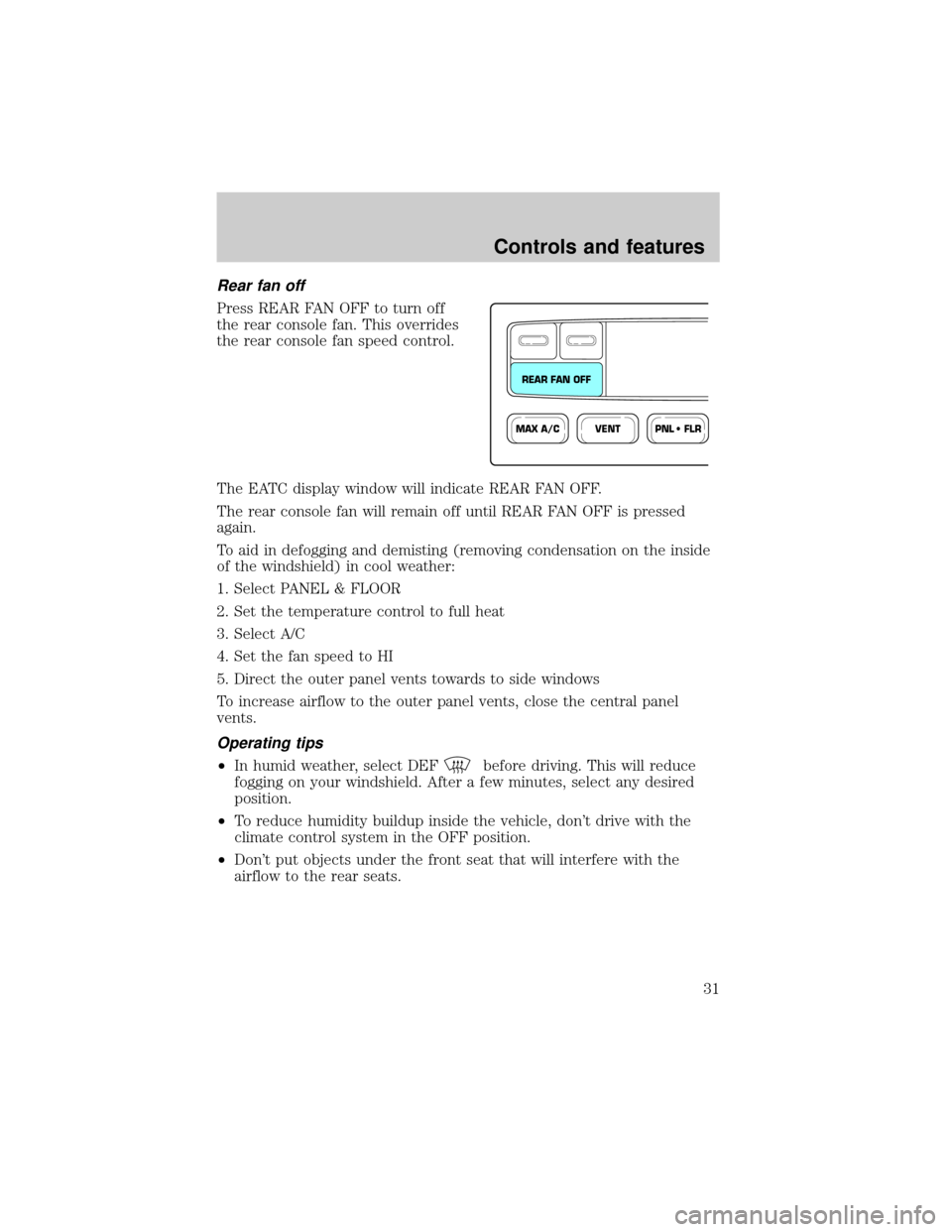
Rear fan off
Press REAR FAN OFF to turn off
the rear console fan. This overrides
the rear console fan speed control.
The EATC display window will indicate REAR FAN OFF.
The rear console fan will remain off until REAR FAN OFF is pressed
again.
To aid in defogging and demisting (removing condensation on the inside
of the windshield) in cool weather:
1. Select PANEL & FLOOR
2. Set the temperature control to full heat
3. Select A/C
4. Set the fan speed to HI
5. Direct the outer panel vents towards to side windows
To increase airflow to the outer panel vents, close the central panel
vents.
Operating tips
²In humid weather, select DEFbefore driving. This will reduce
fogging on your windshield. After a few minutes, select any desired
position.
²To reduce humidity buildup inside the vehicle, don't drive with the
climate control system in the OFF position.
²Don't put objects under the front seat that will interfere with the
airflow to the rear seats.
VENTPNL • FLRMAX A/C
REAR FAN OFF
Controls and features
31
Page 42 of 288
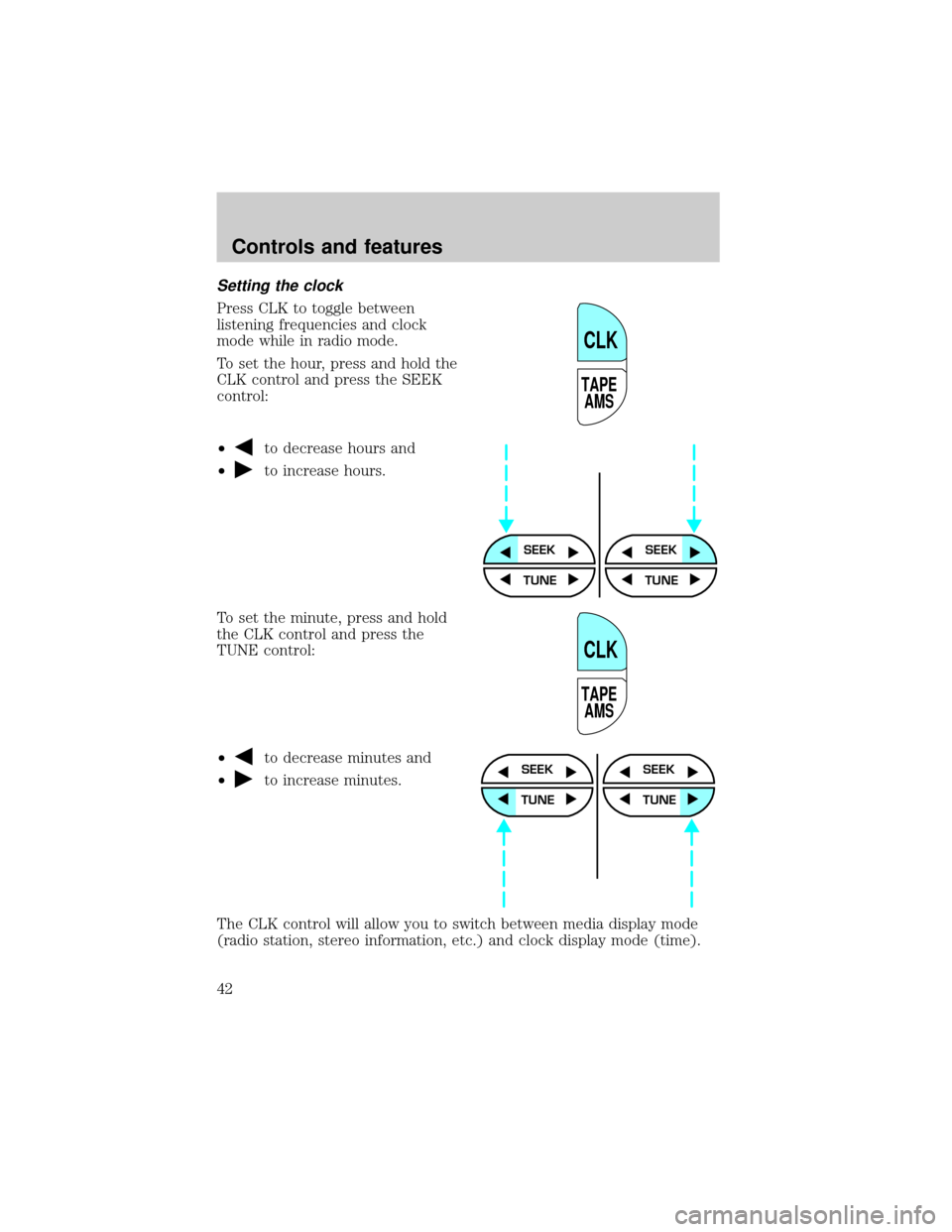
Setting the clock
Press CLK to toggle between
listening frequencies and clock
mode while in radio mode.
To set the hour, press and hold the
CLK control and press the SEEK
control:
²
to decrease hours and
²
to increase hours.
To set the minute, press and hold
the CLK control and press the
TUNE control:
²
to decrease minutes and
²
to increase minutes.
The CLK control will allow you to switch between media display mode
(radio station, stereo information, etc.) and clock display mode (time).
TAPE
AMS
CLK
SEEKSEEK
TUNE TUNE
TAPE
AMS
CLK
SEEK
TUNE
SEEK
TUNE
Controls and features
42
Page 43 of 288
When in clock mode, the media information will display for 10 seconds,
when the radio is turned on, and then revert to clock information.
Anytime that the media is changed, (new radio station, etc.), the media
information will again display for 10 seconds before reverting back to the
clock. In media mode, the media information will always be displayed.
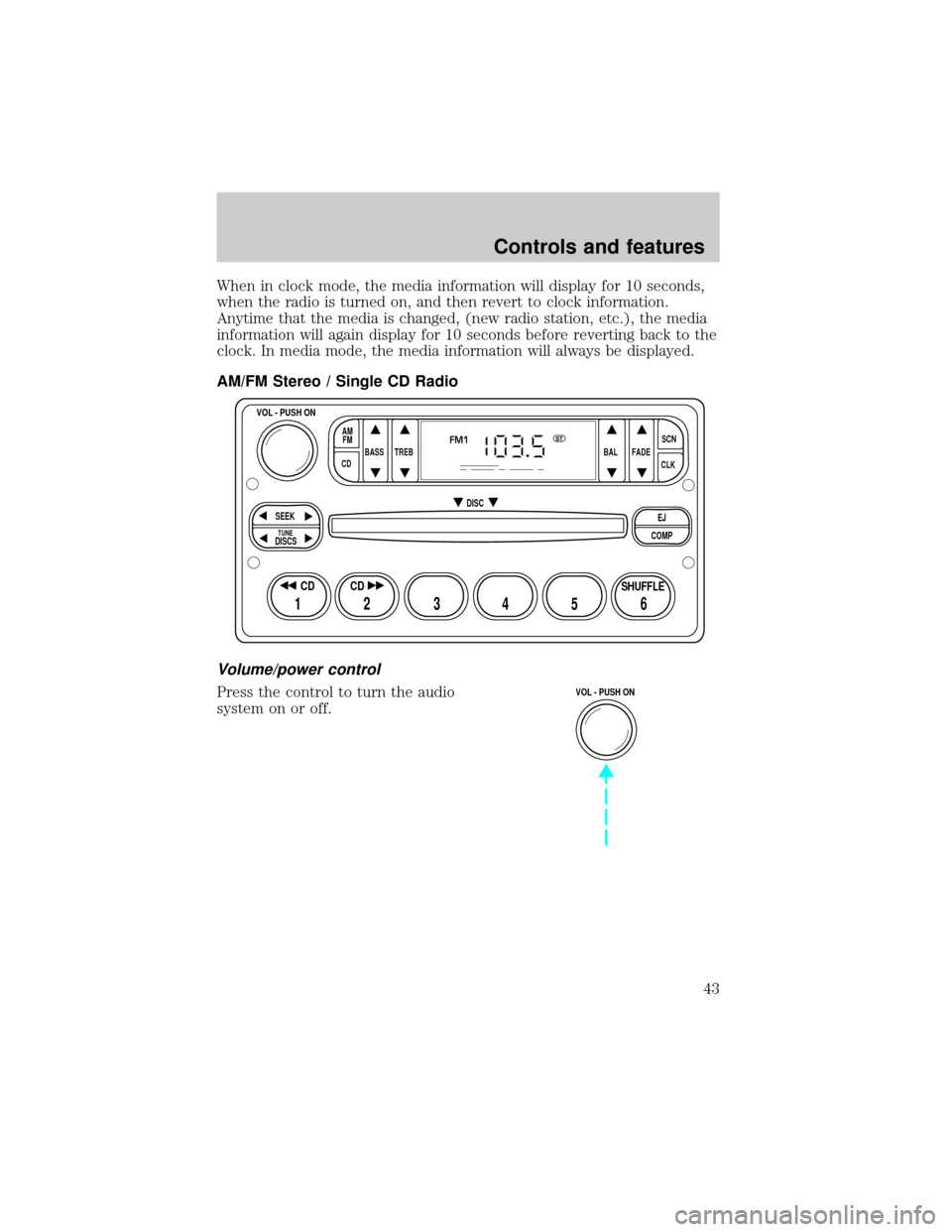
AM/FM Stereo / Single CD Radio
Volume/power control
Press the control to turn the audio
system on or off.
BASS
CDTREB BAL FADESCN
CLK AM
FM
VOL - PUSH ON
SEEK
EJ
COMP DISC
DISCS
TUNE
12 3456
FM1ST
SHUFFLE CD CD
VOL - PUSH ON
Controls and features
43
Page 59 of 288
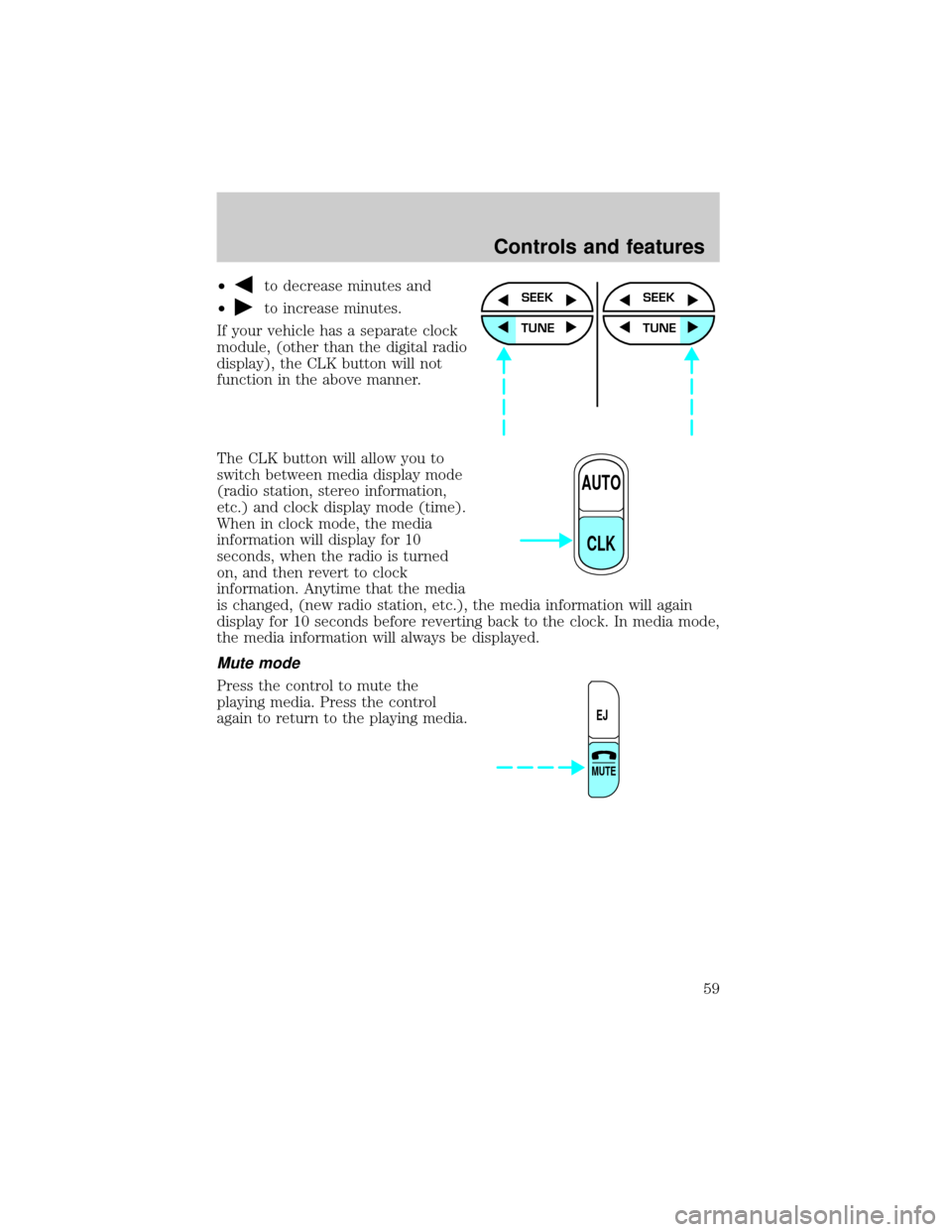
²to decrease minutes and
²
to increase minutes.
If your vehicle has a separate clock
module, (other than the digital radio
display), the CLK button will not
function in the above manner.
The CLK button will allow you to
switch between media display mode
(radio station, stereo information,
etc.) and clock display mode (time).
When in clock mode, the media
information will display for 10
seconds, when the radio is turned
on, and then revert to clock
information. Anytime that the media
is changed, (new radio station, etc.), the media information will again
display for 10 seconds before reverting back to the clock. In media mode,
the media information will always be displayed.
Mute mode
Press the control to mute the
playing media. Press the control
again to return to the playing media.
SEEK
TUNE
SEEK
TUNE
AUTO
CLK
EJ
MUTE
Controls and features
59
Page 60 of 288
Rear seat controls (if equipped)
The Personal Audio System, a
feature of the optional Premium
AM/FM Stereo/Cassette/Single CD
and the MACHtAudio System with
AM/FM Stereo/Cassette/Single CD,
allows front and middle seat
passengers to listen to different
media sources (radio, cassette or
CD) simultaneously. However, the
front and middle-seat passengers
cannot listen to two different radio
stations at the same time.
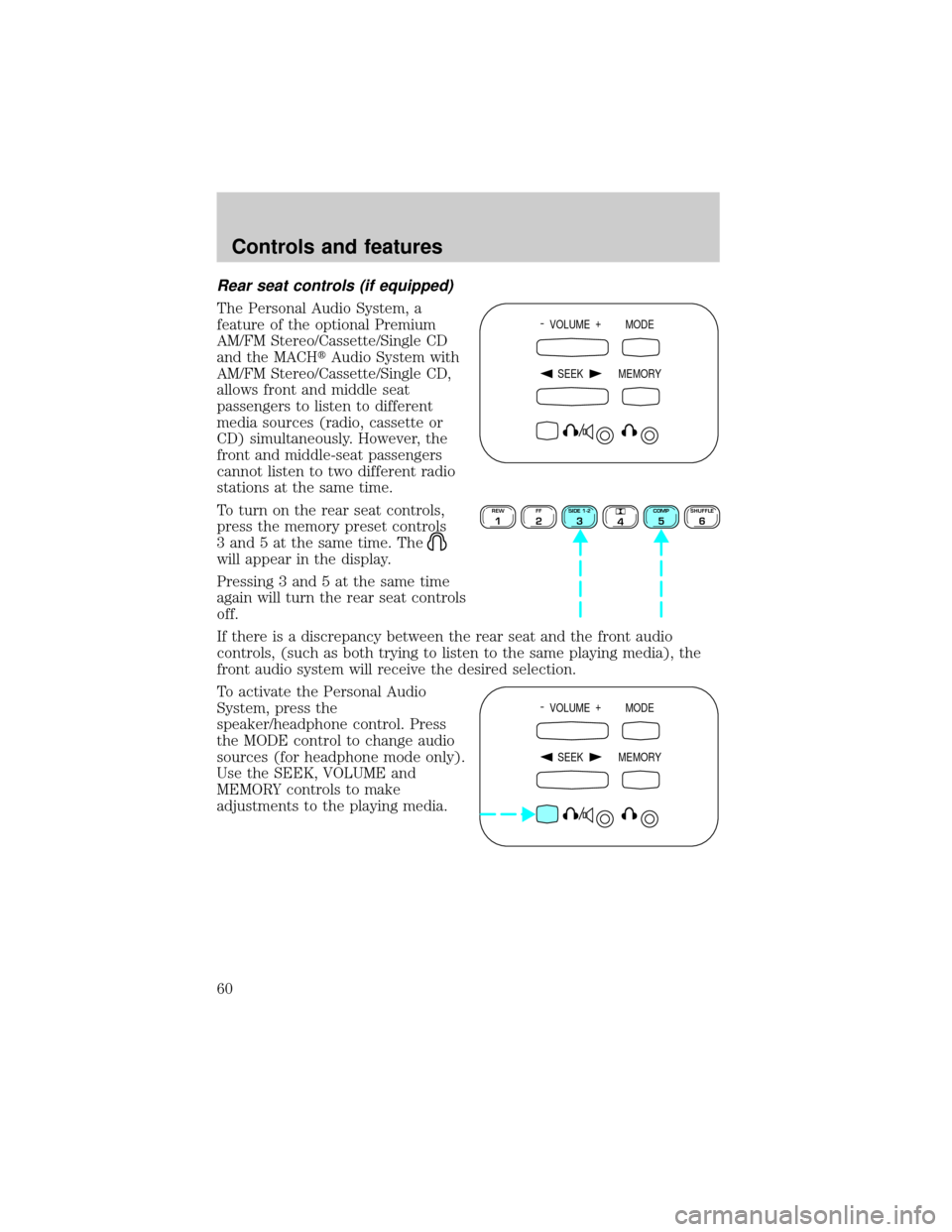
To turn on the rear seat controls,
press the memory preset controls
3 and 5 at the same time. The
will appear in the display.
Pressing 3 and 5 at the same time
again will turn the rear seat controls
off.
If there is a discrepancy between the rear seat and the front audio
controls, (such as both trying to listen to the same playing media), the
front audio system will receive the desired selection.
To activate the Personal Audio
System, press the
speaker/headphone control. Press
the MODE control to change audio
sources (for headphone mode only).
Use the SEEK, VOLUME and
MEMORY controls to make
adjustments to the playing media.
- VOLUME +
MODE
SEEK MEMORY
REW1FF2SIDE 1-23
4COMP5SHUFFLE6
- VOLUME +
MODE
SEEK MEMORY
Controls and features
60
Page 71 of 288
Compression adjust
Compression adjust brings soft and
loud CD passages together for a
more consistent listening level.
Press the COMP control to activate
and deactivate compression adjust.
Shuffle feature
The shuffle feature operates in CD
mode and plays all tracks on the
current disc in random order. If
equipped with the CD changer, the
shuffle feature continues to the next
disc after all tracks on the current disc are played.
Press the SHUFFLE control to start this feature. Random order play will
continue until the SHUFFLE control is pressed again.
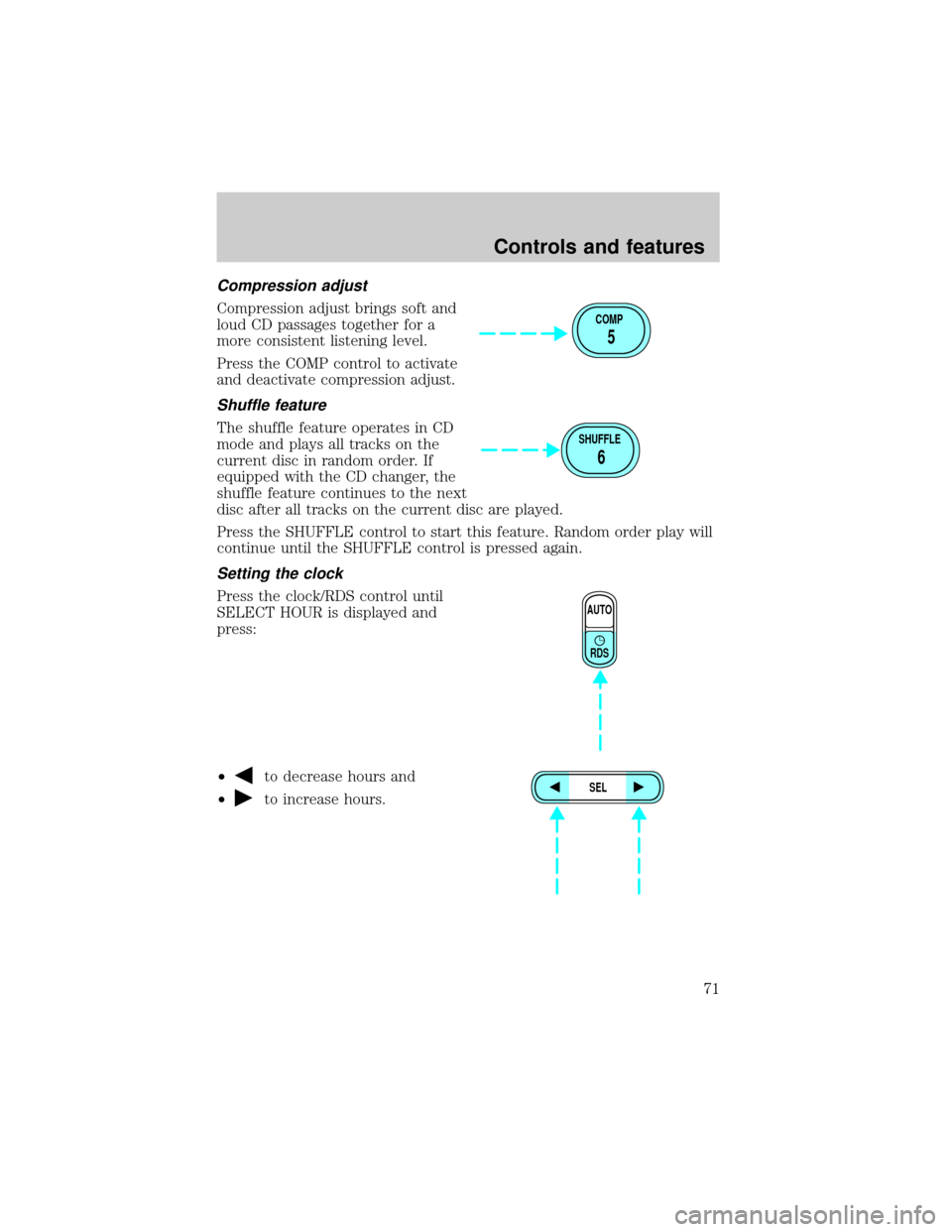
Setting the clock
Press the clock/RDS control until
SELECT HOUR is displayed and
press:
²
to decrease hours and
²
to increase hours.
COMP
5
SHUFFLE
6
AUTO
RDS
SEL
Controls and features
71
Page 72 of 288
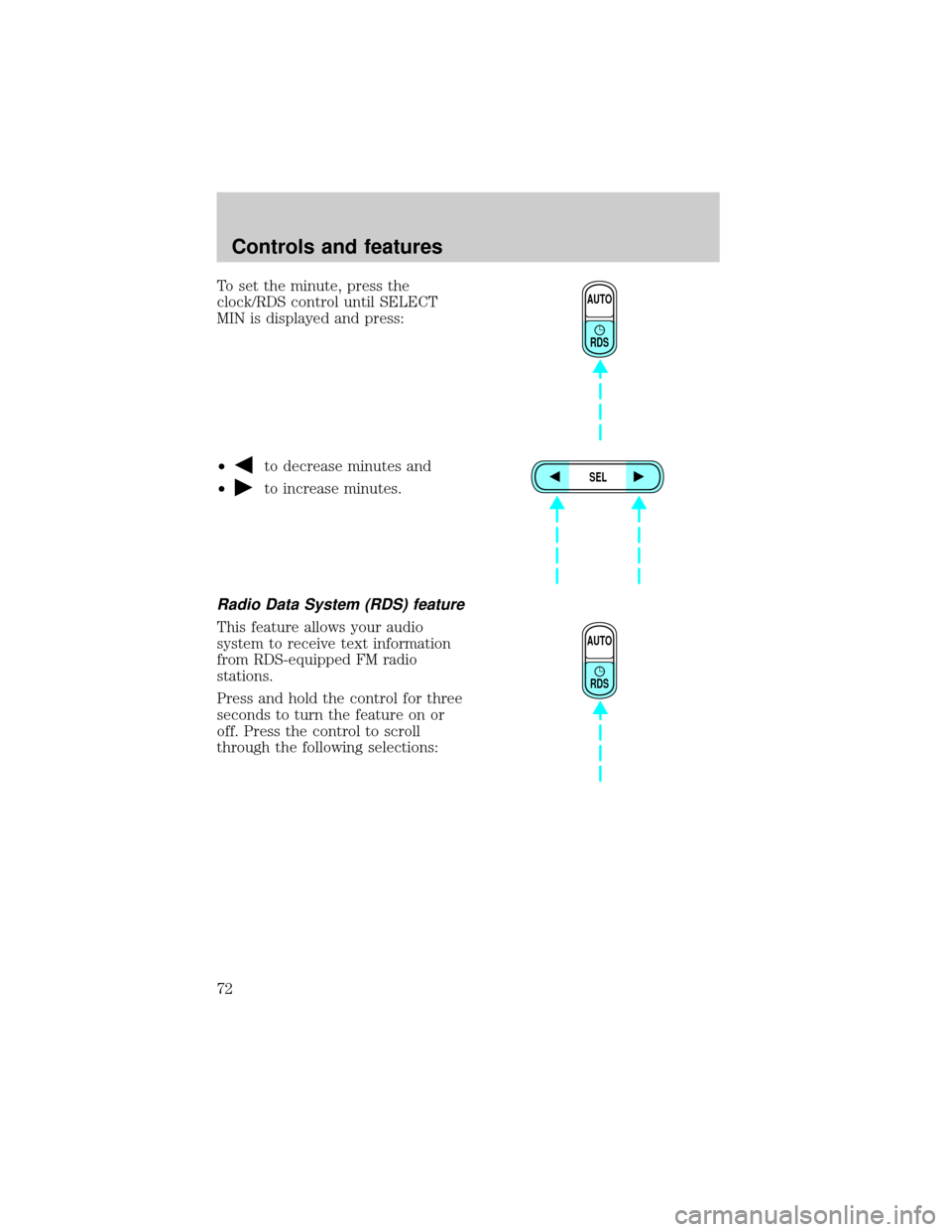
To set the minute, press the
clock/RDS control until SELECT
MIN is displayed and press:
²
to decrease minutes and
²
to increase minutes.
Radio Data System (RDS) feature
This feature allows your audio
system to receive text information
from RDS-equipped FM radio
stations.
Press and hold the control for three
seconds to turn the feature on or
off. Press the control to scroll
through the following selections:
AUTO
RDS
SEL
AUTO
RDS
Controls and features
72