Page 51 of 280
Using headphones/Personal Audio System
Plug a 3.5 mm headphone (not included) into the
jack. Press the
speaker on/off control to operate the headphones. DUAL PLAY
illuminates in the radio display and the fade control is disabled.
The rear speakers will cut out once the speaker on/off control is pressed.
The front speaker will remain playing for the front passengers. Press the
control again to deactivate the headphones (Personal Audio System).
SINGLE PLAY illuminates in the radio display and the fade control is
enabled.
For the Personal Audio System to be enabled, the rear seat controls
must be active and
illuminated in the radio display.
Mode select
Push the MODE control to toggle
between AM, FM1, FM2, tape, CD or
CD changer (if equipped). If in the
Personal Audio System mode,
SHARED illuminates in the radio
display when the front and rear
modes are set to the same media.
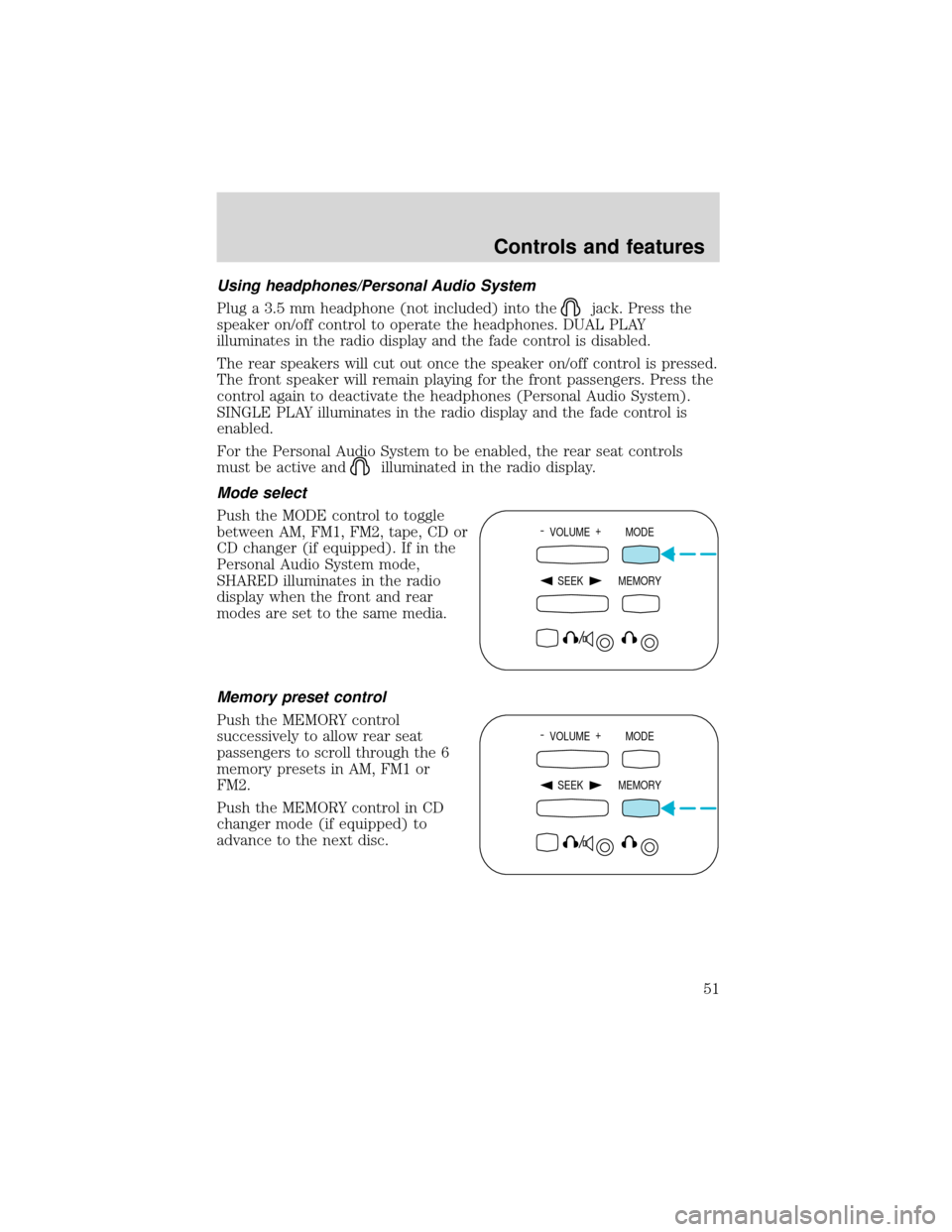
Memory preset control
Push the MEMORY control
successively to allow rear seat
passengers to scroll through the 6
memory presets in AM, FM1 or
FM2.
Push the MEMORY control in CD
changer mode (if equipped) to
advance to the next disc.
- VOLUME +
MODE
SEEK MEMORY
- VOLUME +
MODE
SEEK MEMORY
Controls and features
51
Page 52 of 280
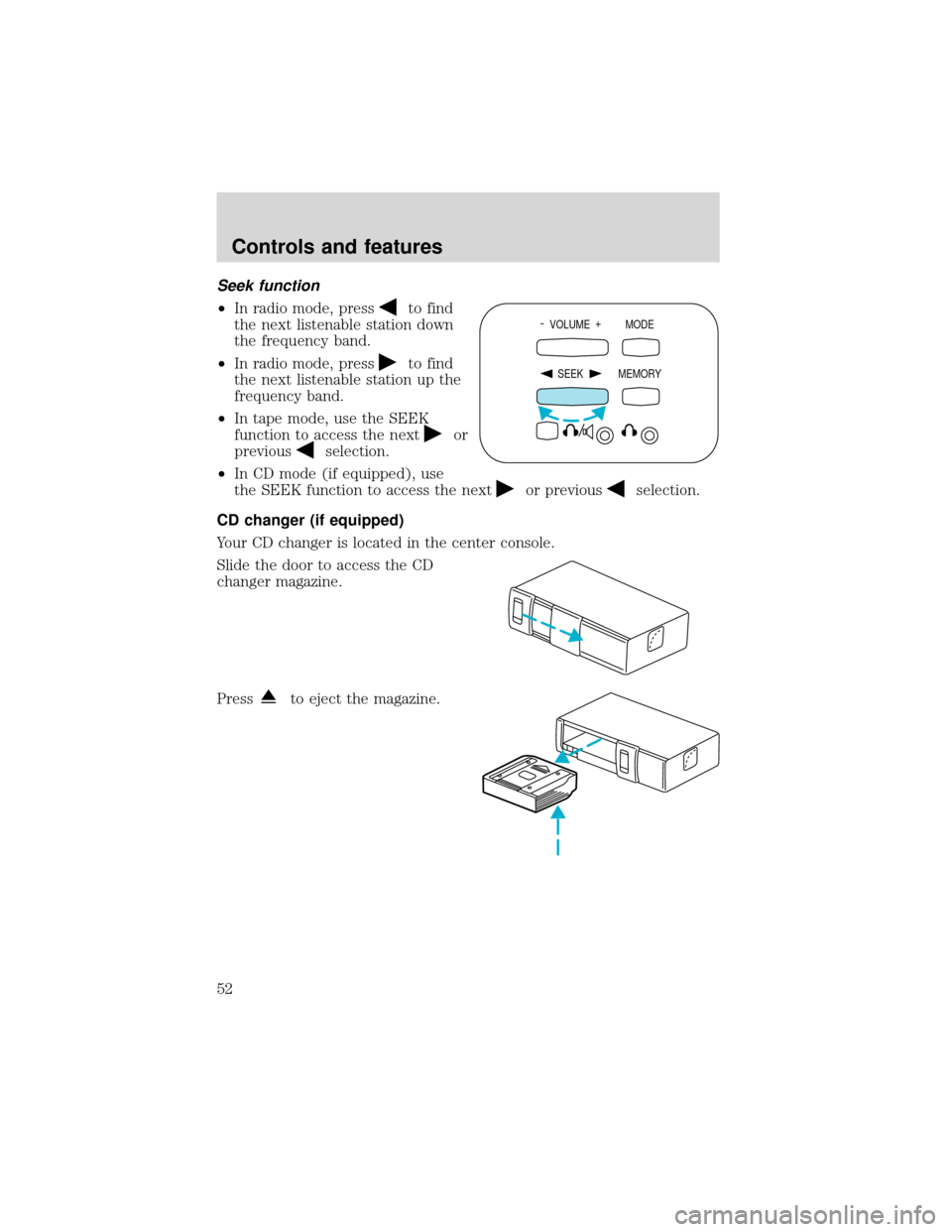
Seek function
•In radio mode, press
to find
the next listenable station down
the frequency band.
•In radio mode, press
to find
the next listenable station up the
frequency band.
•In tape mode, use the SEEK
function to access the next
or
previous
selection.
•In CD mode (if equipped), use
the SEEK function to access the next
or previousselection.
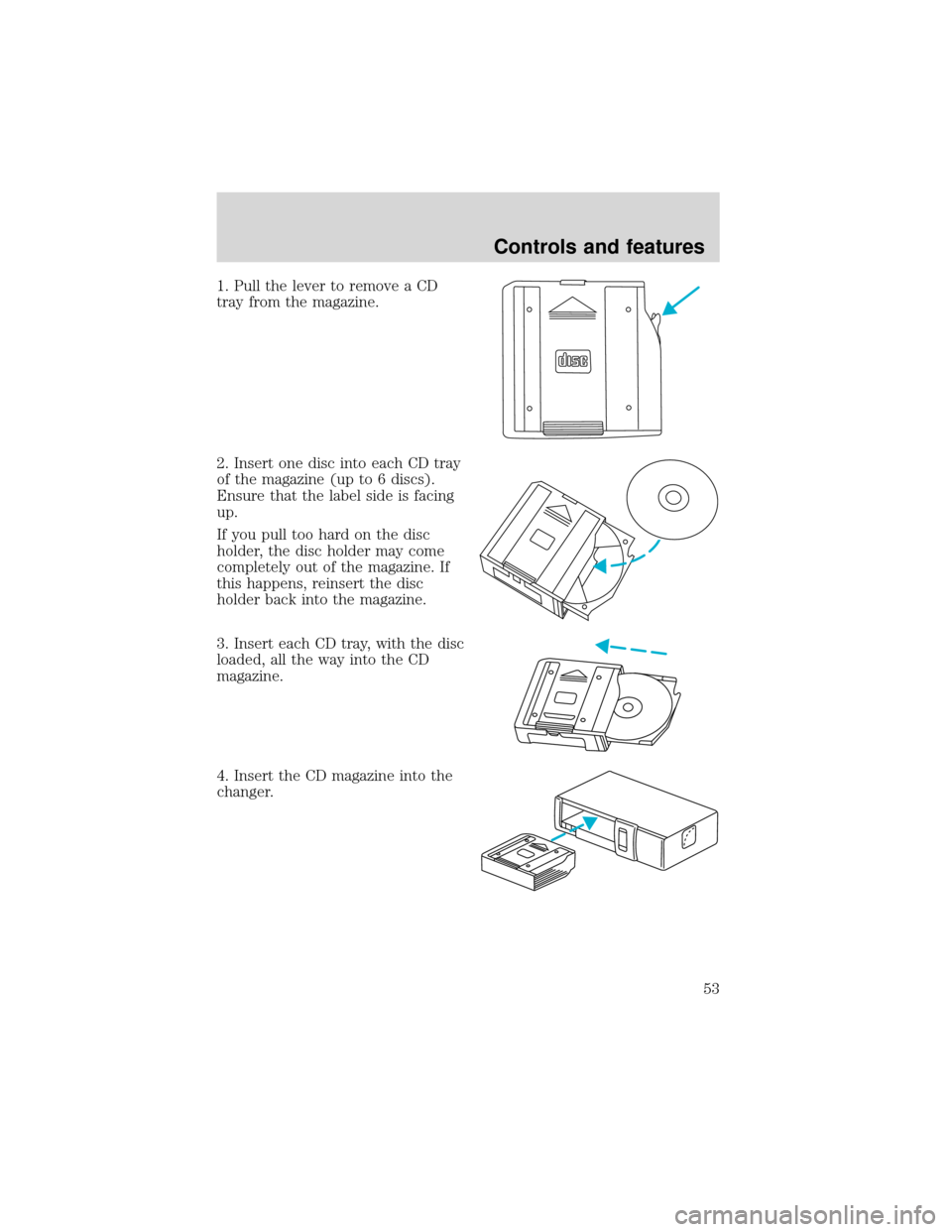
CD changer (if equipped)
Your CD changer is located in the center console.
Slide the door to access the CD
changer magazine.
Press
to eject the magazine.
- VOLUME +
MODE
SEEK MEMORY
Controls and features
52
Page 53 of 280
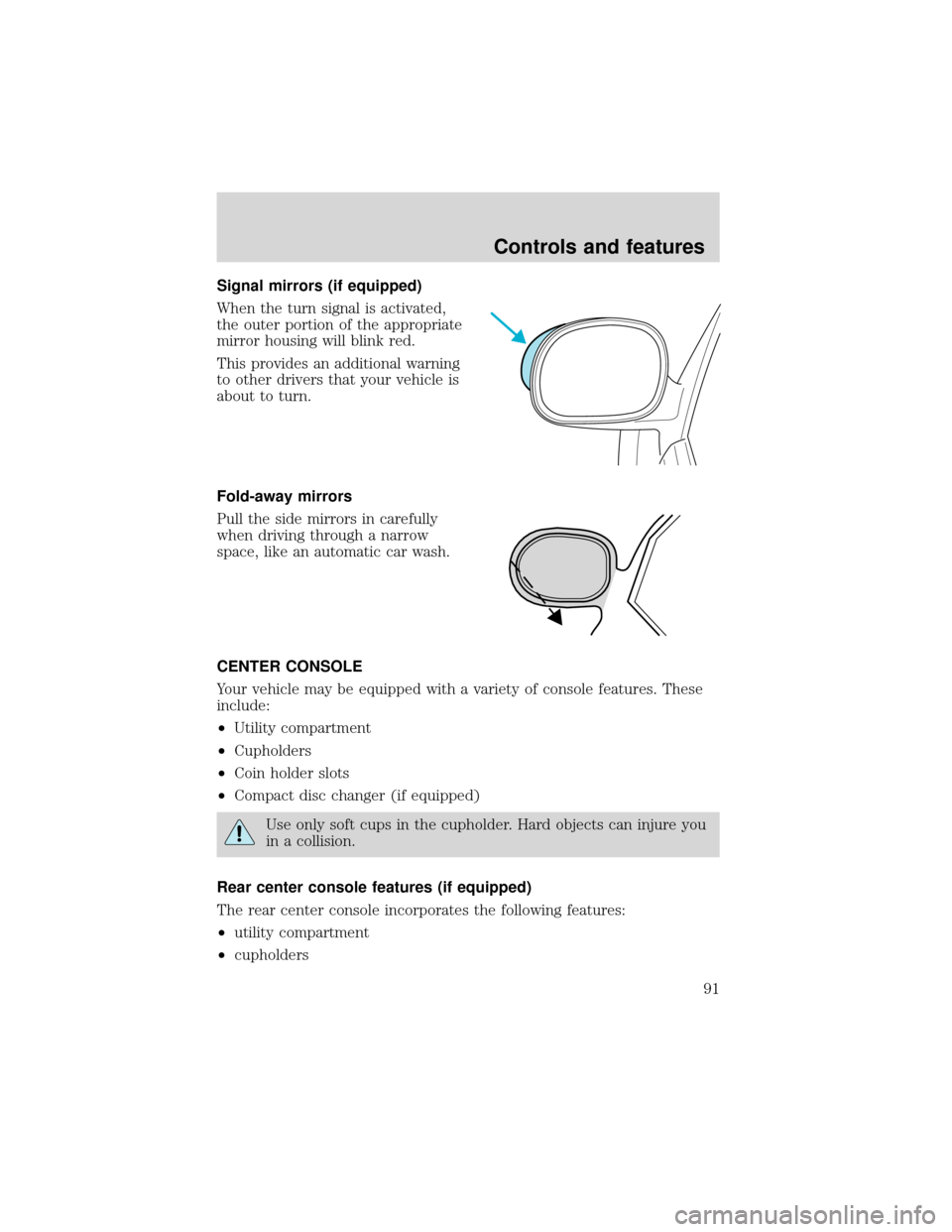
1. Pull the lever to remove a CD
tray from the magazine.
2. Insert one disc into each CD tray
of the magazine (up to 6 discs).
Ensure that the label side is facing
up.
If you pull too hard on the disc
holder, the disc holder may come
completely out of the magazine. If
this happens, reinsert the disc
holder back into the magazine.
3. Insert each CD tray, with the disc
loaded, all the way into the CD
magazine.
4. Insert the CD magazine into the
changer.
Controls and features
53
Page 54 of 280
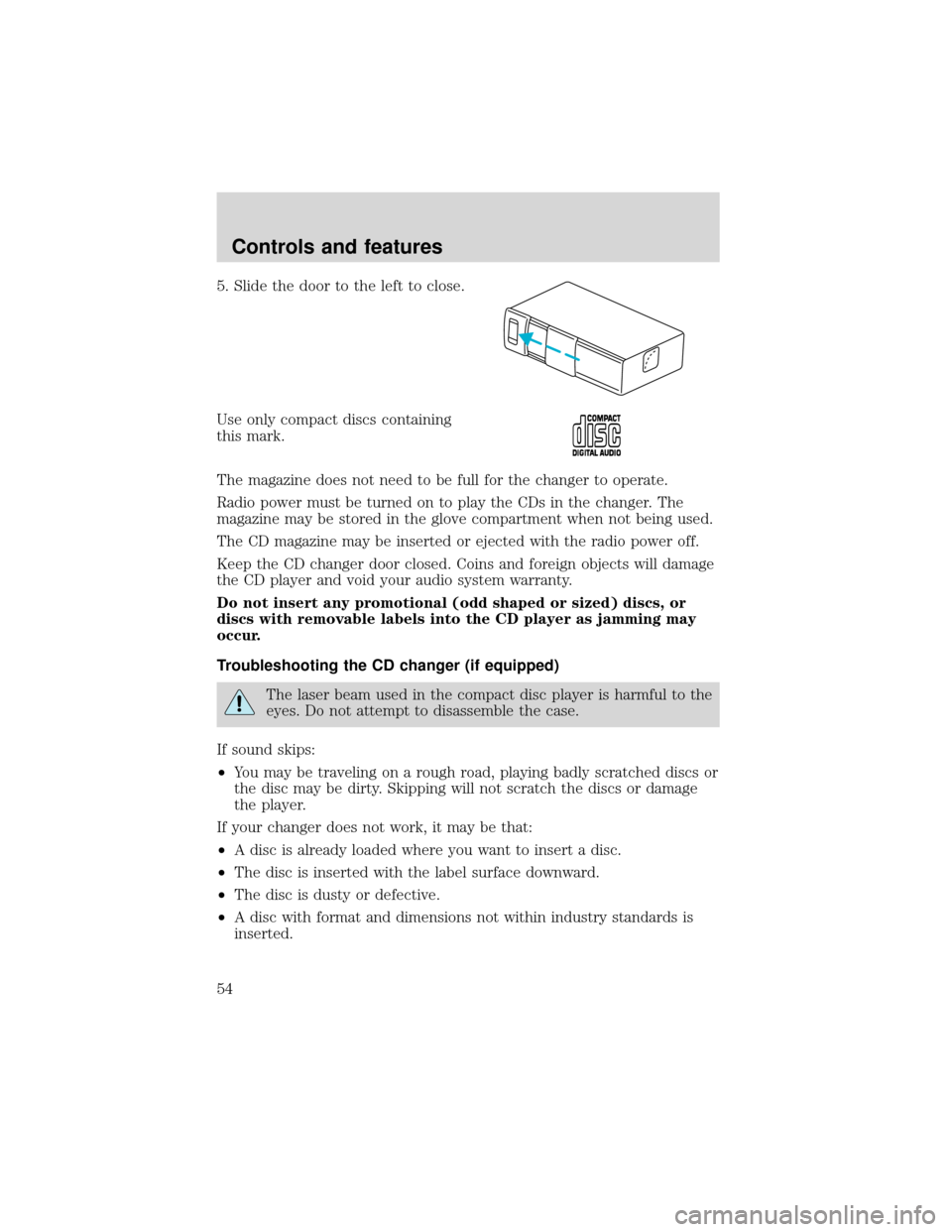
5. Slide the door to the left to close.
Use only compact discs containing
this mark.
The magazine does not need to be full for the changer to operate.
Radio power must be turned on to play the CDs in the changer. The
magazine may be stored in the glove compartment when not being used.
The CD magazine may be inserted or ejected with the radio power off.
Keep the CD changer door closed. Coins and foreign objects will damage
the CD player and void your audio system warranty.
Do not insert any promotional (odd shaped or sized) discs, or
discs with removable labels into the CD player as jamming may
occur.
Troubleshooting the CD changer (if equipped)
The laser beam used in the compact disc player is harmful to the
eyes. Do not attempt to disassemble the case.
If sound skips:
•You may be traveling on a rough road, playing badly scratched discs or
the disc may be dirty. Skipping will not scratch the discs or damage
the player.
If your changer does not work, it may be that:
•A disc is already loaded where you want to insert a disc.
•The disc is inserted with the label surface downward.
•The disc is dusty or defective.
•A disc with format and dimensions not within industry standards is
inserted.
Controls and features
54
Page 55 of 280
Cleaning compact discs
Inspect all discs for contamination before playing. If necessary, clean
discs only with an approved CD cleaner and wipe from the center out to
the edge. Do not use circular motion.
CD and CD changer care
•Handle discs by their edges only. Never touch the playing surface.
•Do not expose discs to direct sunlight or heat sources for extended
periods of time.
•Do not insert more than one disc into each slot of the CD changer
magazine.
Do not insert any promotional (odd shaped or sized) discs, or discs
with removable labels into the CD player as jamming may occur.
Cleaning cassette player (if equipped)
Clean the tape player head with a cassette cleaning cartridge after 10 to
12 hours of play in order to maintain the best sound and operation.
Cassette and cassette player care
•Use only cassettes that are 90 minutes long or less.
•Do not expose tapes to direct sunlight, high humidity, extreme heat or
extreme cold. Allow tapes that may have been exposed to extreme
temperatures to reach a moderate temperature before playing.
•Tighten very loose tapes by inserting a finger or pencil into the hole
and turning the hub.
•Remove loose labels before inserting tapes.
•Do not leave tapes in the cassette player for a long time when not
being played.
Radio frequency information
The Federal Communications Commission (FCC) and the Canadian Radio
and Telecommunications Commission(CRTC) establish the frequencies AM
and FM stations may use for their broadcasts. Allowable frequencies are:
AM 530, 540–1600, 1610 kHz
FM 87.7, 87.9–107.7, 107.9 MHz
Not all frequencies are used in a given area.
Controls and features
55
Page 91 of 280
Signal mirrors (if equipped)
When the turn signal is activated,
the outer portion of the appropriate
mirror housing will blink red.
This provides an additional warning
to other drivers that your vehicle is
about to turn.
Fold-away mirrors
Pull the side mirrors in carefully
when driving through a narrow
space, like an automatic car wash.
CENTER CONSOLE
Your vehicle may be equipped with a variety of console features. These
include:
•Utility compartment
•Cupholders
•Coin holder slots
•Compact disc changer (if equipped)
Use only soft cups in the cupholder. Hard objects can injure you
in a collision.
Rear center console features (if equipped)
The rear center console incorporates the following features:
•utility compartment
•cupholders
Controls and features
91
Page 272 of 280
Cassette tape player ...................28
CD changer .................................52
Certification Label ....................256
Child safety restraints ..............137
child safety belts ....................137
Child safety seats ......................138
attaching with tether
straps ...............................143–144
in front seat ............................140
in rear seat ..............140, 142–143
Cleaning your vehicle ...............242
engine compartment ..............244
exterior ............................243–244
exterior lamps .........................245
instrument cluster lens ..........246
instrument panel ....................246
interior .............................246–247
plastic parts ............................245
safety belts ..............................247
washing ....................................243
waxing .....................................243
wheels ......................................244
windows ..................................246
wiper blades ............................245
woodtone trim ........................247
Climate control (see Air
conditioning or Heating) ............56
Clock ......................................37, 49
Compass, electronic ....................78
calibration .................................80
set zone adjustment .................79
Console ........................................91
overhead ........................75–76, 81
rear ............................................91
Controls
power seat ...............................106Coolant
checking and adding ..............208
refill capacities ................212, 248
specifications ..................251, 254
Cruise control (see Speed
control) ........................................69
Customer Assistance ................178
Ford accessories for your
vehicle .....................................264
Ford Extended
Service Plan ............................257
Getting assistance outside the
U.S. and Canada .....................263
Getting roadside assistance ...178
Getting the service you
need .........................................257
Ordering additional owner’s
literature .................................268
The Dispute Settlement
Board .......................................260
Utilizing the
Mediation/Arbitration
Program ...................................263
D
Daytime running lamps
(see Lamps) ................................21
Defrost
rear window ..............................23
Dipstick
automatic transmission
fluid ..........................................215
engine oil .................................203
Doors
door ajar warning .....................14
lubricant specifications ..........251
Driveline universal joint and
slip yoke ....................................217
Index
272