Page 4 of 351
Table of Contents
Windows
Keys and Door Locks
Remote Keyless Entry System
Remote Trunk Release
Automatic Transaxle
Parking Brake
Tilt Wheel
Turn Signal/Multifunction Lever
Windshield WipersCruise Control (If Equipped)
Exterior and Interior Lamps
Mirrors
Storage Compartments
Convenience Net (If Equipped)
Accessory Power Outlet
Sunroof (Option)
Instrument Panel, Warning Lights and Gages Seats and Seat Controls
Safety BeltsSupplemental Restraint System (SRS)
Restraint Systems for Children
Section
1
Section
2
Seats and Restraint Systems
Features and Controls
ii
Page 18 of 351
1-6 Head Restraints
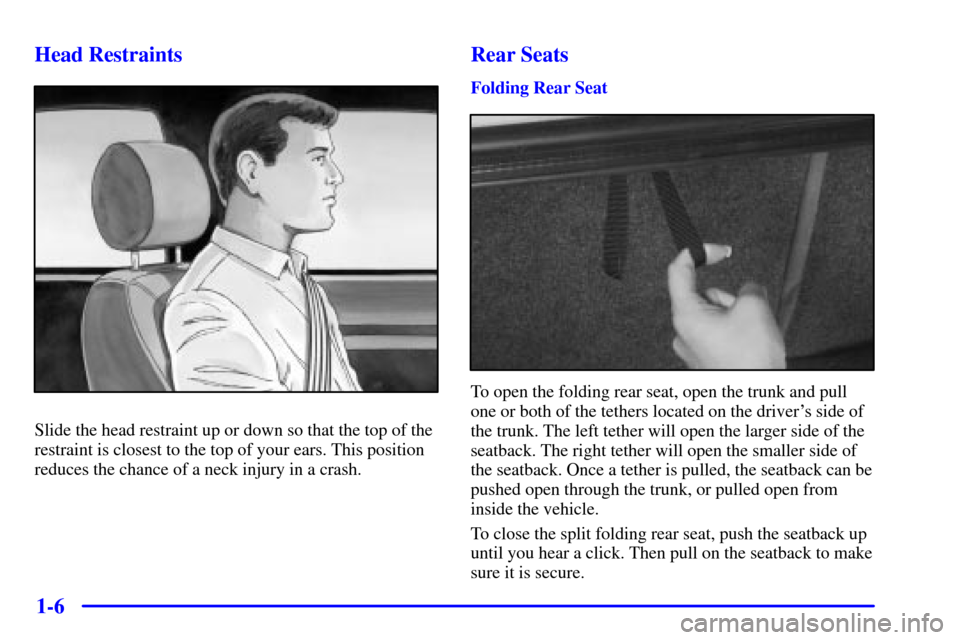
Slide the head restraint up or down so that the top of the
restraint is closest to the top of your ears. This position
reduces the chance of a neck injury in a crash.
Rear Seats
Folding Rear Seat
To open the folding rear seat, open the trunk and pull
one or both of the tethers located on the driver's side of
the trunk. The left tether will open the larger side of the
seatback. The right tether will open the smaller side of
the seatback. Once a tether is pulled, the seatback can be
pushed open through the trunk, or pulled open from
inside the vehicle.
To close the split folding rear seat, push the seatback up
until you hear a click. Then pull on the seatback to make
sure it is secure.
Page 66 of 351
2-
2-1
Section 2 Features and Controls
Here you can learn about the many standard and optional features on your vehicle, and information on starting,
shifting and braking. Also explained are the instrument panel and the warning systems that tell you if everything is
working properly
-- and what to do if you have a problem.
2
-2 Windows
2
-4 Keys
2
-6 Door Locks
2
-10 Remote Keyless Entry System (If Equipped)
2
-14 Trunk
2
-17 Theft
2
-18 Passlock�
2-18 New Vehicle ªBreak-Inº
2
-19 Ignition Positions
2
-20 Starting Your Engine
2
-21 Engine Coolant Heater (Option)
2
-22 Automatic Transaxle Operation
2
-26 Parking Brake
2
-27 Shifting Into PARK (P)
2
-29 Shifting Out of PARK (P)
2
-29 Parking Over Things That Burn2
-30 Engine Exhaust
2
-30 Running Your Engine While You're Parked
2
-31 Tilt Wheel
2
-32 Turn Signal/Multifunction Lever
2
-39 Exterior Lamps
2
-41 Interior Lamps
2
-42 Mirrors
2
-44 Storage Compartments
2
-45 Ashtray and Cigarette Lighter
2
-45 Sun Visors
2
-46 Accessory Power Outlet
2
-46 Garment Hook
2
-47 Sunroof (Option)
2
-48 The Instrument Panel -- Your
Information System
2
-52 Warning Lights, Gages and Indicators
Page 75 of 351

2-10 Anti-Lockout Protection
Anti-lockout protection is intended to provide enhanced
security and convenience. This feature prevents a driver
who has left the keys in the ignition from locking the
doors, by using the power door lock while any door
is open.
To override this feature, when the key is in the ignition
and any door is open, hold down the power door lock
switch for three seconds.
This feature cannot guarantee that you will never be
locked out of your vehicle. If you don't leave the keys in
the ignition, or if you use the manual door lock or the
remote keyless entry transmitter, you could still lock
your keys inside your vehicle. Always remember to take
your keys with you.
Leaving Your Vehicle
If you are leaving your vehicle, open your door and
set the locks from the inside, then get out and close
the door.
Remote Keyless Entry System
(If Equipped)
If your vehicle is equipped with this feature, you can
lock and unlock your doors or unlock your trunk
from about 3 feet (1 m) up to 30 feet (9 m) away
using the remote keyless entry transmitters supplied
with your vehicle.
Your remote keyless entry transmitter operates on a
radio frequency subject to Federal Communications
Commission (FCC) Rules and with Industry Canada.
This device complies with Part 15 of the FCC Rules.
Operation is subject to the following two conditions:
(1) this device may not cause harmful interference,
and (2) this device must accept any interference
received, including interference that may cause
undesired operation.
This device complies with RSS
-210 of Industry Canada.
Operation is subject to the following two conditions:
(1) this device may not cause interference, and (2) this
device must accept any interference received, including
interference that may cause undesired operation of
the device.
Page 77 of 351

2-12
UNLOCK: The driver's door will unlock automatically
when the UNLOCK button on the transmitter is pressed.
If the UNLOCK button is pressed again within
five seconds, all remaining doors will unlock. The
interior lamps will stay on for 10 seconds or until the
ignition is turned on. The parking lamps will flash twice
to indicate unlocking has occurred.
: The trunk will unlock when the vehicle symbol
on the transmitter is pressed, as long as the trunk lockout
is not engaged. See ªRemote Trunk Release Lockoutº in
the Index. You can open the trunk with the transmitter
when ignition is on with the shift lever in PARK (P), or
when the ignition is off. The interior lamps will come
on for 10 seconds or until the ignition switch is turned
to ON.
: The horn will sound and the headlamps and the
parking lamps will flash for up to two minutes when the
horn symbol on the transmitter is pressed. The interior
lamps will come on and remain on while the horn is
sounding and the lamps are flashing. The horn and
lamps can be turned off by pressing the horn symbol
button again or by turning the ignition to ON.Programmable Horn Chirp
When you use the remote keyless entry transmitter to
lock the doors or use the delayed locking feature, the
parking lamps will flash twice. The horn can also chirp
to indicate locking by enabling the horn chirp feature.
The programmable horn chirp can be disabled by
pressing and holding either of the door lock switches in
the unlock position for 10 seconds, with the ignition ON
and all of the doors closed. When you hear the horn
chirp, programming is complete.
To reactivate the horn chirp feature, repeat the
above procedure.
Radio Personalization
Your vehicle can store different radio preset stations and
other settings depending on which remote keyless entry
transmitter is used to unlock the doors. The radio will
recall all the stored settings associated with that
transmitter. Any radio setting changes will be assigned
to the transmitter last used to unlock the doors.
Page 79 of 351

2-14
To replace the battery in the keyless entry system, do
the following:
1. Use a coin or similar object to separate the bottom
half from the top half of the transmitter.
2. Remove the battery and replace it with the new one.
Make sure the positive (+) side of the battery faces
down. Use one three
-volt, CR2032, or equivalent,
type battery.
3. Put the two halves back together. Make sure the
cover is on tightly, so water won't get in.
4. Check the operation of the transmitter with your
vehicle. If the transmitter does not work, try
resynchronizing the transmitter with the receiver.
Resynchronization
Your keyless entry system is equipped with a security
system that prevents anyone from recording and playing
back your signal. The transmitter does not send the same
signal twice to the receiver. The receiver will not respond
to a signal that has been sent to it more than once.
To synchronize your transmitter and receiver, follow
these directions:
1. Stand close to your vehicle.
2. Press and hold the LOCK and UNLOCK buttons on
the transmitter at the same time.
3. Hold the buttons for five seconds. In this time, the
doors should lock and unlock once. This confirms
the resynchronization. If the doors do not lock and
unlock, see your dealer for service.
Trunk
To unlock the trunk from the outside, insert the key and
turn the trunk lock cylinder.
When closing the trunk, close from the center to ensure
it fully latches.
Page 80 of 351
2-15
CAUTION:
It can be dangerous to drive with the trunk lid
open because carbon monoxide (CO) gas can
come into your vehicle. You can't see or smell
CO. It can cause unconsciousness and even death.
If you must drive with the trunk lid open or if
electrical wiring or other cable connections must
pass through the seal between the body and the
trunk lid:
�Make sure all other windows are shut.
�Turn the fan on your heating or cooling
system to its highest speed with the setting
on OUTSIDE AIR. That will force outside
air into your vehicle. See ªComfort
Controlsº in the Index.
�If you have air outlets on or under the
instrument panel, open them all the way.
See ªEngine Exhaustº in the Index.
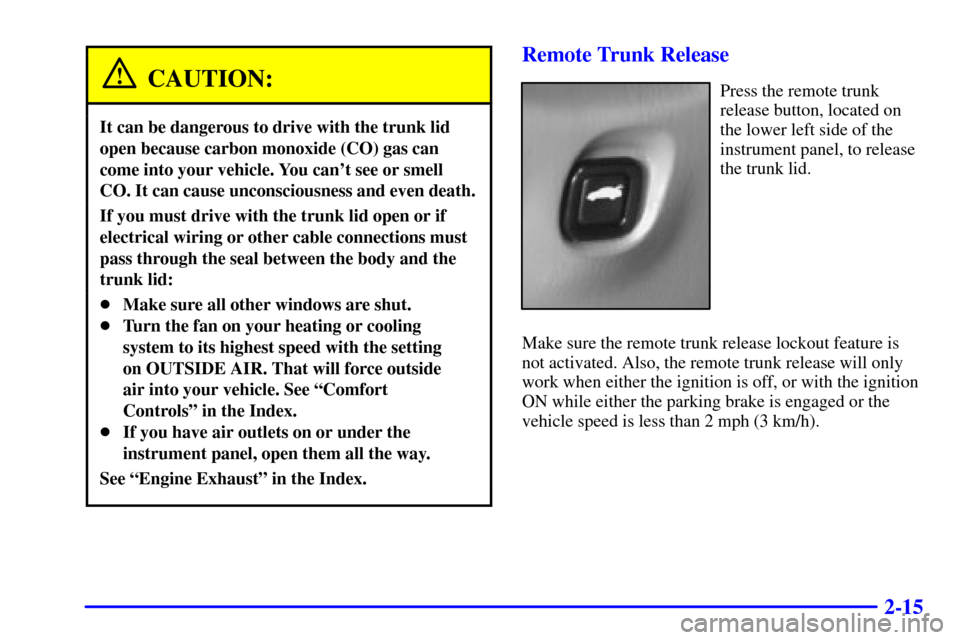
Remote Trunk Release
Press the remote trunk
release button, located on
the lower left side of the
instrument panel, to release
the trunk lid.
Make sure the remote trunk release lockout feature is
not activated. Also, the remote trunk release will only
work when either the ignition is off, or with the ignition
ON while either the parking brake is engaged or the
vehicle speed is less than 2 mph (3 km/h).
Page 81 of 351
2-16 Remote Trunk Release Lockout
(If Equipped)
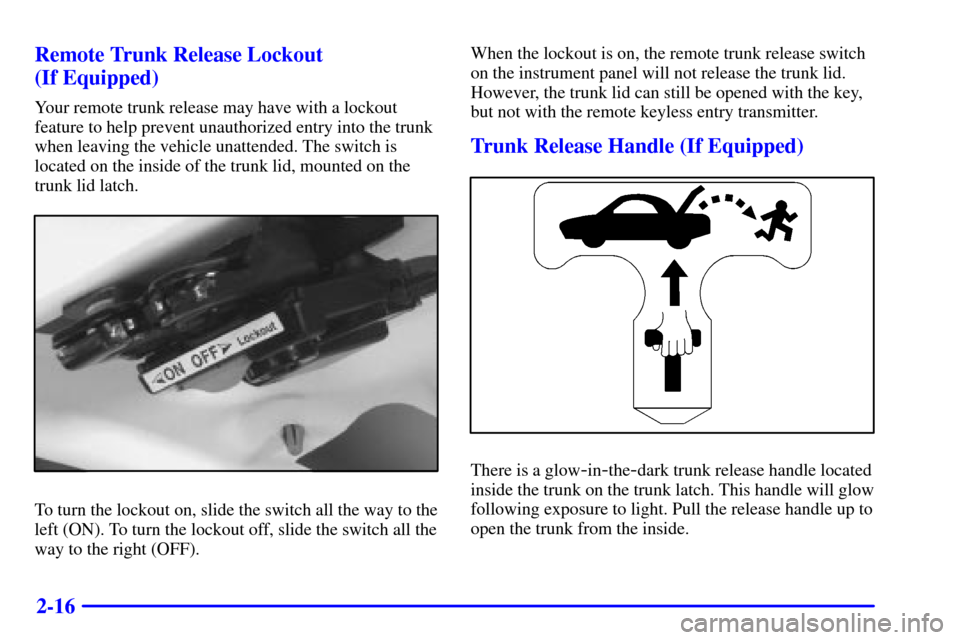
Your remote trunk release may have with a lockout
feature to help prevent unauthorized entry into the trunk
when leaving the vehicle unattended. The switch is
located on the inside of the trunk lid, mounted on the
trunk lid latch.
To turn the lockout on, slide the switch all the way to the
left (ON). To turn the lockout off, slide the switch all the
way to the right (OFF).When the lockout is on, the remote trunk release switch
on the instrument panel will not release the trunk lid.
However, the trunk lid can still be opened with the key,
but not with the remote keyless entry transmitter.
Trunk Release Handle (If Equipped)
There is a glow-in-the-dark trunk release handle located
inside the trunk on the trunk latch. This handle will glow
following exposure to light. Pull the release handle up to
open the trunk from the inside.