Page 114 of 351
2-49
The main components of your instrument panel are the following:
A. Side Window Defogger Vents
B. Vent Outlets
C. Instrument Panel Brightness Control
D. Fog Lamp Button (If Equipped)
E. Turn Signal/Multifunction Lever
F. Cruise Control Buttons (If Equipped)
G. Instrument Panel Cluster
H. Windshield Wiper/Washer Lever
I. Ignition Switch
J. Hazard Warning Flashers Button
K. Instrument Panel Fuse BlocksL. Instrument Panel Cupholder
M. Remote Trunk Release Button
N. Hood Release
O. Tilt Wheel Lever
P. Parking Brake
Q. Horn
R. Audio System
S. Cigarette Lighter
T. Ashtray
U. Accessory Power Outlet
V. Climate Control System
Page 122 of 351
2-57 Anti-Lock Brake System Warning Light
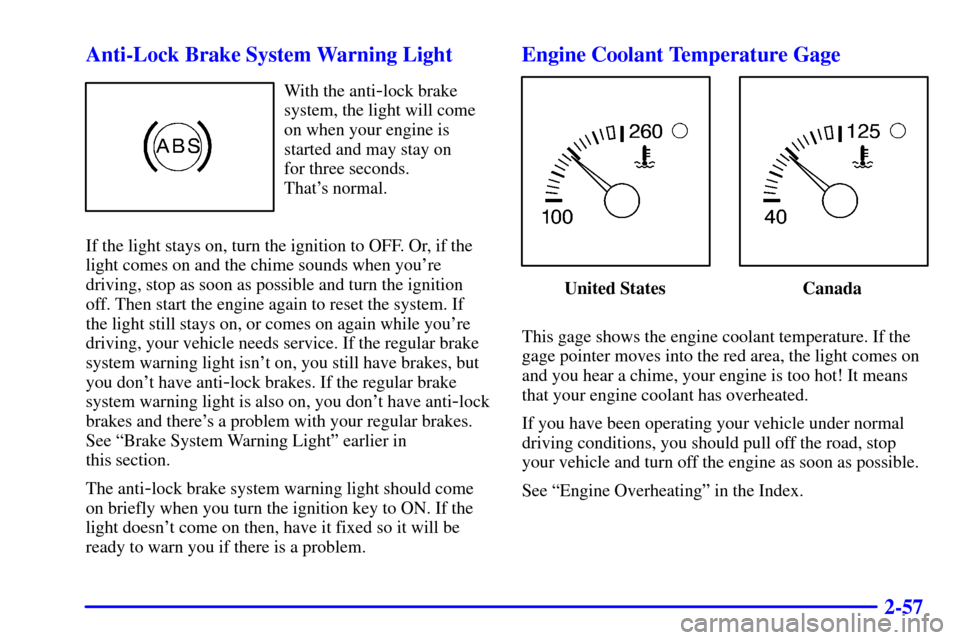
With the anti-lock brake
system, the light will come
on when your engine is
started and may stay on
for three seconds.
That's normal.
If the light stays on, turn the ignition to OFF. Or, if the
light comes on and the chime sounds when you're
driving, stop as soon as possible and turn the ignition
off. Then start the engine again to reset the system. If
the light still stays on, or comes on again while you're
driving, your vehicle needs service. If the regular brake
system warning light isn't on, you still have brakes, but
you don't have anti
-lock brakes. If the regular brake
system warning light is also on, you don't have anti
-lock
brakes and there's a problem with your regular brakes.
See ªBrake System Warning Lightº earlier in
this section.
The anti
-lock brake system warning light should come
on briefly when you turn the ignition key to ON. If the
light doesn't come on then, have it fixed so it will be
ready to warn you if there is a problem.
Engine Coolant Temperature Gage
United States Canada
This gage shows the engine coolant temperature. If the
gage pointer moves into the red area, the light comes on
and you hear a chime, your engine is too hot! It means
that your engine coolant has overheated.
If you have been operating your vehicle under normal
driving conditions, you should pull off the road, stop
your vehicle and turn off the engine as soon as possible.
See ªEngine Overheatingº in the Index.
Page 128 of 351

2-63 Check Oil Light
You will have a CHECK
OIL light in your instrument
panel cluster.
This light will come on briefly when you start
your vehicle.
If the light stays on after starting your vehicle, or comes
on and chimes while you are driving, your engine oil
level should be checked.
Prior to checking the oil level, be sure your vehicle
has been shut off for several minutes and is on a level
surface. Check the oil level on your dipstick and bring
it to the proper level. See ªEngine Oilº in the Index.
A false CHECK OIL light may be generated when
parking on steep grades.The oil level monitoring system only checks oil level
during the brief period between key on and engine
crank. It does not monitor engine oil level when the
engine is running. Additionally, an oil level check is
only performed if the engine has been turned off for a
considerable period of time allowing the oil normally
in circulation to drain back into the oil pan.
Passlock� Warning Light
This light will come on
when you turn the ignition
to ON. The light will stay
on until the engine starts.
If the light flashes, the Passlock system has entered a
tamper mode. If the vehicle fails to start, see ªPasslockº
in the Index.
If the light comes on continuously while driving and
stays on, there may be a problem with the Passlock
system. Your vehicle will not be protected by Passlock,
and you should see your dealer.
Page 132 of 351
3-
3-1
Section 3 Comfort Controls and Audio Systems
In this section, you'll find out how to operate the comfort control and audio systems offered with your vehicle.
Be sure to read about the particular systems supplied with your vehicle.
3
-2 Comfort Controls
3
-2 Climate Control System with
Air Conditioning
3
-4 Air Conditioning
3
-4 Heating
3
-5 Defogging and Defrosting Windows
3
-6 Rear Window Defogger
3
-6 Ventilation System
3
-7 Audio Systems
3
-7 Setting the Clock for Systems without Radio
Data System
3
-8 Setting the Clock for Systems with Radio
Data System
3
-8AM-FM Stereo
3
-11 AM-FM Stereo with Cassette Tape Player
with Radio Data System (RDS) and Automatic
Tone Control (If Equipped)3
-20 AM-FM Stereo with Compact Disc Player
with Radio Data System (RDS) and Automatic
Tone Control (If Equipped)
3
-27 AM-FM Stereo with Cassette Tape and
Compact Disc Player with Radio Data
System (RDS) and Automatic Tone
Control (If Equipped)
3
-38 Personal Choice Radio Controls (If Equipped)
3
-38 Theft-Deterrent Feature
3
-39 Understanding Radio Reception
3
-39 Tips About Your Audio System
3
-40 Care of Your Cassette Tape Player
3
-41 Care of Your Compact Discs
3
-41 Care of Your Compact Disc Player
3
-41 Fixed Mast Antenna
3
-41 Chime Level Adjustment
Page 133 of 351
3-2
Comfort Controls
This section tells you how to make your air system work
for you.
With this system, you can control the ventilation and
heating in your vehicle. Your vehicle also has the
flow
-through ventilation system described later in
this section.
Climate Control System with
Air Conditioning
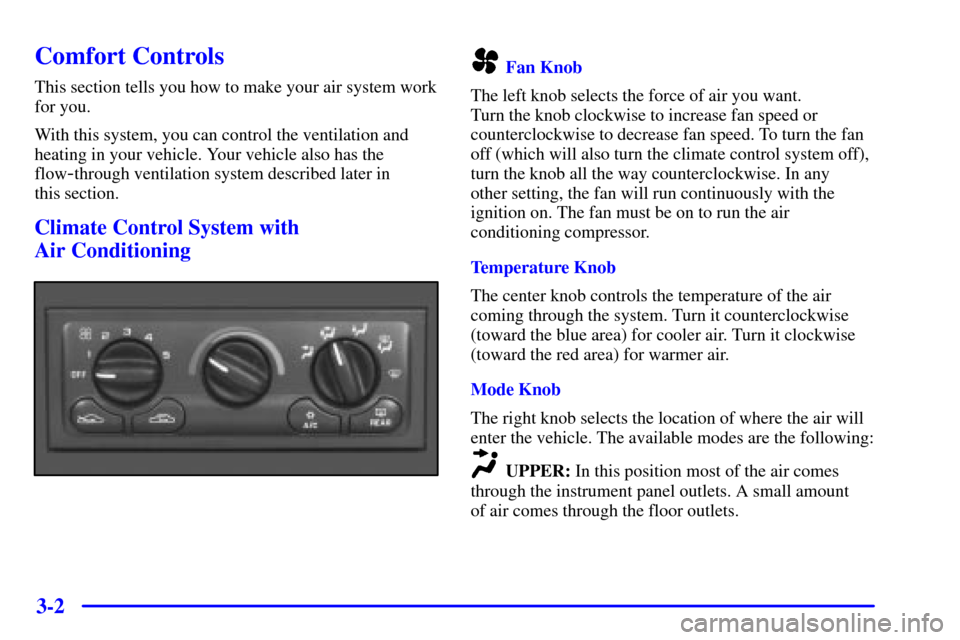
Fan Knob
The left knob selects the force of air you want.
Turn the knob clockwise to increase fan speed or
counterclockwise to decrease fan speed. To turn the fan
off (which will also turn the climate control system off),
turn the knob all the way counterclockwise. In any
other setting, the fan will run continuously with the
ignition on. The fan must be on to run the air
conditioning compressor.
Temperature Knob
The center knob controls the temperature of the air
coming through the system. Turn it counterclockwise
(toward the blue area) for cooler air. Turn it clockwise
(toward the red area) for warmer air.
Mode Knob
The right knob selects the location of where the air will
enter the vehicle. The available modes are the following:
UPPER: In this position most of the air comes
through the instrument panel outlets. A small amount
of air comes through the floor outlets.
Page 138 of 351
3-7
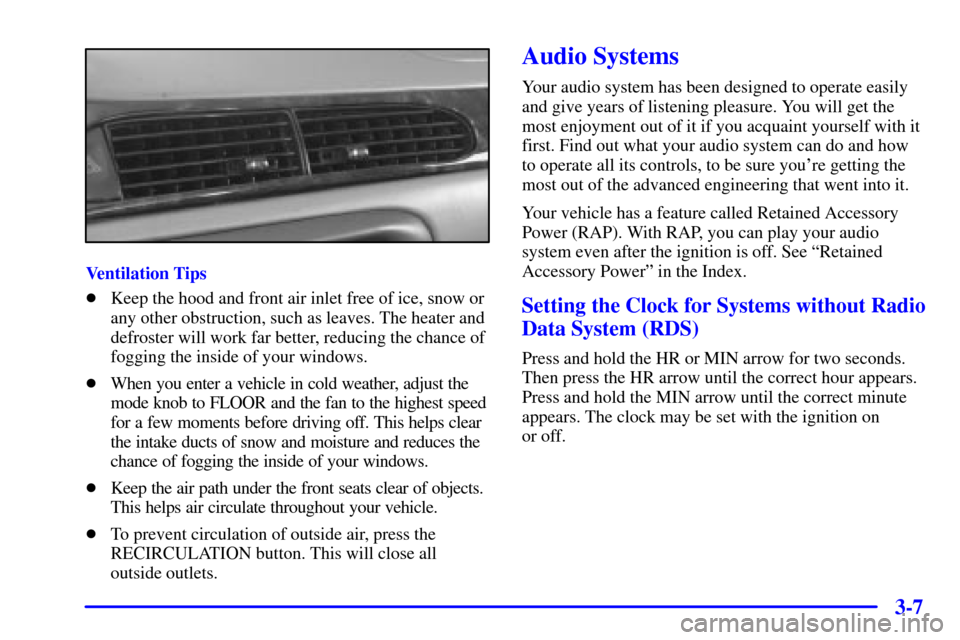
Ventilation Tips
�Keep the hood and front air inlet free of ice, snow or
any other obstruction, such as leaves. The heater and
defroster will work far better, reducing the chance of
fogging the inside of your windows.
�When you enter a vehicle in cold weather, adjust the
mode knob to FLOOR and the fan to the highest speed
for a few moments before driving off. This helps clear
the intake ducts of snow and moisture and reduces the
chance of fogging the inside of your windows.
�Keep the air path under the front seats clear of objects.
This helps air circulate throughout your vehicle.
�To prevent circulation of outside air, press the
RECIRCULATION button. This will close all
outside outlets.
Audio Systems
Your audio system has been designed to operate easily
and give years of listening pleasure. You will get the
most enjoyment out of it if you acquaint yourself with it
first. Find out what your audio system can do and how
to operate all its controls, to be sure you're getting the
most out of the advanced engineering that went into it.
Your vehicle has a feature called Retained Accessory
Power (RAP). With RAP, you can play your audio
system even after the ignition is off. See ªRetained
Accessory Powerº in the Index.
Setting the Clock for Systems without Radio
Data System (RDS)
Press and hold the HR or MIN arrow for two seconds.
Then press the HR arrow until the correct hour appears.
Press and hold the MIN arrow until the correct minute
appears. The clock may be set with the ignition on
or off.
Page 139 of 351
3-8 Setting the Clock for Systems with Radio
Data System (RDS)
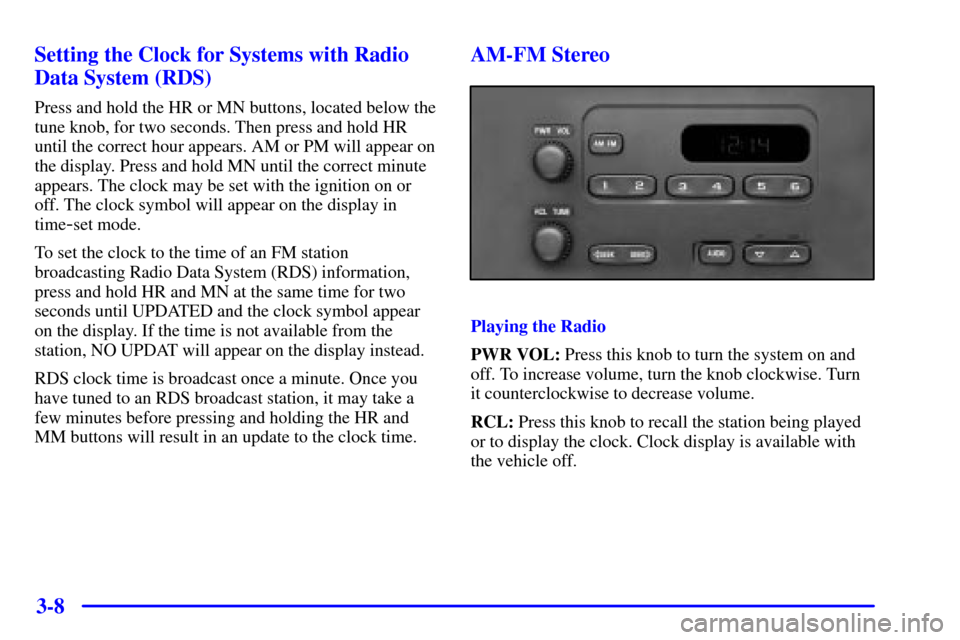
Press and hold the HR or MN buttons, located below the
tune knob, for two seconds. Then press and hold HR
until the correct hour appears. AM or PM will appear on
the display. Press and hold MN until the correct minute
appears. The clock may be set with the ignition on or
off. The clock symbol will appear on the display in
time
-set mode.
To set the clock to the time of an FM station
broadcasting Radio Data System (RDS) information,
press and hold HR and MN at the same time for two
seconds until UPDATED and the clock symbol appear
on the display. If the time is not available from the
station, NO UPDAT will appear on the display instead.
RDS clock time is broadcast once a minute. Once you
have tuned to an RDS broadcast station, it may take a
few minutes before pressing and holding the HR and
MM buttons will result in an update to the clock time.
AM-FM Stereo
Playing the Radio
PWR VOL: Press this knob to turn the system on and
off. To increase volume, turn the knob clockwise. Turn
it counterclockwise to decrease volume.
RCL: Press this knob to recall the station being played
or to display the clock. Clock display is available with
the vehicle off.
Page 142 of 351
3-11
FADE: Press and release AUDIO until FAD appears on
the display. Then press and hold the up arrow to move
the sound to the front speakers or the down arrow to
move the sound to the rear speakers. ªFº and a number
will appear on the display when the sound is balanced
toward the front speakers. ªRº and a number will appear
on the display when the sound is balanced toward the
rear speakers. F and a zero will appear on the display
when the the sound is balanced between the speakers.
Release the up or down arrow when you find the speaker
balance you want or when the maximum or minimum
level is reached.
To set balance or fade to the middle position, select the
desired speaker control. Then press and hold AUDIO for
more than two seconds until you hear a beep. L and a
zero or F and a zero will appear on the display. To set all
of the tone controls and speaker controls to the middle
position, end out of audio mode. Then press and hold
AUDIO for more than two seconds until you hear a
beep. CEN will appear on the display.
Radio Calibration
Your audio system has been calibrated for your vehicle
from the factory. If CAL appears on the display it means
that your radio has not been configured properly for
your vehicle and must be returned to the dealership
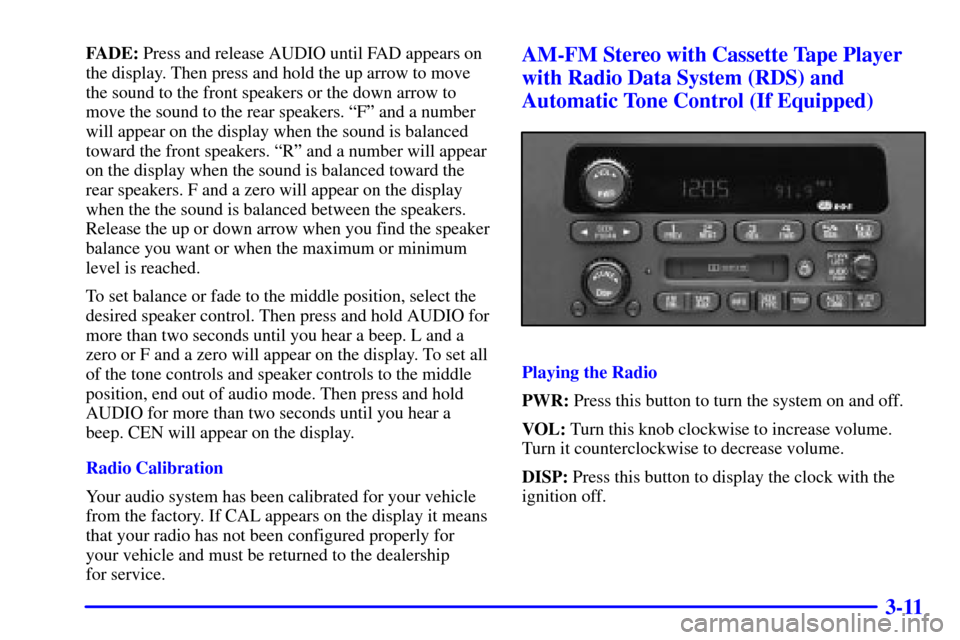
for service.AM-FM Stereo with Cassette Tape Player
with Radio Data System (RDS) and
Automatic Tone Control (If Equipped)
Playing the Radio
PWR: Press this button to turn the system on and off.
VOL: Turn this knob clockwise to increase volume.
Turn it counterclockwise to decrease volume.
DISP: Press this button to display the clock with the
ignition off.