Page 5 of 392
Comfort Controls and Audio Systems
Table of Contents (cont'd)
Defensive Driving
Drunken Driving
Control of a Vehicle
Braking
SteeringDriving Tips for Various Road Conditions
Recreational Vehicle Towing
Loading Your Vehicle
Towing a Trailer Heating and Air Conditioning
Setting the Radio Clock
Radio/Cassette Player/CD PlayerRadio Theft-Deterrent Feature
Steering Wheel Controls (Option)
Hazard Warning Flashers
Jump Starting
Towing Your VehicleEngine Overheating
Changing a Flat Tire
If You're Stuck
Problems on the Road
iii
Section
3
Section
4
Section
5
Your Driving and the Road
Page 83 of 392
2-13
Trunk
CAUTION:
It can be dangerous to drive with the trunk lid
open because carbon monoxide (CO) gas can
come into your vehicle. You can't see or smell
CO. It can cause unconsciousness and even death.
If you must drive with the trunk lid open or if
electrical wiring or other cable connections must
pass through the seal between the body and the
trunk lid:
�Make sure all other windows are shut.
�Turn the fan on your heating or cooling
system to its highest speed with the setting
on VENT. That will force outside air into
your vehicle. See ªComfort Controlsº in
the Index.
�If you have air outlets on or under the
instrument panel, open them all the way.
See ªEngine Exhaustº in the Index.
Trunk Lock
To unlock the trunk from the outside, insert the key in
the lock and turn it. You can also press the car symbol
on your remote keyless entry transmitter (if equipped).
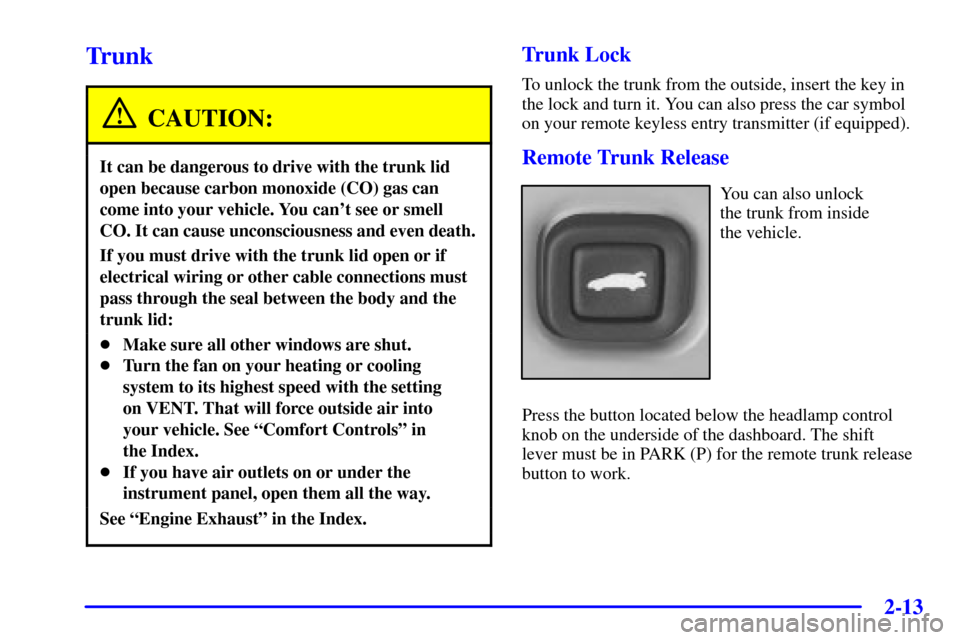
Remote Trunk Release
You can also unlock
the trunk from inside
the vehicle.
Press the button located below the headlamp control
knob on the underside of the dashboard. The shift
lever must be in PARK (P) for the remote trunk release
button to work.
Page 132 of 392
2-62
To remove the ashtray, push down on the snuffer located
in the middle of the ashtray and lift it out.
NOTICE:
Don't put papers and other things that burn
into your ashtrays. If you do, cigarettes or
other smoking materials could set them on fire,
causing damage.
To use the lighter, just push it in all the way and let go.
When it's ready, it will pop back out by itself.
NOTICE:
Don't hold a cigarette lighter in with your hand
while it is heating. If you do, it won't be able to
back away from the heating element when it's
ready. That can make it overheat, damaging the
lighter and the heating element.
Sun Visors
To block out glare, you can swing down the visors. You
can also move them from side to side. The visors also
have extenders that you can pull out for added coverage.
Visor Vanity Mirrors
Open the cover to expose the vanity mirror.
If your vehicle has the lighted vanity mirrors, the lamps
come on when you open the cover.
Page 153 of 392
2-83
Engine Coolant Temperature Gage
United States-3400 V6
Engine ClusterUnited States-3800 V6
Engine Cluster
Canada-3400 V6
Engine ClusterCanada-3800 V6
Engine ClusterThis gage shows the engine coolant temperature.
It also provides an indicator of how hard your vehicle is
working. During the majority of the operation, the gage
will read 210�F (100�C) or less.
If you are pulling a load or going up hills, it is normal
for the temperature to fluctuate and approach the 250�F
(122�C) mark. When the gage reads greater than 250�F
(122�C), the HOT COOLANT TEMP light will be
illuminated in the message center and a chime will
sound continuously. If the gage reaches the 260�F
(125�C) mark, it indicates that the cooling system is
working beyond its capacity.
See ªEngine Overheatingº in the Index.
Page 160 of 392

2-90
Battery Life Indicator
When the vehicle is started
this message will be
displayed for three seconds.
If the message is displayed when the engine is running,
you may have a problem with your charging system. If
there is a problem with the charging system, four chimes
will sound when the message comes on. The battery
display will also stay on while the key is in ON until the
engine is started.
If the message stays on after starting the engine it
could indicate a problem with the generator drive belt,
or some other charging system problem. Have it
checked right away. Driving with this message on
could drain your battery.
If you must drive a short distance with this message
displayed, it helps to turn off all your accessories.Hot Coolant Temp
United States Canada
This message is displayed when the cooling system
temperature gets hot. A chime will sound
continuously, also.
Check the coolant temperature gage and the coolant
level. See ªEngine Coolant,º ªEngine Coolant
Temperature Gageº and ªEngine Overheatingº in the
Index for further information.
Page 171 of 392
3-
3-1
Section 3 Comfort Controls and Audio Systems
In this section, you'll find out how to operate the comfort control and audio systems offered with your vehicle.
Be sure to read about the particular systems supplied with your vehicle.
3
-2 Comfort Controls
3
-2 Manual Single Zone Climate Control
3
-4 Dual ComforTemp� Climate Control
(If Equipped)
3
-6 Air Conditioning
3
-6 Heating
3
-6 Ventilation
3
-6 Defogging and Defrosting
3
-7 Rear Window Defogger
3
-8 Ventilation System
3
-9 Audio Systems
3
-9 Setting the Clock
3
-9 Setting the Clock for Systems with Radio
Data System
3
-10 AM-FM Stereo
3
-13 AM-FM Stereo with Cassette Tape Player
with Radio Data System (RDS) and Automatic
Tone Control (If Equipped)3
-22 AM-FM Stereo with Compact Disc Player
with Radio Data System (RDS) and Automatic
Tone Control (Option)
3
-31 AM-FM Stereo with Cassette Tape and
Compact Disc Player with Radio Data System
(RDS) and Automatic Tone Control (Option)
3
-41 Theft-Deterrent Feature Non-RDS Radios
3
-41 Theft-Deterrent Feature RDS Radios
(If Equipped)
3
-42 Audio Steering Wheel Controls (If Equipped)
3
-43 Understanding Radio Reception
3
-43 Tips About Your Audio System
3
-44 Care of Your Cassette Tape Player
3
-45 Care of Your Compact Discs
3
-45 Care of Your Compact Disc Player
3
-46 Backglass Antenna
3
-46 Vehicle Customization Settings
3
-46 Chime Level Adjustment
Page 172 of 392
3-2
Comfort Controls
Manual Single Zone Climate Control
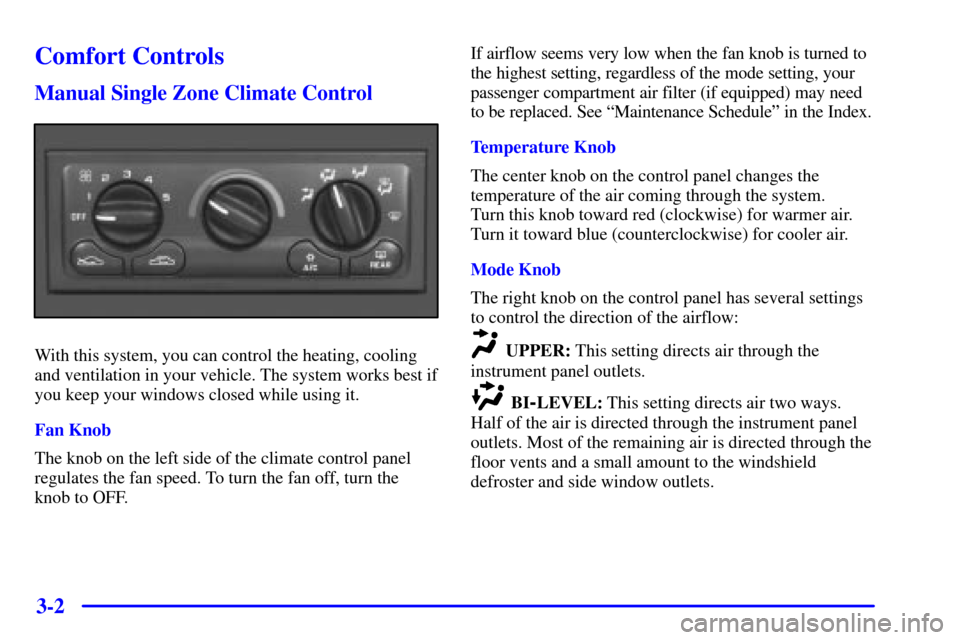
With this system, you can control the heating, cooling
and ventilation in your vehicle. The system works best if
you keep your windows closed while using it.
Fan Knob
The knob on the left side of the climate control panel
regulates the fan speed. To turn the fan off, turn the
knob to OFF.If airflow seems very low when the fan knob is turned to
the highest setting, regardless of the mode setting, your
passenger compartment air filter (if equipped) may need
to be replaced. See ªMaintenance Scheduleº in the Index.
Temperature Knob
The center knob on the control panel changes the
temperature of the air coming through the system.
Turn this knob toward red (clockwise) for warmer air.
Turn it toward blue (counterclockwise) for cooler air.
Mode Knob
The right knob on the control panel has several settings
to control the direction of the airflow:UPPER: This setting directs air through the
instrument panel outlets.
BI-LEVEL: This setting directs air two ways.
Half of the air is directed through the instrument panel
outlets. Most of the remaining air is directed through the
floor vents and a small amount to the windshield
defroster and side window outlets.
Page 174 of 392
3-4 Dual ComforTemp� Climate Control
(If Equipped)
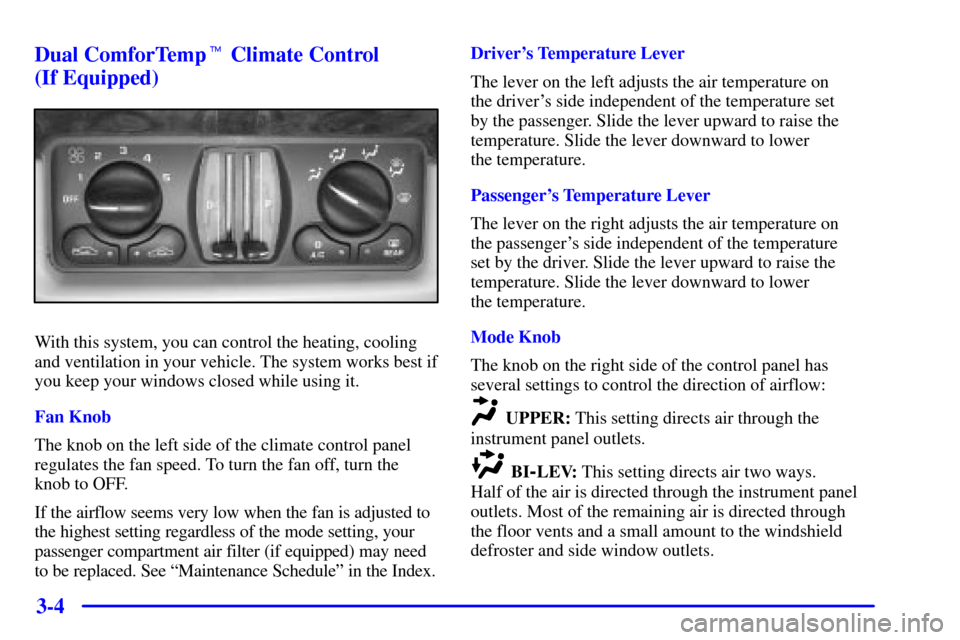
With this system, you can control the heating, cooling
and ventilation in your vehicle. The system works best if
you keep your windows closed while using it.
Fan Knob
The knob on the left side of the climate control panel
regulates the fan speed. To turn the fan off, turn the
knob to OFF.
If the airflow seems very low when the fan is adjusted to
the highest setting regardless of the mode setting, your
passenger compartment air filter (if equipped) may need
to be replaced. See ªMaintenance Scheduleº in the Index.Driver's Temperature Lever
The lever on the left adjusts the air temperature on
the driver's side independent of the temperature set
by the passenger. Slide the lever upward to raise the
temperature. Slide the lever downward to lower
the temperature.
Passenger's Temperature Lever
The lever on the right adjusts the air temperature on
the passenger's side independent of the temperature
set by the driver. Slide the lever upward to raise the
temperature. Slide the lever downward to lower
the temperature.
Mode Knob
The knob on the right side of the control panel has
several settings to control the direction of airflow:
UPPER: This setting directs air through the
instrument panel outlets.
BI-LEV: This setting directs air two ways.
Half of the air is directed through the instrument panel
outlets. Most of the remaining air is directed through
the floor vents and a small amount to the windshield
defroster and side window outlets.