Page 6 of 392
Table of Contents (cont'd)
Maintenance Schedule Service and Appearance Care
Section
7
Section
6
Scheduled Maintenance
Owner Checks and Services
Periodic Maintenance InspectionsRecommended Fluids and Lubricants
Maintenance Records Fuel
Checking Fluids and Lubricants
GM Oil Life System™
Engine Air Cleaner/Filter
Passenger Compartment Air Filter (If Equipped)
Brakes
Bulb ReplacementWindshield Wiper Blade Replacement
Tires and Wheels
Appearance Care
Electrical System/Fuses and Circuit Breakers
Capacities and Specifications
Normal Maintenance Replacement Parts
iv
Page 11 of 392

ix
For example,
these symbols
are used on an
original battery:
CAUTION
POSSIBLE
INJURY
PROTECT
EYES BY
SHIELDING
CAUSTIC
BATTERY
ACID COULD
CAUSE
BURNS
AVOID
SPARKS OR
FLAMES
SPARK OR
FLAME
COULD
EXPLODE
BATTERY
These symbols
are important for
you and your
passengers
whenever your
vehicle is driven:
CHILD
RESTRAINT
TOP STRAP
ANCHOR
DOOR LOCK
UNLOCK
FASTEN
SEAT
BELTS
POWER
WINDOW
AIR BAG
These symbols
have to do with
your lamps:
MASTER
LIGHTING
SWITCH
TURN
SIGNALS
PARKING
LAMPS
HAZARD
WARNING
FLASHER
DAYTIME
RUNNING
LAMPS
FOG LAMPS
These symbols
are on some of
your controls:
WINDSHIELD
WIPER
WINDSHIELD
WASHER
WINDSHIELD
DEFROSTER
REAR
WINDOW
DEFOGGER
VENTILATING
FAN
These symbols
are used on
warning and
indicator lights:
ENGINE
COOLANT
TEMP
BATTERY
CHARGING
SYSTEM
BRAKE
COOLANT
ENGINE OIL
PRESSURE
ANTI-LOCK
BRAKES
Here are some
other symbols
you may see:
FUSE
LIGHTER
HORN
FUEL
Vehicle Symbols
These are some of the symbols you may find on your vehicle. Also see ªWarning Lights and Gagesº in the Index.
Page 12 of 392
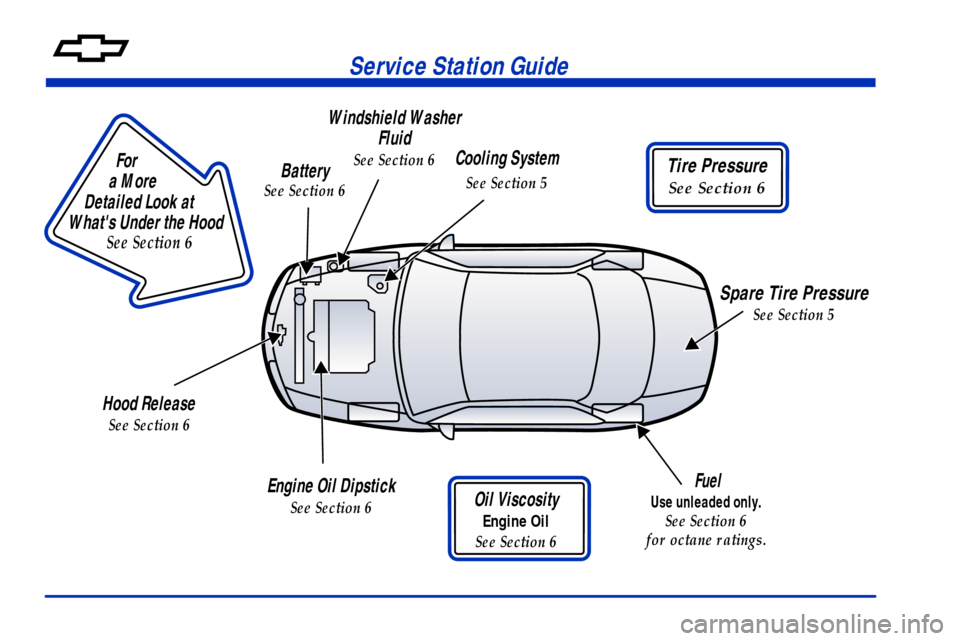
Service Station Guide
Oil Viscosity
Engine Oil
See Section 6
Engine Oil Dipstick
See Section 6
Cooling System
See Section 5
Hood Release
See Section 6
Windshield Washer
Fluid
See Section 6
Spare Tire Pressure
See Section 5
Battery
See Section 6
For
a More
Detailed Look at
What's Under the Hood
See Section 6
Tire Pressure
See Section 6
Fuel
Use unleaded only.
See Section 6
for octane ratings.
Page 91 of 392

2-21
�Horn Chirp On Timer (Available with Remote
Keyless Entry)
�Remote Keyless Entry Transmitter Programming
(Available with Remote Keyless Entry)
�Return to Original Factory Settings
(Available for All)
�Exit Vehicle Customization Mode
Entering Programming Mode: To reset or customize
the features, you must first enter the vehicle
customization main menu. To enter the main menu, do
the following:
1. Turn the ignition to ACC or ON and the radio to off.
2. Press and hold the DISP button on the radio for at
least five seconds until SETTINGS is displayed.
3. Press the SEEK up or down arrows to scroll through
each available feature on your main menu.
4. Press the PREV or NEXT buttons to scroll through
the lower menu. An asterisk will appear next to the
item that is the current setting.The following information shows how to reset or
customize features after entering the main menu:
SETTINGS
-- Display Current Settings
OIL LIFE
-- Oil Life Reset: This feature allows you
to reset the GM Oil Life System� Monitor after an oil
change, see ªEngine Oilº in the Index. Be careful not
to reset the OIL LIFE accidentally at any time other
than when the oil has been changed. It can't be reset
accurately until the next oil change. To clear the
CHANGE ENGINE OIL light from the instrument panel
cluster and reset the oil life monitor:
1. Scroll, using the SEEK up or down arrows, until OIL
LIFE appears on the display.
2. Press the PREV or NEXT button to enter the
submenu. RESET will then be displayed.
3. Press the DISP button to reset. A chime will be heard
to verify the new setting and DONE will be
displayed for one second.
The CHANGE ENGINE OIL light is now reset.
You can either exit the programming mode by following
the instructions later in this section or program the next
feature available on your vehicle.
Page 104 of 392
2-34
4. Before starting the engine, be sure to unplug
and store the cord as it was before to keep it away
from moving engine parts. If you don't, it could
be damaged.
How long should you keep the coolant heater plugged
in? The answer depends on the outside temperature, the
kind of oil you have, and some other things. Instead of
trying to list everything here, we ask that you contact
your dealer in the area where you'll be parking your
vehicle. The dealer can give you the best advice for that
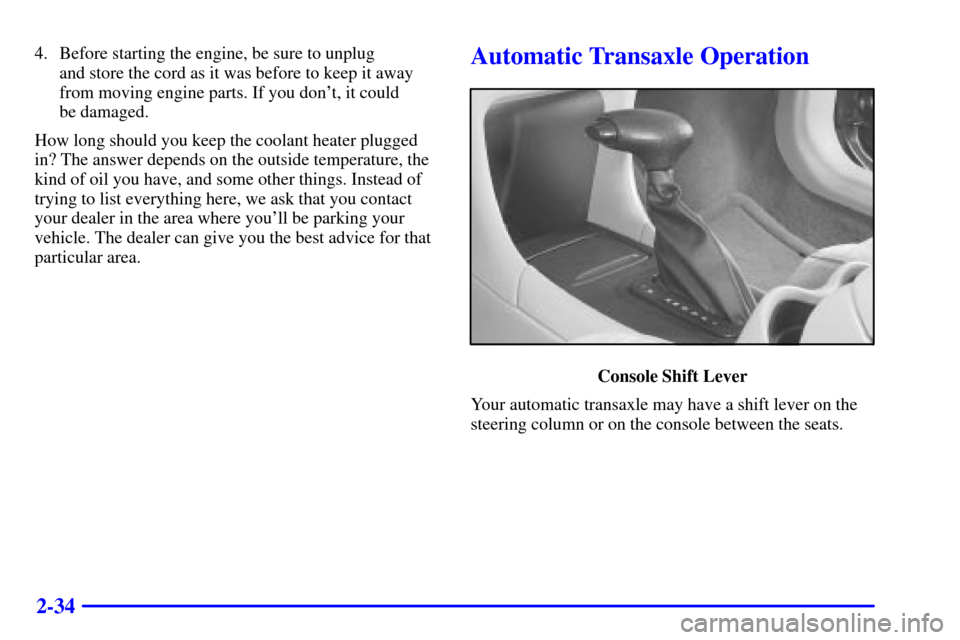
particular area.Automatic Transaxle Operation
Console Shift Lever
Your automatic transaxle may have a shift lever on the
steering column or on the console between the seats.
Page 157 of 392
2-87
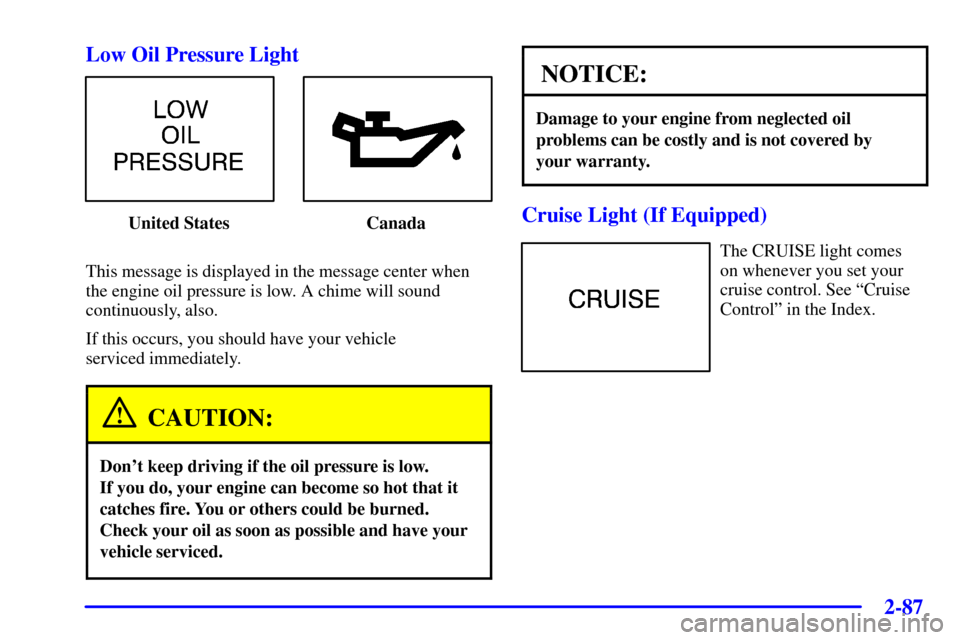
Low Oil Pressure Light
United States Canada
This message is displayed in the message center when
the engine oil pressure is low. A chime will sound
continuously, also.
If this occurs, you should have your vehicle
serviced immediately.
CAUTION:
Don't keep driving if the oil pressure is low.
If you do, your engine can become so hot that it
catches fire. You or others could be burned.
Check your oil as soon as possible and have your
vehicle serviced.
NOTICE:
Damage to your engine from neglected oil
problems can be costly and is not covered by
your warranty.
Cruise Light (If Equipped)
The CRUISE light comes
on whenever you set your
cruise control. See ªCruise
Controlº in the Index.
Page 161 of 392
2-91
Low Coolant Level
United States Canada
This message is displayed when the cooling system is
low on coolant. Four chimes will also sound.
The engine may overheat. See ªEngine Coolantº in the
Index and have your vehicle serviced as soon as you can.Low Oil PressureUnited States Canada
This message is displayed when the engine oil
pressure is low. A chime will sound continuously, also.
See ªLow Oil Pressure Lightº earlier in this section.
Page 162 of 392
2-92
Low Eng Oil Level
United States Canada
This message is displayed for 60 seconds at the start of
each ignition cycle when the engine oil level is low.
Four chimes will also sound.
When the ignition is turned off, this message will be
displayed again for three seconds to remind you that
your engine oil level is low. Be sure to have your vehicle
serviced right away.
See ªEngine Oilº in the Index on how to check the
oil level and for what type of oil to add.Change Engine OilUnited States Canada
This message is displayed when the engine oil needs
to be changed. It will appear for 60 seconds.
After 60 seconds, it will go out.
Once the engine oil has been changed, the CHANGE
ENGINE OIL message must be reset. Until it is reset,
this message will be displayed for 60 seconds each time
you start the engine. For more information on resetting
the system, see ªEngine Oil, When to Changeº in
the Index.