2001 CHEVROLET CORVETTE radio
[x] Cancel search: radioPage 209 of 383

3-31
After you clean the player, press and hold EJECT for
five seconds to reset the CLN indicator. The radio will
display
--- to show the indicator was reset.
Cassettes are subject to wear and the sound quality
may degrade over time. Always make sure the cassette
tape is in good condition before you have your tape
player serviced.
Care of Your Compact Discs
Handle discs carefully. Store them in their original cases
or other protective cases and away from direct sunlight
and dust. If the surface of a disc is soiled, dampen a
clean, soft cloth in a mild, neutral detergent solution and
clean it, wiping from the center to the edge.
Be sure never to touch the side without writing when
handling discs. Pick up discs by grasping the outer edges
or the edge of the hole and the outer edge.
Care of Your Compact Disc Player
The use of CD lens cleaner discs is not advised, due to
the risk of contaminating the lens of the CD optics with
lubricants internal to the CD mechanism.
Fixed Mast Antenna (Z06)
The fixed mast antenna can withstand most car washes
without being damaged. If the mast should ever become
slightly bent, you can straighten it out by hand. If the
mast is badly bent, as it might be by vandals, you should
replace it.
Check every once in a while to be sure the mast is still
tightened to the rear quarter panel.
Page 210 of 383
3-32 Power Antenna Mast Care (Convertible)
Your power antenna will look its best and work well
if it's cleaned from time to time. To clean the
antenna mast:
1. Turn on the ignition and radio to raise the antenna.
2. Dampen a clean cloth with mineral spirits or
equivalent solvent.
3. Wipe the cloth over the mast sections, removing
any dirt.
4. Wipe dry with a clean cloth.
5. Make the antenna go up and down by turning the
radio or ignition off and on.
6. Repeat if necessary.
NOTICE:
Don't lubricate the power antenna. Lubrication
could damage it.
NOTICE:
Before entering an automatic car wash, turn off
your radio to make the power antenna go down.
This will prevent the mast from possibly getting
damaged. If the antenna does not go down when
you turn the radio off, it may be damaged or
need to be cleaned. In either case, lower the
antenna by hand by carefully pressing the
antenna down.
If the mast portion of your antenna is damaged, you can
replace it. See your dealer for a replacement kit and
follow the instructions in the kit.
Integrated Windshield and Rear Window
Antennas (Coupe)
The antennas in your vehicle are located in the
windshield and the rear window. The connectors are at
the top of the windshield and the top of the rear window
above the rear window defogger.
Page 247 of 383
5-4
2. Get the vehicles close enough so that the jumper
cables can reach, but be sure the vehicles aren't
touching each other. If they are, it could cause a
ground connection you don't want. You wouldn't be
able to start your vehicle, and the bad grounding
could damage the electrical systems.
To avoid the possibility of the vehicles rolling, set
the parking brake firmly on both vehicles involved in
the jump start procedure. Put an automatic
transmission in PARK (P) or a manual transmission
in NEUTRAL before setting the parking brake.
3. Turn off the ignition on both vehicles. Unplug
unnecessary accessories plugged into the cigarette
lighter or accessory plug. Turn off all lamps that
aren't needed as well as radios. This will avoid
sparks and help save both batteries. In addition, it
could save your radio.
NOTICE:
If you leave your radio on, it could be badly
damaged. The repairs wouldn't be covered by
your warranty.
4. Open the hoods and locate the batteries. Find the
positive (+) and negative (
-) terminals on each.
CAUTION:
An electric fan can start up even when the engine
is not running and can injure you. Keep hands,
clothing and tools away from any underhood
electric fan.
Page 266 of 383
5-23
NOTICE:
Do not allow the air compressor to operate
continuously for more than 6 minutes to help
prevent damage from overheating.
NOTICE:
If 26 psi (179 kPa) tire pressure cannot be
reached after 6 minutes, the vehicle should not be
driven further. Damage to the tire is severe and
the sealant will not be effective. Remove the air
compressor plug from the accessory power outlet
and unscrew the inflating hose from the tire
valve. See ªRoadside Assistanceº in the Index.
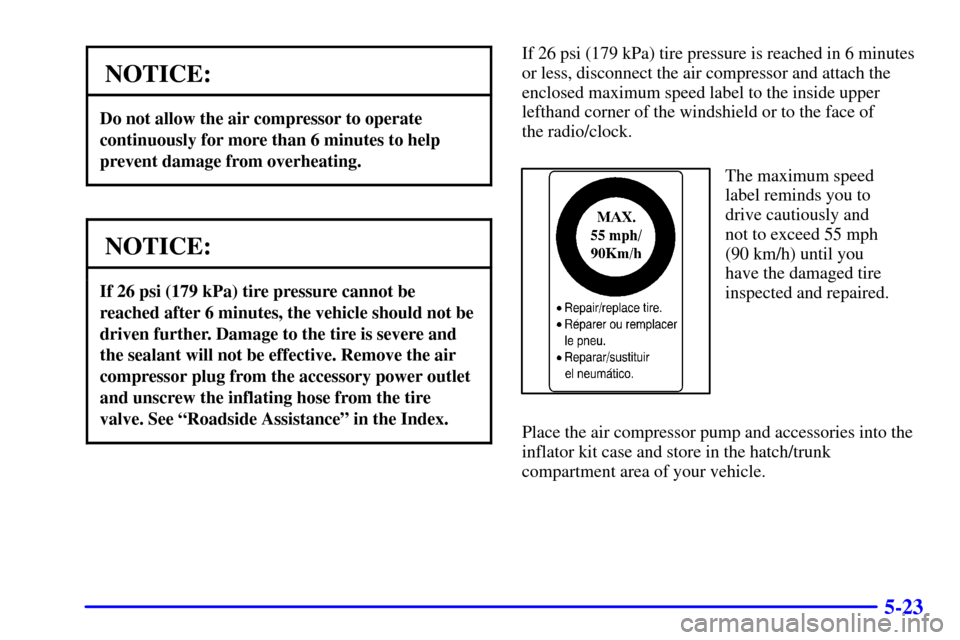
If 26 psi (179 kPa) tire pressure is reached in 6 minutes
or less, disconnect the air compressor and attach the
enclosed maximum speed label to the inside upper
lefthand corner of the windshield or to the face of
the radio/clock.
The maximum speed
label reminds you to
drive cautiously and
not to exceed 55 mph
(90 km/h) until you
have the damaged tire
inspected and repaired.
Place the air compressor pump and accessories into the
inflator kit case and store in the hatch/trunk
compartment area of your vehicle.
Page 313 of 383

6-44
How to Check
Use a good quality pocket
-type gage to check tire
pressure. You can't tell if your tires are properly inflated
simply by looking at them. Radial tires may look
properly inflated even when they're underinflated.
Be sure to put the valve caps back on the valve
stems. They help prevent leaks by keeping out dirt
and moisture.
If your vehicle is equipped with the Tire Pressure
Monitor, you can check tire inflation pressures while
driving. After you've reached a speed of 15 mph
(24 kmh) or more, press and release the GAGES button
on the Driver Information Center (DIC) until the front
tire pressures are displayed. Then, press and release the
GAGES button for the rear tire pressures. If the display
doesn't show tire pressure, or if the SERVICE TIRE
MON SYS message appears, see your dealer for service.
For more information, see ªTire Pressure Monitorº and
ªDriver Information Center (DIC)º in the Index.
Tire Pressure Monitor (If Equipped)
The Tire Pressure Monitor (TPM) has a sensor on
each road wheel that transmits to a receiver on the
instrument panel.
The system operates on a radio frequency subject to
Federal Communications Commission (FCC) Rules and
with Industry and Science Canada.
This device complies with Part 15 of the FCC Rules.
Operation is subject to the following two conditions:
(1) this device may not cause harmful interference,
and (2) this device must accept any interference
received, including interference that may cause
undesired operation.
This device complies with RSS
-210 of Industry and
Science Canada. Operation is subject to the following
two conditions: (1) this device may not cause
interference, and (2) this device must accept any
interference received, including interference that may
cause undesired operation of the device.
Page 336 of 383
6-67
Electrical System
Add-On Electrical Equipment
NOTICE:
Don't add anything electrical to your vehicle
unless you check with your dealer first. Some
electrical equipment can damage your vehicle
and the damage wouldn't be covered by your
warranty. Some add
-on electrical equipment
can keep other components from working as
they should.
Your vehicle has an air bag system. Before attempting to
add anything electrical to your vehicle, see ªServicing
Your Air Bag
-Equipped Vehicleº in the Index.
Accessory Power Plug
The accessory power plug can be used to connect
electrical equipment such as a cellular phone or
CB radio. It is located behind the carpeting, on the
passenger's side toe
-board, at the top left corner near the
body control module. Be sure to follow the installation
instructions included with the equipment.
To use the accessory power plug, do the following:
1. Remove the toe
-board panel by lifting up on the
latches at the top of each corner of the panel.
2. Locate the black connector at the top left corner of
the compartment near the body control module
above the two white diagnostic connectors.
3. Disconnect the connector pigtail by pulling forward
on the plastic locking tab and pull the connection
apart from the wire harness.
Page 338 of 383
6-69 Windshield Wipers
The windshield wiper motor is protected by a fuse and
an internal circuit breaker. If the motor overheats due
to heavy snow, etc., the wiper will stop until the motor
cools. If the overload is caused by some electrical
problem and not snow, etc., be sure to get it fixed.
Power Windows and Other Power Options
Circuit breakers protect the power seats and other power
accessories. When the current load is too heavy, the
circuit breaker opens and closes, protecting the circuit
until the problem is fixed or goes away.
Fuses and Circuit Breakers
The wiring circuits in your vehicle are protected from
short circuits by a combination of maxi
-fuses,
mini
-fuses and circuit breakers. This greatly reduces
the chance of fires caused by electrical problems.
Look at the silver
-colored band inside the fuse. If the
band is broken or melted, replace the fuse. Be sure you
replace a bad fuse with a new one of the identical size
and rating.If you ever have a problem on the road and don't have
a spare fuse, you can borrow one that has the same
amperage. Just pick some feature of your vehicle that
you can get along without
-- like the radio or cigarette
lighter
-- and use its fuse, if it is the correct amperage.
Replace it as soon as you can.
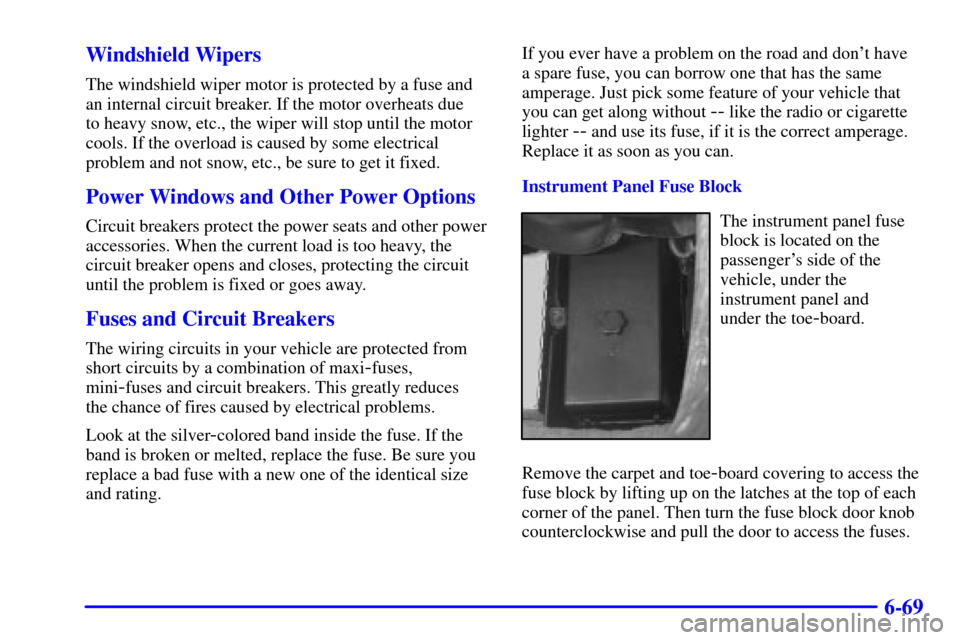
Instrument Panel Fuse Block
The instrument panel fuse
block is located on the
passenger's side of the
vehicle, under the
instrument panel and
under the toe
-board.
Remove the carpet and toe
-board covering to access the
fuse block by lifting up on the latches at the top of each
corner of the panel. Then turn the fuse block door knob
counterclockwise and pull the door to access the fuses.
Page 339 of 383

6-70
Minifuse Usage
1 Console Cigarette Lighter
2 Monitored (Inadvertent)
Load Control
3 Lumbar Seat
4 Driver Seat Control Module
5 Radio, Compact Disc Player
6 Parking Lamps, TaillampsMinifuse Usage
7 Cigarette Lighter
8 Stoplamp, Hazard Flashers
9 Body Control Module
10 Windshield Wiper/Washer
11 Accessory Power
12 Blank
13 Body Control Module
- Ignition 1
14 Crank
15 Hazard/Turn Signal
16 Air Bag
17 Tonneau Release
18 HVAC Controls
19 Instrument Panel Control
20 Cruise Control
21 Automatic Transmission Shift
Lock Control System and Inside
Rearview Mirror
22 Body Control Module
- Ignition 3
23 Body Control Module
- Ignition 2
24 Radio Antenna