2001 CHEVROLET CAVALIER radio
[x] Cancel search: radioPage 5 of 357

iii
Table of Contents (cont'd)
Defensive Driving
Drunken Driving
Control of a Vehicle
Braking
Traction Control SystemSteering
Driving Tips for Various Road Conditions
Recreational Vehicle Towing
Loading Your Vehicle
Towing a Trailer Heating and Air Conditioning
Setting the Radio ClockRadio/Cassette Player/CD Player
Radio Theft-Deterrent Feature
Hazard Warning Flashers
Jump Starting
Towing Your VehicleEngine Overheating
Changing a Flat Tire
If You're Stuck
Problems on the Road
Section
3
Section
4
Section
5
Comfort Controls and Audio Systems
Your Driving and the Road
Page 74 of 357
2-8
To Open a Rear Door With the Security Lock
1. Unlock the door from the inside.
2. Then open the door from the outside.
If you don't cancel the security lock feature, adults or
older children who ride in the rear won't be able to open
the rear door from the inside. You should let adults and
older children know how to cancel the locks.
To Cancel the Rear Door Lock
1. Unlock the door from the inside and open the door
from the outside.
2. Use a key to move the lock all the way down.
3. Do the same for the other rear door.
The rear door lock will now work normally.
Lockout Prevention (If Equipped)
If your vehicle is equipped with remote keyless entry,
you have lockout protection. This feature stops the
power door locks from locking when the keys are in
the ignition and the door is open.
If the power door lock switch is pressed when a door
is open and the key is in the ignition, all the doors will
lock and the driver's door will unlock.
Leaving Your Vehicle
If you are leaving the vehicle, open your door and
set the locks from the inside. Then get out and close
the door.
Remote Keyless Entry (If Equipped)
If your vehicle has this feature, you can lock and unlock
your doors or unlock your trunk from about 3 feet (1 m)
up to 30 feet (9 m) away using the remote keyless entry
transmitter supplied with your vehicle.
In addition, the system illuminates the interior lamps
for a set period of time. Also, a content theft security
system can be activated to monitor and set a horn alarm
if the vehicle's door or trunk is opened without first
unlocking the door or trunk with the remote keyless
entry transmitter.
The remote keyless entry system consists of a
receiver, which is located in the vehicle, and two hand
held transmitters.
Your keyless entry system operates on a radio frequency
subject to Federal Communications Commission (FCC)
Rules and with Industry Canada.
Page 77 of 357

2-11
Radio Personalization Feature
Your vehicle can store different radio preset stations
and other settings depending on which keyless entry
transmitter you use to unlock the doors. The radio
will recall all the stored settings associated with that
transmitter. Any radio setting changes will be assigned
to the transmitter last used to unlock the doors.
This feature can be disabled by your dealer if you desire.
Contact your dealer for further information.
Matching Transmitter(s) to Your Vehicle
Each remote keyless entry transmitter is coded to
prevent another transmitter from unlocking your vehicle.
If a transmitter is lost or stolen, a replacement can be
purchased through your dealer. Remember to bring any
remaining transmitters with you when you go to your
dealer. When the dealer matches the replacement
transmitter to your vehicle, any remaining transmitters
must also be matched. Once your dealer has coded the
new transmitter, the lost transmitter will not unlock your
vehicle. Each vehicle can have only four transmitters
matched to it.
Battery Replacement
Under normal use, the battery in your remote keyless
entry transmitter should last about two years.
You can tell the battery is weak if the transmitter won't
work at the normal range in any location. If you have to
get close to your vehicle before the transmitter works,
it's probably time to change the battery.
NOTICE:
When replacing the battery, use care not to
touch any of the circuitry. Static from your
body transferred to these surfaces may damage
the transmitter.
Page 85 of 357

2-19
LOCK (B): This is the only position from which you
can remove the key. This position locks your steering
wheel, ignition, shift lever and transaxle. A warning
chime will sound if you open the driver's door when
the ignition is in LOCK and the key is in the ignition.
OFF (C): This position unlocks the steering wheel,
ignition and transaxle, but does not send electrical
power to any accessories. Use this position if your
vehicle must be pushed or towed, but never try to
push
-start your vehicle. A warning chime will sound if
you open the driver's door when the ignition is in OFF
and the key is in the ignition.
RUN (D): This is the position the switch returns to, after
you start your engine and release the switch. The switch
stays in RUN when the engine is running. But even
when the engine is not running, you can use RUN to
operate your electrical power accessories, and to display
some instrument panel warning lights.
START (E): This position starts the engine. When the
engine starts, release the key. The ignition switch will
return to RUN for normal driving.
Even if the engine is not running, the positions
ACCESSORY and RUN allow you to operate electrical
accessories, such as the radio.
CAUTION:
On manual transaxle vehicles, turning the key to
LOCK will lock the steering column and result in
a loss of ability to steer the vehicle. This could
cause a collision. If you need to turn the engine
off while the vehicle is moving, turn the key only
to OFF. Don't press the key release button while
the vehicle is moving.
NOTICE:
If your key seems stuck in LOCK and you can't
turn it, be sure you are using the correct key; if
so, is it all the way in? If it is, then turn the
steering wheel left and right while you turn the
key hard. But turn the key only with your hand.
Using a tool to force it could break the key or the
ignition switch. If none of this works, then your
vehicle needs service.
Page 86 of 357
2-20 Key Release Button (Manual Transaxle)
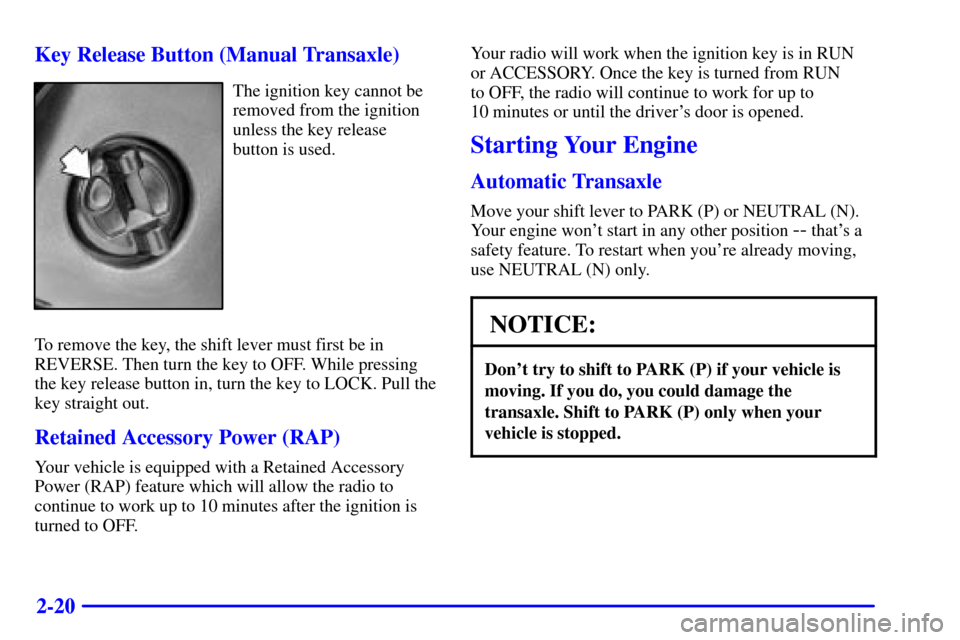
The ignition key cannot be
removed from the ignition
unless the key release
button is used.
To remove the key, the shift lever must first be in
REVERSE. Then turn the key to OFF. While pressing
the key release button in, turn the key to LOCK. Pull the
key straight out.
Retained Accessory Power (RAP)
Your vehicle is equipped with a Retained Accessory
Power (RAP) feature which will allow the radio to
continue to work up to 10 minutes after the ignition is
turned to OFF.Your radio will work when the ignition key is in RUN
or ACCESSORY. Once the key is turned from RUN
to OFF, the radio will continue to work for up to
10 minutes or until the driver's door is opened.
Starting Your Engine
Automatic Transaxle
Move your shift lever to PARK (P) or NEUTRAL (N).
Your engine won't start in any other position
-- that's a
safety feature. To restart when you're already moving,
use NEUTRAL (N) only.
NOTICE:
Don't try to shift to PARK (P) if your vehicle is
moving. If you do, you could damage the
transaxle. Shift to PARK (P) only when your
vehicle is stopped.
Page 124 of 357

2-58
This light will come on
when you start your vehicle,
and it will flash for a few
seconds. Then the light
should go out. This means
the system is ready.
If the air bag readiness light stays on after you start the
vehicle or comes on when you are driving, your air bag
system may not work properly. Have your vehicle
serviced right away.
CAUTION:
If the air bag readiness light stays on after you
start your vehicle, it means the air bag system
may not be working properly. The air bags in
your vehicle may not inflate in a crash, or they
could even inflate without a crash. To help avoid
injury to yourself or others, have your vehicle
serviced right away if the air bag readiness light
stays on after you start your vehicle.
The air bag readiness light should flash for a few
seconds when you turn the ignition key to RUN. If the
light doesn't come on then, have it fixed so it will be
ready to warn you if there is a problem.
Charging System Light
The charging system light
will come on briefly when
you turn on the ignition,
and the engine is not
running, as a check to
show you it is working.
Then it should go out when the engine is started.
If it stays on, or comes on while you are driving, you
may have a problem with the electrical charging system.
It could indicate that you have a loose generator drive
belt, or another electrical problem. Have it checked
right away. Driving while this light is on could drain
your battery.
If you must drive a short distance with the light on, be
certain to turn off all your accessories, such as the radio
and air conditioner.
Page 136 of 357

3-
3-1
Section 3 Comfort Controls and Audio Systems
In this section, you'll find out how to operate the comfort control and audio systems offered with your vehicle.
Be sure to read about the particular systems supplied with your vehicle.
3
-2 Comfort Controls
3
-5 Air Conditioning (If Equipped)
3
-5 Heating
3
-5 Defogging and Defrosting
3
-6 Rear Window Defogger (If Equipped)
3
-7 Ventilation System
3
-8 Audio Systems
3
-8 Setting the Clock for Systems without
Radio Data System
3
-8 Setting the Clock for Systems with Radio
Data System
3
-9AM-FM Stereo
3
-12 AM-FM Stereo with Compact Disc Player
(If Equipped)3
-16 AM-FM Stereo with Cassette Tape and
Compact Disc Player with Radio Data
System (RDS) and Automatic Tone Control
(If Equipped)
3
-27 Theft-Deterrent Feature RDS Radios
(If Equipped)
3
-27 Theft-Deterrent Feature Non-RDS Radios
(If Equipped)
3
-28 Understanding Radio Reception
3
-28 Tips About Your Audio System
3
-29 Care of Your Cassette Tape Player
3
-30 Care of Your Compact Discs
3
-31 Care of Your Compact Disc Player
3
-31 Fixed Mast Antenna
3
-31 Chime Level Adjustment (RDS Radios Only)
Page 143 of 357

3-8
Audio Systems
Your audio system has been designed to operate easily
and give years of listening pleasure. You will get the
most enjoyment out of it if you acquaint yourself with it
first. Find out what your audio system can do and how
to operate all its controls, to be sure you're getting the
most out of the advanced engineering that went into it.
Your vehicle has a feature called Retained Accessory
Power (RAP). With RAP, you can play your audio
system even after the ignition is off. See ªRetained
Accessory Power (RAP)º in the Index.
Setting the Clock for Systems without
Radio Data System
Press and hold the HR or MIN arrow for two seconds.
Then press the HR arrow until the correct hour appears.
Press and hold the MIN arrow until the correct minute
appears. The clock may be set with the ignition on or off.
Setting the Clock for Systems with Radio
Data System
Press and hold the HR or MN buttons, located below the
tune knob, for two seconds. Then press and hold HR
until the correct hour appears. AM or PM will appear on
the display. Press and hold MN until the correct minute
appears. The clock may be set with the ignition on or
off. The clock symbol will appear on the display in
time
-set mode.
To set the clock to the time of an FM station
broadcasting Radio Data System (RDS) information,
press and hold HR and MN at the same time for two
seconds until UPDATED and the clock symbol appear
on the display. If the time is not available from the
station, NO UPDAT will appear on the display instead.
RDS clock time is broadcast once a minute. Once you
have tuned to an RDS broadcast station, it may take a
few minutes before pressing and holding the HR MIN
buttons will result in an update to the clock time.