Page 6 of 321
iv
Maintenance Schedule Service and Appearance Care
Section
7
Section
6
Scheduled Maintenance
Owner Checks and Services
Periodic Maintenance InspectionsRecommended Fluids and Lubricants
Maintenance Records Fuel
Checking Fluids and Lubricants
Engine Air Cleaner/Filter
Brakes
Bulb Replacement
Windshield Wiper Blade ReplacementTires and Wheels
Appearance Care
Electrical System/Fuses and Circuit Breakers
Capacities and Specifications
Normal Maintenance Replacement Parts
Page 7 of 321
v
Table of Contents (cont'd)
Customer Assistance Information
In the Index you will find an alphabetical listing of almost every subject in this manual.
You can use it to quickly find something you want to read.
Section
8Customer Satisfaction Procedures
Customer Assistance Offices
Roadside Assistance and Courtesy Transportation
Warranty Information (See Warranty Manual)
Reporting Safety Defects on page 8-10
Service Publications
Index
Section
9
Please refer to the last page of this manual for your Service Station Guide
Page 13 of 321
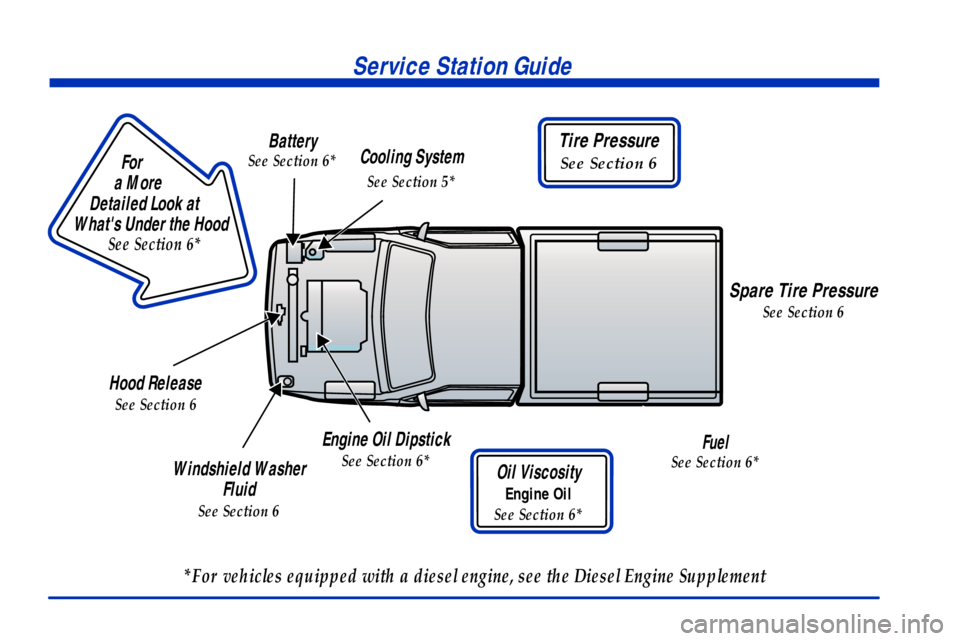
For
a More
Detailed Look at
What's Under the Hood
See Section 6*
*For vehicles equipped with a diesel engine, see the Diesel Engine Supplement
Service Station Guide
Engine Oil Dipstick
See Section 6*
Hood Release
See Section 6
Windshield Washer
Fluid
See Section 6
Tire Pressure
See Section 6
Oil Viscosity
Engine Oil
See Section 6*
Cooling System
See Section 5*
Spare Tire Pressure
See Section 6
Battery
See Section 6*
Fuel
See Section 6*
Page 56 of 321

2-7
Keyless Entry System (If Equipped)
If your vehicle has this feature, you can lock and unlock
your doors from about 3 feet (1 m) up to 30 feet (9 m)
away using the remote keyless entry transmitter supplied
with your vehicle.
Your keyless entry system operates on a radio frequency
subject to Federal Communications Commission (FCC)
Rules and with Industry Canada.
This device complies with Part 15 of the FCC Rules.
Operation is subject to the following two conditions:
(1) this device may not cause harmful interference,
and (2) this device must accept any interference
received, including interference that may cause
undesired operation.
This device complies with RSS
-210 of Industry Canada.
Operation is subject to the following two conditions:
(1) this device may not cause interference, and (2) this
device must accept any interference received, including
interference that may cause undesired operation of
the device.Changes or modifications to this system by other than
an authorized service facility could void authorization to
use this equipment.
At times you may notice a decrease in range. This is
normal for any remote keyless entry system. If the
transmitter does not work or if you have to stand closer
to your vehicle for the transmitter to work, try this:
�Check the distance. You may be too far from your
vehicle. You may need to stand closer during rainy
or snowy weather.
�Check the location. Other vehicles or objects may be
blocking the signal. Take a few steps to the left or
right, hold the transmitter higher, and try again.
�Check to determine if battery replacement or
transmitter resynchronization is necessary. See the
instructions that follow.
�If you're still having trouble, see your dealer or a
qualified technician for service.
Page 59 of 321
2-10 Resynchronization
Resynchronization may be necessary due to the security
method used by this system. The transmitter does not
send the same signal twice to the receiver. The receiver
will not respond to a signal it has been sent previously.
This prevents anyone from recording and playing back
the signal from the transmitter.
To resynchronize your transmitter, stand close to your
vehicle and simultaneously press and hold the LOCK
and UNLOCK buttons on the transmitter for at least
five seconds. The door locks should cycle to confirm
synchronization. If the locks do not cycle, see your
dealer for service.
Theft
Vehicle theft is big business, especially in some cities.
Although your vehicle has a number of theft
-deterrent
features, we know that nothing we put on it can make
it impossible to steal. However, there are ways you
can help.
Key in the Ignition
If you leave your vehicle with the keys inside, it's an
easy target for joy riders or professional thieves
-- so
don't do it.When you park your vehicle and open the driver's door,
you'll hear a tone reminding you to remove your key
from the ignition and take it with you. Always do this.
Your steering wheel will be locked, and so will your
ignition. If you have an automatic transmission, taking
your key out also locks your transmission. Also
remember to lock the doors.
Parking at Night
Park in a lighted spot, close all windows and lock your
vehicle. Remember to keep your valuables out of sight.
Put them in a storage area, or take them with you.
Parking Lots
Even if you park in a lot where someone will be
watching your vehicle, it's still best to lock it up and
take your keys. But what if you have to leave your
ignition key? What if you have to leave something
valuable in your vehicle?
�Put your valuables in a storage area, like your
glove box.
�If your vehicle has a remote keyless entry system,
take the transmitter with you.
�Lock all the doors except the driver's.
Page 60 of 321

2-11
Passlock�
Your vehicle is equipped with the Passlock
theft
-deterrent system.
Passlock is a passive theft
-deterrent system. Passlock
enables fuel if the ignition lock cylinder is turned with a
valid key. If a correct key is not used or the ignition lock
cylinder is tampered with, fuel is disabled.
During normal operation, the SECURITY light will
go off approximately five seconds after the key is turned
to RUN.
If the engine stalls and the SECURITY light flashes,
wait until the light stops flashing before trying to restart
the engine. Remember to release the key from START
as soon as the engine starts.
If the engine is running and the SECURITY light comes
on, you will be able to restart the engine if you turn the
engine off. However, your Passlock system is not
working properly and must be serviced by your dealer.
Your vehicle is not protected by Passlock at this time.
You may also want to check the fuses (see ªFuses and
Circuit Breakersº in the Index). See your dealer
for service.
New Vehicle ªBreak-Inº
NOTICE:
Your vehicle doesn't need an elaborate
ªbreak
-in.º But it will perform better in the
long run if you follow these guidelines:
�Keep your speed at 55 mph (88 km/h) or
less for the first 500 miles (805 km).
�Don't drive at any one speed
-- fast or
slow
-- for the first 500 miles (805 km).
Don't make full
-throttle starts.
�Avoid making hard stops for the first
200 miles (322 km) or so. During this time
your new brake linings aren't yet broken
in. Hard stops with new linings can mean
premature wear and earlier replacement.
Follow this breaking
-in guideline every
time you get new brake linings.
�Don't tow a trailer during break
-in.
See ªTowing a Trailerº in the Index for
more information.
Page 62 of 321
2-13
NOTICE:
If your key seems stuck in LOCK and you can't
turn it, be sure you are using the correct key; if
so, is it all the way in? If it is, then turn the
steering wheel left and right while you turn the
key hard. But turn the key only with your hand.
Using a tool to force it could break the key or the
ignition switch. If none of this works, then your
vehicle needs service.
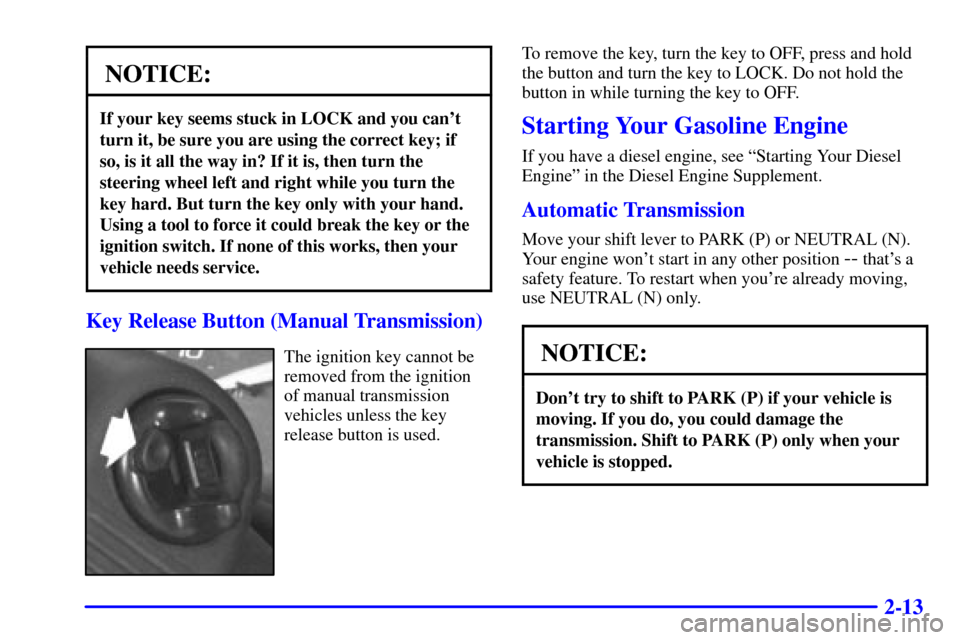
Key Release Button (Manual Transmission)
The ignition key cannot be
removed from the ignition
of manual transmission
vehicles unless the key
release button is used.To remove the key, turn the key to OFF, press and hold
the button and turn the key to LOCK. Do not hold the
button in while turning the key to OFF.
Starting Your Gasoline Engine
If you have a diesel engine, see ªStarting Your Diesel
Engineº in the Diesel Engine Supplement.
Automatic Transmission
Move your shift lever to PARK (P) or NEUTRAL (N).
Your engine won't start in any other position
-- that's a
safety feature. To restart when you're already moving,
use NEUTRAL (N) only.
NOTICE:
Don't try to shift to PARK (P) if your vehicle is
moving. If you do, you could damage the
transmission. Shift to PARK (P) only when your
vehicle is stopped.
Page 99 of 321
2-50
You can only drive for a short time with the reading in
either warning zone. If you must drive, turn off all
unnecessary accessories.
Readings in either warning zone indicate a possible
problem in the electrical system. Have the vehicle
serviced as soon as possible.
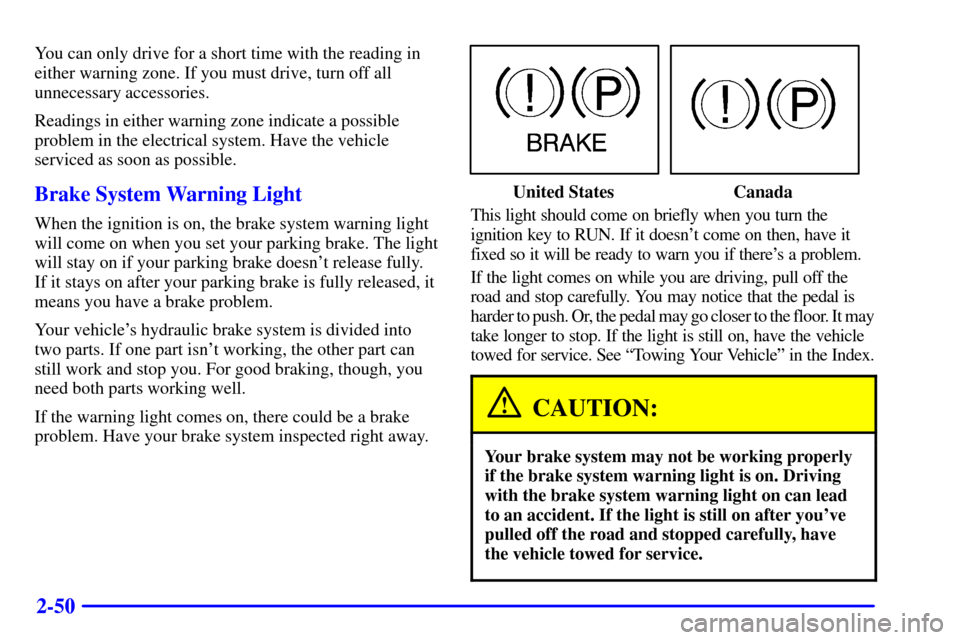
Brake System Warning Light
When the ignition is on, the brake system warning light
will come on when you set your parking brake. The light
will stay on if your parking brake doesn't release fully.
If it stays on after your parking brake is fully released, it
means you have a brake problem.
Your vehicle's hydraulic brake system is divided into
two parts. If one part isn't working, the other part can
still work and stop you. For good braking, though, you
need both parts working well.
If the warning light comes on, there could be a brake
problem. Have your brake system inspected right away.
United States Canada
This light should come on briefly when you turn the
ignition key to RUN. If it doesn't come on then, have it
fixed so it will be ready to warn you if there's a problem.
If the light comes on while you are driving, pull off the
road and stop carefully. You may notice that the pedal is
harder to push. Or, the pedal may go closer to the floor. It may
take longer to stop. If the light is still on, have the vehicle
towed for service. See ªTowing Your Vehicleº in the Index.
CAUTION:
Your brake system may not be working properly
if the brake system warning light is on. Driving
with the brake system warning light on can lead
to an accident. If the light is still on after you've
pulled off the road and stopped carefully, have
the vehicle towed for service.