Page 129 of 371

2-62
Call ANSWER/END Button: Use this button
to answer a call. (If you are receiving a call, the audio
system will mute, and the ring will be heard). Press this
button at the end of a call to disconnect and return the
audio system to its previous settings. This button will
also cancel a call if one of the buttons is accidentally
pressed or if the automatic redial function is activated.
Volume Control: You can control the volume of the
OnStar System using the steering wheel volume control.
Telltale Light: This light will indicate the status of
the system. A solid green light will come on when you
start the vehicle to let you know that the system is on
and is ready to make or receive calls.
If the light blinks green it means that an
incoming or outgoing call is in progress. Press the
Call ANSWER/END button if you notice the light
blinking and you are not on a call.
The light will be red in the event of an OnStar system
malfunction. If this occurs press the OnStar button to
attempt to contact an advisor. If the connection is made,
the advisor will assist you with steps to take to make
sure that the system is functioning properly. If you
cannot contact the advisor, take your vehicle to your
dealership as soon as possible for assistance.
Safety and Security Services
�Automatic Notification of Air Bag
Deployment
-- If an air bag deploys, a priority
emergency signal is automatically sent to the center.
An advisor will locate your vehicle's position, try to
contact you and assist you in the situation. If the
center is unable to contact you, an emergency service
provider will be contacted.
�Stolen Vehicle Tracking
-- Call the center at
1
-888-4-ONSTAR (1-888-466-7827) to report
your vehicle stolen. The system can then locate and
track your vehicle and the advisor will be able to
notify the proper authorities.
�Roadside Assistance with Location
-- For vehicle
breakdowns, press the OnStar button. An advisor
will contact the appropriate help.
�Remote Diagnostics
-- If an instrument panel light
comes on, the center can perform a check of the
engine on
-board computer. An advisor can then
recommend what action needs to be taken.
Page 167 of 371

2-100
TRANS HOT IDLE ENGINE - 112: This message
indicates that the transaxle fluid in your vehicle is too
hot. Stop and allow your vehicle to idle until it cools
down or until this message is removed.
TRUNK OPEN
- 24: This message indicates that the
trunk is open when the ignition is on.
TURN SIGNAL ON
- 20: This message is a reminder,
after driving about a mile, that you have the turn signal
on. A multiple chime will also sound when this message
is displayed.
VEHICLE OVERSPEED
- 52: This message is
displayed when the vehicle speed exceeds a certain limit
as required by some export countries. A continuous
chime will also sound when this message is displayed.
Vehicle Programming and
Personalization Features
(If Equipped)
If your vehicle is equipped with personalization,
you can program certain features to a preferred setting
for up to two people. If your vehicle does not have
personalization, then some of the features on your
vehicle have been programmed for all drivers.
On all vehicles, certain features such as climate control
settings, radio preset settings, exterior lighting at
unlock, remote lock and unlock confirmation and
automatic door locks have already been programmed
for your convenience. If the vehicle is equipped with
Personalization, then the seat position, steering column
position (if equipped) and the outside mirror positions
can also be programmed. The navigation screen
preferences (if equipped) will remain at the last
set position.
Page 181 of 371
3-2
Comfort Controls
This section tells you how to make your air system work
for you.
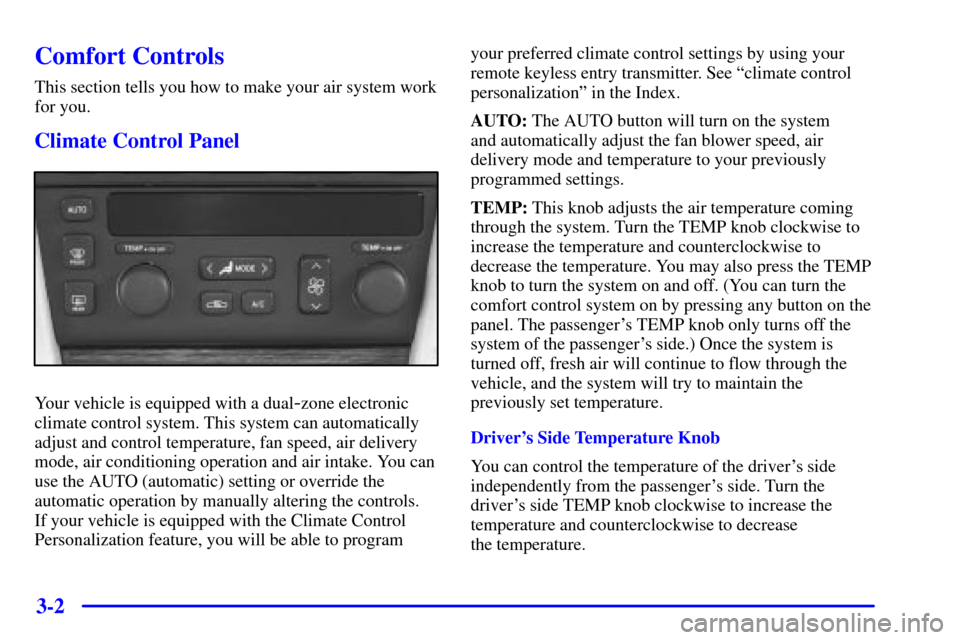
Climate Control Panel
Your vehicle is equipped with a dual-zone electronic
climate control system. This system can automatically
adjust and control temperature, fan speed, air delivery
mode, air conditioning operation and air intake. You can
use the AUTO (automatic) setting or override the
automatic operation by manually altering the controls.
If your vehicle is equipped with the Climate Control
Personalization feature, you will be able to programyour preferred climate control settings by using your
remote keyless entry transmitter. See ªclimate control
personalizationº in the Index.
AUTO: The AUTO button will turn on the system
and automatically adjust the fan blower speed, air
delivery mode and temperature to your previously
programmed settings.
TEMP: This knob adjusts the air temperature coming
through the system. Turn the TEMP knob clockwise to
increase the temperature and counterclockwise to
decrease the temperature. You may also press the TEMP
knob to turn the system on and off. (You can turn the
comfort control system on by pressing any button on the
panel. The passenger's TEMP knob only turns off the
system of the passenger's side.) Once the system is
turned off, fresh air will continue to flow through the
vehicle, and the system will try to maintain the
previously set temperature.
Driver's Side Temperature Knob
You can control the temperature of the driver's side
independently from the passenger's side. Turn the
driver's side TEMP knob clockwise to increase the
temperature and counterclockwise to decrease
the temperature.
Page 189 of 371
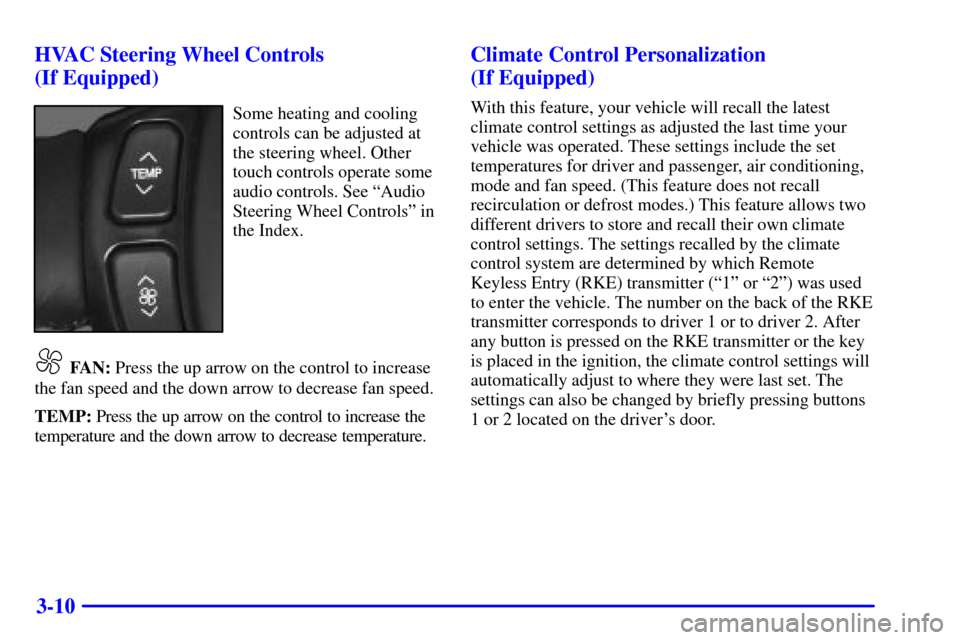
3-10 HVAC Steering Wheel Controls
(If Equipped)
Some heating and cooling
controls can be adjusted at
the steering wheel. Other
touch controls operate some
audio controls. See ªAudio
Steering Wheel Controlsº in
the Index.
FAN: Press the up arrow on the control to increase
the fan speed and the down arrow to decrease fan speed.
TEMP: Press the up arrow on the control to increase the
temperature and the down arrow to decrease temperature.
Climate Control Personalization
(If Equipped)
With this feature, your vehicle will recall the latest
climate control settings as adjusted the last time your
vehicle was operated. These settings include the set
temperatures for driver and passenger, air conditioning,
mode and fan speed. (This feature does not recall
recirculation or defrost modes.) This feature allows two
different drivers to store and recall their own climate
control settings. The settings recalled by the climate
control system are determined by which Remote
Keyless Entry (RKE) transmitter (ª1º or ª2º) was used
to enter the vehicle. The number on the back of the RKE
transmitter corresponds to driver 1 or to driver 2. After
any button is pressed on the RKE transmitter or the key
is placed in the ignition, the climate control settings will
automatically adjust to where they were last set. The
settings can also be changed by briefly pressing buttons
1 or 2 located on the driver's door.