Page 4 of 335
ii
Table of Contents
Windows
Keys and Door Locks
Remote Keyless Entry System
Trunk Release
Automatic Transaxle
Parking Brake
Tilt Wheel
Turn Signal/Multifunction Lever
Windshield Wipers
Cruise Control
Exterior and Interior LampsMirrors
Storage Compartments
Convenience Net
Accessory Power Outlets
OnStar® System (If Equipped)
Sunroof (Option)
HomeLink® Transmitter (Option)
Instrument Panel, Warning Lights and Gages
Driver Information Center
Memory and Personalization Features (If Equipped) Seats and Seat Controls
Safety BeltsAir Bag Systems
Restraint Systems for Children
Section
1
Section
2
Seats and Restraint Systems
Features and Controls
Page 13 of 335
1-
1-1
Section 1 Seats and Restraint Systems
Here you'll find information about the seats in your vehicle and how to use your safety belts properly. You can also
learn about some things you should not do with air bags and safety belts.
1
-2 Seats and Seat Controls
1
-7 Safety Belts: They're for Everyone
1
-11 Here Are Questions Many People Ask About
Safety Belts
-- and the Answers
1
-12 How to Wear Safety Belts Properly
1
-12 Driver Position
1
-19 Safety Belt Use During Pregnancy
1
-20 Right Front Passenger Position
1
-20 Supplemental Inflatable
Restraint (SIR) System1
-26 Rear Seat Passengers
1
-29 Center Passenger Position
1
-30 Children
1
-34 Restraint Systems for Children
1
-46 Older Children
1
-49 Safety Belt Extender
1
-49 Checking Your Restraint Systems
1
-49 Replacing Restraint System Parts
After a Crash
Page 14 of 335
1-2
Seats and Seat Controls
This section tells you about the power seats -- how to
adjust them, and also about the reclining front seatbacks,
lumbar adjustments, head restraints, heated seats and
seatback latches.
Power Seats
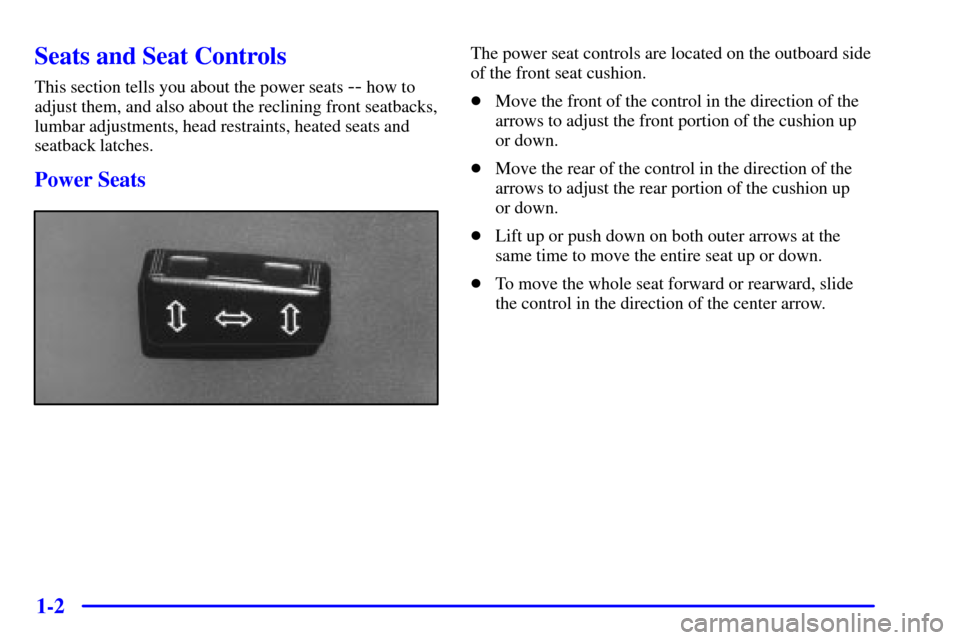
The power seat controls are located on the outboard side
of the front seat cushion.
�Move the front of the control in the direction of the
arrows to adjust the front portion of the cushion up
or down.
�Move the rear of the control in the direction of the
arrows to adjust the rear portion of the cushion up
or down.
�Lift up or push down on both outer arrows at the
same time to move the entire seat up or down.
�To move the whole seat forward or rearward, slide
the control in the direction of the center arrow.
Page 15 of 335
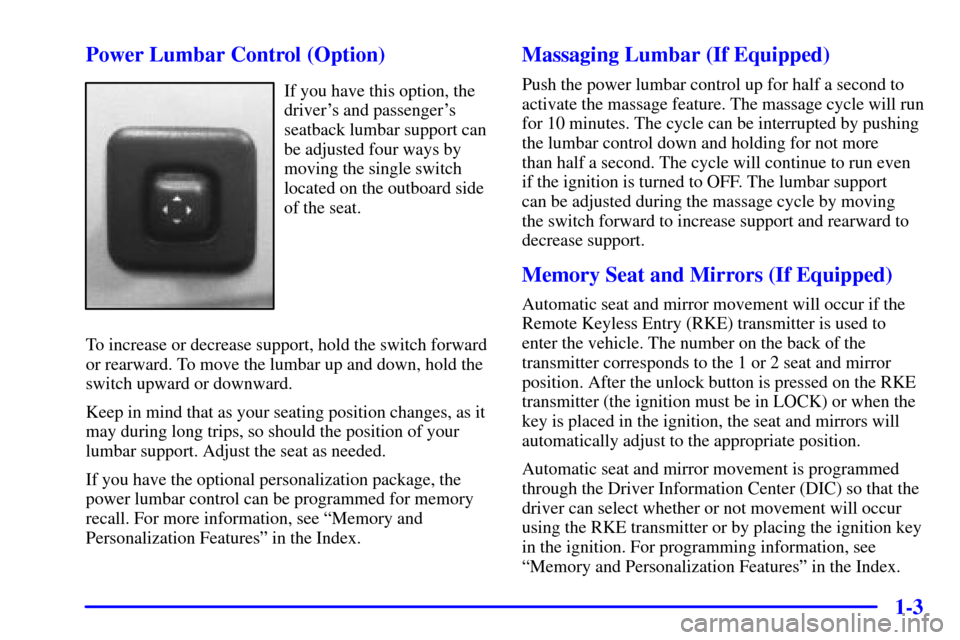
1-3 Power Lumbar Control (Option)
If you have this option, the
driver's and passenger's
seatback lumbar support can
be adjusted four ways by
moving the single switch
located on the outboard side
of the seat.
To increase or decrease support, hold the switch forward
or rearward. To move the lumbar up and down, hold the
switch upward or downward.
Keep in mind that as your seating position changes, as it
may during long trips, so should the position of your
lumbar support. Adjust the seat as needed.
If you have the optional personalization package, the
power lumbar control can be programmed for memory
recall. For more information, see ªMemory and
Personalization Featuresº in the Index.
Massaging Lumbar (If Equipped)
Push the power lumbar control up for half a second to
activate the massage feature. The massage cycle will run
for 10 minutes. The cycle can be interrupted by pushing
the lumbar control down and holding for not more
than half a second. The cycle will continue to run even
if the ignition is turned to OFF. The lumbar support
can be adjusted during the massage cycle by moving
the switch forward to increase support and rearward to
decrease support.
Memory Seat and Mirrors (If Equipped)
Automatic seat and mirror movement will occur if the
Remote Keyless Entry (RKE) transmitter is used to
enter the vehicle. The number on the back of the
transmitter corresponds to the 1 or 2 seat and mirror
position. After the unlock button is pressed on the RKE
transmitter (the ignition must be in LOCK) or when the
key is placed in the ignition, the seat and mirrors will
automatically adjust to the appropriate position.
Automatic seat and mirror movement is programmed
through the Driver Information Center (DIC) so that the
driver can select whether or not movement will occur
using the RKE transmitter or by placing the ignition key
in the ignition. For programming information, see
ªMemory and Personalization Featuresº in the Index.
Page 16 of 335
1-4 Heated Front Seat (Option)
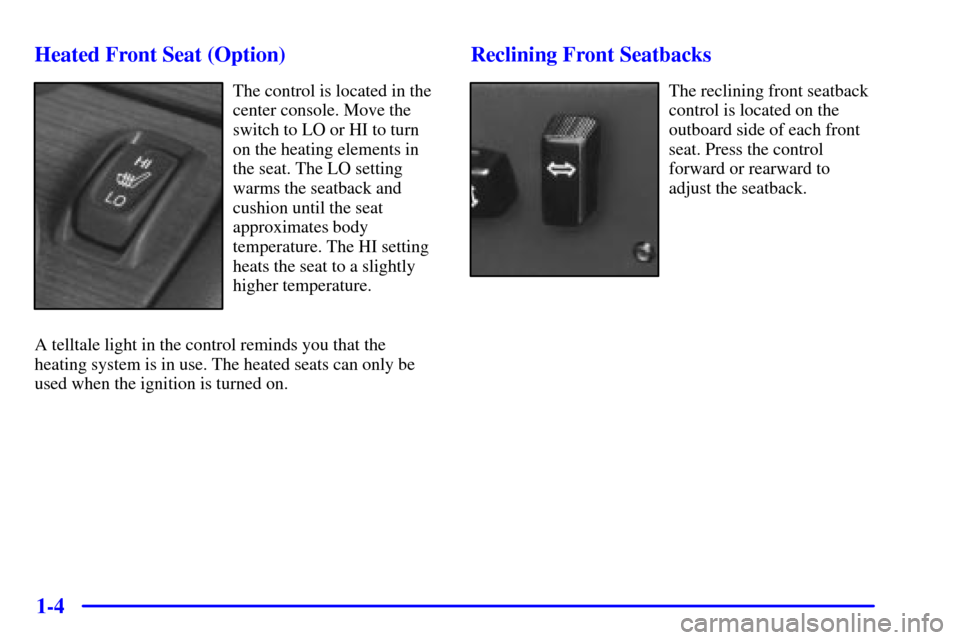
The control is located in the
center console. Move the
switch to LO or HI to turn
on the heating elements in
the seat. The LO setting
warms the seatback and
cushion until the seat
approximates body
temperature. The HI setting
heats the seat to a slightly
higher temperature.
A telltale light in the control reminds you that the
heating system is in use. The heated seats can only be
used when the ignition is turned on.
Reclining Front Seatbacks
The reclining front seatback
control is located on the
outboard side of each front
seat. Press the control
forward or rearward to
adjust the seatback.
Page 41 of 335
1-29
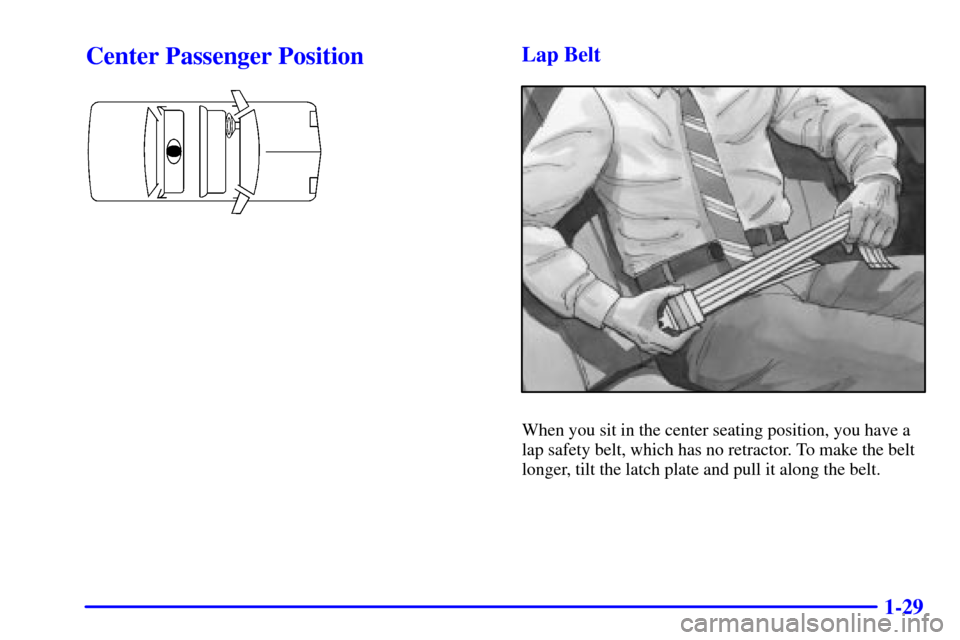
Center Passenger PositionLap Belt
When you sit in the center seating position, you have a
lap safety belt, which has no retractor. To make the belt
longer, tilt the latch plate and pull it along the belt.
Page 46 of 335
1-34
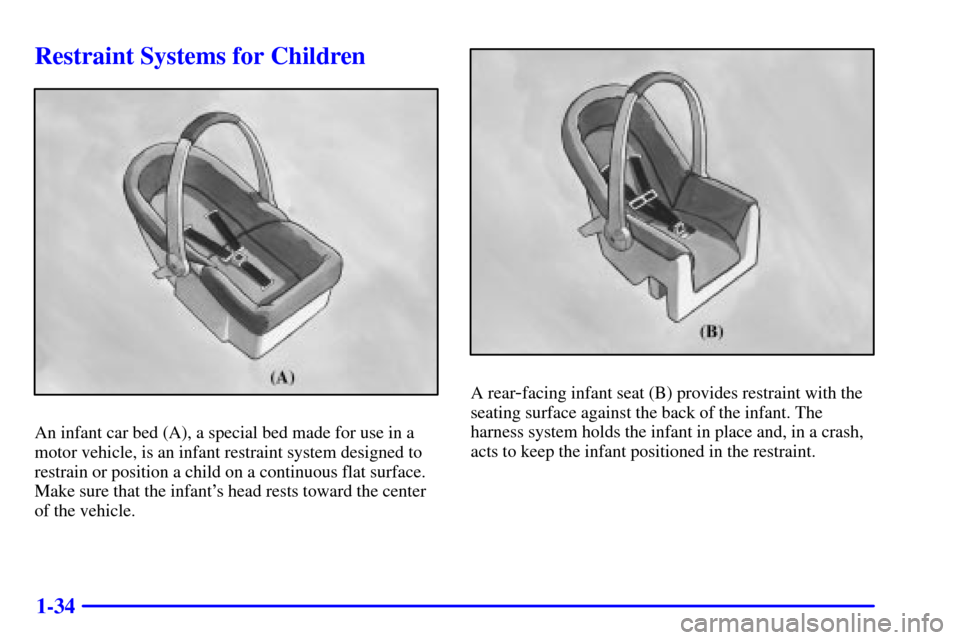
Restraint Systems for Children
An infant car bed (A), a special bed made for use in a
motor vehicle, is an infant restraint system designed to
restrain or position a child on a continuous flat surface.
Make sure that the infant's head rests toward the center
of the vehicle.
A rear-facing infant seat (B) provides restraint with the
seating surface against the back of the infant. The
harness system holds the infant in place and, in a crash,
acts to keep the infant positioned in the restraint.
Page 53 of 335
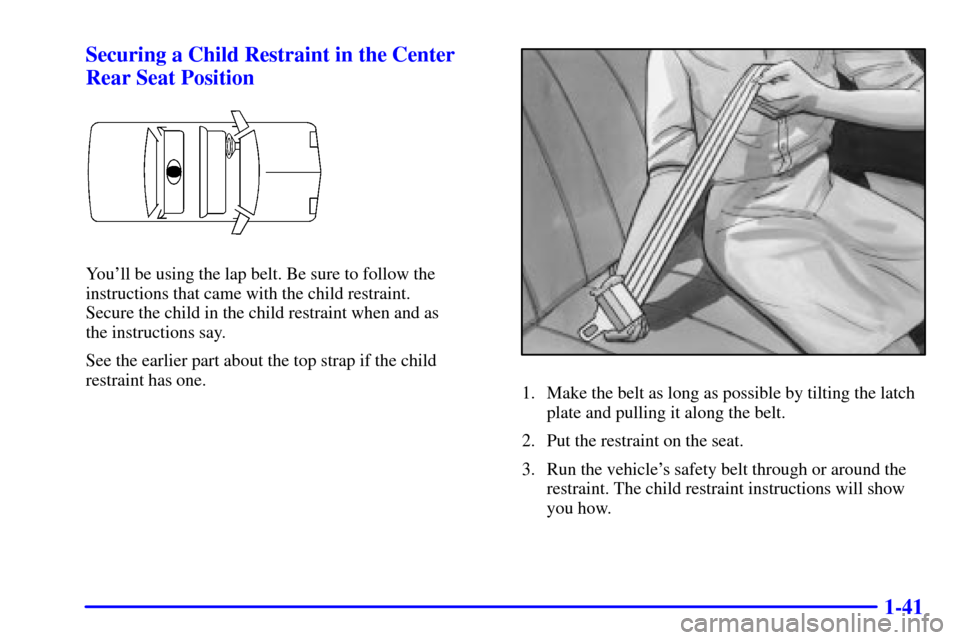
1-41 Securing a Child Restraint in the Center
Rear Seat Position
You'll be using the lap belt. Be sure to follow the
instructions that came with the child restraint.
Secure the child in the child restraint when and as
the instructions say.
See the earlier part about the top strap if the child
restraint has one.
1. Make the belt as long as possible by tilting the latch
plate and pulling it along the belt.
2. Put the restraint on the seat.
3. Run the vehicle's safety belt through or around the
restraint. The child restraint instructions will show
you how.