Page 78 of 335
2-17 Valet Lockout Button
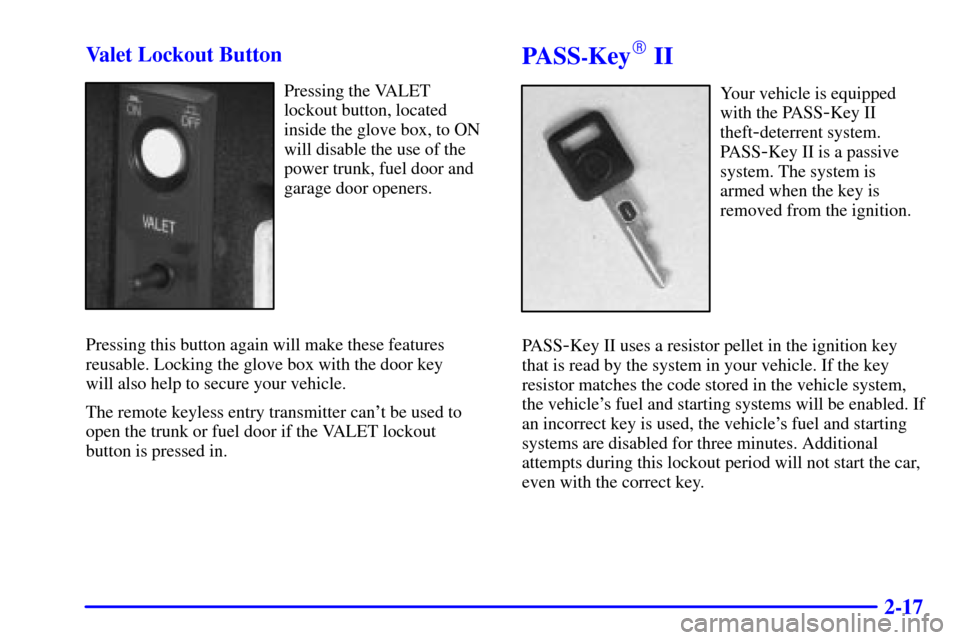
Pressing the VALET
lockout button, located
inside the glove box, to ON
will disable the use of the
power trunk, fuel door and
garage door openers.
Pressing this button again will make these features
reusable. Locking the glove box with the door key
will also help to secure your vehicle.
The remote keyless entry transmitter can't be used to
open the trunk or fuel door if the VALET lockout
button is pressed in.
PASS-Key� II
Your vehicle is equipped
with the PASS
-Key II
theft
-deterrent system.
PASS
-Key II is a passive
system. The system is
armed when the key is
removed from the ignition.
PASS
-Key II uses a resistor pellet in the ignition key
that is read by the system in your vehicle. If the key
resistor matches the code stored in the vehicle system,
the vehicle's fuel and starting systems will be enabled. If
an incorrect key is used, the vehicle's fuel and starting
systems are disabled for three minutes. Additional
attempts during this lockout period will not start the car,
even with the correct key.
Page 108 of 335
2-47 Inadvertent Power Battery Saver
This feature is designed to protect your vehicle's battery
against drainage from the interior lamps, trunk lamp,
glove box lamp, cigarette lighters or the garage
door opener. When the ignition is turned off, the
power to these features will automatically turn off after
10 minutes (three minutes if a new car has 15 miles
(24 km) or less). Power will be restored for an additional
10 minutes if either door is opened, the trunk is opened
or the courtesy lamps are turned on.
Storage Mode Personalization
This feature is for long-term use and must be
programmed through the Driver Information Center
(DIC) while the ignition is in RUN. Storage mode
personalization protects the battery by placing your
vehicle in a storage mode so that the radio, amplifiers,
instrument panel cluster and remote keyless entry will
not drain the battery over a long period of time. For
programming information, see ªMemory and
Personalization Featuresº in the Index.
Mirrors
Electrochromic Day/Night Rearview Mirror
with Compass
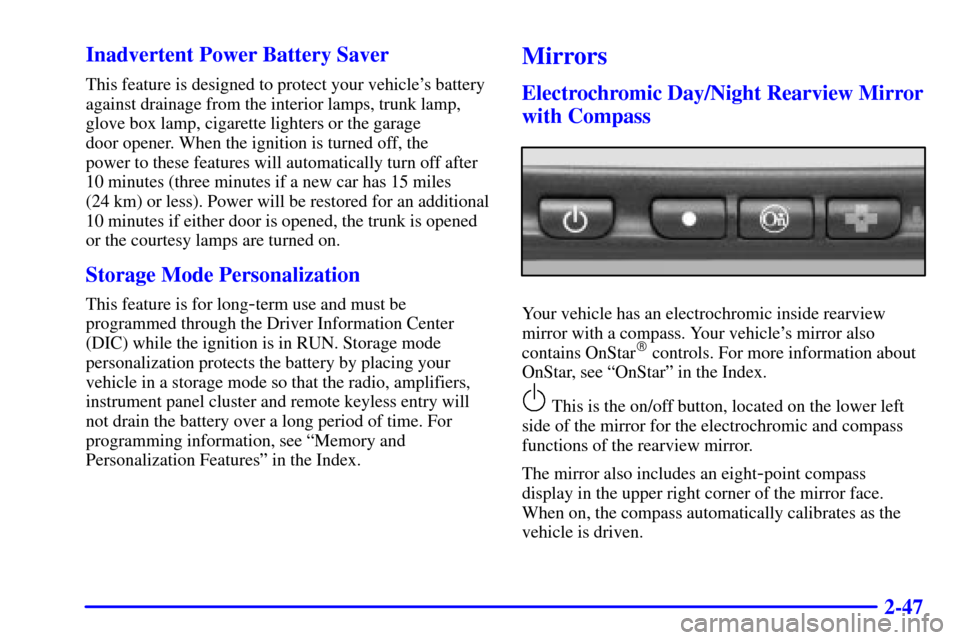
Your vehicle has an electrochromic inside rearview
mirror with a compass. Your vehicle's mirror also
contains OnStar
� controls. For more information about
OnStar, see ªOnStarº in the Index.
This is the on/off button, located on the lower left
side of the mirror for the electrochromic and compass
functions of the rearview mirror.
The mirror also includes an eight
-point compass
display in the upper right corner of the mirror face.
When on, the compass automatically calibrates as the
vehicle is driven.
Page 113 of 335
2-52 Center Console Storage
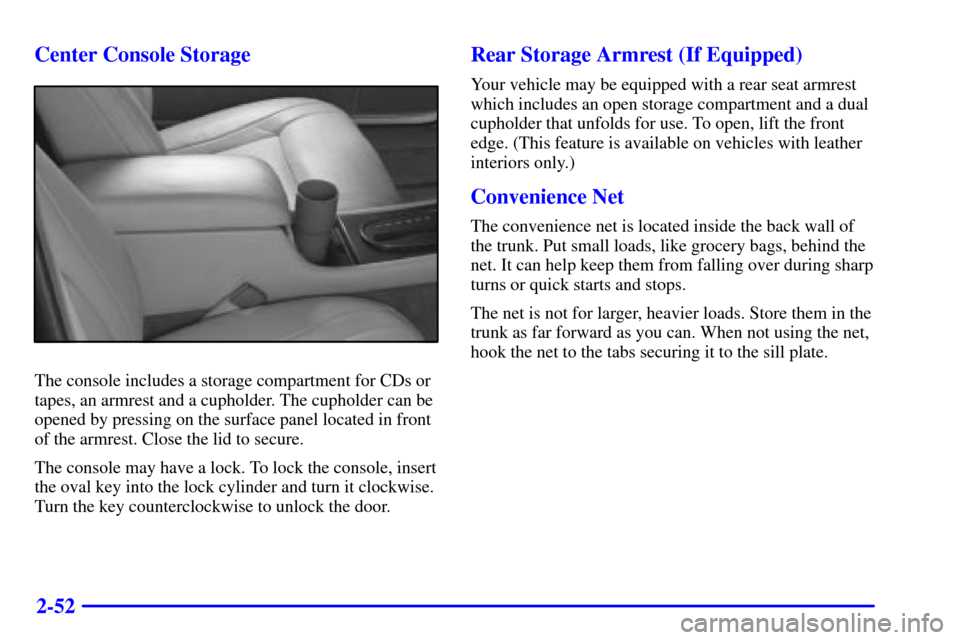
The console includes a storage compartment for CDs or
tapes, an armrest and a cupholder. The cupholder can be
opened by pressing on the surface panel located in front
of the armrest. Close the lid to secure.
The console may have a lock. To lock the console, insert
the oval key into the lock cylinder and turn it clockwise.
Turn the key counterclockwise to unlock the door.
Rear Storage Armrest (If Equipped)
Your vehicle may be equipped with a rear seat armrest
which includes an open storage compartment and a dual
cupholder that unfolds for use. To open, lift the front
edge. (This feature is available on vehicles with leather
interiors only.)
Convenience Net
The convenience net is located inside the back wall of
the trunk. Put small loads, like grocery bags, behind the
net. It can help keep them from falling over during sharp
turns or quick starts and stops.
The net is not for larger, heavier loads. Store them in the
trunk as far forward as you can. When not using the net,
hook the net to the tabs securing it to the sill plate.
Page 138 of 335

2-77
FUEL DOOR: Press this button to open the fuel
door. (This feature will work only when the shift lever
is in PARK (P) regardless of whether or not the vehicle
is running.)
TRUNK: Press this button to open the trunk.
(This feature will work only when the shift lever is
in PARK (P) regardless of whether or not the vehicle
is running.)
MPG AVG (Reset): Press the INFO (SKIP) button to
display the MPG AVG (Average Fuel Economy), then
press and hold the NO INFO RESET button until 0.0
MPG AVG is displayed.
GAL FUEL USED (Reset): Press the INFO (SKIP)
button to display the GAL FUEL USED on the Driver
Information Center (DIC), then press and hold the
INFO RESET (NO) button until 0.0 GAL FUEL USED
is displayed.
AVG MPH (Reset): Press the INFO (SKIP) button to
display the AVG MPH (Average Speed), then press and
hold the INFO RESET (NO) button until 0.0 AVG MPH
is displayed.TIMER: This feature is like a stopwatch, in that
you can clock the time it takes to get from one point
to another.
To operate, press the INFO (SKIP) button to display
TIMER. Each of the fields for the hours, minutes and
seconds are two numeric digits.
Once TIMER OFF 00:00:00 is displayed, press the INFO
RESET (NO) button to start the timing feature. Press the
INFO RESET (NO) button again to stop it. If you will be
starting and stopping your vehicle
-- during a trip for
instance
-- the TIMER feature will automatically start
timing where it left off when you last stopped. To reset it,
press and hold the INFO RESET (NO) button until the
display reads TIMER 00:00:00. Press the INFO (SKIP)
button to exit from the TIMER function.
OIL LIFE LEFT (Reset): Press the INFO (SKIP)
button to display the OIL LIFE LEFT, then press and
hold the INFO RESET (NO) button until 100% OIL
LIFE LEFT is displayed. (This only needs to be reset
after you have had the oil changed.)
ENGLISH/METRIC (Reset): Press the INFO
(SKIP) button to display ENGLISH/METRIC RESET,
then press the INFO RESET (NO) button to select.
The display will change from English (miles) to
metric (kilometers).
Page 146 of 335

2-85
TRACTION SUSPENDED - 56: This message
displays when the traction control system has been
temporarily shut off because your vehicle's brakes have
overheated. This message does not indicate a problem
with your vehicle's traction control system. After a
few minutes, the traction control system will be
available again and the TRACTION READY message
will appear.
TRANS FLUID RESET
- 48: With the engine not
running and the ignition on, press and hold the OFF
and rear defog buttons until the TRANS FLUID
RESET message appears on the DIC (between five
and 20 seconds).
TRANS HOT IDLE ENG
- 112: This message
indicates that the transaxle fluid in your vehicle is too
hot. Stop and allow your vehicle to idle until it cools
down or until this message is removed.TRUNK OPEN
- 24: This message indicates that the
trunk is open when your vehicle's ignition is in RUN.
TURN SIGNAL ON
- 20: This message is a reminder,
after driving about 1 mile (1.6 km/h), that you have the
turn signal on. A multiple chime will also sound when
this message is displayed.
VEHICLE OVERSPEED
- 52: This message is
displayed when the vehicle speed exceeds a certain limit
as required by some export countries. A continuous
chime will also sound when this message is displayed.
VEHICLE SPEED LIMITED TO XXX MPH
(KM/H)
- 113: A failure in the suspension control
system has occurred when this message appears. The
Powertrain Control Module (PCM) determines the speed
your vehicle is limited to. Have your vehicle serviced if
this message appears. (The XXX indicates the speed
your vehicle is limited to.)
Page 153 of 335

3-
3-1
Section 3 Comfort Controls and Audio Systems
In this section, you'll find out how to operate the comfort control and audio systems offered with your vehicle.
Be sure to read about the particular systems supplied with your vehicle.
3
-2 Comfort Controls
3
-2 Climate Control Panel
3
-6 Electronic Solar Sensor
3
-6 Air Conditioning
3
-7 Heating
3
-7 Defrosting
3
-7 Rear Window Defogger
3
-8 Ventilation System
3
-9 HVAC Steering Wheel Controls
3
-10 Climate Control Personalization (If Equipped)
3
-10 Audio Systems
3
-10 Setting the Clock
3
-10 AM-FM Stereo with Cassette Tape Player
3
-14 AM-FM Stereo with Cassette Tape and
Compact Disc Player with Radio Data
Systems (RDS) and Digital Signal
Processing (DPS) (If Equipped)3
-24 Radio Data Systems (RDS) Program
Type (PTY) Selections
3
-25 CD Adapter Kits
3
-25 Trunk Mounted CD Changer (Option)
3
-29 Radio Personalization with Home and Away
Feature (If Equipped)
3
-30 Theft-Deterrent Feature
3
-31 Audio Steering Wheel Controls
3
-31 Understanding Radio Reception
3
-32 Tips About Your Audio System
3
-33 Care of Your Cassette Tape Player
3
-34 Care of Your Compact Discs
3
-34 Care of Your Compact Disc Player
3
-35 Power Antenna Mast Care
Page 177 of 335
3-25 CD Adapter Kits
It is possible to use a portable CD player adapter kit
with your cassette tape player after activating the bypass
feature on your tape player.
To activate the bypass feature, use the following steps:
1. Turn the ignition to RUN or ACCESSORY.
2. Turn the radio off.
3. Press and hold the SOURCE button for
two seconds. The tape symbol on the display will
flash three times, indicating the feature is active.
4. Insert the adapter into the cassette slot.
This override routine will remain active until the eject
button is pressed.
Trunk-Mounted CD Changer (Option)
With the compact disc changer, you can play up
to 12 discs continuously. Normal size discs may be
played using the trays supplied in the magazine. The
smaller discs (8 cm) can be played only with specially
designed trays.
NOTICE:
Objects in the trunk which may shift or
slide during driving could damage your CD
changer. Protect your CD changer by using the
convenience net whenever possible. Place large
objects in the trunk appropriately so that they
will not come into contact with the CD changer.
Page 212 of 335
4-25
Winter Driving
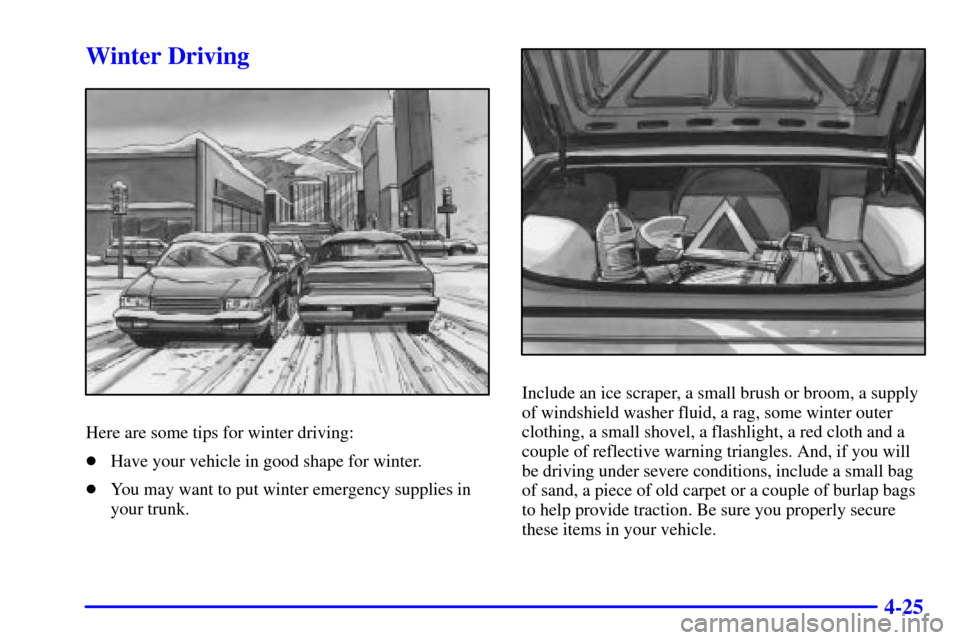
Here are some tips for winter driving:
�Have your vehicle in good shape for winter.
�You may want to put winter emergency supplies in
your trunk.
Include an ice scraper, a small brush or broom, a supply
of windshield washer fluid, a rag, some winter outer
clothing, a small shovel, a flashlight, a red cloth and a
couple of reflective warning triangles. And, if you will
be driving under severe conditions, include a small bag
of sand, a piece of old carpet or a couple of burlap bags
to help provide traction. Be sure you properly secure
these items in your vehicle.