Page 95 of 397

2-25
3. If your engine still won't start (or starts but then
stops), it could be flooded with too much gasoline.
Try pushing your accelerator pedal all the way to the
floor and holding it there as you hold the key in
START for about three seconds. If the vehicle starts
briefly but then stops again, do the same thing.
NOTICE:
Your engine is designed to work with the
electronics in your vehicle. If you add electrical
parts or accessories, you could change the way
the engine operates. Before adding electrical
equipment, check with your dealer. If you don't,
your engine might not perform properly.
Engine Coolant Heater (If Equipped)
A. Engine Oil Dipstick Location
B. Engine Coolant Heater Cord
C. Transaxle Dipstick/Fluid Fill Location
In very cold weather, 0�F (
-18�C) or colder, the engine
coolant heater can help. You'll get easier starting and
better fuel economy during engine warm
-up. Usually,
the coolant heater should be plugged in a minimum of
four hours prior to starting your vehicle.
Page 168 of 397

2-98
LF-RF-LR-RR TIRE (If Equipped): On vehicles
equipped with the Tire Pressure Monitor, this message
shows the tire pressure for each tire (left front, right
front, left rear and right rear). Pressing the INFO button
will scroll through the tire pressure for each of the
four tires, such as:
�34 PSI LF TIRE OK or
�234 kPa LF TIRE OK
If a tire pressure is below 24 PSI (165 kPa) or above
36 PSI (248 kPa), the message will appear as shown
above except it will show TIRE LOW or TIRE HIGH
as appropriate. If desired, the tire pressure information
can be programmed not to appear when using the
INFO button to scroll through the DIC displays.
See ªVehicle Programming and Personalization
Featuresº in the Index.
If a low or high tire pressure is detected by the system
while driving, a CHECK TIRE PRESSURE message
will appear in the display. If this occurs, press the
INFO button to scroll to the tire(s) with a low or high
pressure condition. See ªDriver Information Center
(DIC) Messagesº in the Index for more information.ENGINE OIL LIFE (Reset): Press the INFO button
to display ENGINE OIL LIFE, then press and hold the
INFO RESET button until 100% ENGINE OIL LIFE is
displayed. (This only needs to be reset after you have
had the oil changed.)
TRANSMISSION FLUID LIFE MONITOR: Under
normal conditions, the rate of deterioration of the
transmission fluid is slow. See the Maintenance
Schedule booklet for proper fluid and change intervals.
Press the INFO button to display TRANS FLUID LIFE,
then press and hold the INFO RESET button until
100% TRANS FLUID LIFE is displayed. (This only
needs to be reset after you have had the fluid changed.)
ENG/MET: Press this button to display information in
the English (miles) or metric (kilometers) system.
Page 170 of 397

2-100
BATTERY VOLTAGE LOW - 6: This message
will appear when the electrical system is charging less
than 10 volts or if the battery has been drained. If this
message appears immediately after starting, it is
possible that the generator can still recharge the battery.
The battery should recharge while driving but may take a
few hours to do so. Consider using an auxiliary charger
(be sure to follow the manufacturer's instructions) to
boost the battery after returning home or to a final
destination. If this message appears while driving or
after starting your vehicle and stays on, have it checked
immediately to determine the cause of this problem.
To help the generator recharge the battery quickly, you
can reduce the load on the electrical system by turning off
the accessories. You can monitor battery voltage on the
DIC by pressing the INFO button. The normal range
is 11.5 to 15.5 volts.
CHANGE ENGINE OIL
- 82: This means that the
life of the engine oil has expired and it should be
changed within 200 miles. See ªEngine Oilº and
ªFilter Recommendationsº in the Maintenance Schedule
booklet. After an oil change, the Oil Life Indicator must
be reset. See ªOil Life Indicator, How to Resetº in
the Index.CHANGE TRANS FLUID
- 47: This message will
appear when it is time to replace the transaxle fluid. See
the Maintenance Schedule booklet for the proper fluid
and change intervals.
CHECK BRAKE FLUID
- 37: This message will
display if the ignition is in ON to inform the driver that
the brake fluid level is low. Have the brake system
serviced by a technician as soon as possible. See ªBrake
System Warning Lightº in the Index.
CHECK COOLANT LEVEL
- 2: This message
will appear when there is a low level of engine coolant.
Have the cooling system serviced by a technician as
soon as possible.
CHECK FUEL GAGE
- 50: (Analog Cluster Only)
This message will appear when the fuel supply is less
than 5 gallons (18.9 L) and the display is turned off.
A single chime will also sound when this message
is displayed.
CHECK GAS CAP
- 61: This message will appear if
the gas cap has not been fully tightened. You should
recheck your gas cap to ensure that it's fully tightened.
Page 183 of 397
2-113
Comfort Controls and Radio
System Personalization
These features allow both drivers to personalize their
own climate control settings as well as their radio
settings. For more information, see ªClimate Control
Personalizationº and ªRadio Personalizationº in
the Index.
Continuous Variable Road Sensing
Suspension (CVRSS) (If Equipped)
The CVRSS automatically adjusts the ride of your
vehicle. Automatic ride control is achieved through a
computer used to control and monitor the suspension
system. The controller receives input from various
sensors to determine the proper system response.
If the controller detects a problem within the system,
the DIC will display a SERVICE SUSPENSION SYS
message. If this message appears, have your vehicle
serviced at your dealership.
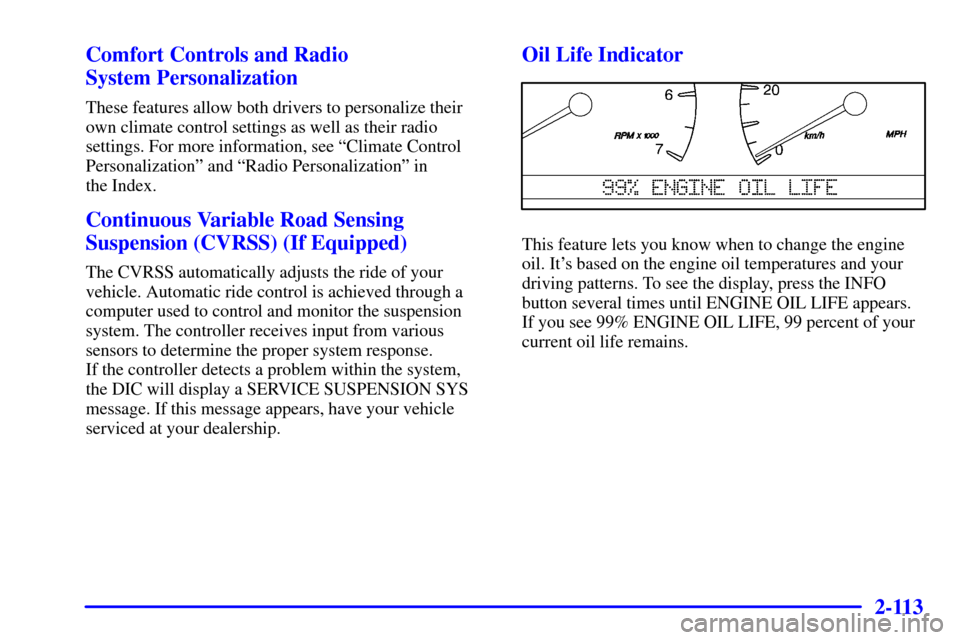
Oil Life Indicator
This feature lets you know when to change the engine
oil. It's based on the engine oil temperatures and your
driving patterns. To see the display, press the INFO
button several times until ENGINE OIL LIFE appears.
If you see 99% ENGINE OIL LIFE, 99 percent of your
current oil life remains.
Page 184 of 397
2-114
The DIC may display a CHANGE ENGINE OIL
message. Always keep a written record of the mileage
and date when you changed your oil. For more
information, see the Maintenance Schedule booklet.
If you see CHANGE ENGINE OIL, it means the
oil life is gone and you should change the oil right away.
The system doesn't check how much oil you have,
so you'll still have to check for that. To see how,
see ªEngine Oilº in the Index.
When the oil is changed, you'll need to reset the system.
See ªOil Life Indicator, How to Resetº in the Index.Night Vision System (Option)
The Night Vision System can help you see better when
you drive at night. The system works by sensing heat
given off by objects in its field of view. Warmer objects,
such as pedestrians, animals and other moving vehicles,
will appear whiter. Colder objects, such as the sky, signs
and parked vehicles, will appear darker.
Page 286 of 397

5-9
Towing Your Vehicle
Consult your dealer or a professional towing service if
you need to have your vehicle towed. See ªRoadside
Assistanceº and ªRecreational Vehicle Towingº in
the Index.
Engine Overheating
You will find an ENGINE COOLANT HOT, IDLE
ENGINE message or an ENGINE OVERHEATED,
STOP ENGINE message on the Driver Information
Center (DIC). You will also hear a chime. There is
also an engine temperature warning light and/or gage
on the instrument panel cluster. See ªEngine Coolant
Temperature Warning Lightº or ªEngine Coolant
Temperature Gageº in the Index.
Overheated Engine Protection
Operating Mode
Should an overheated engine condition exist and the
message ENGINE OVERHEATED, STOP ENGINE is
displayed, an overheat protection mode which alternates
firing groups of cylinders helps prevent engine damage.
In this mode, you will notice a loss in power and engine
performance. This operating mode allows your vehicle
to be driven to a safe place in an emergency; you may
drive up to 50 miles (80 km). Towing a trailer in the
overheat protection mode should be avoided.
NOTICE:
After driving in the overheated engine protection
operating mode, to avoid engine damage, allow
the engine to cool before attempting any repair.
The engine oil will be severely degraded. Repair
the cause of coolant loss, change the oil and
reset the oil life indicator. See ªEngine Oilº in
the Index.
Page 302 of 397
5-25
7. Remove all wheel nuts and take off the flat tire.
8. Remove any rust or dirt
from the wheel bolts,
mounting surfaces and
spare wheel.
CAUTION:
Rust or dirt on the wheel, or on the parts to
which it is fastened, can make the wheel nuts
become loose after a time. The wheel could come
off and cause an accident. When you change a
wheel, remove any rust or dirt from the places
where the wheel attaches to the vehicle. In an
emergency, you can use a cloth or a paper towel
to do this; but be sure to use a scraper or wire
brush later, if you need to, to get all the rust or
dirt off.
CAUTION:
Never use oil or grease on studs or nuts. If you
do, the nuts might come loose. Your wheel could
fall off, causing a serious accident.
9. Place the
spare tire on the
wheel
-mounting
surface.
Page 321 of 397
6-13 What Kind of Engine Oil to Use
Oils recommended for your vehicle can be identified by
looking for the starburst symbol.
This symbol indicates that the oil has been certified by
the American Petroleum Institute (API). Do not use any
oil which does not carry this starburst symbol.
If you change your own oil,
be sure you use oil that has
the starburst symbol on the
front of the oil container. If
you have your oil changed
for you, be sure the oil put
into your engine is
American Petroleum
Institute certified for
gasoline engines.
You should also use the proper viscosity oil for your
vehicle, as shown in the following chart:


