2000 TOYOTA LAND CRUISER display
[x] Cancel search: displayPage 106 of 235

L/C 100_U
128 2000 L/C 100 (OM60866U)
To scan all the frequencies:
Quickly push and release “SCAN”. If you
hear a beep, you held the button too long,
and the radio will scan the preset sta-
tions. The radio will find the next station
up the station band, stay there for 5 se-
conds, and then scan again. To select a
station, push “SCAN” again.
Compact disc player
There are two scan features—you can ei-
ther scan the tracks on a specific disc or
scan the first tracks of all the discs in the
player.
Scanning the tracks on a disc:
Quickly push and release “SCAN”. “SCAN”
will appear on the display and the player
will scan all the tracks on the disc you
are listening to. If you hear a beep, you
held the button too long, and the player
will scan the first track of all the discs in
the player. To select a track, push “SCAN”
again. If the player scanned all the tracks
on the disc, it will stop scanning.
Scanning the first track of all the discs in
the player:
Push “SCAN” until you hear a beep. “
·SCAN” will appear on the display
and the player will perform the first track
of the next disc. To select a disc, push
the “SCAN” again. If the player has
scanned all the di scs, it will stop scan-
ning.
SEEK (Seeking)
Radio
In the seek mode, the radio finds and
plays the next station up or down the
station band.
To seek a station, quickly push and re-
lease the “ ” or “ ” under the “SEEK”.
Do this again to find another station.
Cassette Player
By using this button, you can skip up or
down to a different track.
You can skip up to nine tracks at a time.
Push the up or down side of the button.
“FF 1” or “REW 1” will appear on the
display. Next, push either side of the track button
until the number on the display reaches
the number of tracks you want to skip. If
you push the button ten times, the skip
feature will be turned off.
When counting the number of tracks you
want to rewind, remember to count the
current track as well. For example, if you
want to rewind to a song that is two be-
fore the song you are listening to, push
on the down side of the button until “REW
3” appears on the display.
If you have pushed the track button more
than you wanted to, push the other side
of the button. The track number will be
reduced.
The track number you select is not valid
if it is higher than the number of tracks
remaining on the current cassette side.
After the beginning of the tape is
reached, the player will automatically
start playing the same side.
After the end of the tape is reached,
the player will automatically reverse
sides and start playing the other side.
Page 107 of 235
L/C 100_U129
2000 L/C 100 (OM60866U)
There must be at least 3 seconds of blank
space between tracks for the track button
to work correctly. In addition, the feature
may not work well with some spoken
word, live, or classical recordings.
ST (Stereo reception) display
Your radio automatically changes to stereo
reception when a stereo broadcast is re-
ceived. “ST” appears on the display. If the
signal becomes weak, the radio reduces
the amount of channel separation to prev-
ent the weak signal from creating noise.
If the signal becomes extremely weak, the
radio switches from stereo to mono recep-
tion.
TA P E
Push “TAPE” to switch from radio or com-
pact disc operation to cassette operation.
If the audio system is off, you can turn
on the cassette player by pushing “TAPE”.
In both cases, a cassette must already be
loaded in the player.
TRACK (Track up/down button):
Compact disc player
By using this button, you can skip up or
down to a different track.
Push either side of the track button until
the number of the track you want to listen
to appears on the display. If you want to
return to the beginning of the current
track, push the down side of the button
one time, quickly.
TUNE (Tuning)
Your Toyota has an electronic tuning radio
(ETR). Turn the knob clockwise to step up
the frequency. Turn the knob counterclock-
wise to step down the frequency.
NOTICE
To ensure the correct audio system
operation:
Be careful not to spill beverages
over the audio system.
Do not put anything other than a
cassette tape or Compact Disc into
the slot.
The use of cellular phone inside or
near the vehicle may cause a noise
from the speakers of the audio sys-
tem which you are listening to.
However, this does not indicate a
malfunction.
RADIO RECEPTION
Usually, a problem with radio reception
does not mean there is a problem with
your radio—it is just the normal result of
conditions outside the vehicle.
For example, nearby buildings and terrain
can interfere with FM reception. Power
lines or telephone wires can interfere with
AM signals. And of course, radio signals
have a limited range. The farther you are
from a station, the weaker its signal will
be. In addition, reception conditions
change constantly as your vehicle moves.Car audio system operating
hints
Page 123 of 235
L/C 100_U145
2000 L/C 100 (OM60866U) OPERATION OF INSTRUMENTS AND
CONTROLS
Other equipment
Clock146
. . . . . . . . . . . . . . . . . . . . . . . . . . . . . . . . . . . . . . . . . . . . . . . . . . . . . .
Outside temperature display146
. . . . . . . . . . . . . . . . . . . . . . . . . . . . . . . . .
Cigarette lighter and ashtray147
. . . . . . . . . . . . . . . . . . . . . . . . . . . . . . . . .
Power outlets147
. . . . . . . . . . . . . . . . . . . . . . . . . . . . . . . . . . . . . . . . . . . . . .
Fuel pump shut −off system148
. . . . . . . . . . . . . . . . . . . . . . . . . . . . . . . . . .
Rear console box149
. . . . . . . . . . . . . . . . . . . . . . . . . . . . . . . . . . . . . . . . . . .
Glove box150
. . . . . . . . . . . . . . . . . . . . . . . . . . . . . . . . . . . . . . . . . . . . . . . . . .
Garage door opener box150
. . . . . . . . . . . . . . . . . . . . . . . . . . . . . . . . . . . .
Auxiliary boxes153
. . . . . . . . . . . . . . . . . . . . . . . . . . . . . . . . . . . . . . . . . . . . .
Cup holders156
. . . . . . . . . . . . . . . . . . . . . . . . . . . . . . . . . . . . . . . . . . . . . . . .
Tie −down hooks157
. . . . . . . . . . . . . . . . . . . . . . . . . . . . . . . . . . . . . . . . . . . .
Luggage cover158
. . . . . . . . . . . . . . . . . . . . . . . . . . . . . . . . . . . . . . . . . . . . .
Floor mat159
. . . . . . . . . . . . . . . . . . . . . . . . . . . . . . . . . . . . . . . . . . . . . . . . . .
SECTION 1− 9
Page 124 of 235
L/C 100_U
146 2000 L/C 100 (OM60866U)
Clock
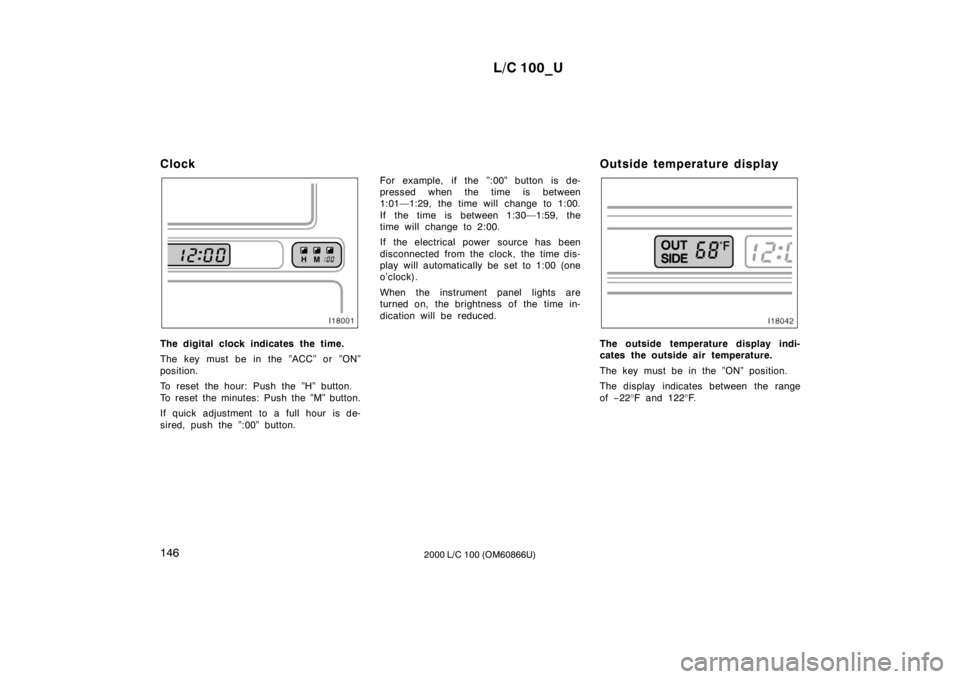
The digital clock indicates the time.
The key must be in the ”ACC” or ”ON”
position.
To reset the hour: Push the ”H” button.
To reset the minutes: Push the ”M” button.
If quick adjustment to a full hour is de-
sired, push the ”:00” button.
For example, if the ”:00” button is de-
pressed when the time is between
1:01—1:29, the time will change to 1:00.
If the time is between 1:30—1:59, the
time will change to 2:00.
If the electrical power source has been
disconnected from the clock, the time dis-
play will automatically be set to 1:00 (one
o’clock).
When the instrument panel lights are
turned on, the brightness of the time in-
dication will be reduced.
Outside temperature displayThe outside temperature display indi-
cates the outside air temperature.
The key must be in the ”ON” position.
The display indicates between the range of
−22 °F and 122 °F.
Page 198 of 235
L/C 100_U
234 2000 L/C 100 (OM60866U)
Oil identification marks
Either or both API registered marks are
added to some oil containers to help
you select the oil you should use.
The API Service Symbol is located any-
where on the outside of the container.
The top portion of the label shows the oil
quality by API (American Petroleum Insti-
tute) designations such as SJ. The center
portion of the label shows the SAE viscos-
ity grade such as SAE 5W
−30. ”Energy −
Conserving” shown in the lower portion,
indicates that the oil has fuel −saving ca-
pabilities.
The ILSAC (International Lubricant Stan-
dardization and Approval Committee) Certi-
fication Mark is displayed on the front of
the container. Look at the see
−through coolant reser-
voir when the engine is cold. The cool-
ant level is satisfactory if it is between
the ”FULL” and ”LOW” lines on the
reservoir. If the level is low, add ethyl-ene −glycol type coolant for a proper
corrosion protection of aluminum com-
ponents.
The coolant level in the reservoir will vary
with engine temperature. However, if the
level is on or below the ”LOW” line, add
coolant. Bring the level up to the ”FULL”
line.
Always use ethylene −glycol type coolant
for a proper corrosion protection of alumi-
num components. See information in the
next column.
If the coolant level drops within a short
time after replenishing, there may be a
leak in the system. Visually check the
radiator, hoses, radiator cap and drain
cock and water pump.
If you can find no leak, have your Toyota
dealer test the cap pressure and check
for leaks in the cooling system.
CAUTION
To prevent burning yourself, do not
remove the radiator cap when the en-
gine is hot.
Coolant type selection
Use of improper coolants may damage
your engine cooling system. Your coolant
must contain ethylene −glycol type coolant
for a proper corrosion protection of your
engine that contains aluminum
components. Use ”TOYOTA Long Life
Coolant” or equivalent.
In addition to preventing freezing and sub-
sequent damage to the engine, this type
of coolant will prevent corrosion. Further
supplemental inhibitors or additives are
neither needed nor recommended.
Read the coolant container for information
on freeze protection. Follow the manufac-
turer’s directions for how much to mix
with plain water (preferably demineralized
water or distilled water). The total capacity
of the cooling system is given in Section 8.
Checking the engine coolant level