Page 57 of 273
Controls Near the Steering Wheel
In intermittent, the wipers operate
every few seconds. In low speed and
high speed, the wipers run continu
ously.
54
Instruments and Controls
To operate the wipers in mist mode,
push
the control lever up from the
OFF position. The wipers run at high
speed until you release the lever.
This gives you a quick way to clear
the windshield.
Windshield Washers
To clean the windshield, pull back on
the wiper control lever.
The washers
spray until you release the lever.
The wipers run at low speed while
you're pulling the lever, then
complete one more sweep of the
windshield after you release it.
Page 58 of 273
Cruise Control
Cruise control allows you to maintain
a
set speed above 25 mph ( 40 km/h)
without keeping your foot on the
accelerator pedal. It should be used
for cruising on straight, open
highways.
It is not recommended for
conditions such as city driving,
winding roads, slippery roads, heavy
rain, or bad weather. You should
have full control of
the car under
those conditions.
Improper use of the cruise
control can lead to a crash.
Use the cruise
control only
when traveling on open
highways
in good weather.
NOTICE
The cruise control, as it operates,
moves the accelerator pedal. You can
damage your vehicle's accelerator
mechanism by resting your
foot under
the pedal and blocking the movement.
Steering Wheel Controls
Using the Cruise Control
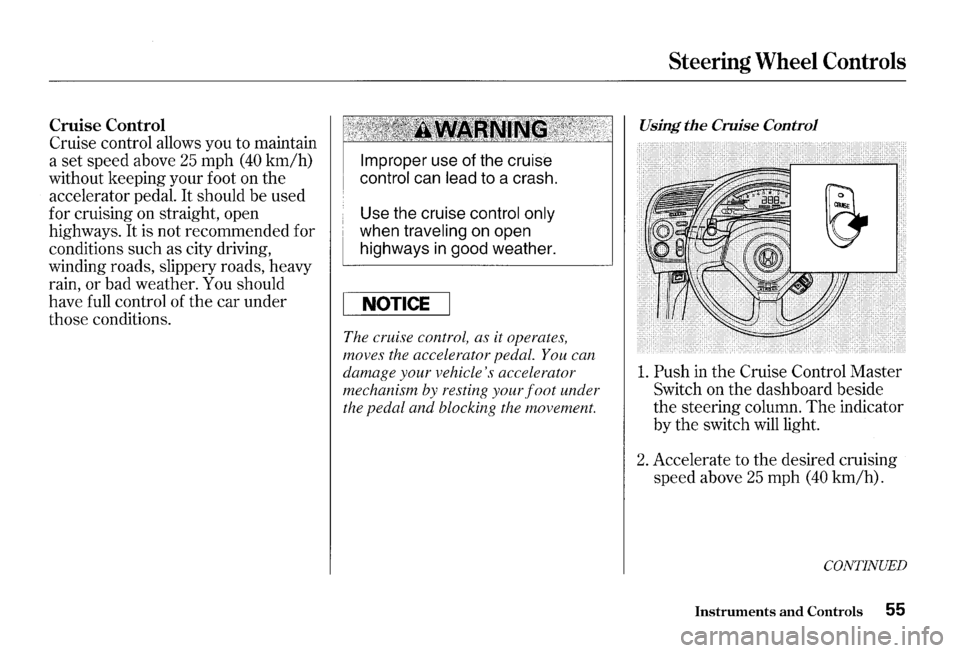
1. Push in the Cruise Control Master
Switch on the dashboard beside
the steering column. The indicator
by
the switch will light.
2. Accelerate to the desired cruising
speed above
25 mph (40 km/h).
CONTINUED
Instruments and Controls 55
Page 59 of 273
Steering Wheel Controls
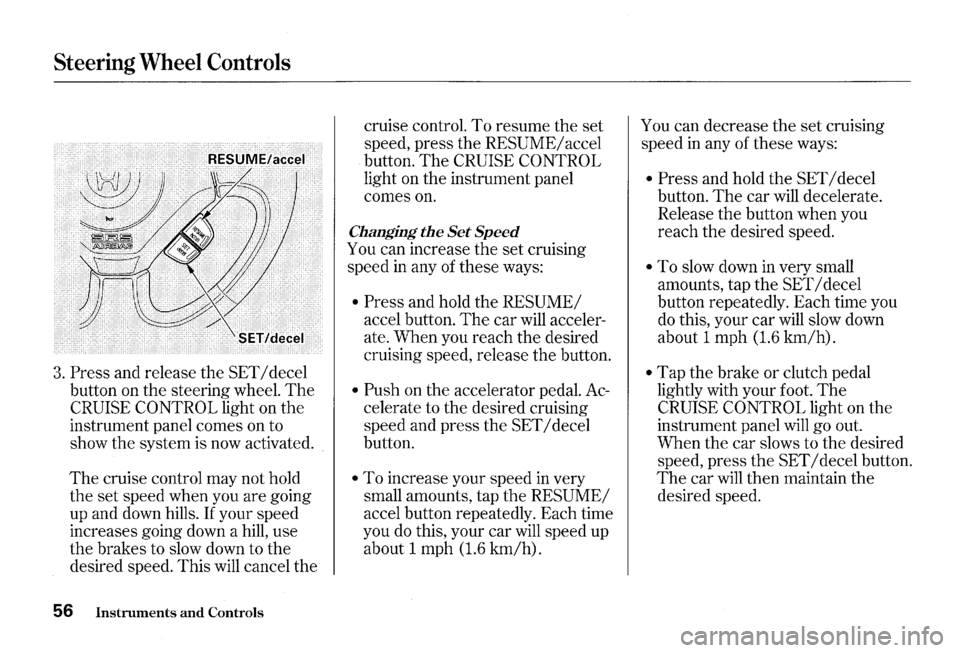
3. Press and release the SET I decel
button on the steering wheel.
The
CRUISE CONTROL light on the
instrument panel comes on to
show the system is now activated.
The cruise control may not hold
the set speed when you are going
up and down hills.
If your speed
increases going down a hill, use
the brakes to slow down to the
desired speed. This
will cancel the
56 Instruments and Controls
cruise control. To resume the set
speed, press the
RESUME/ accel
button.
The CRUISE CONTROL
light on the instrument panel
comes
on.
Changing the Set Speed
You can increase the set cruising
speed
in any of these ways:
• Press and hold the RESUME/
accel button. The car will acceler
ate. When you reach the desired
cruising speed, release the button.
• Push on the accelerator pedal. Ac
celerate to the desired cruising
speed and press the
SET I decel
button.
• To increase your speed in very
small amounts, tap the
RESUME/
accel button repeatedly. Each time
you
do this, your car will speed up
about 1 mph
(1.6 km/h).
You can decrease the set cruising
speed
in any of these ways:
• Press and hold the SET I decel
button.
The car will decelerate.
Release the button when you
reach the desired speed.
• To slow down in very small
amounts, tap the
SET I decel
button repeatedly. Each time you
do this, your car will slow down
about 1 mph
(1.6 km/h).
• Tap the brake or clutch pedal
lightly with your foot.
The
CRUISE CONTROL light on the
instrument panel
will go out.
When the car slows to the desired
speed, press
the SET I decel button.
The car will then maintain the
desired speed.
Page 60 of 273
Even with the cruise control turned
on, you can still use the accelerator
pedal to speed up for passing. After
completing the pass, take your foot
off the accelerator pedal.
The car
will return to the set cruising speed.
Resting your foot on the brake or
clutch pedal
will cause the cruise
control to cancel.
Cancelling the Cruise Control
You can cancel the cruise control in
any
of these ways:
• Tap the brake or clutch pedal.
• Press the SET I decel and RE
SUME/ accel buttons at the same
time.
• Press the Cruise Control Master
Switch.
When you tap the brake or clutch
pedal, or press the SET and
RE
SUME buttons at the same time, the
CRUISE CONTROL light on the
instrument panel will
go out and the
car
will begin to slow down. You can
use the accelerator pedal in the
normal way.
The system remembers the
previously-set cruising speed. To
return to that speed, accelerate to
above
25 mph (40 km/h) and press
the
RESUME/ accel button until the
Steering Wheel Controls
CRUISE CONTROL light comes on.
The car will accelerate to the same
cruising speed as before.
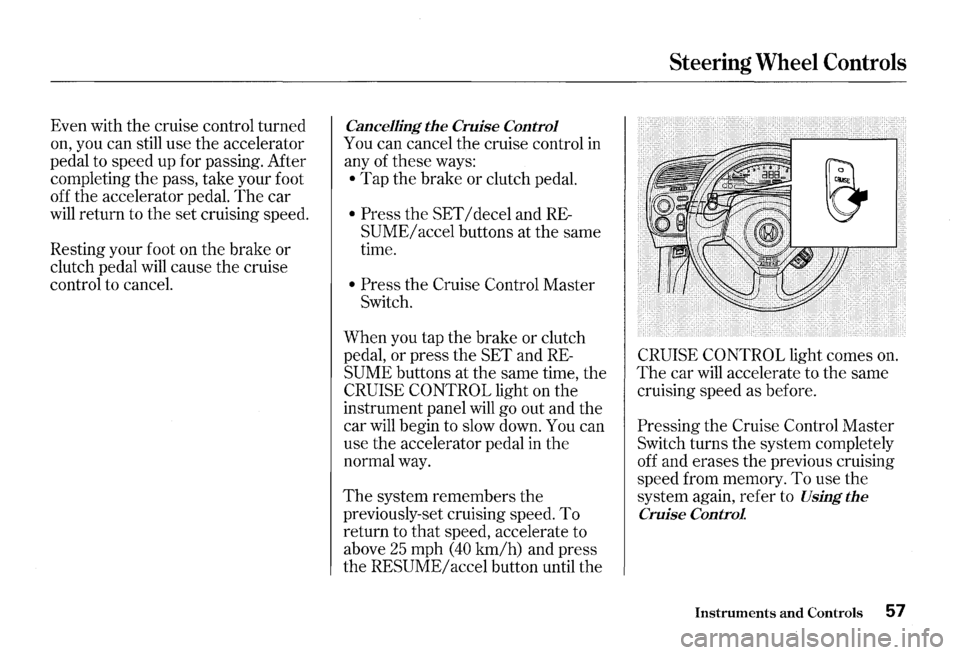
Pressing the Cruise Control Master
Switch turns the system completely
off and erases the previous cruising
speed from memory.
To use the
system again, refer to
Using the
Cruise Control
Instruments and Controls 57
Page 63 of 273
Keys and Locks
Ignition Switch
The ignition switch is on the right
side of the steering column.
It has
three positions:
• LOCK (0)
• ACCESSORY (I)
• ON (II)
60 Instruments and Controls
LOCK (0)-You can insert or
remove the key only in this position.
To switch from ACCESSORY to
LOCK, you must push the key in
slightly as you turn it. The anti-theft
lock will lock the steering column
when you remove the key.
If the
front wheels are turned, the anti
theft lock may sometimes make it
difficult to turn the key from
LOCK
to ACCESSORY. Firmly turn the
steering wheel to the left or to the
right as you turn the key.
Removing the key from the
ignition switch
while driving
locks the steering. This can
cause you to
lose control.
Remove the key from the
ignition switch
only when
parked.
Page 126 of 273
Modifications
Do not remove any original
equipment or modify your car in any
way
that would alter its design or
operation. This could make your car
unsafe and illegal to drive.
For example, do not make any
modifications
that would change the
ride height of your car, or install
wheels and tires with a different
overall diameter.
Such modifications can adversely
affect handling, and interfere with
the operation of the car's anti-lock
brakes and other systems.
Accessories and Modifications
In addition, any modifications that
decrease ground clearance increase
the chance of undercarriage parts
striking a curb, speed bump, or other
raised object, which could cause
your airbags to deploy.
Do not modify your steering wheel
or any other part of your
Supplemental Restraint System.
Modifications could make the
system ineffective. Additional Safety Precaution
Do not attach or place objects on the
airbag covers. Any object attached to
or placed on the covers marked
"SRS
AIRBAG," in the center of the
steering wheel and on top of the
dashboard, could interfere with the
proper operation of the airbags.
Or,
if the airbags inflate, the objects
could be propelled inside the car and
hurt someone.
Before Driving 123
Page 139 of 273

The Braking System
Your Honda is equipped with disc
brakes at
all four wheels. A power
assist helps reduce the effort needed
on the brake pedal.
The ABS helps
you retain steering control when
braking very hard.
Put your foot on the brake pedal only
when you intend to brake. Resting
your foot on the pedal keeps the
brakes applied lightly, causing them
to build up heat. Heat build-up can
reduce how well your brakes work.
It
also keeps your brake lights on all
the time, confusing drivers behind
you.
136 Driving
Constant application of the brakes
when going down a long hill builds
up heat and reduces their effective
ness.
Use the engine to assist the
brakes by downshifting to a lower
gear and taking your foot off the
accelerator pedal.
Check your brakes after driving
through deep water. Apply the
brakes moderately to see
if they feel
normal.
If not, apply them gently and
frequently until they
do. Since a
longer distance is needed to stop
with wet brakes, be extra cautious
and alert in your driving.
Brake Wear Indicators
All four brakes have audible brake
wear indicators.
When the brake pads need replacing,
you will
hear a distinctive metallic
"screeching" sound when you apply
the brakes.
If you do not have the
brake pads replaced, they will begin
screeching
all the time.
Your brakes may sometimes squeal
or squeak when you apply
them
lightly. Do not confuse this with the
brake wear indicators.
They make a
very audible
"screeching."
Page 140 of 273
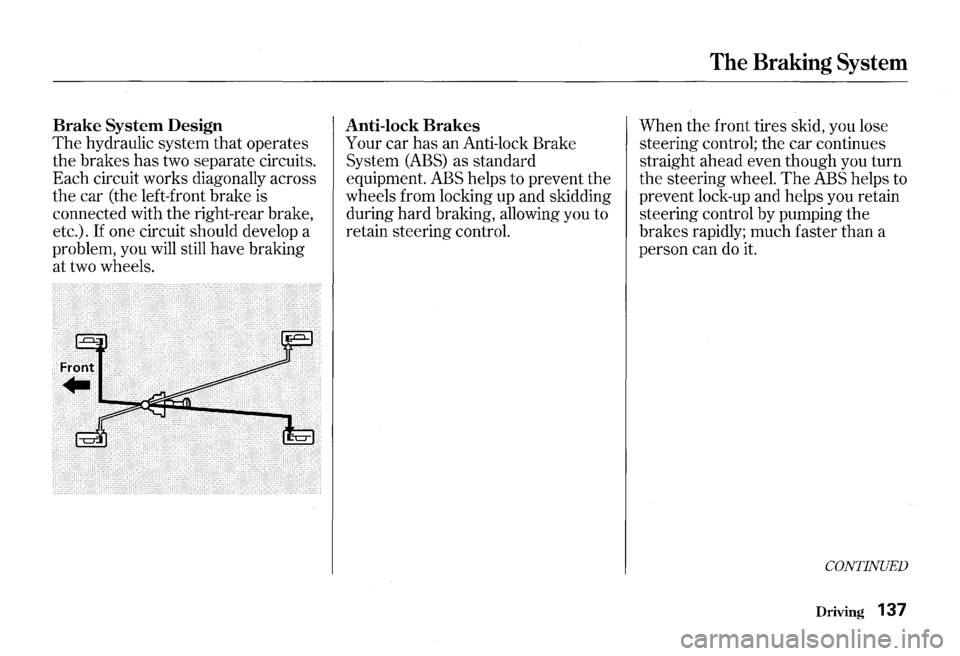
Brake System Design
The hydraulic system that operates
the brakes has two separate circuits.
Each circuit works diagonally across
the car (the left-front brake is
connected with the right-rear brake,
etc.).
If one circuit should develop a
problem, you will still have braking
at two wheels.
Anti-lock Brakes
Your car has an Anti-lock Brake
System
(ABS) as standard
equipment. ABS helps to prevent the
wheels from locking up and skidding
during hard braking, allowing you to
retain steering control.
The Braking System
When the front tires skid, you lose
steering control; the car continues
straight ahead even though you turn
the steering wheel.
The ABS helps to
prevent lock-up and helps you retain
steering control by pumping the
brakes rapidly; much faster than a
person can do
it.
CONTINUED
Driving 137