2000 HONDA PASSPORT ECO mode
[x] Cancel search: ECO modePage 139 of 267
FF/RE
W — Fast Forward and
Rewind move the tape rapidly.
Press and release the REW side of the TUNE bar to rewind, or the
FF side to fast forward. You will see REW or FF in the display.
Press the same side of the tune bar to return to PLAY mode.
If the system reaches the end of
the tape while in fast forward or
rewind, it automatically stops that function, reverses direction, and
begins to play.
AP S — The Automatic Program
Search (APS) function allows you
to find the beginning of a song or passage. Use the (preset 1) or
(preset 2) button to activate
APS.
For example, the first song on the
cassette is playing, and you want to listen to the third song. Press twice; you will see FF and 2 in
the display. The system will fast
forward the tape to the beginning of
the third song, then return to PLAY
mode.
To return to the beginning of the current song or passage, press
once. To return to the beginning of
the previous song, press
twice.
If the system reaches the end of
the tape before finding the
selected song or passage, it
reverses direction and returns to
PLAY mode.
To cancel APS before it finds the desired song, press the or
button again.
REPEA
T — The Repeat function
continuously repeats the current song or passage. Press the RPT
(preset 5) button to activate it. You will see RPT in the display.
When the system reaches the end
of the current song or passage, it
automatically goes into rewind.
When it gets to the beginning of
the same song or passage, the
system returns to PLAY mode.
This continues until you
deactivate Repeat by pressing the
RPT button again.
SKI P — The SKIP function fast
forwards over areas of blank tape.
Press the SKIP (preset 6) button
to activate it. You will see SKIP in the display. After the system
finds approximately 15 seconds of
blank tape, it goes into fast
forward. When it senses the
beginning of the next song or
passage, or reaches the end of the tape, it returns to PLAY mode.
Comfor t an d Convenienc e Feature s
Page 140 of 267

The APS, Repeat, and Skip
functions use silent periods on the
tape to find the end of a song or
passage. These features may not work to your satisfaction if thereis almost no gap betweenselections, a high noise level
between selections, or a silent
period in the middle of a
selection.
Carin g fo r th e Cassett e Playe r
The cassette player picks up dirt
and oxides from the tape. This
contamination builds up over time
and causes the sound quality to
degrade. To prevent this, you should clean the player after every
30 hours of use. Your dealer has a
cleaning kit available.
If you do not clean the cassette
player regularly, it may eventually become impossible to remove the contamination with a normal
cleaning kit.
Use 100-minute or shorter
cassettes. Cassettes longer than
that use thinner tape that may
break or jam the drive.
Look at a cassette before youinsert it. If the tape is loose,
tighten it by turning one of the
hubs with a pencil or your finger. If the label is peeling off, removeit from the cassette or it could
cause the cassette to jam in the
player. Never try to insert a
warped or damaged cassette in the
player.
The player automatically ejects
cassettes that do not play properly. If it ejects a cassette before it
begins to play, it is probably defective and should not be inserted again. You may have a
cassette suddenly stop playing,
reverse directions once or twice, and then eject. This is normally an
indication the tape is wound
unevenly. It should play after the
tape is manually rewound.
When they are not in use, store cassettes in their cases to protect
them from dust and moisture.
Never place cassettes where they
will be exposed to direct sunlight,
high heat, or high humidity. If a
cassette is exposed to extreme
heat or cold, let it reach a
moderate temperature before inserting it in the player.
Never try to insert foreign objects
into the cassette player.
Comfor t an d Convenienc e Feature s
Page 150 of 267
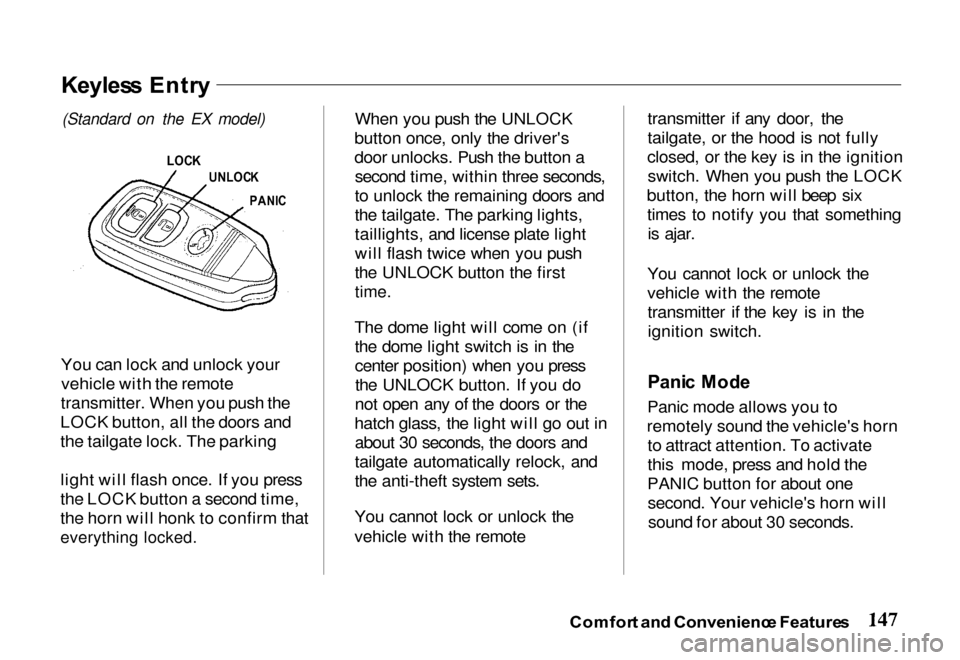
You can lock and unlock your
vehicle with the remote
transmitter. When you push the
LOCK button, all the doors and
the tailgate lock. The parking
light will flash once. If you press
the LOCK button a second time,
the horn will honk to confirm that
everything locked.
When you push the UNLOCK
button once, only the driver's
door unlocks. Push the button a second time, within three seconds,
to unlock the remaining doors and
the tailgate. The parking lights,
taillights, and license plate light
will flash twice when you push
the UNLOCK button the first
time.
The dome light will come on (if the dome light switch is in the
center position) when you pressthe UNLOCK button. If you do
not open any of the doors or the
hatch glass, the light will go out in about 30 seconds, the doors and
tailgate automatically relock, and
the anti-theft system sets.
You cannot lock or unlock the
vehicle with the remote transmitter if any door, the
tailgate, or the hood is not fully
closed, or the key is in the ignition switch. When you push the LOCK
button, the horn will beep six times to notify you that somethingis ajar.
You cannot lock or unlock the
vehicle with the remote transmitter if the key is in the
ignition switch.
Pani c Mod e
Panic mode allows you to
remotely sound the vehicle's horn to attract attention. To activate
this mode, press and hold the
PANIC button for about one second. Your vehicle's horn willsound for about 30 seconds.
Comfor t an d Convenienc e Feature s
Keyles s Entr y
(Standard on
the EX model)
LOC K
UNLOC K
PANI C
Page 151 of 267
To cancel panic mode before 30
seconds, press any button on the
remote transmitter. You can also turn the ignition switch to
ACCESSORY.
Anti-Thef
t Syste m
The anti-theft system is designed
to protect your vehicle and its contents from theft. Any attempt
to forcibly open any door, the
tailgate, or the hood without using
the key or the remote transmitterwill cause the system to alarm.
The horn sounds and the headlights flash for approximately
three minutes. The starter motor
circuit is disabled so the engine
cannot be started. After threeminutes, the system resets. Activatin
g th e Syste m
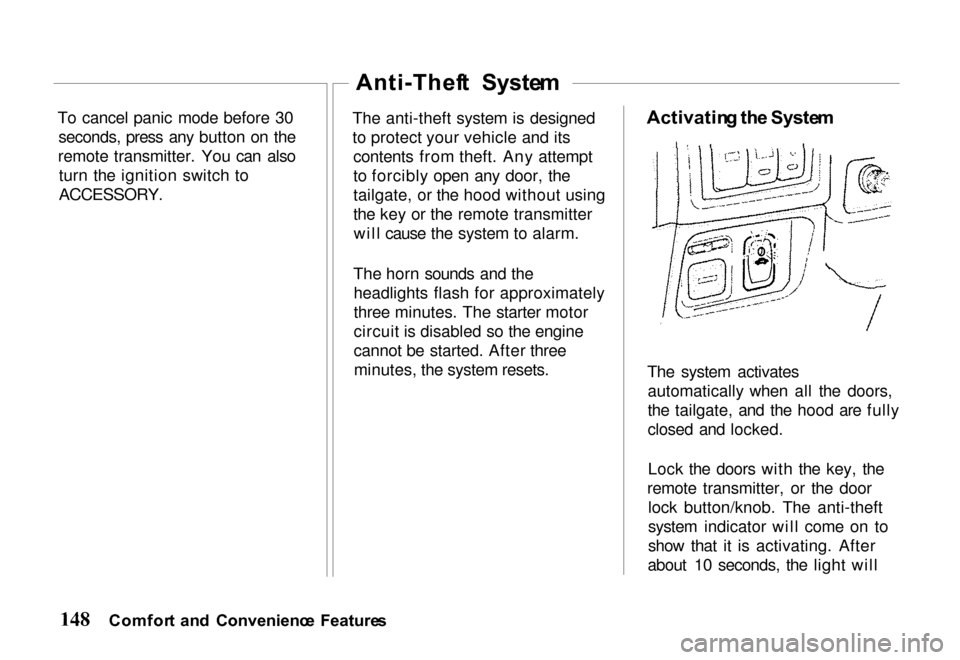
The system activates automatically when all the doors,
the tailgate, and the hood are fully
closed and locked.
Lock the doors with the key, the
remote transmitter, or the door lock button/knob. The anti-theft
system indicator will come on to
show that it is activating. After
about 10 seconds, the light will
Comfor t an d Convenienc e Feature s
Page 156 of 267

switch is turned to the "ON"
or "START" position.
5. Check all gauges (including
the fuel gauge).
6. Release the parking brake
(and make sure the "BRAKE"
light turns off).
See related topics in this manual if
you find any problems.
Startin g th e Engin e
1. Apply the parking brake.
2. Manual Transmission: Press
the clutc
h pedal to the floor
and shift the transmission to
the Neutral position. Hold the
clutch pedal to the floor while
you are starting the engine. A starter safety switch keeps the
starter from operating if the
clutch pedal is not fully
depressed.
Automatic Transmission:
Place the shift lever in "P"
or "N" position ("P" is
preferred). A starter safety switch prevents the starter
from operating if the shift lever is in any drive position.
If it is necessary to restart the
engine with the vehicle
moving, place the shift lever in "N" (never in "P").
3. Do not touch the accelerator pedal. Start the engine byturning the ignition switch to
"START."
If the engine does not start in 10 seconds, wait 15 seconds to let
the starter cool down. Then crank
the engine at wide open throttle
for a maximum of 10 seconds. If
the engine still does not start, wait
another 15 seconds and repeat the
entire procedure. Do not crank the engine for more
than 10 seconds at a time. Wait 15
seconds before trying again.
4. Return the ignition switch to
the "ON" position as soon as
the engine starts.
5. Apply the regular brakes and shift into the proper gear.
Release the parking brake and
brake pedal and drive off.
In models with an automatic
transmission, you cannot shift
from "P" (Park) position to any other position unless the
brake pedal is applied.
Driving Tip s
Page 157 of 267

Ne
w Vehicl e Break-I n
You may drive your new vehicle
from its very first mile/kilometer without following a formal
"break-in" schedule. However,
there are things you can do during
the first few hundred miles/
kilometers of driving that will add
to the future performance and
economy of your vehicle.
It is recommended that your speed
during the first 500 miles (800
kilometers) be limited to a
maximum of 55 mph (90 km/h) and that you do not drive for long
periods at any one constant speed, either fast or slow. During this
period, avoid full-throttle starts and, if possible, avoid hard stops;
especially during the first 200
miles (320 kilometers) of driving.
Always drive at moderate speed
until the engine has completely warmed up.
Parkin
g
When leaving your vehicle
unattended:
Set the parking brake.
Place the shift lever in "P" (Park) position for automatic
transmission.
When parking a vehicle equipped
with a manual transmission on an
upward slope, or on a level surface, place the shift lever in
the "1st" position.
When parking a vehicle
equipped with a manual
transmission on a downward slope, place the shift lever in
the "R" (Reverse) position. Turn the key to the "LOCK"
position.
Remove the key. The beeper
will remind you. Close all windows and lock all
doors.
Check to make certain the
lights are turned off. The
beeper will remind you. If your vehicle is equipped with
a transfer case (4WD), make
sure the shift lever is in 4H or
4L.
Parkin g Tip s
Never drive the vehicle with
the parking brake set. This can
overheat the rear brakes,
reducing their effectiveness and
causing excessive wear or
damage.
Always apply the parking brake
whenever you leave the vehicle,
whether it is equipped with a
manual or automatic transmission.
Drivin g Tip s
Page 166 of 267
We urge you not to install
oversize tires and wheels that
would change your vehicle's
ride height and possibly affect
handling and stability. It is best to replace all four tires at
the same time. If that is not
possible or necessary, then replace the two front tires or the two rear
tires as a pair. Replacing just one
tire can seriously affect your
vehicle's handling.
The ABS works by comparing the speed of the wheels. When
replacing tires, use the same size originally supplied with the
vehicle. Tire size and construction
can affect wheel speed and may
cause the system to work inconsistently.
If you ever need to replace a
wheel, make sure the
replacement's specifications
match the wheels that originally
came on your Honda. Replacement wheels are available
at your Honda dealer.
Wheel
s an d Tire s
Wheels:
16 x 7 JJ
Tires:
Standard on LX 2WD 225/75R16
Standard on all other models 245/70R16
See page 247 for information
about DOT Tire Quality Grading.
Driving Tip s
Installing improper tires on
your vehicle can affect handling and stability. This
can cause a crash in which
you can be seriously hurt or
killed.
Always use the size and type
of tires recommended in this
owner's manual.
Page 178 of 267
Follow the recommendations in
this manual and ask your Honda
dealer for further details before
you tow a trailer with your
Passport.
Towing a trailer affects vehicle
maintenance requirements due
to the additional load. More
frequent maintenance intervals
will be required to assure
continued satisfaction with
your vehicle. Consult yourHonda dealer for recommended
maintenance and service.
The gross trailer weight (trailer weight plus cargo load) must
never exceed 4,500 Ib.
Additional equipment will be
required, depending on the specific model/load combination.
See "Trailer Hitches" in this
section.
Exceeding the weight limit will
cause damage to your vehicle and
possibly result in personal injury. The Gross Vehicle Weight
Rating (GVWR) is the
combined weight of the
unloaded vehicle, passengers,
cargo, trailer hitch, trailer
tongue load, and optional
equipment. This value is indicated on the F.M.V.S.S.
Certification Label on the
driver's doorjamb. The Gross Combined Weight
Rating (GCWR) equals the combined weight of your
vehicle (including passengers
and cargo) plus the total trailer
load. The following limits
apply.
2WD: 8,700 Ib
4WD: 8,950 Ib
The Gross Axle Weight Rating
(GAWR) is also indicated on
the Certification Label. The
load on either the front or rear
axle resulting from distribution
of the gross vehicle weight on both axles must not exceed the
values listed. Remember to
account for additional
equipment and tongue load.
Driving Tip s