Page 183 of 352
Audio Syste m
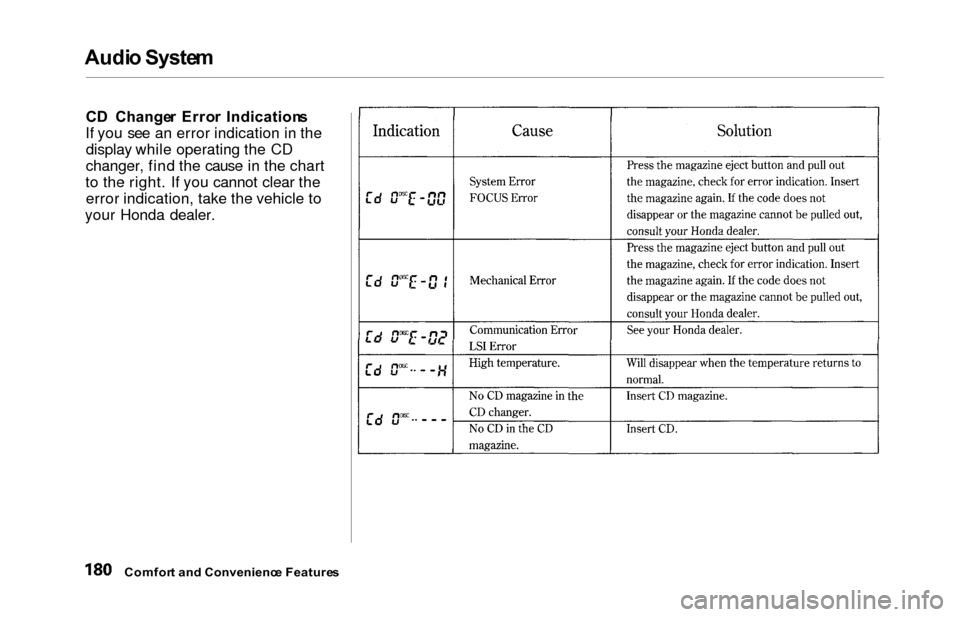
CD Change r Erro r Indication s
If you see an error indication in the display while operating the CD
changer, find the cause in the chart
to the right. If you cannot clear the error indication, take the vehicle to
your Honda dealer.
Comfor t an d Convenienc e Feature s
Page 185 of 352
Audio Syste m
The tape direction indicator will light
to show you which side of the
cassette is playing. The indicates
the side you inserted facing upward
is now playing. If you want to play
the other side, press the PROG
button.
Dolby B noise reduction turns on
when you insert a cassette. If the tape was not recorded with Dolby Bnoise reduction, turn it off by
pressing the NR button.Dolby remains off until you turn it on
by pressing the button again.
When the system reaches the end of the tape, it will automatically reverse direction and play the other side. If
you want to remove the cassette from the drive, press the EJECT
button on the cassette player. If you turn the system off while a
tape is playing, either with the PWR/
VOL knob or by turning off the ignition, the cassette will remain in
the drive. When you turn the system back on, the cassette player will be inpause mode. To begin playing, press
the PLAY button.
To switch to the radio or CD player while a tape is playing, press the
AM/FM, or CD button. To changeback to the cassette player, push the CD button.
Tap e Searc h Function s
With a cassette playing, you can use
the FF, REW, SKIP, or REPEAT
function to find a desired program.
FF/RE W — Fast Forward and
Rewind move the tape rapidly. Press
and release the side of the
TUNE bar to fast forward the tape,
or the side to rewind. You will
see FF or REW flashing in the
display. To stop fast forward or
rewind, press either side of the
TUNE bar or the PLAY button. If the system reaches the end of the tape
while in fast forward or rewind, it automatically stops that function,
reverses direction, and begins to play.
Comfor t an d Convenienc e Feature s
Page 186 of 352
Audi
o Syste m
SKI P — The skip function allows
you to find the beginning of a song or passage. To activate SKIP, press
the SEEK/SKIP bar. Press the side to advance to the
beginning of the next song or passage, or the side to return to
the beginning of the current song or
passage. FF or REW will flash in the
display as the tape moves. When the
system reaches the beginning of the
next song or passage (FF), or the
beginning of the current one (REW), it goes back to PLAY mode. REPEA
T — The Repeat function
continuously replays the current song or passage. Press the RPT
button to activate it; you will see RPT displayed as a reminder. When the
system reaches the end of the song
or passage currently playing, it will
automatically go into rewind. When
it senses the beginning of the same song or passage, the system returns
to PLAY mode. It will continue to
repeat this same program until you deactivate REPEAT by pressing the
button again. The SKIP and REPEAT functions
use silent periods on the tape to find
the end of a song or passage. These
features may not work to your satisfaction if there is almost no gap
between selections, a high noise level between selections, or a silent
period in the middle of selection.
Comfor t an d Convenienc e Feature s
Page 187 of 352
Audio Syste m
Caring fo r th e Cassett e Playe r
The cassette player picks up dirt and
oxides from the tape. This contami-
nation builds up over time and
causes the sound quality to degrade.
To prevent this, you should clean the player after every 30 hours of use.
Your dealer has a cleaning kit
available.
If you do not clean the cassette
player regularly, it may eventually
become impossible to remove the
contamination with a normal
cleaning kit.
Use 100-minute or shorter cassettes. Cassettes longer than that use
thinner tape that may break or jam
the drive. Look at the cassette before you
insert it. If the tape is loose, tighten
it by turning a hub with a pencil or
your finger. If the label is peeling off, remove it
from the cassette or it could cause the cassette to jam in the player.
Never try to insert a warped ordamaged cassette in the player.
When they are not in use, store cassettes in their cases to protect
them from dust and moisture. Never
place cassettes where they will be exposed to direct sunlight, high heat,
or high humidity. If a cassette is
exposed to extreme heat or cold, let
it reach a moderate temperature
before inserting it in the player.
Never try to insert foreign objects
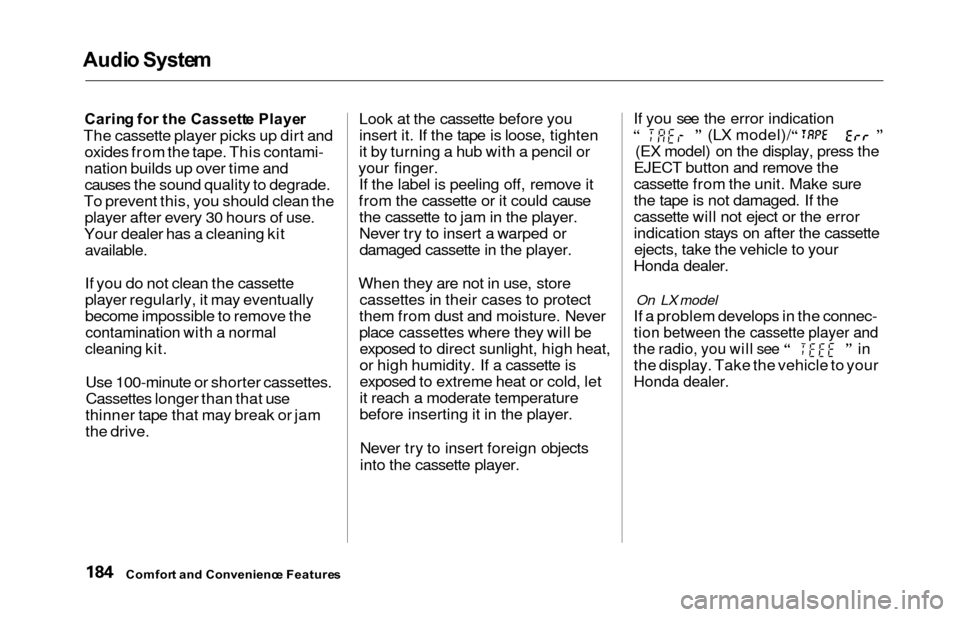
into the cassette player. If you see the error indication
(LX model)/
(EX model) on the display, press the
EJECT button and remove the
cassette from the unit. Make sure
the tape is not damaged. If the
cassette will not eject or the error
indication stays on after the cassette ejects, take the vehicle to your
Honda dealer.
On LX model
If a problem develops in the connec-
tion between the cassette player and
the radio, you will see in
the display. Take the vehicle to your
Honda dealer.
Comfor t an d Convenienc e Feature s
Page 188 of 352
Audio Syste m
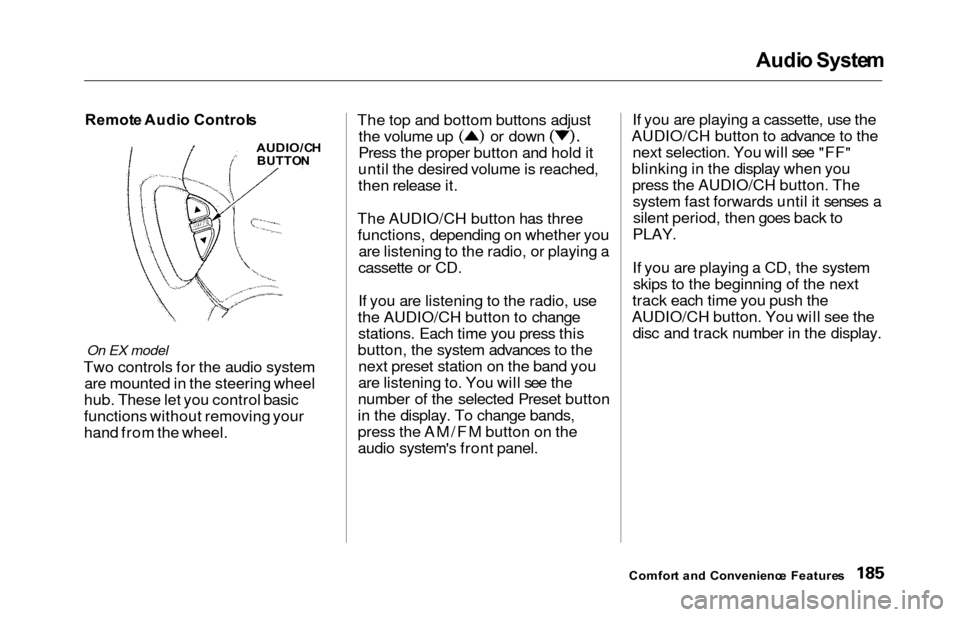
Remot e Audi o Control s
On EX model
Two controls for the audio system
are mounted in the steering wheel
hub. These let you control basic
functions without removing your
hand from the wheel. The top and bottom buttons adjust
the volume up or down
Press the proper button and hold it
until the desired volume is reached,
then release it.
The AUDIO/CH button has three functions, depending on whether you are listening to the radio, or playing a
cassette or CD.
If you are listening to the radio, use
the AUDIO/CH button to change stations. Each time you press this
button, the system advances to the next preset station on the band you
are listening to. You will see the
number of the selected Preset button
in the display. To change bands,
press the AM/FM button on the
audio system's front panel. If you are playing a cassette, use the
AUDIO/CH button to advance to the next selection. You will see "FF"
blinking in the display when you press the AUDIO/CH button. Thesystem fast forwards until it senses asilent period, then goes back to
PLAY.
If you are playing a CD, the system skips to the beginning of the next
track each time you push the
AUDIO/CH button. You will see the disc and track number in the display.
Comfor t an d Convenienc e Feature s
AUDIO/C H
BUTTO N
Page 189 of 352
Audio Syste m
Theft Protectio n
On EX model
Your vehicle's audio system will
disable itself if it is disconnected
from electrical power for any reason.
To make it work again, the user must enter a specific five-digit code
in the Preset buttons. Because there
are hundreds of number
combinations possible from fivedigits, making the system work
without knowing the exact code is nearly impossible.
You should have received a card that lists your audio system's codenumber and serial number. It is best
to store this card in a safe place at
home. In addition, you should write the audio system's serial number in
this Owner's Manual. If you should
happen to lose the card, you mustobtain the code number from your
Honda dealer. To do this, you will
need the system's serial number. If your vehicle's battery is discon-
nected or goes dead, or the radio
fuse is removed, the audio system
will disable itself. If this happens,
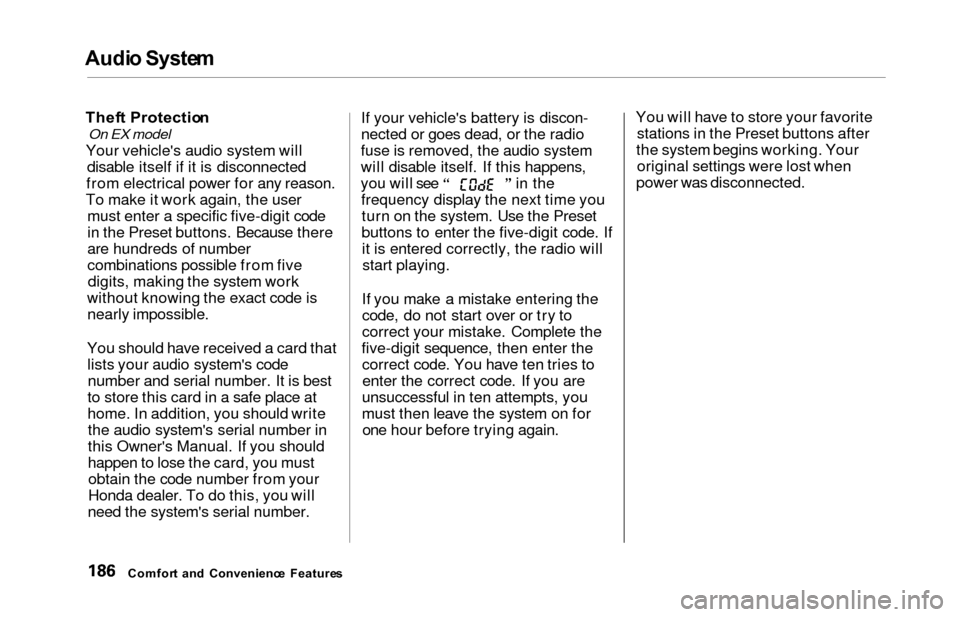
you will see in the frequency display the next time youturn on the system. Use the Preset
buttons to enter the five-digit code. Ifit is entered correctly, the radio willstart playing.
If you make a mistake entering the
code, do not start over or try to
correct your mistake. Complete the
five-digit sequence, then enter the correct code. You have ten tries toenter the correct code. If you are
unsuccessful in ten attempts, you
must then leave the system on for one hour before trying again. You will have to store your favorite
stations in the Preset buttons after
the system begins working. Your original settings were lost when
power was disconnected.
Comfor t an d Convenienc e Feature s
Page 243 of 352
Engine Oi l
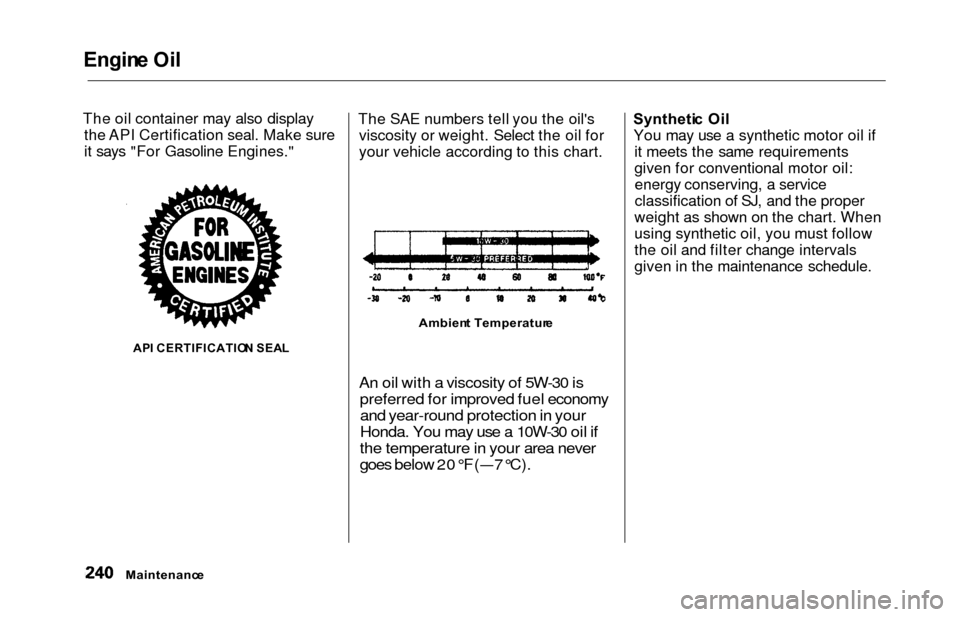
The oil container may also display
the API Certification seal. Make sure
it says "For Gasoline Engines."
AP I CERTIFICATIO N SEA L
The SAE numbers tell you the oil's
viscosity or weight. Select the oil for
your vehicle according to this chart.
An oil with a viscosity of 5W-30 ispreferred for improved fuel economy
and year-round protection in your
Honda. You may use a 10W-30 oil if
the temperature in your area never
goes below 20°F(— 7°C).
Syntheti c Oi l
You may use a synthetic motor oil if it meets the same requirements
given for conventional motor oil:energy conserving, a service
classification of SJ, and the proper
weight as shown on the chart. When
using synthetic oil, you must follow
the oil and filter change intervals
given in the maintenance schedule.
Maintenanc e
Ambient Temperatur e
Page 261 of 352
Battery
If you need to connect the battery to
a charger, disconnect both cables to
prevent damage to the vehicle's electrical system.On EX model
If your vehicle's battery is
disconnected or goes dead, the audio
system will disable itself. The next
time you turn on the radio you will
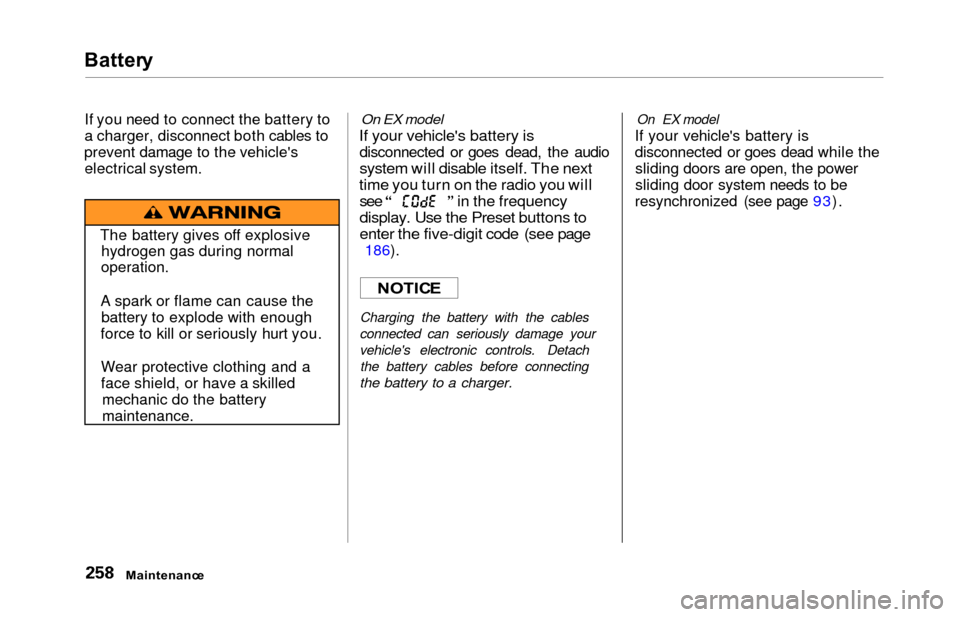
see in the frequency
display. Use the Preset buttons to
enter the five-digit code (see page
186).
Charging the battery with the cables
connected can seriously damage your
vehicle's electronic controls. Detach the battery cables before connecting
the battery to a charger.
On EX model
If your vehicle's battery is
disconnected or goes dead while thesliding doors are open, the power
sliding door system needs to be
resynchronized (see page 93).
Maintenanc e
The battery gives off explosive
hydrogen gas during normal
operation.
A spark or flame can cause the battery to explode with enough
force to kill or seriously hurt you.
Wear protective clothing and a
face shield, or have a skilled mechanic do the battery
maintenance.
NOTIC E