Page 124 of 352
Su
n Visor , Vanit y Mirro r
Su n Viso r
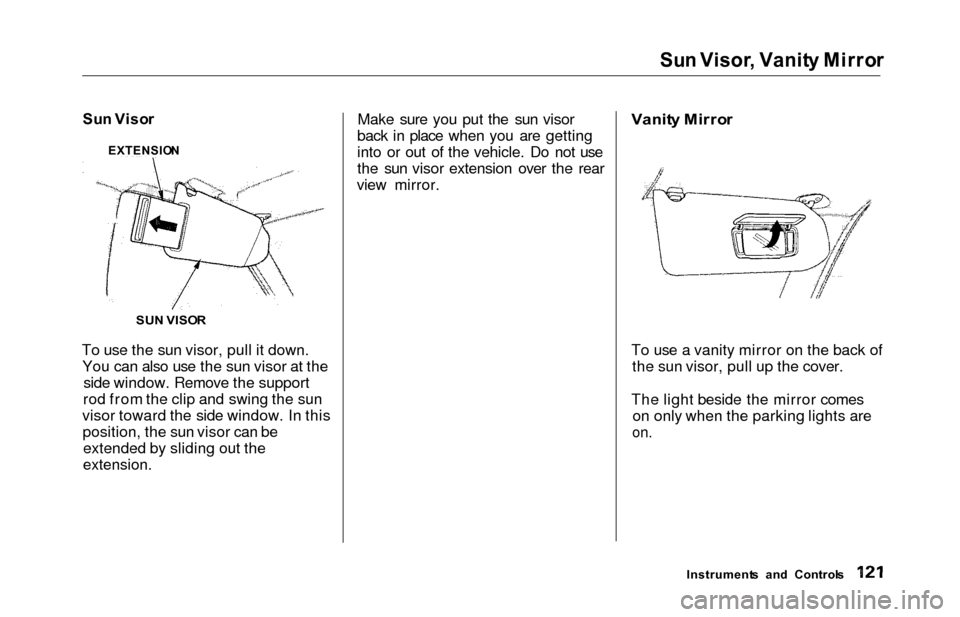
To use the sun visor, pull it down. You can also use the sun visor at the side window. Remove the support
rod from the clip and swing the sun
visor toward the side window. In this position, the sun visor can beextended by sliding out the
extension.
Make sure you put the sun visor
back in place when you are getting
into or out of the vehicle. Do not use
the sun visor extension over the rear
view mirror.
Vanit
y Mirro r
To use a vanity mirror on the back of the sun visor, pull up the cover.
The light beside the mirror comes on only when the parking lights are
on.
Instrument s an d Control s
SU
N VISO R
EXTENSIO
N
Page 125 of 352
Rear Compartment , Cente r Pocket , Coi n Holde r
Rear Compartmen t
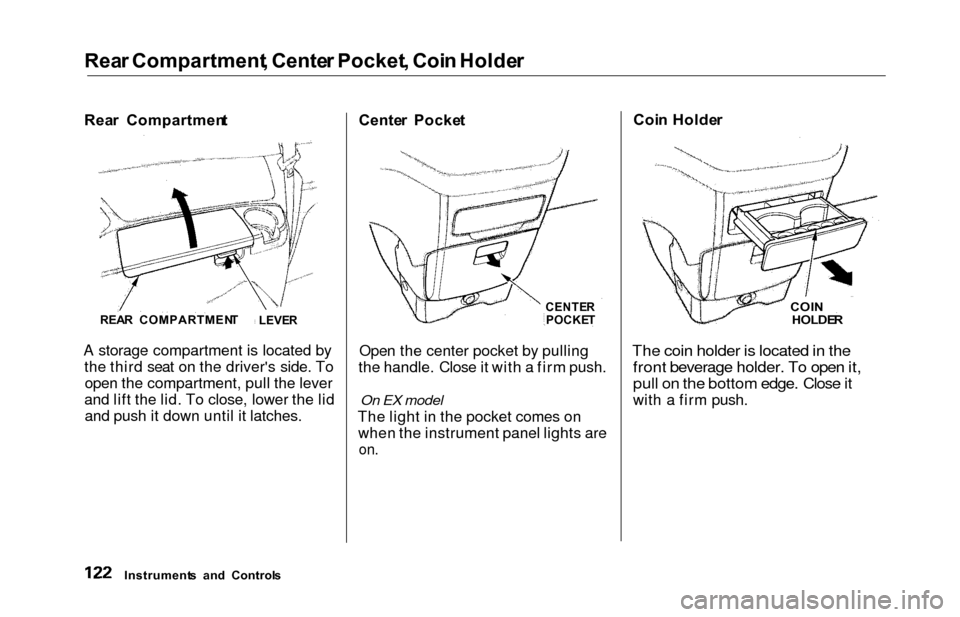
A storage compartment is located by the third seat on the driver's side. Toopen the compartment, pull the lever
and lift the lid. To close, lower the lid and push it down until it latches. Cente
r Pocke t
CENTER
POCKE T
Open the center pocket by pulling
the handle. Close it with a firm push.
On EX model
The light in the pocket comes on when the instrument panel lights are
on.
Coi n Holde r
COIN
HOLDE R
The coin holder is located in the
front beverage holder. To open it,
pull on the bottom edge. Close it
with a firm push.
Instrument s an d Control s
REA
R COMPARTMEN T
LEVER
Page 128 of 352
Interior Light s
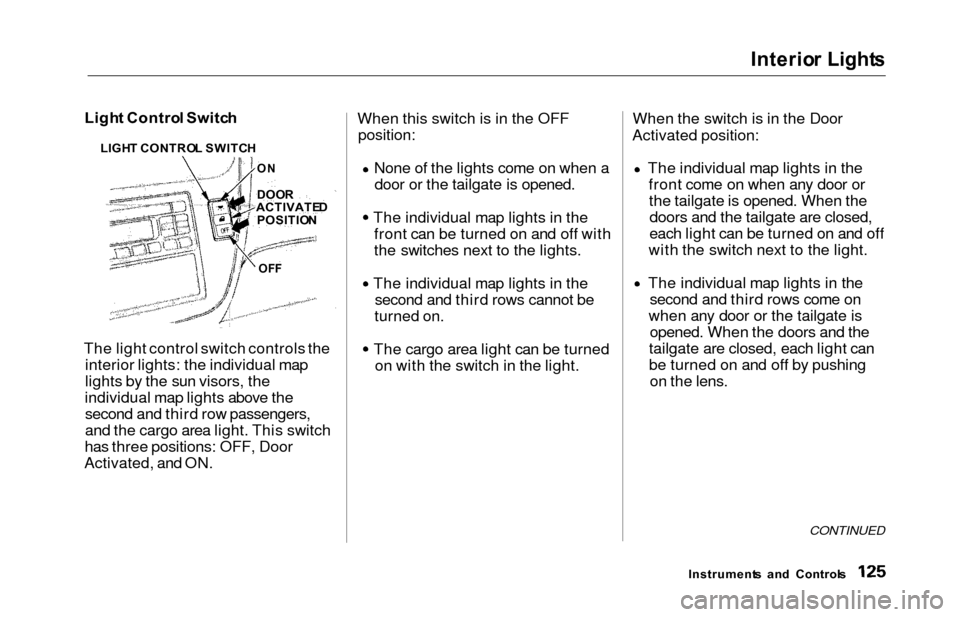
Light Contro l Switc h
The light control switch controls the interior lights: the individual map
lights by the sun visors, the
individual map lights above the second and third row passengers,
and the cargo area light. This switch
has three positions: OFF, Door
Activated, and ON. When this switch is in the OFF
position:
None of the lights come on when a
door or the tailgate is opened.
The individual map lights in the front can be turned on and off with
the switches next to the lights.
The individual map lights in the second and third rows cannot be
turned on.
The cargo area light can be turned on with the switch in the light. When the switch is in the Door
Activated position:
The individual map lights in thefront come on when any door orthe tailgate is opened. When thedoors and the tailgate are closed,
each light can be turned on and off
with the switch next to the light.
The individual map lights in the second and third rows come on
when any door or the tailgate is opened. When the doors and the
tailgate are closed, each light can
be turned on and off by pushing on the lens.
CONTINUED
Instrument s an d Control s
LIGH
T CONTRO L SWITC H
DOO R
ACTIVATE D
POSITIO N
OFF
O
N
Page 129 of 352
Interio
r Light s
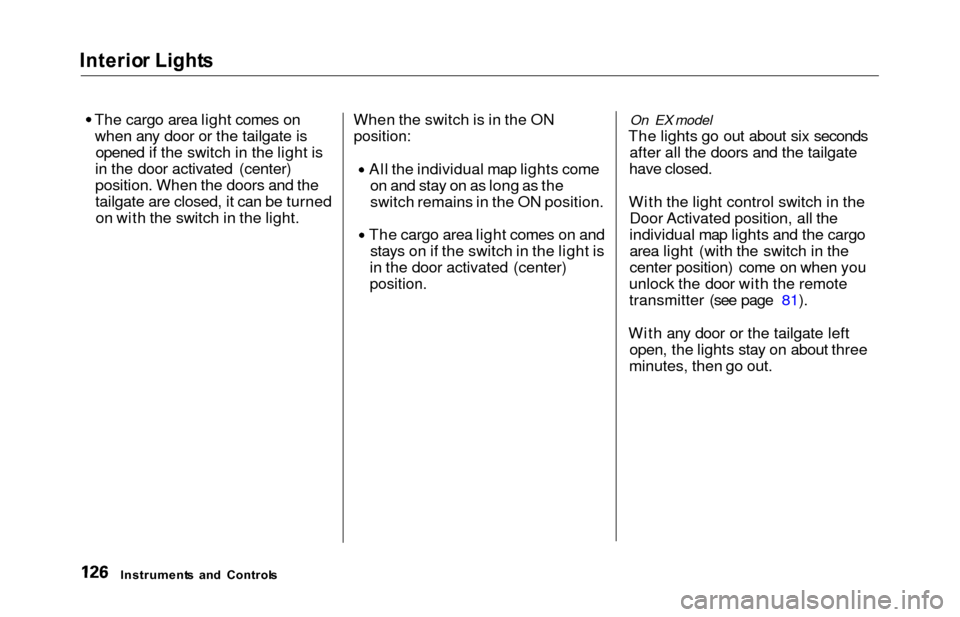
The cargo area light comes on when any door or the tailgate is opened if the switch in the light is
in the door activated (center)
position. When the doors and the
tailgate are closed, it can be turned on with the switch in the light. When the switch is in the ON
position:
All the individual map lights come
on and stay on as long as the
switch remains in the ON position. The cargo area light comes on and
stays on if the switch in the light is
in the door activated (center)
position.
On EX model
The lights go out about six seconds after all the doors and the tailgate
have closed.
With the light control switch in the Door Activated position, all the
individual map lights and the cargo
area light (with the switch in the
center position) come on when you
unlock the door with the remote
transmitter (see page 81).
With any door or the tailgate left open, the lights stay on about three
minutes, then go out.
Instrument s an d Control s
Page 130 of 352
Interior Light s
Individua l Ma p Light s
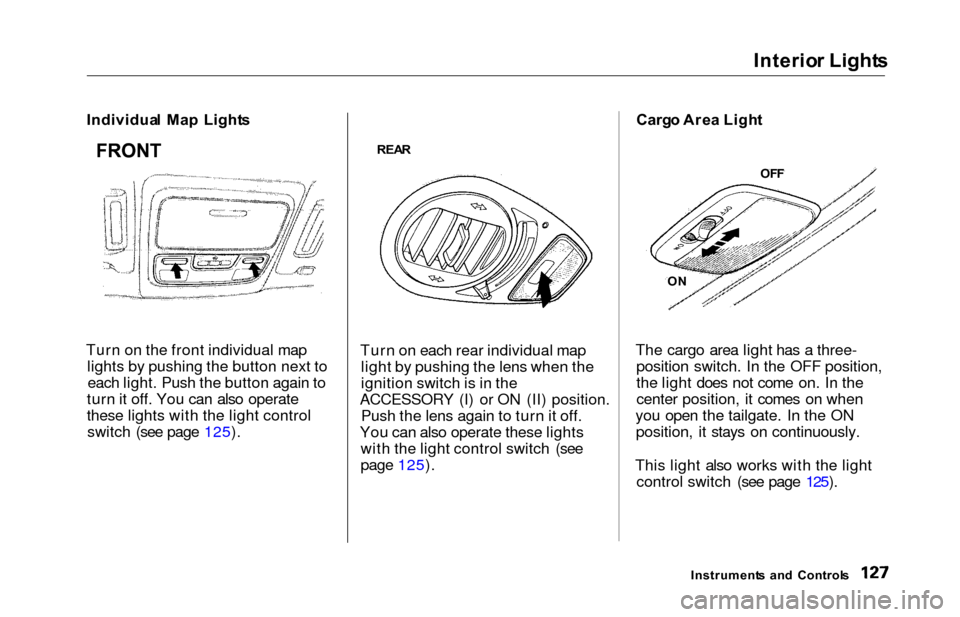
Turn on the front individual map lights by pushing the button next toeach light. Push the button again to
turn it off. You can also operate
these lights with the light control switch (see page 125).
REA R
Turn on each rear individual map
light by pushing the lens when the
ignition switch is in the
ACCESSORY (I) or ON (II) position. Push the lens again to turn it off.
You can also operate these lights with the light control switch (see
page 125). Carg
o Are a Ligh t
The cargo area light has a three- position switch. In the OFF position,
the light does not come on. In the
center position, it comes on when
you open the tailgate. In the ON position, it stays on continuously.
This light also works with the light control switch (see page 125).
Instrument s an d Control s
FRONT
OFF
O N
Page 133 of 352
Heating an d Coolin g
On LX model
Proper use of the Heating and
Cooling system can make the
interior dry and comfortable, and
keep the windows clear for best
visibility.
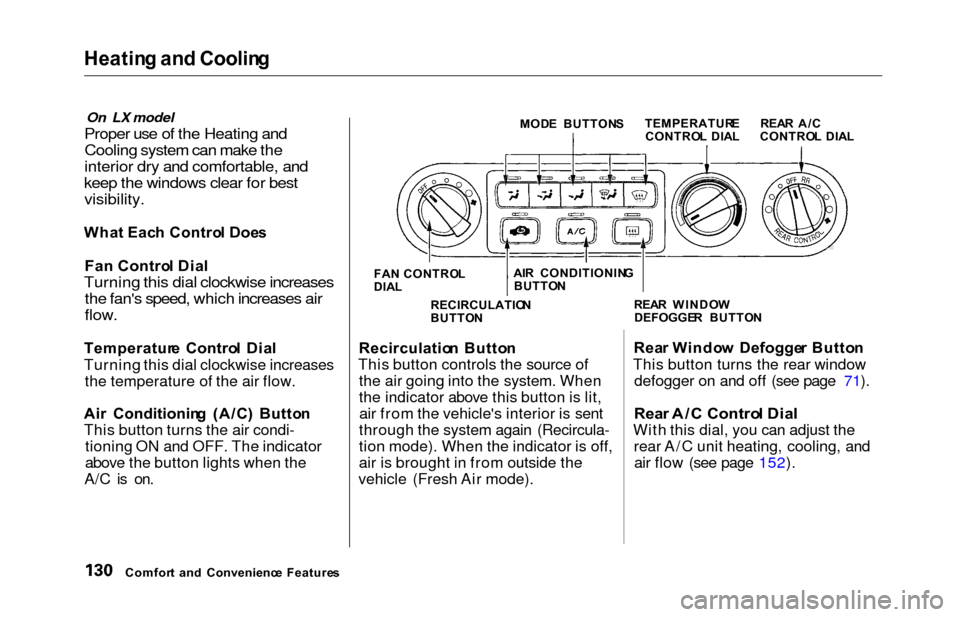
Wha t Eac h Contro l Doe s
Fa n Contro l Dia l
Turning this dial clockwise increases
the fan's speed, which increases air
flow.
Temperatur e Contro l Dia l
Turning this dial clockwise increases the temperature of the air flow.
Ai r Conditionin g (A/C ) Butto n
This button turns the air condi- tioning ON and OFF. The indicator
above the button lights when the
A/C is on.
MOD E BUTTON S
FA N CONTRO L
DIA L
Recirculatio n Butto n
This button controls the source of the air going into the system. When
the indicator above this button is lit,air from the vehicle's interior is sent
through the system again (Recircula-
tion mode). When the indicator is off,
air is brought in from outside the
vehicle (Fresh Air mode). Rea
r Windo w Defogge r Butto n
This button turns the rear window defogger on and off (see page 71).
Rea r A/ C Contro l Dia l
With this dial, you can adjust the
rear A/C unit heating, cooling, andair flow (see page 152).
Comfor t an d Convenienc e Feature s RECIRCULATIO
N
BUTTO N REA
R WINDO W
DEFOGGE R BUTTO N
TEMPERATUR
E
CONTRO L DIA L REA
R A/ C
CONTRO L DIA L
AI R CONDITIONIN G
BUTTO N
Page 163 of 352
Audio Syste m
Audio Syste m Lightin g
You can use the instrument panel brightness control knob to adjust theillumination of the audio system (see
page 67 ). The audio system illuminates when the parking lightsare on, even if the radio is turned off.
Operatin g th e Cassett e Playe r
Turn the audio system ON. Make sure the tape opening on the cassette
is facing to the right, then insert the cassette most of the way into the slot.
The system will pull it in the rest of the way, and begin to play.
The tape direction indicator will light to show you which side of the
cassette is playing. The indicatesthe side you inserted facing upward
is now playing. If you want to play
the other side, press the PROG
button. Dolby B noise reduction turns on
when you insert a cassette. If the tape was not recorded with Dolby B
noise reduction, turn it off by
pressing the button.
When the system reaches the end of
the tape, it will automatically reversedirection and play the other side. If
you want to remove the cassette from the drive, press the EJECT
button.
Tap e Searc h Function s
With a cassette playing, you can use the FF, REW, SKIP, or REPEAT
function to find a desired program.
FF/RE W — Fast Forward and Re-
wind move the tape rapidly. To re-
wind the tape, push the REW button.
You will see REW in the display. To fast forward the tape, push the FF
button. You will see FF displayed. Press the PLAY button to take the
system out of rewind or fast forward. If the system reaches the end of the
tape while in fast forward or rewind,
it automatically stops that function,
reverses direction, and begins to play.
SKI P — The Skip Function allows
you to find the beginning of a song or passage. To find the beginning of
the song or passage currently
playing, push the SKIP switch down.
You will see REW flashing in the display as the tape rewinds. To find
the beginning of the next song, push
the SKIP switch up. You will see FF
flashing in the display as the tape
fast forwards. When the system
finds the beginning of a song or
passage, it goes back to PLAY mode.
Comfor t an d Convenienc e Feature s
Page 176 of 352
Audio Syste m
Audio Syste m Lightin g
You can use the instrument panel brightness control knob to adjust the
illumination of the audio system (see
page 67). The audio systemilluminates when the parking lights
are on, even if the radio is turned off.
Radi o Frequencie s
Your Honda's radio can receive the
complete AM and FM bands.
Those bands cover these frequen-
cies:
AM band:
530 to 1,710 kilohertz
FM band:
87.7 to 107.9 megahertz
Radio stations on the AM band are
assigned frequencies at least ten
kilohertz apart (530, 540, 550).Stations on the FM band are
assigned frequencies at least 0.2
megahertz apart (87.9, 88.1, 88.3).
Stations must use these exact
frequencies. It is fairly common for stations to round-off the frequency in
their advertising, so your radio could display a frequency of 100.9 even
though the announcer may identify
the station as "FM101."
Radi o Receptio n
How well your Honda's radio
receives stations is dependent on many factors, such as the distance
from the station's transmitter,
nearby large objects, and atmos-
pheric conditions.
A radio station's signal gets weaker as you get farther away from its
transmitter. If you are listening to an
AM station, you will notice the sound
volume becoming weaker, and the station drifting in and out. If you are
listening to an FM station, you will see the stereo indicator flickering off
and on as the signal weakens.
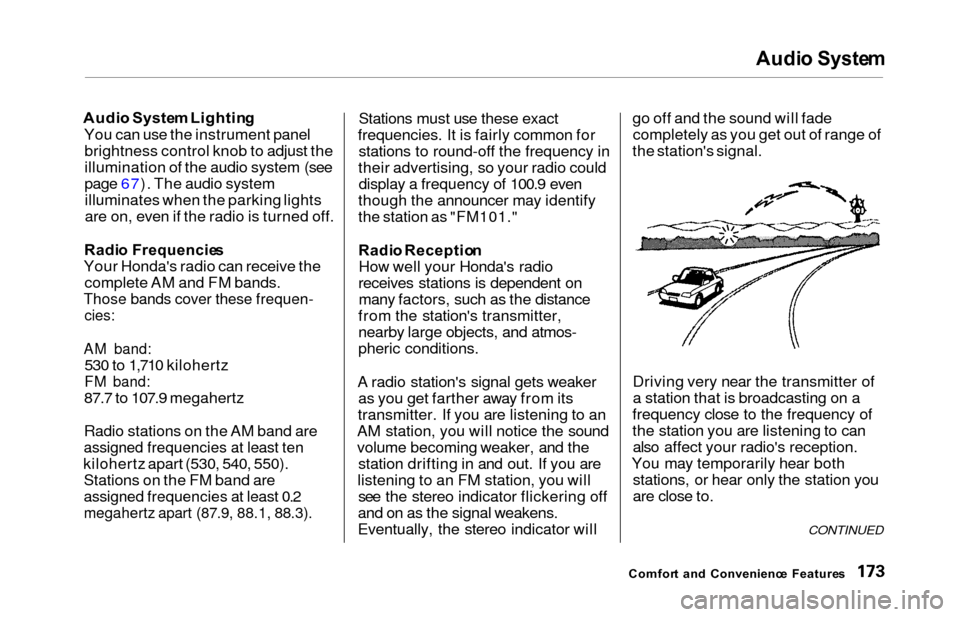
Eventually, the stereo indicator will go off and the sound will fade
completely as you get out of range of
the station's signal.
Driving very near the transmitter of
a station that is broadcasting on a
frequency close to the frequency of
the station you are listening to can also affect your radio's reception.
You may temporarily hear both stations, or hear only the station you
are close to.
Comfor t an d Convenienc e Feature s
CONTINUED