Page 52 of 224
AUXILIARY POWER POINT
The power point is an
additional power
source for electrical
accessories.
TRACTION CONTROLY
This control can be
used to turn the
Traction Controlyon
or off. Refer to the
Traction Controly
section of theDriving
chapter for more
information.
OVERDRIVE CONTROL (IF EQUIPPED)
Activating overdrive
(Overdrive) is the normal drive position for the
best fuel economy.
The overdrive function allows automatic upshifts and
downshifts through all available gears.
Deactivating overdrive
Press the Transmission
Control Switch (TCS)
located on the
gearshift. The O/D OFF
indicator light will
illuminate on the
instrument cluster.
TRAC
CTRL
OFF
Controls and features
52
Page 90 of 224

PREPARING TO START YOUR VEHICLE
Engine starting is controlled by the powertrain
control system. This system meets all Canadian
Interference-Causing Equipment standard
requirements regulating the impulse electrical field
strength of radio noise.
When starting a fuel-injected engine, avoid pressing
the accelerator before or during starting. Only use
the accelerator when you have difficulty starting the
engine. For more information on starting the vehicle,
refer toStarting the enginein this chapter.
Extended idling at high engine speeds can
produce very high temperatures in the
engine and exhaust system, creating the risk of
fire or other damage.
Do not park, idle, or drive your vehicle in
dry grass or other dry ground cover. The
emission system heats up the engine compartment
and exhaust system, which can start a fire.
Do not start your vehicle in a closed garage
or in other enclosed areas. Exhaust fumes
can be toxic. Always open the garage door before
you start the engine. SeeGuarding against
exhaust fumesin this chapter for more
instructions.
If you smell exhaust fumes inside your
vehicle, have your dealer inspect your
vehicle immediately. Do not drive if you smell
exhaust fumes.
Starting
90
Page 92 of 224
3. Turn the key to 4
(ON) without turning
the key to 5 (START).
If there is difficulty in
turning the key, firmly
rotate the steering
wheel left and right
until the key turns
freely. This condition may occur when:
²front wheels are turned
²front wheel is against the curb
²steering wheel is turned when getting in or out of
the vehicle
Make sure the corresponding lights illuminate briefly.
If a light fails to illuminate, have the vehicle
serviced.
²If the driver's safety belt is fastened, the
light
may not illuminate.
STARTING THE ENGINE
1. Turn the key to 5
(START) without
pressing the
accelerator pedal and
release as soon as the
engine starts. The key
will return to 4 (ON).
1
2
34
5
P! BRAKE
L
0
00000 00
C
E
FH
LH
102040608020 40608010 012 0 14 0
160
180
200
220
240
100
120
140
305070 90
110
13 0
1504
5
6
7
8 3
2
1
H
THEFT
RPMX1000
FUEL DOORSELECT/RESET
LOW
FUELO/D
OFF AIR
BAGSERVICE
ENGINE
SOON
MPH km/h
ABS
.
3
2
1
5
4
Starting
92
Page 98 of 224

(when the ignition is turned ON) until the parking
brake is released.
Always set the parking brake fully and make
sure that the gearshift is securely latched in
P (Park) (automatic transmission) or in 1 (First
Gear) (manual transmission).
The parking brake is not recommended to stop a
moving vehicle. However, if the normal brakes fail,
the parking brake can be used to stop your vehicle
in an emergency. Since the parking brake applies
only the rear brakes, the vehicle's stopping distance
will increase greatly and the handling of your vehicle
will be adversely affected.
To release the parking
brake, the brake handle
may need to be pulled
up slightly to release
pressure before
pushing in the button.
Push the button on the
end of the parking
brake handle and push the handle down as far as
possible. Driving with the parking brake applied will
cause the brakes to wear out quickly and reduce fuel
economy.
TRACTION CONTROLY
Your vehicle may be equipped with the optional
Traction Controlysystem. This system helps you
maintain the stability and steerability of your
vehicle. It is especially useful on slippery road
surfaces. The system operates by detecting and
controlling wheel spin. The system borrows many of
the electronic and mechanical elements already
present in the anti-lock braking system (ABS).
Wheel-speed sensors allow excess rear wheel spin to
be detected by the Traction Controlyportion of the
ABS computer. Any excessive wheel spin is
Driving
98
Page 99 of 224

controlled by automatically applying and releasing
the rear brakes in conjunction with engine torque
reductions. Engine torque reduction is realized via
the fully electronic spark and fuel injection systems.
This process is very sensitive to driving conditions
and very fast acting. The rear wheels ªsearchº for
optimum traction several times a second and
adjustments are made accordingly.
The Traction Controlysystem will allow your
vehicle to make better use of available traction on
slippery surfaces. The system is a driver aid which
makes your vehicle easier to handle primarily on
snow, ice covered and gravel roads.
During Traction
Controlyoperation,
the traction control
active light will
illuminate, you may hear an electric motor type of
sound coming from the engine compartment and the
engine will not ªrev-upº when you push further on
the accelerator. This is normal system behavior.
The Traction Controly
on/off switch, located
in front of the
gearshift, illuminates
when the system is
OFF. The Traction
Controlysystem will
revert to the ON
position every time the ignition is turned OFF and
ON.
If you should become stuck in snow or ice or on a
very slippery road surface, try switching the Traction
Controlysystem off. This may allow excess wheel
spin to ªdigº the vehicle out and enable a successful
ªrockingº maneuver.
If a system fault is detected the OFF indicator lamp
on the traction control switch will be illuminated and
your vehicle should be serviced.
TRAC
CTRL
OFF
Driving
99
Page 102 of 224
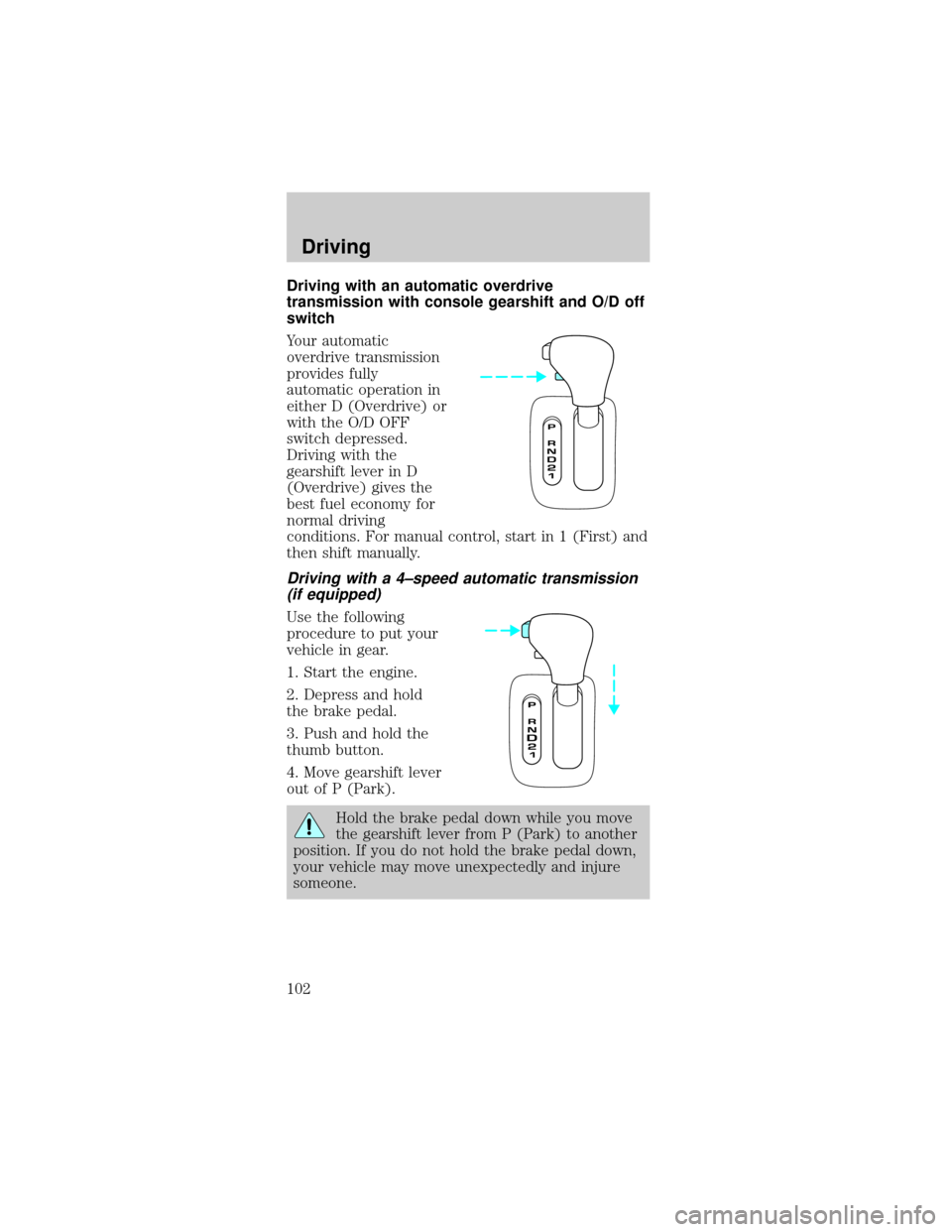
Driving with an automatic overdrive
transmission with console gearshift and O/D off
switch
Your automatic
overdrive transmission
provides fully
automatic operation in
either D (Overdrive) or
with the O/D OFF
switch depressed.
Driving with the
gearshift lever in D
(Overdrive) gives the
best fuel economy for
normal driving
conditions. For manual control, start in 1 (First) and
then shift manually.
Driving with a 4±speed automatic transmission
(if equipped)
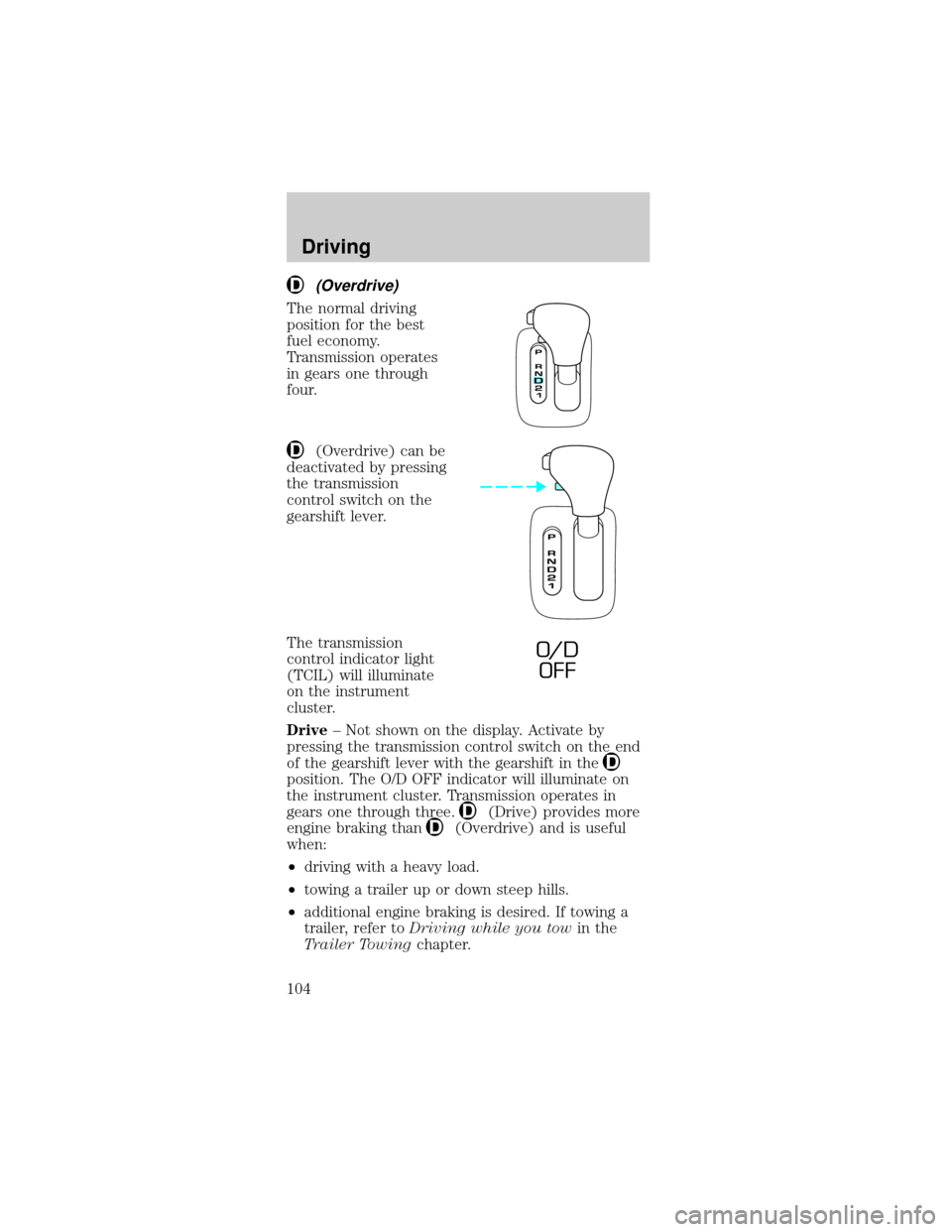
Use the following
procedure to put your
vehicle in gear.
1. Start the engine.
2. Depress and hold
the brake pedal.
3. Push and hold the
thumb button.
4. Move gearshift lever
out of P (Park).
Hold the brake pedal down while you move
the gearshift lever from P (Park) to another
position. If you do not hold the brake pedal down,
your vehicle may move unexpectedly and injure
someone.
Driving
102
Page 104 of 224
(Overdrive)
The normal driving
position for the best
fuel economy.
Transmission operates
in gears one through
four.
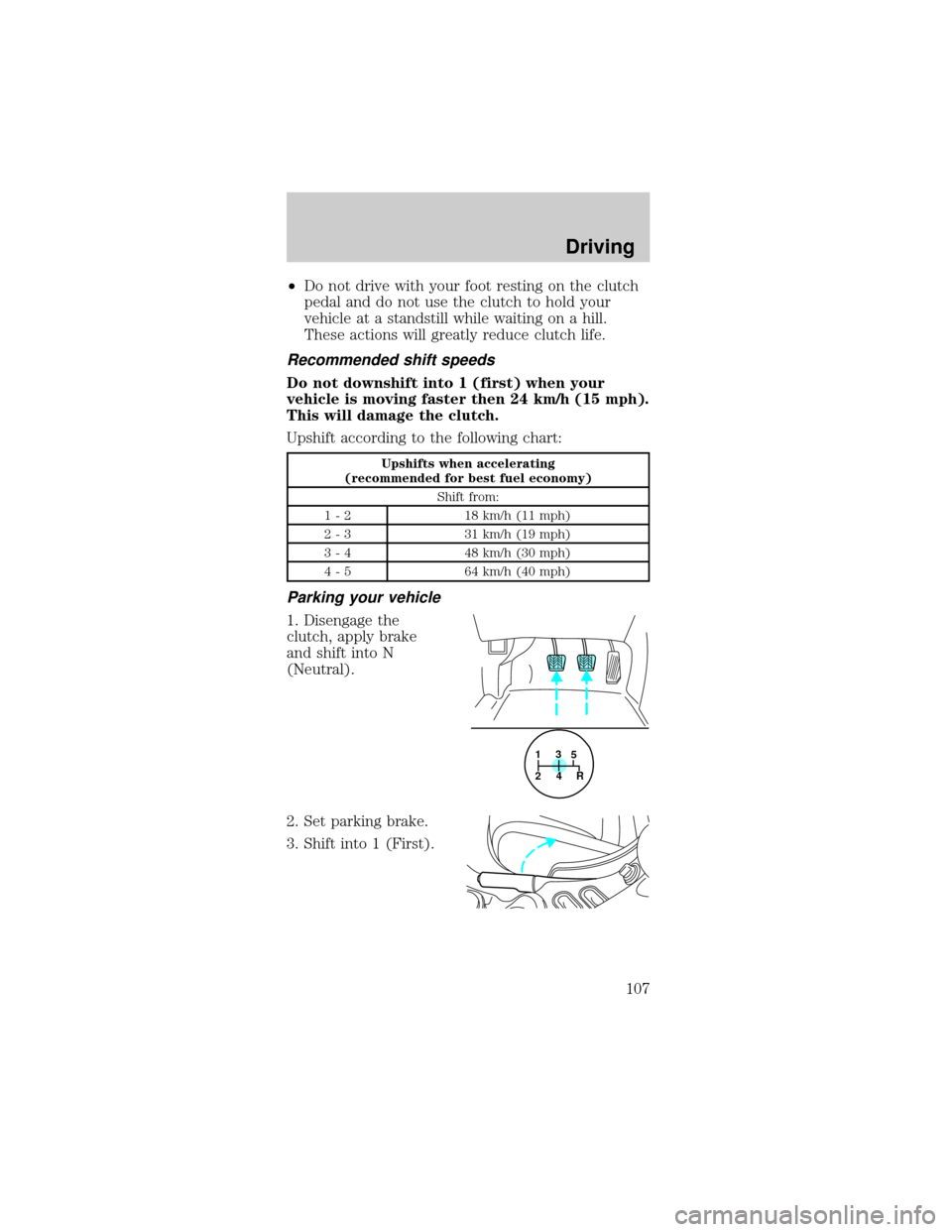
(Overdrive) can be
deactivated by pressing
the transmission
control switch on the
gearshift lever.
The transmission
control indicator light
(TCIL) will illuminate
on the instrument
cluster.
Drive± Not shown on the display. Activate by
pressing the transmission control switch on the end
of the gearshift lever with the gearshift in the
position. The O/D OFF indicator will illuminate on
the instrument cluster. Transmission operates in
gears one through three.
(Drive) provides more
engine braking than
(Overdrive) and is useful
when:
²driving with a heavy load.
²towing a trailer up or down steep hills.
²additional engine braking is desired. If towing a
trailer, refer toDriving while you towin the
Trailer Towingchapter.
O/ D
OFF
Driving
104
Page 107 of 224
²Do not drive with your foot resting on the clutch
pedal and do not use the clutch to hold your
vehicle at a standstill while waiting on a hill.
These actions will greatly reduce clutch life.
Recommended shift speeds
Do not downshift into 1 (first) when your
vehicle is moving faster then 24 km/h (15 mph).
This will damage the clutch.
Upshift according to the following chart:
Upshifts when accelerating
(recommended for best fuel economy)
Shift from:
1 - 2 18 km/h (11 mph)
2 - 3 31 km/h (19 mph)
3 - 4 48 km/h (30 mph)
4 - 5 64 km/h (40 mph)
Parking your vehicle
1. Disengage the
clutch, apply brake
and shift into N
(Neutral).
2. Set parking brake.
3. Shift into 1 (First).
1
24R3
5
Driving
107