Page 66 of 398
yellowblue
1-54
If the shoulder belt goes in front of the child's face or
neck, put it behind the child restraint.
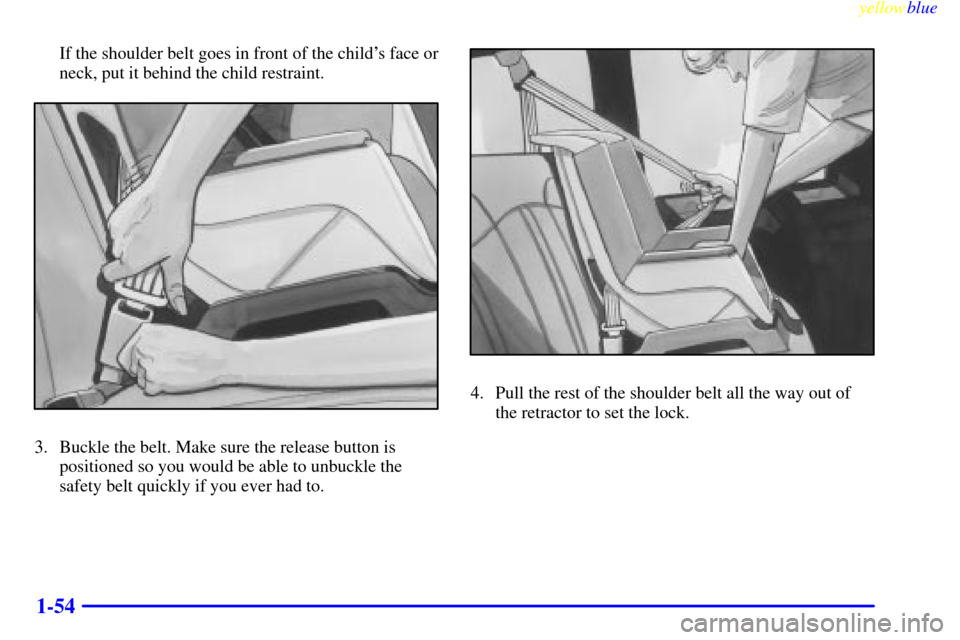
3. Buckle the belt. Make sure the release button is
positioned so you would be able to unbuckle the
safety belt quickly if you ever had to.
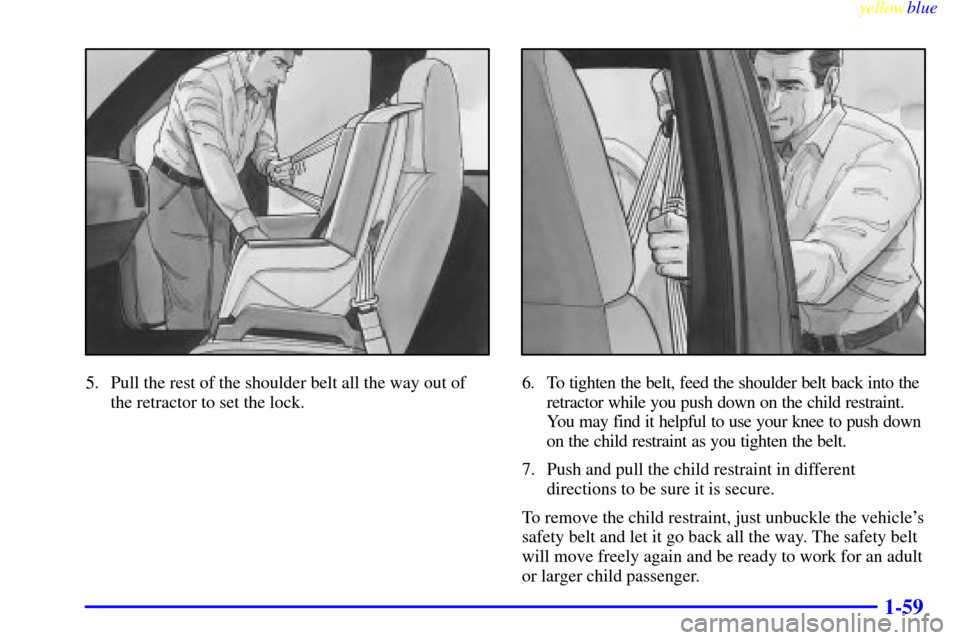
4. Pull the rest of the shoulder belt all the way out of
the retractor to set the lock.
Page 71 of 398
yellowblue
1-59
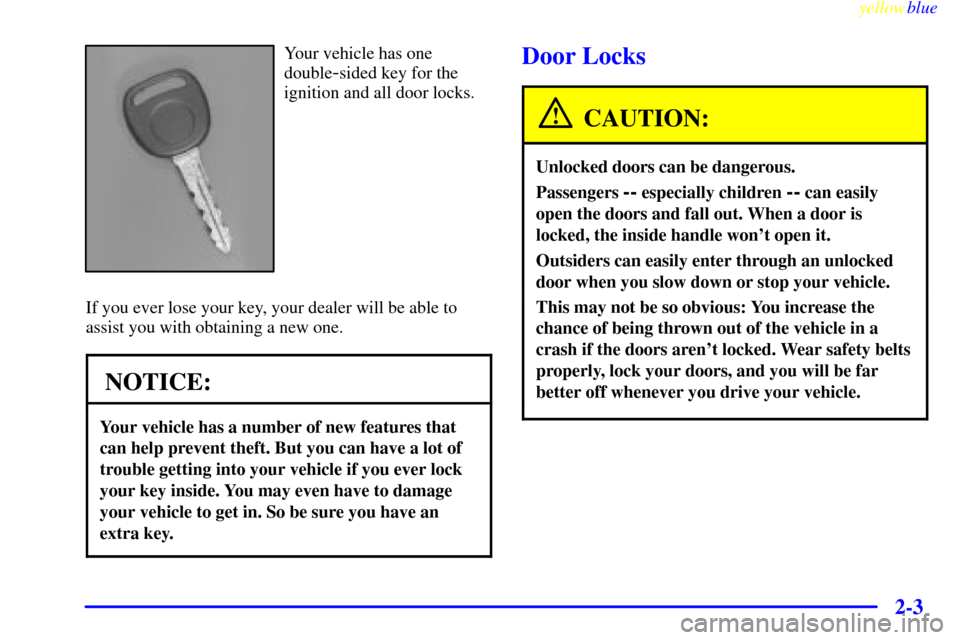
5. Pull the rest of the shoulder belt all the way out of
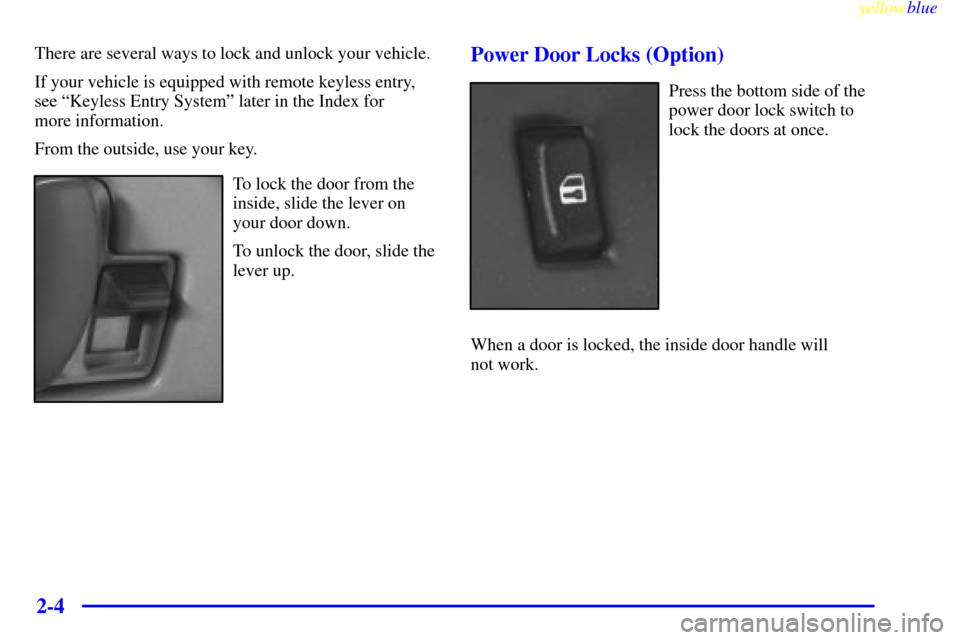
the retractor to set the lock.6. To tighten the belt, feed the shoulder belt back into the
retractor while you push down on the child restraint.
You may find it helpful to use your knee to push down
on the child restraint as you tighten the belt.
7. Push and pull the child restraint in different
directions to be sure it is secure.
To remove the child restraint, just unbuckle the vehicle's
safety belt and let it go back all the way. The safety belt
will move freely again and be ready to work for an adult
or larger child passenger.
Page 77 of 398

2-
yellowblue
2-1
Section 2 Features and Controls
Here you can learn about the many standard and optional features on your vehicle, and information on starting,
shifting and braking. Also explained are the instrument panel and the warning systems that tell you if everything is
working properly
-- and what to do if you have a problem.
2
-2 Keys
2
-3 Door Locks
2
-6 Keyless Entry System (If Equipped)
2
-14 Rear Doors
2
-15 Theft
2
-16 Passlock�
2-17 New Vehicle ªBreak-Inº
2
-17 Ignition Positions
2
-18 Starting Your Gasoline Engine
2
-20 Engine Coolant Heater (If Equipped)
2
-21 Automatic Transmission Operation
2
-24 Parking Brake
2
-25 Shifting Into PARK (P)
2
-28 Shifting Out of PARK (P)
2
-28 Parking Over Things That Burn
2
-29 Engine Exhaust2
-29 Running Your Engine While You're Parked
2
-30 Locking Rear Axle
2
-30 Windows
2
-33 Horn
2
-33 Tilt Wheel (Option)
2
-33 Turn Signal/Multifunction Lever
2
-39 Exterior Lamps
2
-41 Interior Lamps
2
-43 Mirrors
2
-46 Storage Compartments
2
-46 Cigarette Lighter/Ashtray
2
-47 Sun Visors
2
-48 The Instrument Panel - Your
Information System
2
-49 Instrument Panel Cluster
2
-51 Warning Lights, Gages and Indicators
Page 79 of 398
yellowblue
2-3
Your vehicle has one
double
-sided key for the
ignition and all door locks.
If you ever lose your key, your dealer will be able to
assist you with obtaining a new one.
NOTICE:
Your vehicle has a number of new features that
can help prevent theft. But you can have a lot of
trouble getting into your vehicle if you ever lock
your key inside. You may even have to damage
your vehicle to get in. So be sure you have an
extra key.
Door Locks
CAUTION:
Unlocked doors can be dangerous.
Passengers -- especially children -- can easily
open the doors and fall out. When a door is
locked, the inside handle won't open it.
Outsiders can easily enter through an unlocked
door when you slow down or stop your vehicle.
This may not be so obvious: You increase the
chance of being thrown out of the vehicle in a
crash if the doors aren't locked. Wear safety belts
properly, lock your doors, and you will be far
better off whenever you drive your vehicle.
Page 80 of 398
yellowblue
2-4
There are several ways to lock and unlock your vehicle.
If your vehicle is equipped with remote keyless entry,
see ªKeyless Entry Systemº later in the Index for
more information.
From the outside, use your key.
To lock the door from the
inside, slide the lever on
your door down.
To unlock the door, slide the
lever up.
Power Door Locks (Option)
Press the bottom side of the
power door lock switch to
lock the doors at once.
When a door is locked, the inside door handle will
not work.
Page 81 of 398
yellowblue
2-5 Rear Door Security Lock
Security locks are located on the passenger side rear
door, the side sliding door or the front portion of the
60/40 side swing
-out door.
With this feature, you
can lock these doors
so they can't be
opened from the inside
by passengers.
Rear Cargo Door
Move the button down to engage the security feature.
Move the button up to return the door locks to
normal operation.
Move the button to
the left to engage the
security feature.
Move the button to
the right to return
the door locks to
normal operation.
60/40
Page 82 of 398
yellowblue
2-6
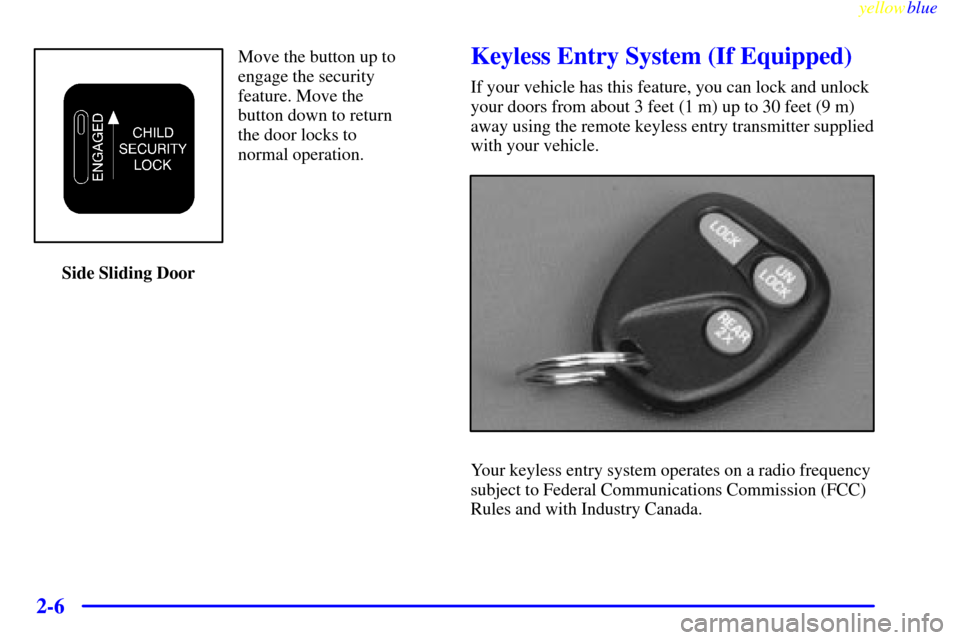
Move the button up to
engage the security
feature. Move the
button down to return
the door locks to
normal operation.
Side Sliding DoorKeyless Entry System (If Equipped)
If your vehicle has this feature, you can lock and unlock
your doors from about 3 feet (1 m) up to 30 feet (9 m)
away using the remote keyless entry transmitter supplied
with your vehicle.
Your keyless entry system operates on a radio frequency
subject to Federal Communications Commission (FCC)
Rules and with Industry Canada.
Page 83 of 398

yellowblue
2-7
This device complies with Part 15 of the FCC Rules.
Operation is subject to the following two conditions:
(1) this device may not cause harmful interference,
and (2) this device must accept any interference
received, including interference that may cause
undesired operation.
This device complies with RSS
-210 of Industry Canada.
Operation is subject to the following two conditions:
(1) this device may not cause interference, and (2) this
device must accept any interference received, including
interference that may cause undesired operation of
the device.
Changes or modifications to this system by other than an
authorized service facility could void authorization to
use this equipment.
At times you may notice a decrease in range. This is
normal for any remote keyless entry system. If the
transmitter does not work or if you have to stand closer
to your vehicle for the transmitter to work, try this:
�Check the distance. You may be too far from your
vehicle. You may need to stand closer during rainy
or snowy weather.�Check the location. Other vehicles or objects may be
blocking the signal. Take a few steps to the left or
right, hold the transmitter higher, and try again.
�Check to determine if battery replacement or
transmitter resynchronization is necessary. See the
instructions that follow.
�If you're still having trouble, see your dealer or a
qualified technician for service.
Operation
To unlock the driver's door, press the UNLOCK button.
If you press this button again within five seconds, all the
doors will unlock. Press the REAR 2X button twice to
unlock the rear door only. When the UNLOCK or
REAR 2X button is pressed, the interior dome lamps are
turned on for 40 seconds or until the ignition switch is
activated. Press LOCK to lock all doors.