Page 125 of 398
yellowblue
2-49
Instrument Panel Cluster
(United States version shown, Canada similar.)
Your instrument cluster is designed to let you know at a glance how your vehicle is running. You'll know how fast you're
going, how much fuel you're using, and many other things you'll need to know to drive safely and economically.
Page 128 of 398

yellowblue
2-52 Safety Belt Reminder Light
When the key is turned to RUN or START, a tone will
come on for about eight seconds to remind people to
fasten their safety belts, unless the driver's safety belt is
already buckled.
The safety belt light
will also come on and stay
on for about 20 seconds,
then it will flash for about
55 seconds.
If the driver's belt is already buckled, neither the tone
nor the light will come on.
Air Bag Readiness Light
There is an air bag readiness light on the instrument
panel, which shows AIR BAG. The system checks the
air bag's electrical system for malfunctions. The light
tells you if there is an electrical problem. The system
check includes the air bag sensor, the air bag modules,
the wiring and the crash sensing and diagnostic module.
For more information on the air bag system, see ªAir
Bagº in the Index.
This light will come on
when you start your vehicle,
and it will flash for a few
seconds. Then the light
should go out. This means
the system is ready.
If the air bag readiness light stays on after you start the
vehicle or comes on when you are driving, your air bag
system may not work properly. Have your vehicle
serviced right away.
Page 138 of 398
yellowblue
2-62 Security Light
This light will come on
briefly when you turn the
ignition key to START.
The light will stay on until the engine starts. If the light
flashes, the Passlock
� System has entered a tamper
mode. If the vehicle fails to start, see ªPasslockº in
the Index.
If the light comes on continuously while driving and
stays on, there may be a problem with the Passlock
System. Your vehicle will not be protected by Passlock,
and you should see your GM dealer.
Daytime Running Lamps Indicator Light
You have this light on the
instrument panel. It will
light whenever the DRL are
on. It is also a reminder to
turn on your headlamps
when driving at night.
Check Gages Light
The CHECK GAGES light
will come on briefly when
you are starting the engine.
If the light comes on and stays on while you are driving,
check your coolant temperature and engine oil pressure
gages to see if they are in the warning zones.
Page 142 of 398
yellowblue
3-2
Comfort Controls
This section tells you how to make your air system work
for you.
With these systems, you can control the heating, cooling
and ventilation in your vehicle.
Heater Controls
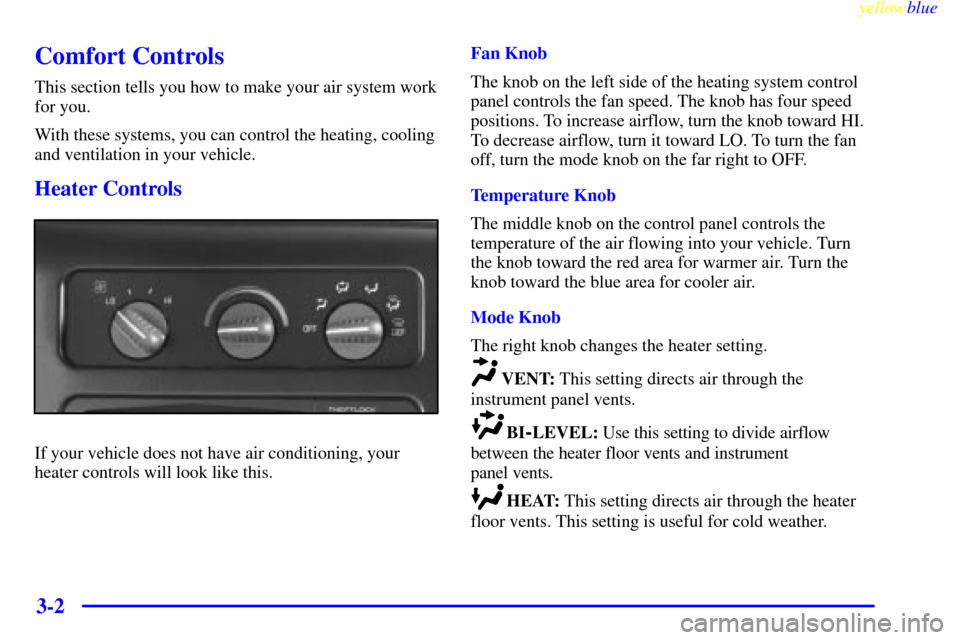
If your vehicle does not have air conditioning, your
heater controls will look like this.Fan Knob
The knob on the left side of the heating system control
panel controls the fan speed. The knob has four speed
positions. To increase airflow, turn the knob toward HI.
To decrease airflow, turn it toward LO. To turn the fan
off, turn the mode knob on the far right to OFF.
Temperature Knob
The middle knob on the control panel controls the
temperature of the air flowing into your vehicle. Turn
the knob toward the red area for warmer air. Turn the
knob toward the blue area for cooler air.
Mode Knob
The right knob changes the heater setting.
VENT: This setting directs air through the
instrument panel vents.
BI-LEVEL: Use this setting to divide airflow
between the heater floor vents and instrument
panel vents.
HEAT: This setting directs air through the heater
floor vents. This setting is useful for cold weather.
Page 144 of 398
yellowblue
3-4
A/C: Use for normal cooling on hot days. This setting
cools outside air and directs it through the instrument
panel outlets.
BI-LEVEL A/C: Use this setting to divide airflow
between the heater floor vents and instrument panel
vents. The air conditioning compressor may operate in
this setting to cool the air.
VENT: This setting directs air through the
instrument panel vents.
HEAT: This setting directs air through the heater
floor vents. This setting is useful for cold weather.
HEAT/DEFROST: Use this setting to divide
airflow between the heater floor vents and windshield.
DEFROST: This setting directs air through the
windshield defroster vents. This setting is useful when
you have fog or ice on the windshield.
Rear Heater (Without Air Conditioning)
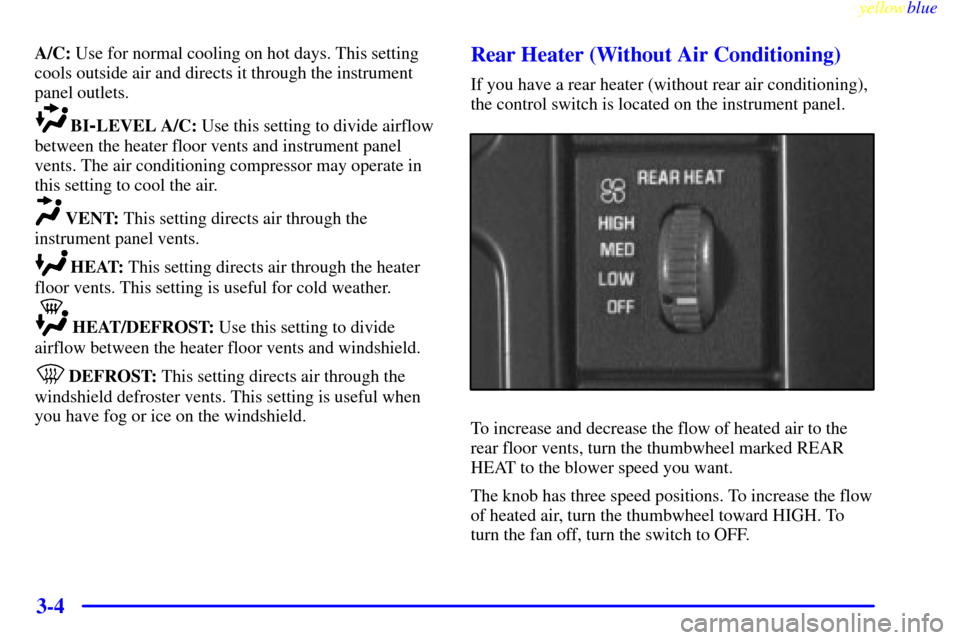
If you have a rear heater (without rear air conditioning),
the control switch is located on the instrument panel.
To increase and decrease the flow of heated air to the
rear floor vents, turn the thumbwheel marked REAR
HEAT to the blower speed you want.
The knob has three speed positions. To increase the flow
of heated air, turn the thumbwheel toward HIGH. To
turn the fan off, turn the switch to OFF.
Page 148 of 398
yellowblue
3-8
Do not attach a temporary vehicle license, tape or decals
across the defogger grid on the rear windows. Use care
not to damage the wiring bands that connect the rear
window defogger grid when operating the rear
swing
-out windows (if equipped).
NOTICE:
Don't use a razor blade or something else sharp
on the inside of the rear window. If you do, you
could cut or damage the warming grid, and the
repairs wouldn't be covered by your warranty.
Ventilation Tips
�Keep the hood and front air inlet free of ice, snow, or
any other obstruction (such as leaves). The heater
and defroster will work far better, reducing the
chance of fogging the inside of your windows.
�When you enter a vehicle in cold weather, turn the
blower fan to HI for a few moments before driving
off. This helps clear the intake ducts of snow and
moisture, and reduces the chance of fogging the
inside of your windows.
�Keep the air path under the front seats clear of
objects. This helps air to circulate throughout
your vehicle.
Your vehicle has air vents in the center and on the sides
of your instrument panel.
You can move the vents from side to side or up and
down to direct the flow of air, or close the vents
altogether. When you close a vent, it will increase the
flow of air coming out of any vents that are open.
Page 212 of 398
yellowblue
4-40 Making Turns
NOTICE:
Making very sharp turns while trailering could
cause the trailer to come in contact with the
vehicle. Your vehicle could be damaged. Avoid
making very sharp turns while trailering.
When you're turning with a trailer, make wider turns
than normal. Do this so your trailer won't strike soft
shoulders, curbs, road signs, trees or other objects.
Avoid jerky or sudden maneuvers. Signal well
in advance.
Turn Signals When Towing a Trailer
When you tow a trailer, your vehicle has to have extra
wiring and a heavy
-duty turn signal flasher (included in
the optional trailering package).
The arrows on your instrument panel will flash
whenever you signal a turn or lane change. Properly
hooked up, the trailer lamps will also flash, telling other
drivers you're about to turn, change lanes or stop.When towing a trailer, the arrows on your instrument
panel will flash for turns even if the bulbs on the trailer
are burned out. Thus, you may think drivers behind you
are seeing your signal when they are not. It's important
to check occasionally to be sure the trailer bulbs are
still working.
Driving On Grades
Reduce speed and shift to a lower gear before you
start down a long or steep downgrade. If you don't shift
down, you might have to use your brakes so much that
they would get hot and no longer work well.
When towing at high altitude on steep uphill grades,
consider the following: Engine coolant will boil at a
lower temperature than at normal altitudes. If you turn
your engine off immediately after towing at high altitude
on steep uphill grades, your vehicle may show signs
similar to engine overheating. To avoid this, let the
engine run while parked (preferably on level ground)
with the automatic transmission in PARK (P) for a few
minutes before turning the engine off. If you do get
the overheat warning, see ªEngine Overheatingº in
the Index.
Page 226 of 398
yellowblue
5-10
Engine Overheating
(Gasoline Engine)
You will find a coolant temperature gage on your
vehicle's instrument panel. If you have a diesel engine,
you will also find a low coolant light on your
instrument panel.
If your vehicle has a diesel engine, see ªEngine
Overheatingº in the Diesel Engine Supplement.
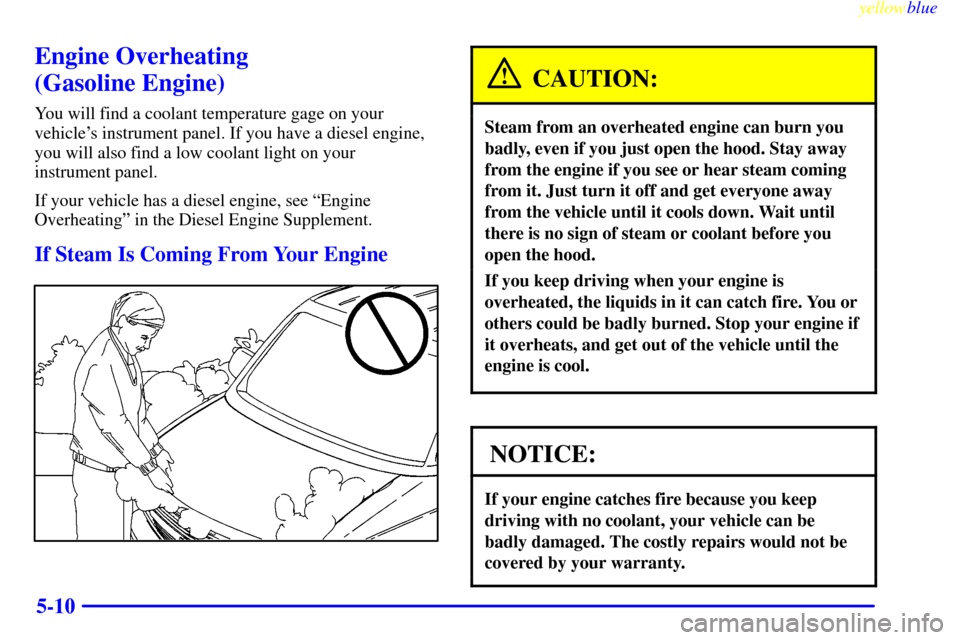
If Steam Is Coming From Your Engine
CAUTION:
Steam from an overheated engine can burn you
badly, even if you just open the hood. Stay away
from the engine if you see or hear steam coming
from it. Just turn it off and get everyone away
from the vehicle until it cools down. Wait until
there is no sign of steam or coolant before you
open the hood.
If you keep driving when your engine is
overheated, the liquids in it can catch fire. You or
others could be badly burned. Stop your engine if
it overheats, and get out of the vehicle until the
engine is cool.
NOTICE:
If your engine catches fire because you keep
driving with no coolant, your vehicle can be
badly damaged. The costly repairs would not be
covered by your warranty.