Page 108 of 361
2-50
Courtesy Lamps
When any door or the hatch/trunk lid is opened, the
interior lamps will go on (unless it's bright outside).
You can also turn on the courtesy lamps by turning the
interior brightness control knob all the way clockwise.
Be sure not to have this knob turned all the way down
with the lamps on during the day. Your Driver
Information Center (DIC) may not be visible.
Exit and Entry Lighting
With entry lighting, the interior lamps will come on
when entering the vehicle for up to 20 seconds. With
exit lighting, the interior lamps will come on when
the key is turned to OFF or a door is ajar for
about 20 seconds.
You can turn exit and entry lighting off by quickly
turning the headlamps on and off or by quickly turning
the courtesy lamp switch on and off.
Reading Lamps
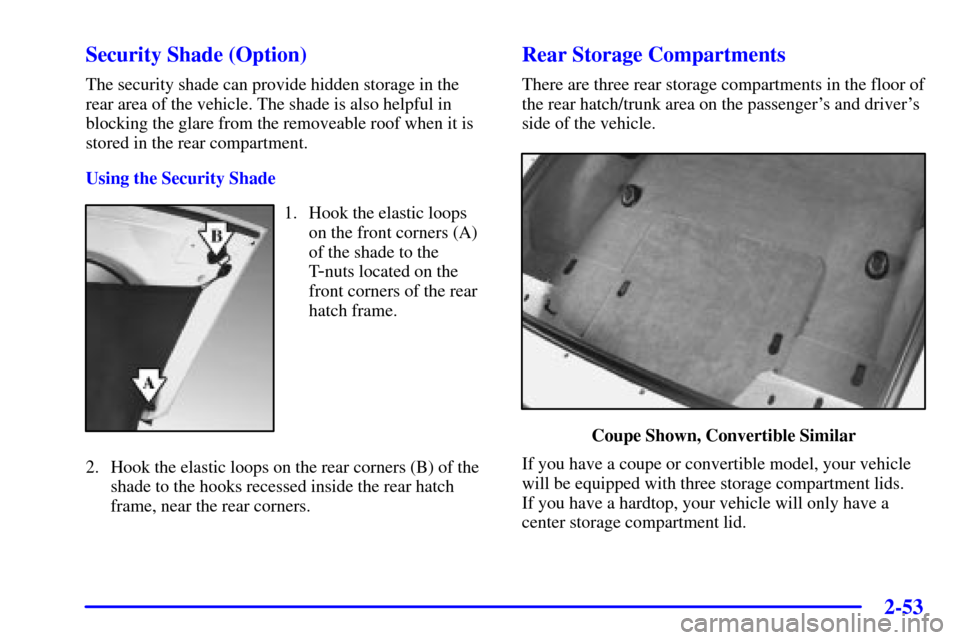
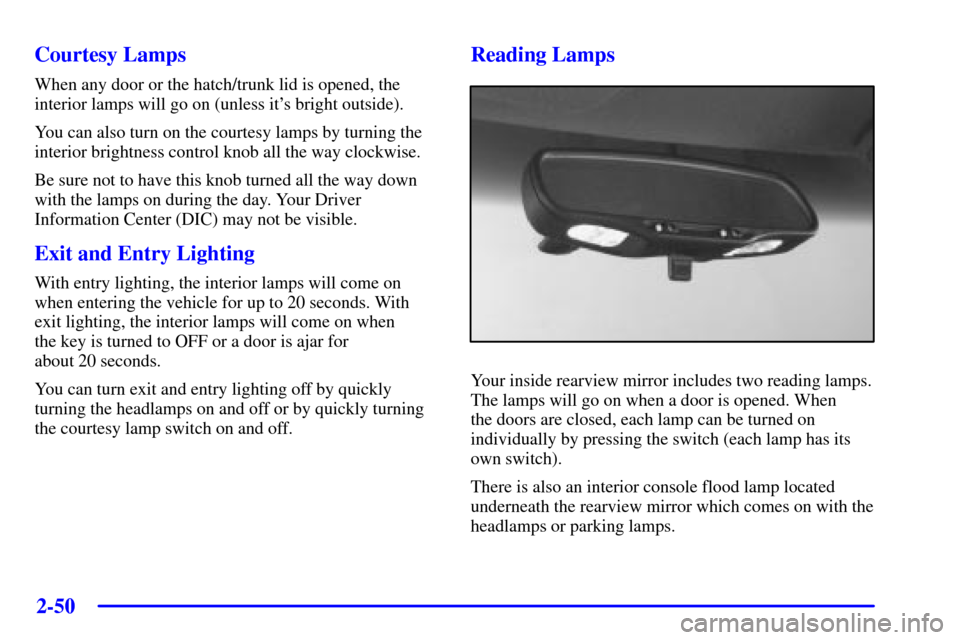
Your inside rearview mirror includes two reading lamps.
The lamps will go on when a door is opened. When
the doors are closed, each lamp can be turned on
individually by pressing the switch (each lamp has its
own switch).
There is also an interior console flood lamp located
underneath the rearview mirror which comes on with the
headlamps or parking lamps.
Page 111 of 361
2-53 Security Shade (Option)
The security shade can provide hidden storage in the
rear area of the vehicle. The shade is also helpful in
blocking the glare from the removeable roof when it is
stored in the rear compartment.
Using the Security Shade
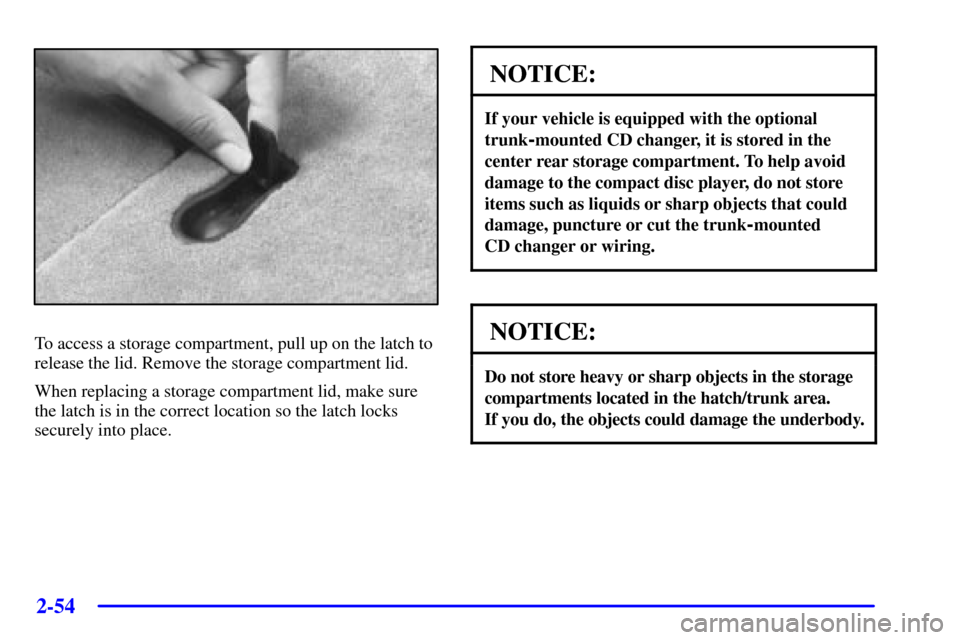
1. Hook the elastic loops
on the front corners (A)
of the shade to the
T
-nuts located on the
front corners of the rear
hatch frame.
2. Hook the elastic loops on the rear corners (B) of the
shade to the hooks recessed inside the rear hatch
frame, near the rear corners.
Rear Storage Compartments
There are three rear storage compartments in the floor of
the rear hatch/trunk area on the passenger's and driver's
side of the vehicle.
Coupe Shown, Convertible Similar
If you have a coupe or convertible model, your vehicle
will be equipped with three storage compartment lids.
If you have a hardtop, your vehicle will only have a
center storage compartment lid.
Page 112 of 361
2-54
To access a storage compartment, pull up on the latch to
release the lid. Remove the storage compartment lid.
When replacing a storage compartment lid, make sure
the latch is in the correct location so the latch locks
securely into place.
NOTICE:
If your vehicle is equipped with the optional
trunk
-mounted CD changer, it is stored in the
center rear storage compartment. To help avoid
damage to the compact disc player, do not store
items such as liquids or sharp objects that could
damage, puncture or cut the trunk
-mounted
CD changer or wiring.
NOTICE:
Do not store heavy or sharp objects in the storage
compartments located in the hatch/trunk area.
If you do, the objects could damage the underbody.
Page 124 of 361
2-66
5. Tilt the driver's seatback forward and press the storage
compartment release button located on the underside
of the storage compartment lid (C) behind the driver's
seat. Then raise the storage compartment lid (C). While
attempting to raise the lid, if the lid does not release
and you hear three chimes, check to make sure the
trunk lid is closed. Also, the lid will not release if the
alarm is turned on or the trunk lid is open.
After pressing the release button, the driver's and
passenger's door glass should retract to the
full
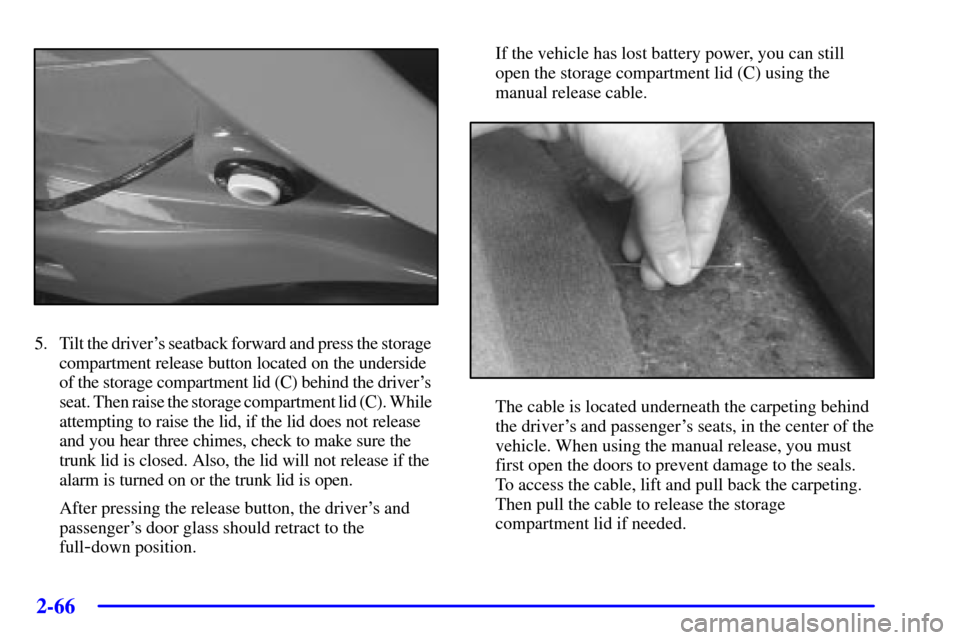
-down position.If the vehicle has lost battery power, you can still
open the storage compartment lid (C) using the
manual release cable.
The cable is located underneath the carpeting behind
the driver's and passenger's seats, in the center of the
vehicle. When using the manual release, you must
first open the doors to prevent damage to the seals.
To access the cable, lift and pull back the carpeting.
Then pull the cable to release the storage
compartment lid if needed.
Page 129 of 361

2-71
The main components of your instrument panel are:
A. Instrument Panel Brightness Control
B. Head
-Up Display Controls (Option)
C. Turn Signal/Multifunction Lever
D. Driver Information Center (DIC)
(Located in the Instrument Cluster)
E. Instrument Panel Cluster
F. Windshield Wiper/Washer Lever
G. Driver Information Center (DIC) Buttons
H. Hazard Warning Flasher Button
I. Center Air Vents
J. Audio System
K. Comfort Controls
L. Fog Lamp Button (Option)
M. Remote Hatch Release Button (Coupe) or Remote
Trunk Release Button (Convertible/Hardtop)N. Horn
O. Ignition Switch
P. Shift Lever (Automatic Shown)
Q. Traction Control System (TCS) Switch/Active
Handling Switch (Option)
R. Accessory Power Outlet
(Located in the Center Console)
S. Selective Real Time Damping (SRTD) (Option)
T. Instrument Panel Cupholder
U. Remote Fuel Door Release Button
(Located in the Center Console)
V. Ashtray and Cigarette Lighter
W. Parking Brake
X. Glove Box
Y. Instrument Panel Fuse Block
(Located behind the Toe
-Board)
Page 165 of 361
2-107 Other Messages
Here are more messages that you can receive on your
Driver Information Center (DIC). To acknowledge a
message and read another message that may have come
on at the same time, press the RESET button.
�BRAKE BEFORE SHIFT (Automatic
Transmissions Only)
�CHANGE OIL NOW (See ªGM Oil Life System�º
in the Index.)
�CHANGE OIL SOON (See ªGM Oil Life System�º
in the Index.)
�CRUISE DISENGAGED (See ªCruise Controlº in
the Index.)
�CRUISE SET __ MPH (__ km/h) (See ªCruise
Controlº in the Index.)
�DOOR AJAR�ENGINE PROTECTION REDUCE ENGINE RPM
�HATCH AJAR (Coupe)
�TONNEAU AJAR
�HIGH VOLTAGE (See ªVoltmeterº in the Index.)
�LOW BRAKE FLUID (See ªBrake Fluidº in
the Index.)
�LOW FUEL (See ªFuel Gageº in the Index.)
�LOW VOLTAGE (See ªVoltmeterº in the Index.)
�LOW WASHER FLUID (See ªWindshield Washer
Fluidº in the Index.)
�RESERVE FUEL (See ªFuel Gageº in the Index.)
�TRUNK AJAR (Convertible/Hardtop)
�UPSHIFT NOW (See ªManual Transmissionº in
the Index.)
Page 167 of 361
3-
3-1
Section 3 Comfort Controls and Audio Systems
In this section, you'll find out how to operate the comfort control and audio systems offered with your vehicle.
Be sure to read about the particular systems supplied with your vehicle.
3
-2 Comfort Controls
3
-2 Manual Comfort Controls
3
-4 Automatic Electronic Dual Climate Control
System (If Equipped)
3
-9 Sensors
3
-10 Air Conditioning
3
-11 Heating
3
-11 Defogging and Defrosting
3
-11 Rear Window Defogger
3
-12 Audio Systems
3
-13 Setting the Clock
3
-13 AM-FM Stereo with Cassette Tape Player and
Automatic Tone Control3
-18 AM-FM Stereo with Compact Disc Player and
Automatic Tone Control (If Equipped)
3
-22 Trunk-Mounted CD Changer (If Equipped)
3
-26 Theft-Deterrent Feature
3
-28 Understanding Radio Reception
3
-28 Tips About Your Audio System
3
-29 Care of Your Cassette Tape Player
3
-30 Care of Your Compact Discs
3
-30 Care of Your Compact Disc Player
3
-30 Fixed Mast Antenna
3
-30 Power Antenna Mast Care (If Equipped)
3
-31 Integrated Windshield and Rear Window
Antennas (If Equipped)
Page 188 of 361
3-22
If you turn off the ignition or radio with a disc in the
player, it will stay in the player. When you turn on the
ignition or system, the disc will start playing where it
was stopped. If you press EJECT but don't remove
the disc, the player will pull the disc back in to protect
it after about one minute. If you leave a compact disc
in the player while listening to the radio, it may
become warm.
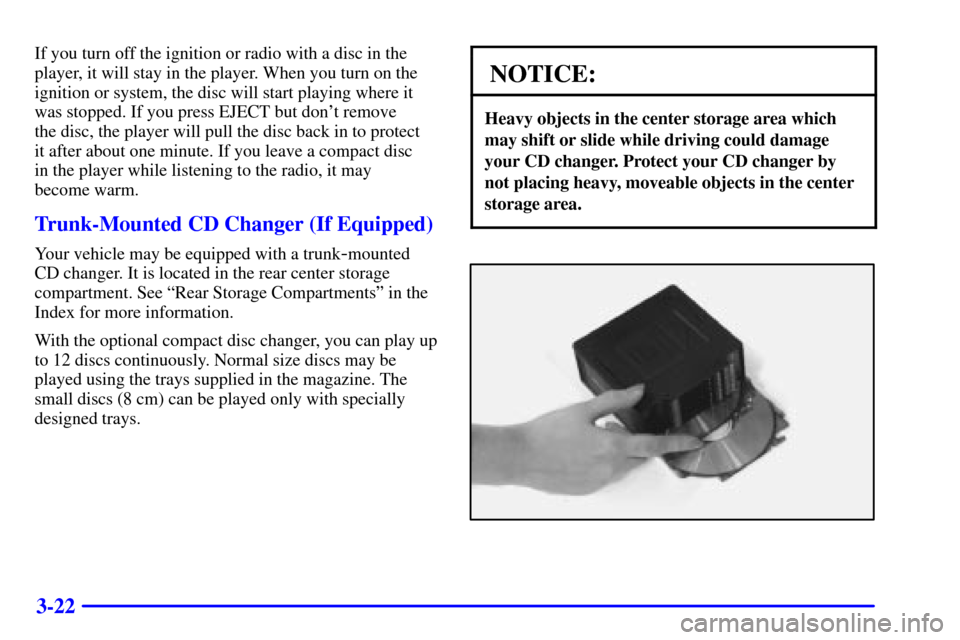
Trunk-Mounted CD Changer (If Equipped)
Your vehicle may be equipped with a trunk-mounted
CD changer. It is located in the rear center storage
compartment. See ªRear Storage Compartmentsº in the
Index for more information.
With the optional compact disc changer, you can play up
to 12 discs continuously. Normal size discs may be
played using the trays supplied in the magazine. The
small discs (8 cm) can be played only with specially
designed trays.
NOTICE:
Heavy objects in the center storage area which
may shift or slide while driving could damage
your CD changer. Protect your CD changer by
not placing heavy, moveable objects in the center
storage area.