Page 73 of 361

2-15
Theft
Vehicle theft is big business, especially in some cities.
Although your vehicle has a number of theft
-deterrent
features, we know that nothing we put on it can make
it impossible to steal. However, there are ways you
can help.
Key in the Ignition
If you leave your vehicle with the keys inside, it's an
easy target for joy riders or professional thieves
-- so
don't do it.
When you park your vehicle and open the driver's door,
you'll hear a chime reminding you to remove your key
from the ignition and take it with you. Always do this.
Your steering wheel will be locked, and so will your
ignition. If you take the key with you, and you have an
automatic transmission, it will be locked. And remember
to lock the doors.
Parking at Night
Park in a lighted spot, close all windows and lock your
vehicle. Remember to keep your valuables out of sight.
Put them in a storage area, or take them with you.
Parking Lots
If you park in a lot where someone will be watching
your vehicle, it's best to lock it up and take your keys.
But what if you have to leave your key? Do not leave
valuables in your vehicle, since there would be no place
to secure them.
Theft-Deterrent System
Your vehicle is equipped
with a theft
-deterrent
alarm system.
With this system, the SECURITY light will flash as you
open the door (if your ignition is off). This light reminds
you to arm the theft
-deterrent system.
Page 77 of 361
2-19
OFF: The only position from which you can remove
the key.
If you have an automatic transmission, the ignition
switch can't be turned to OFF unless the shift lever is
in PARK (P).
ACC: This is an on position in which you can operate
your electrical power accessories. With the key in this
position, the automatic transmission and steering
column will unlock.
CAUTION:
Removing the key from the ignition switch will
lock the steering column and result in a loss of
ability to steer the vehicle. This could cause a
collision. If you need to turn the engine off while
the vehicle is moving, turn the key to ACC.
NOTICE:
If your key seems stuck in OFF and you can't
turn it, be sure you are using the correct key;
if so, is it all the way in? Turn the key only with
your hand. Using a tool to force it could break
the key or the ignition switch. If none of this
works, then your vehicle needs service.
ON: This is the position to which the switch returns
after you start the engine and release the switch. The
switch stays in ON when the engine is running. But even
when the engine is not running, you can use ON to
operate your electrical power accessories and to display
some instrument panel cluster messages and telltales.
START: This position starts the engine. When the
engine starts, release the key. The ignition switch will
return to ON for normal driving.
When the engine is not running, ACC and ON allow you
to operate your electrical accessories, such as the radio.
A warning tone will sound if you open the driver's door
when the ignition is in OFF or ACC and the key is in
the ignition.
Page 95 of 361
2-37
Selective Real Time Damping
(SRTD) (Option)
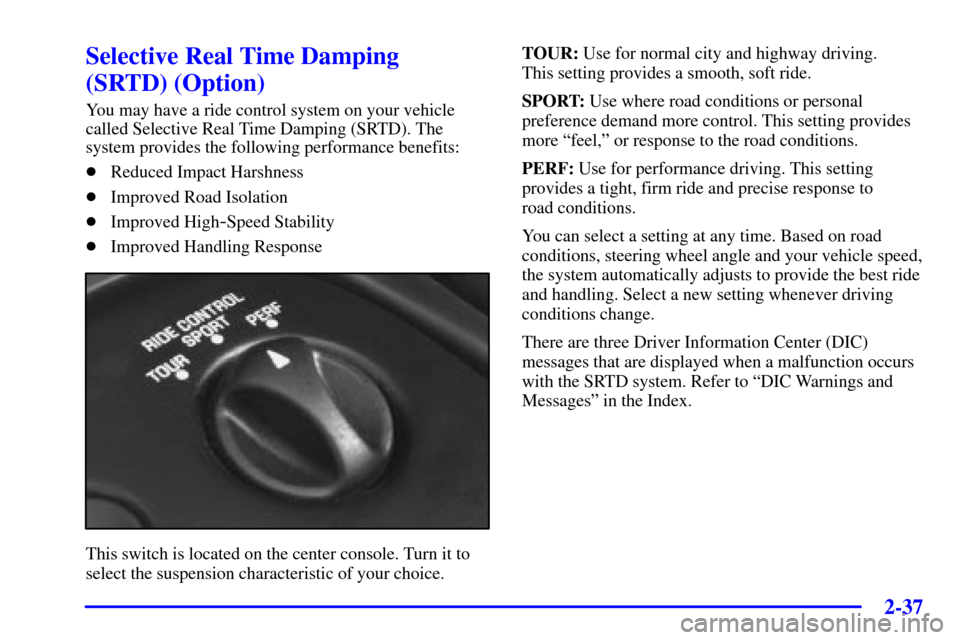
You may have a ride control system on your vehicle
called Selective Real Time Damping (SRTD). The
system provides the following performance benefits:
�Reduced Impact Harshness
�Improved Road Isolation
�Improved High
-Speed Stability
�Improved Handling Response
This switch is located on the center console. Turn it to
select the suspension characteristic of your choice.TOUR: Use for normal city and highway driving.
This setting provides a smooth, soft ride.
SPORT: Use where road conditions or personal
preference demand more control. This setting provides
more ªfeel,º or response to the road conditions.
PERF: Use for performance driving. This setting
provides a tight, firm ride and precise response to
road conditions.
You can select a setting at any time. Based on road
conditions, steering wheel angle and your vehicle speed,
the system automatically adjusts to provide the best ride
and handling. Select a new setting whenever driving
conditions change.
There are three Driver Information Center (DIC)
messages that are displayed when a malfunction occurs
with the SRTD system. Refer to ªDIC Warnings and
Messagesº in the Index.
Page 96 of 361
2-38
Windows
Power Windows
With power windows, switches on the door control each
window when the ignition is on or when RAP is present.
(See ªRetained Accessory Power (RAP)º in the Index.)
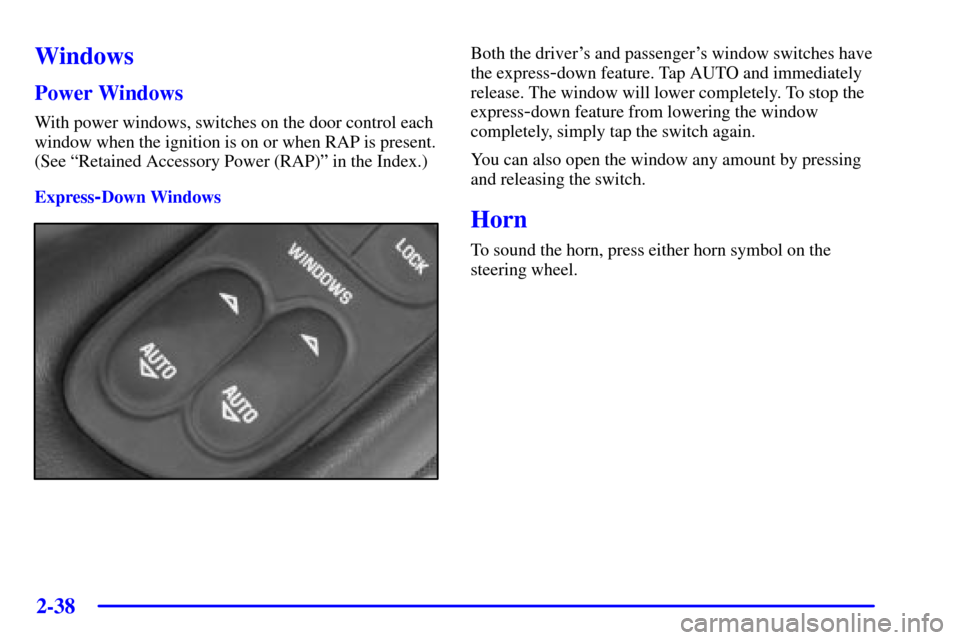
Express
-Down Windows
Both the driver's and passenger's window switches have
the express
-down feature. Tap AUTO and immediately
release. The window will lower completely. To stop the
express
-down feature from lowering the window
completely, simply tap the switch again.
You can also open the window any amount by pressing
and releasing the switch.
Horn
To sound the horn, press either horn symbol on the
steering wheel.
Page 97 of 361
2-39
Tilt Wheel
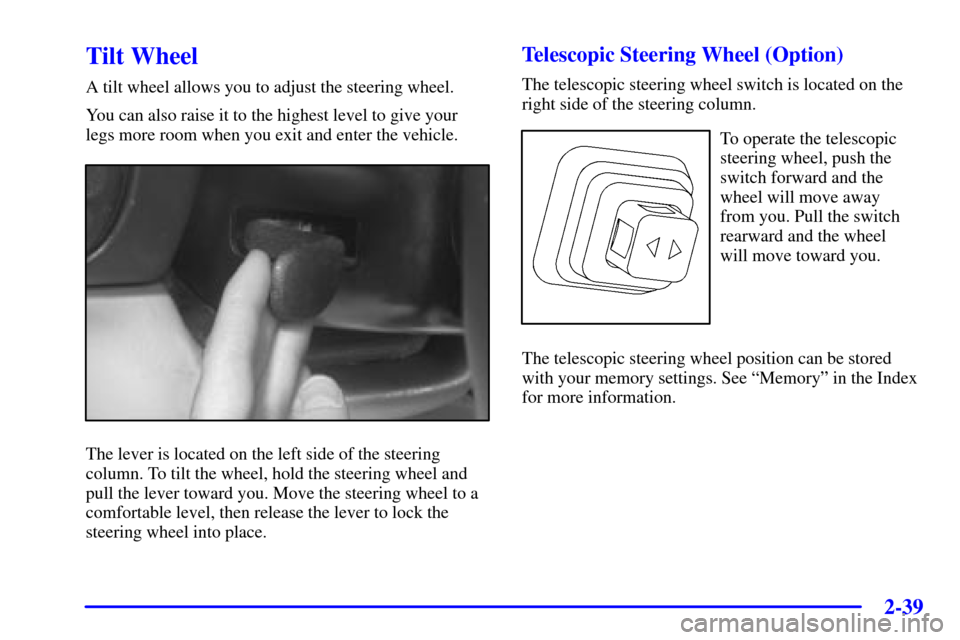
A tilt wheel allows you to adjust the steering wheel.
You can also raise it to the highest level to give your
legs more room when you exit and enter the vehicle.
The lever is located on the left side of the steering
column. To tilt the wheel, hold the steering wheel and
pull the lever toward you. Move the steering wheel to a
comfortable level, then release the lever to lock the
steering wheel into place.
Telescopic Steering Wheel (Option)
The telescopic steering wheel switch is located on the
right side of the steering column.
To operate the telescopic
steering wheel, push the
switch forward and the
wheel will move away
from you. Pull the switch
rearward and the wheel
will move toward you.
The telescopic steering wheel position can be stored
with your memory settings. See ªMemoryº in the Index
for more information.
Page 98 of 361
2-40
Turn Signal/Multifunction Lever
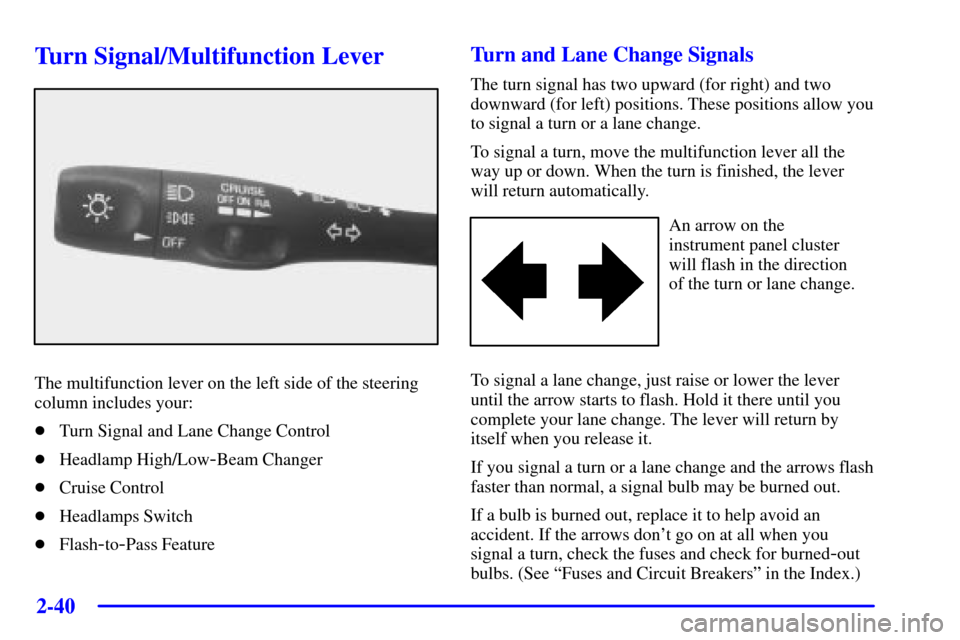
The multifunction lever on the left side of the steering
column includes your:
�Turn Signal and Lane Change Control
�Headlamp High/Low
-Beam Changer
�Cruise Control
�Headlamps Switch
�Flash
-to-Pass Feature
Turn and Lane Change Signals
The turn signal has two upward (for right) and two
downward (for left) positions. These positions allow you
to signal a turn or a lane change.
To signal a turn, move the multifunction lever all the
way up or down. When the turn is finished, the lever
will return automatically.
An arrow on the
instrument panel cluster
will flash in the direction
of the turn or lane change.
To signal a lane change, just raise or lower the lever
until the arrow starts to flash. Hold it there until you
complete your lane change. The lever will return by
itself when you release it.
If you signal a turn or a lane change and the arrows flash
faster than normal, a signal bulb may be burned out.
If a bulb is burned out, replace it to help avoid an
accident. If the arrows don't go on at all when you
signal a turn, check the fuses and check for burned
-out
bulbs. (See ªFuses and Circuit Breakersº in the Index.)
Page 101 of 361
2-43 Windshield Wipers
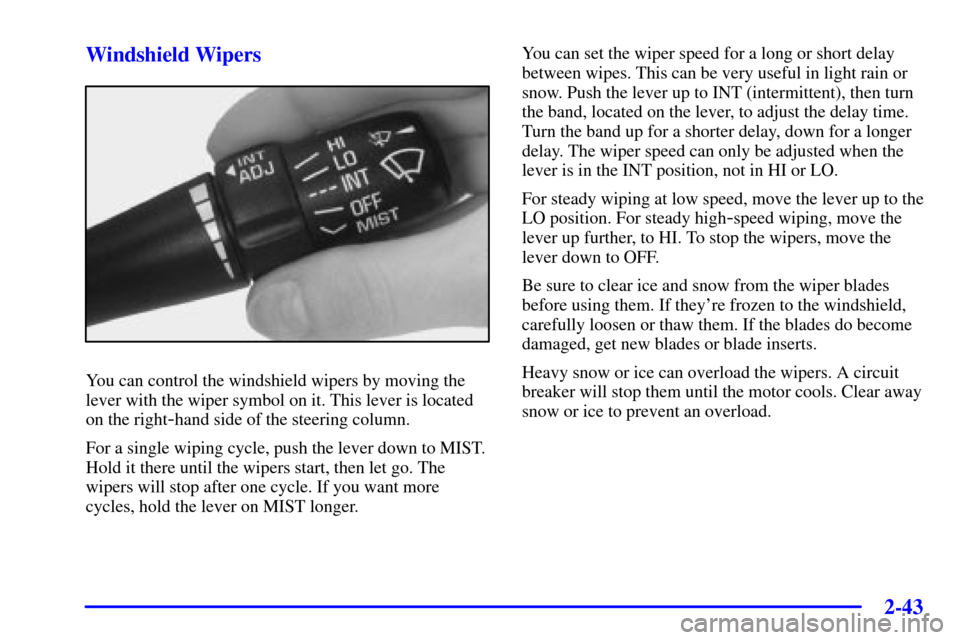
You can control the windshield wipers by moving the
lever with the wiper symbol on it. This lever is located
on the right
-hand side of the steering column.
For a single wiping cycle, push the lever down to MIST.
Hold it there until the wipers start, then let go. The
wipers will stop after one cycle. If you want more
cycles, hold the lever on MIST longer.You can set the wiper speed for a long or short delay
between wipes. This can be very useful in light rain or
snow. Push the lever up to INT (intermittent), then turn
the band, located on the lever, to adjust the delay time.
Turn the band up for a shorter delay, down for a longer
delay. The wiper speed can only be adjusted when the
lever is in the INT position, not in HI or LO.
For steady wiping at low speed, move the lever up to the
LO position. For steady high
-speed wiping, move the
lever up further, to HI. To stop the wipers, move the
lever down to OFF.
Be sure to clear ice and snow from the wiper blades
before using them. If they're frozen to the windshield,
carefully loosen or thaw them. If the blades do become
damaged, get new blades or blade inserts.
Heavy snow or ice can overload the wipers. A circuit
breaker will stop them until the motor cools. Clear away
snow or ice to prevent an overload.
Page 102 of 361
2-44
Windshield Washer
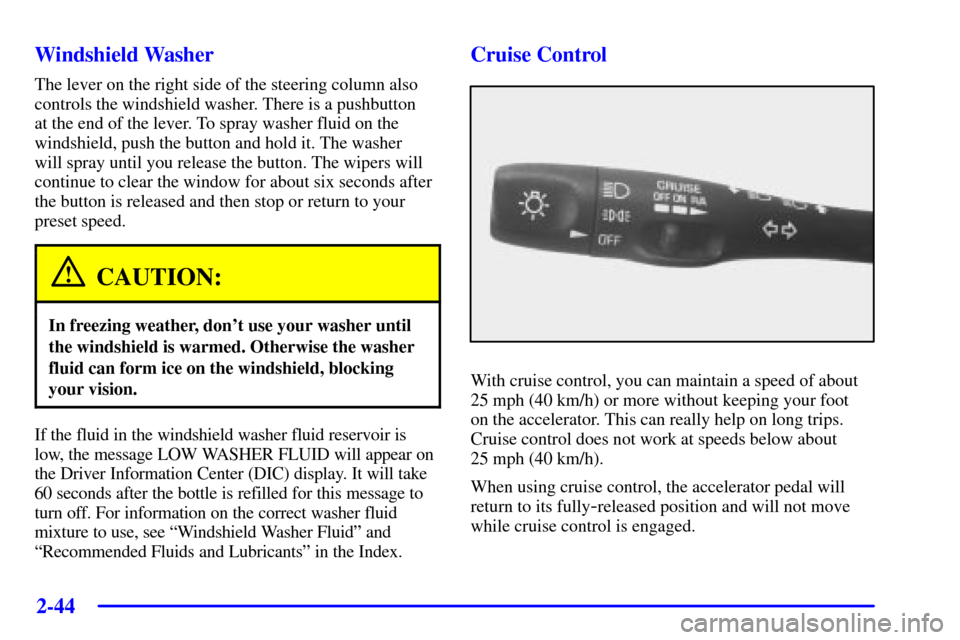
The lever on the right side of the steering column also
controls the windshield washer. There is a pushbutton
at the end of the lever. To spray washer fluid on the
windshield, push the button and hold it. The washer
will spray until you release the button. The wipers will
continue to clear the window for about six seconds after
the button is released and then stop or return to your
preset speed.
CAUTION:
In freezing weather, don't use your washer until
the windshield is warmed. Otherwise the washer
fluid can form ice on the windshield, blocking
your vision.
If the fluid in the windshield washer fluid reservoir is
low, the message LOW WASHER FLUID will appear on
the Driver Information Center (DIC) display. It will take
60 seconds after the bottle is refilled for this message to
turn off. For information on the correct washer fluid
mixture to use, see ªWindshield Washer Fluidº and
ªRecommended Fluids and Lubricantsº in the Index.
Cruise Control
With cruise control, you can maintain a speed of about
25 mph (40 km/h) or more without keeping your foot
on the accelerator. This can really help on long trips.
Cruise control does not work at speeds below about
25 mph (40 km/h).
When using cruise control, the accelerator pedal will
return to its fully
-released position and will not move
while cruise control is engaged.