Page 77 of 430

2-9
Endgate/Liftgate
CAUTION:
It can be dangerous to drive with the rear
window, endgate or liftgate open because carbon
monoxide (CO) gas can come into your vehicle.
You can't see or smell CO. It can cause
unconsciousness and even death.
If you must drive with the rear window, endgate or
liftgate open or if electrical wiring or other cable
connections must pass through the seal between the
body and the rear window, endgate or liftgate:
�Make sure all other windows are shut.
�Turn the fan on your heating or cooling
system to its highest speed with the setting
on VENT or OUTSIDE AIR. That will
force outside air into your vehicle. See
ªComfort Controlsº in the Index.
�If you have air outlets on or under the
instrument panel, open them all the way.
See ªEngine Exhaustº in the Index.
Endgate Release
To open a mechanical lock system from the outside,
insert the key into the lock and turn it counterclockwise
to unlock the glass.
To open a power lock system from the outside, insert the
key into the lock button and turn counterclockwise.
All doors will unlock.
If your vehicle is equipped with the remote keyless entry
system, your vehicle does not have a lock on the
endgate. It is equipped with a pushbutton to release
the glass.
You may also use the keyless entry system, or the power
door locks, if your vehicle is so equipped.
Page 80 of 430
2-12 Emergency Release for Opening
Endgate/Liftgate
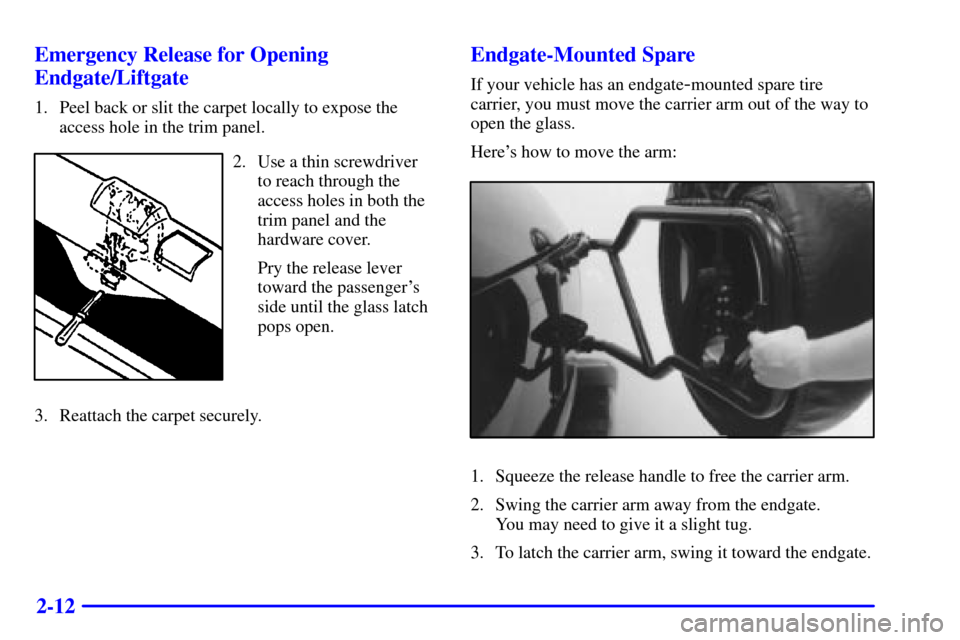
1. Peel back or slit the carpet locally to expose the
access hole in the trim panel.
2. Use a thin screwdriver
to reach through the
access holes in both the
trim panel and the
hardware cover.
Pry the release lever
toward the passenger's
side until the glass latch
pops open.
3. Reattach the carpet securely.
Endgate-Mounted Spare
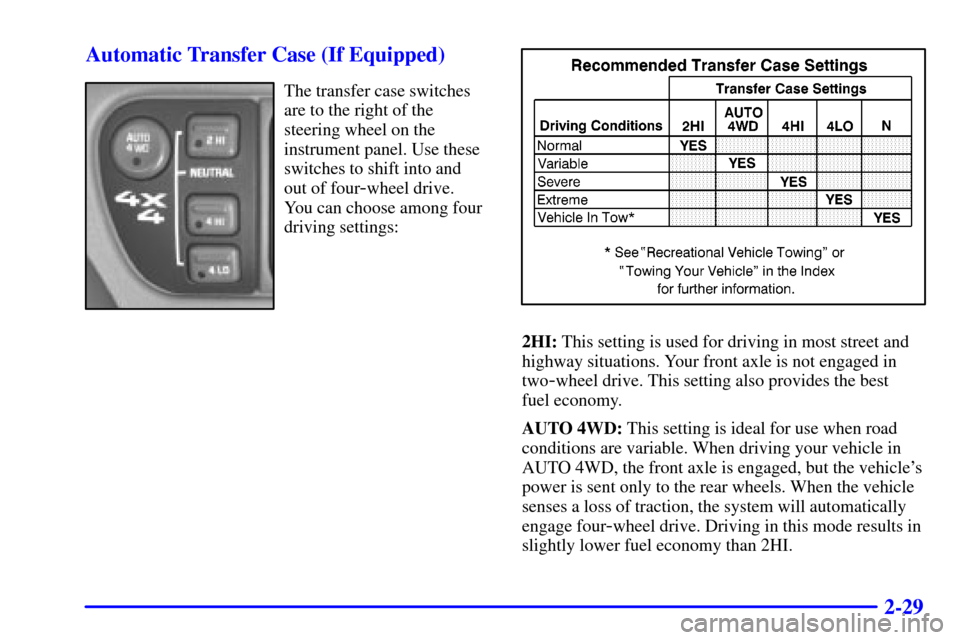
If your vehicle has an endgate-mounted spare tire
carrier, you must move the carrier arm out of the way to
open the glass.
Here's how to move the arm:
1. Squeeze the release handle to free the carrier arm.
2. Swing the carrier arm away from the endgate.
You may need to give it a slight tug.
3. To latch the carrier arm, swing it toward the endgate.
Page 89 of 430
2-21
Automatic Transmission Operation
Your automatic transmission may have a shift lever
located on the console between the seats or on the
steering column.
There are several different positions for your shift lever.
If your vehicle is equipped with a column shift lever,
it features an electronic shift position indicator within
the instrument panel cluster. This display must be
powered anytime the shift lever is capable of being
moved out of PARK (P). This means that if your key is
in OFF, but not locked, there will be a small current
drain on your battery which could discharge your battery
over a period of time. If you need to leave your key in
the ignition in OFF for an extended period, it is
recommended that you disconnect the battery cable from
the battery to prevent discharging your battery.
PARK (P): This locks your rear wheels. It's the best
position to use when you start your engine because your
vehicle can't move easily.CAUTION:
It is dangerous to get out of your vehicle if the
shift lever is not fully in PARK (P) with the
parking brake firmly set. Your vehicle can roll.
Don't leave your vehicle when the engine is
running unless you have to. If you have left the
engine running, the vehicle can move suddenly.
You or others could be injured. To be sure your
vehicle won't move, even when you're on fairly
level ground, always set your parking brake and
move the shift lever to PARK (P).
See ªShifting Into PARK (P)º in the Index. If you
have four
-wheel drive, your vehicle will be free to
roll
-- even if your shift lever is in PARK (P) -- if
your transfer case is in NEUTRAL. So, be sure
the transfer case is in a drive gear
-- not in
NEUTRAL. See ªFour
-Wheel Drive (Automatic
Transfer Case)º in the Index. If you're pulling a
trailer, see ªTowing a Trailerº in the Index.
Page 92 of 430
2-24 Tow/Haul Selector Switch (If Equipped)
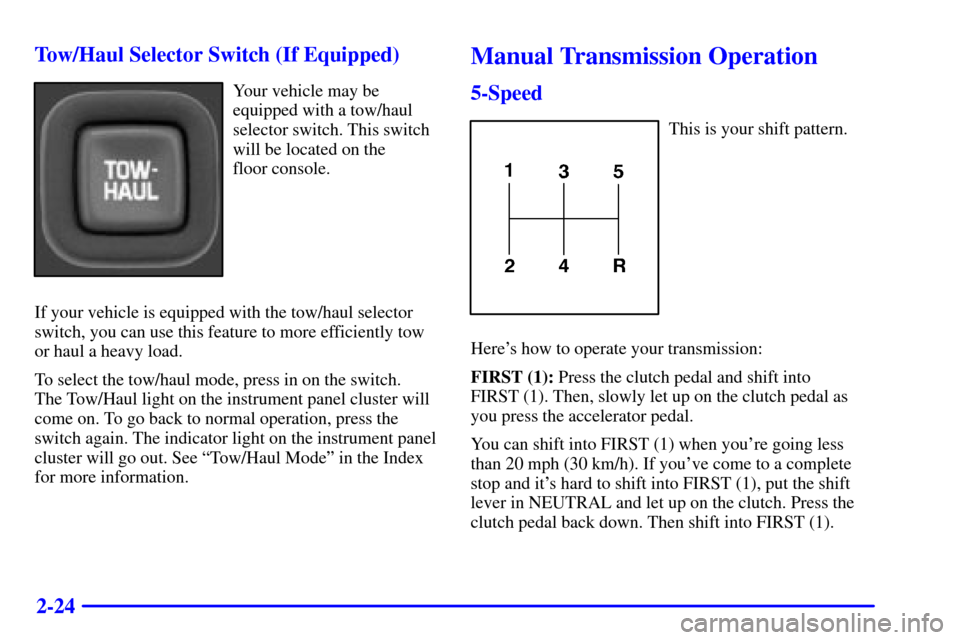
Your vehicle may be
equipped with a tow/haul
selector switch. This switch
will be located on the
floor console.
If your vehicle is equipped with the tow/haul selector
switch, you can use this feature to more efficiently tow
or haul a heavy load.
To select the tow/haul mode, press in on the switch.
The Tow/Haul light on the instrument panel cluster will
come on. To go back to normal operation, press the
switch again. The indicator light on the instrument panel
cluster will go out. See ªTow/Haul Modeº in the Index
for more information.
Manual Transmission Operation
5-Speed
This is your shift pattern.
Here's how to operate your transmission:
FIRST (1): Press the clutch pedal and shift into
FIRST (1). Then, slowly let up on the clutch pedal as
you press the accelerator pedal.
You can shift into FIRST (1) when you're going less
than 20 mph (30 km/h). If you've come to a complete
stop and it's hard to shift into FIRST (1), put the shift
lever in NEUTRAL and let up on the clutch. Press the
clutch pedal back down. Then shift into FIRST (1).
Page 93 of 430
2-25
SECOND (2): Press the clutch pedal as you let up
on the accelerator pedal and shift into SECOND (2).
Then, slowly let up on the clutch pedal as you press the
accelerator pedal.
THIRD, FOURTH AND FIFTH (3, 4 and 5): Shift
into THIRD (3), FOURTH (4) and FIFTH (5) the same
way you do for SECOND (2). Slowly let up on the
clutch pedal as you press the accelerator pedal.
To stop, let up on the accelerator pedal and press
the brake pedal. Just before the vehicle stops,
press the clutch pedal and the brake pedal, and shift
to NEUTRAL.
NEUTRAL: Use this position when you start or idle
your engine.
REVERSE (R): To back up, press the clutch pedal, wait
about six seconds, then shift into REVERSE (R). Then
let up on the clutch pedal slowly while pressing the
accelerator pedal.
NOTICE:
Shift to REVERSE (R) only after your vehicle
is stopped. Shifting to REVERSE (R) while
your vehicle is moving could damage
your transmission.
Use REVERSE (R), along with the parking brake, for
parking your vehicle.
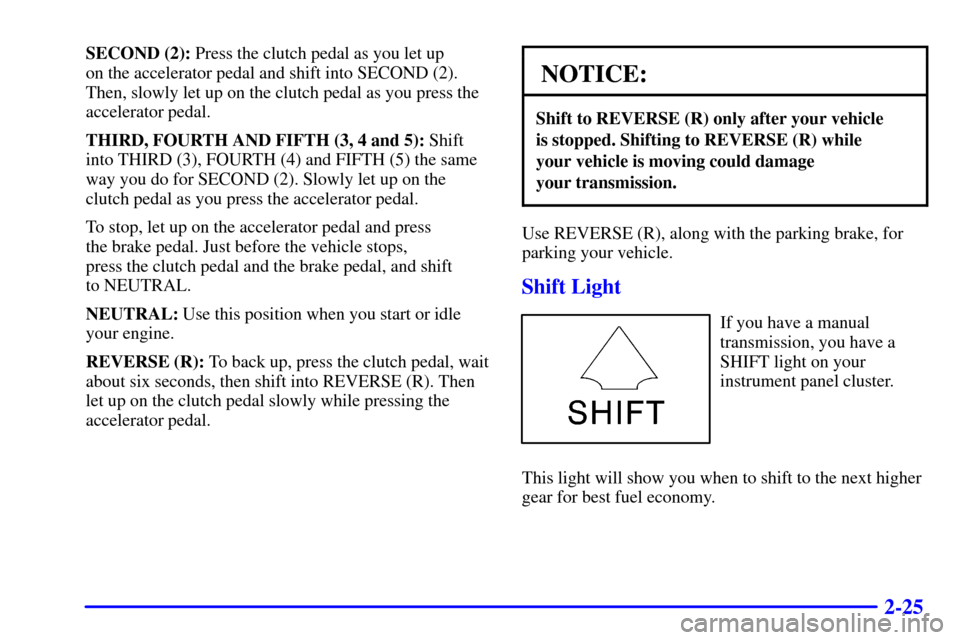
Shift Light
If you have a manual
transmission, you have a
SHIFT light on your
instrument panel cluster.
This light will show you when to shift to the next higher
gear for best fuel economy.
Page 97 of 430
2-29 Automatic Transfer Case (If Equipped)
The transfer case switches
are to the right of the
steering wheel on the
instrument panel. Use these
switches to shift into and
out of four
-wheel drive.
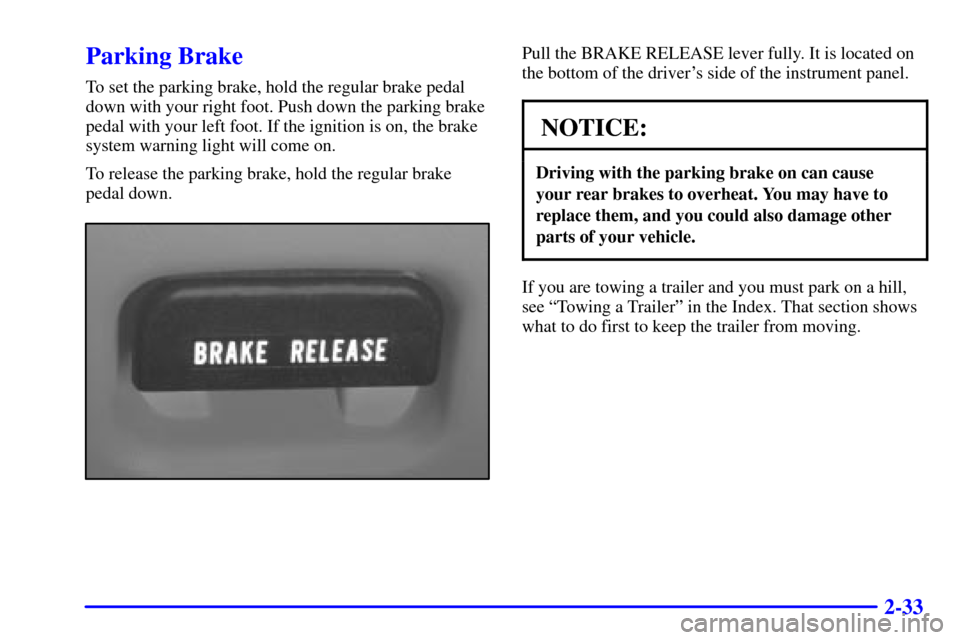
You can choose among four
driving settings:
2HI: This setting is used for driving in most street and
highway situations. Your front axle is not engaged in
two
-wheel drive. This setting also provides the best
fuel economy.
AUTO 4WD: This setting is ideal for use when road
conditions are variable. When driving your vehicle in
AUTO 4WD, the front axle is engaged, but the vehicle's
power is sent only to the rear wheels. When the vehicle
senses a loss of traction, the system will automatically
engage four
-wheel drive. Driving in this mode results in
slightly lower fuel economy than 2HI.
Page 101 of 430
2-33
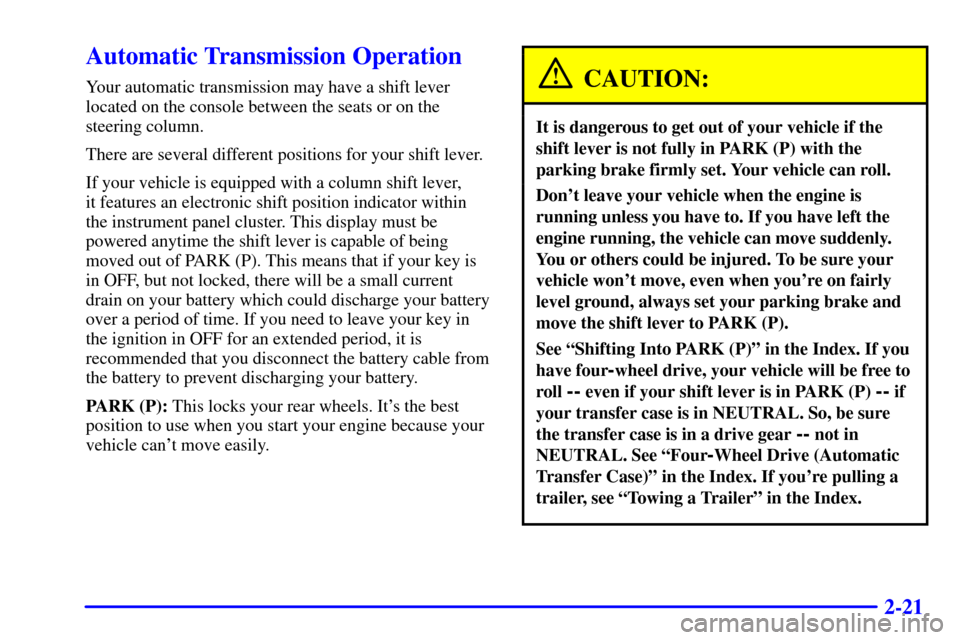
Parking Brake
To set the parking brake, hold the regular brake pedal
down with your right foot. Push down the parking brake
pedal with your left foot. If the ignition is on, the brake
system warning light will come on.
To release the parking brake, hold the regular brake
pedal down.
Pull the BRAKE RELEASE lever fully. It is located on
the bottom of the driver's side of the instrument panel.
NOTICE:
Driving with the parking brake on can cause
your rear brakes to overheat. You may have to
replace them, and you could also damage other
parts of your vehicle.
If you are towing a trailer and you must park on a hill,
see ªTowing a Trailerº in the Index. That section shows
what to do first to keep the trailer from moving.
Page 111 of 430
2-43
Turn Signal/Multifunction Lever
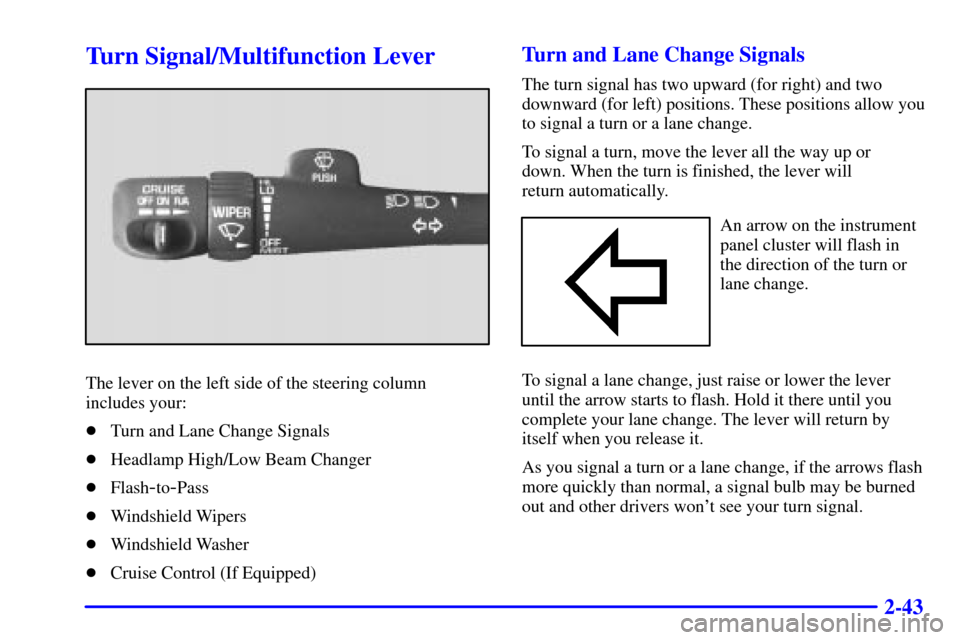
The lever on the left side of the steering column
includes your:
�Turn and Lane Change Signals
�Headlamp High/Low Beam Changer
�Flash
-to-Pass
�Windshield Wipers
�Windshield Washer
�Cruise Control (If Equipped)
Turn and Lane Change Signals
The turn signal has two upward (for right) and two
downward (for left) positions. These positions allow you
to signal a turn or a lane change.
To signal a turn, move the lever all the way up or
down. When the turn is finished, the lever will
return automatically.
An arrow on the instrument
panel cluster will flash in
the direction of the turn or
lane change.
To signal a lane change, just raise or lower the lever
until the arrow starts to flash. Hold it there until you
complete your lane change. The lever will return by
itself when you release it.
As you signal a turn or a lane change, if the arrows flash
more quickly than normal, a signal bulb may be burned
out and other drivers won't see your turn signal.