Page 91 of 359
2-31
If the URPA system is not functioning properly, the
display will flash red, indicating that there is a problem.
The light will also flash red when you are driving if a
trailer is attached to your vehicle, or if you have a bicycle
or an object hanging out of your trunk. The light will
continue to flash until the trailer or the object is removed
and your vehicle is driven forward at least 15 mph.
It may also flash red if the ultrasonic sensors are not
kept clean. So be sure to keep your rear bumper free of
mud, dirt, snow, ice and slush or the system may not
work properly. If after cleaning the rear bumper and then
driving at least 15 mph, the display continues to flash
red, see your dealer. It may also flash red if your vehicle
is moving in REVERSE (R) at a speed greater than
3 mph (5 km/h). Other conditions that may affect
system performance include things like, the vibrations
from a jackhammer or the compression of airbrakes on
a very large truck.
As always, drivers should use care when backing up
a vehicle. Always look behind you, being sure to
check for other vehicles, obstructions and blind spots.
For cleaning instructions, see ªCleaning Your Vehicleº
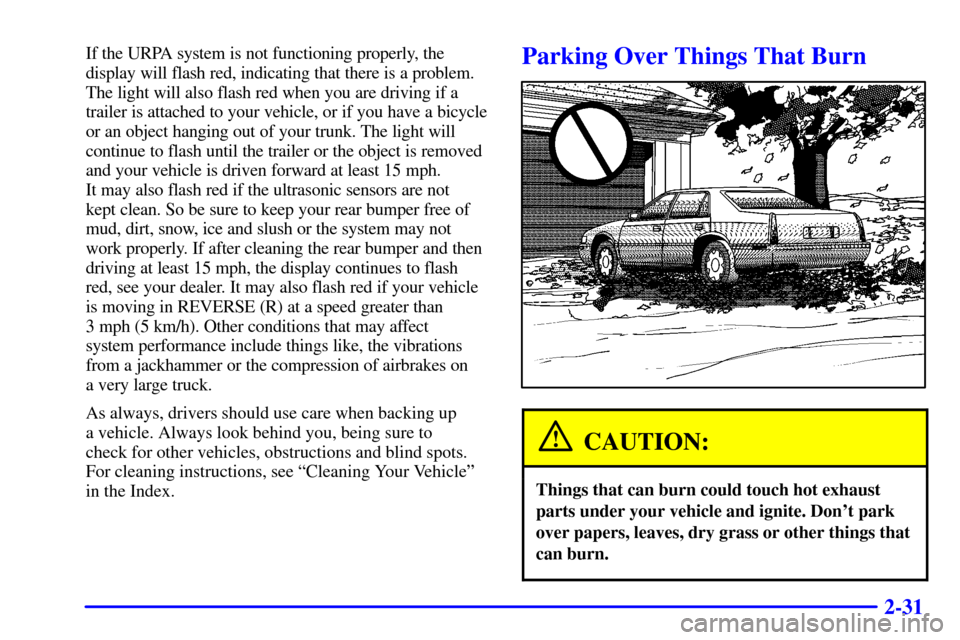
in the Index.Parking Over Things That Burn
CAUTION:
Things that can burn could touch hot exhaust
parts under your vehicle and ignite. Don't park
over papers, leaves, dry grass or other things that
can burn.
Page 94 of 359
2-34
Express-Down Window
This feature is on all power windows. Press the down
arrow to the second position to activate the express
-down
feature. If you want to stop the window as it is lowering,
press the control again.
Rear Window Lockout
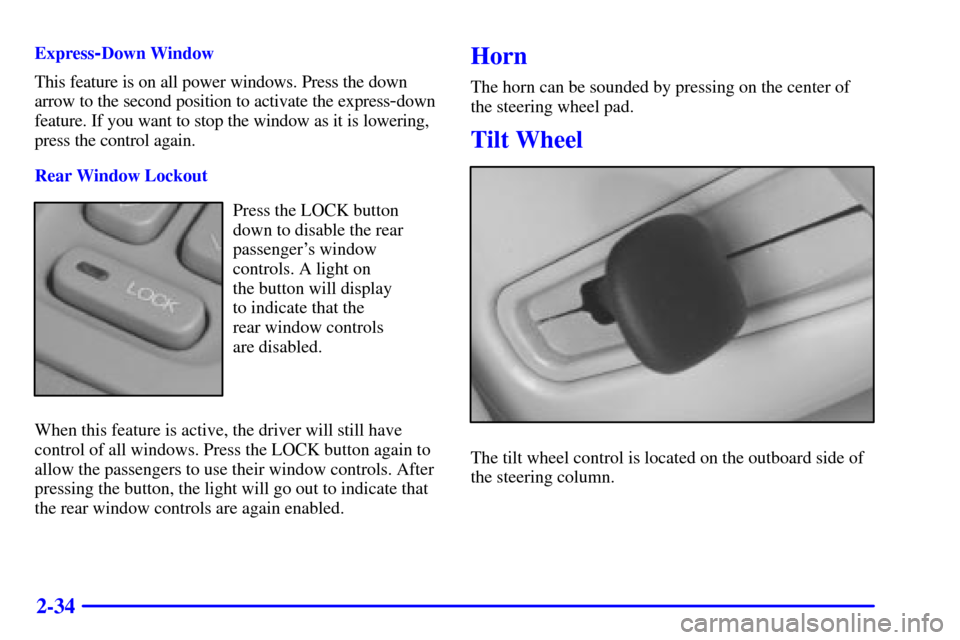
Press the LOCK button
down to disable the rear
passenger's window
controls. A light on
the button will display
to indicate that the
rear window controls
are disabled.
When this feature is active, the driver will still have
control of all windows. Press the LOCK button again to
allow the passengers to use their window controls. After
pressing the button, the light will go out to indicate that
the rear window controls are again enabled.
Horn
The horn can be sounded by pressing on the center of
the steering wheel pad.
Tilt Wheel
The tilt wheel control is located on the outboard side of
the steering column.
Page 95 of 359

2-35
Tilt steering allows you to adjust the steering wheel
before you drive. Raising the steering wheel to the
highest level gives your legs more room when you enter
and exit the vehicle.
Hold the steering wheel and pull the lever toward you to
bring the steering wheel close to you. Adjust the steering
wheel to a comfortable position and then release the
lever to lock it into place.
Power Tilt and Telescopic Wheel (Option)
The power tilt wheel control
is located on the outboard
side of the steering column.To operate the power tilt feature, push the control up
and the steering wheel will tilt up. Push the control
down and the steering wheel will go down.
If the power tilt control is pressed up or down and held
in that position, there will be a slight movement and a
slight pause followed by a continuous movement in the
direction the control is being pressed. This allows very
fine control of the steering wheel position. If the control
is bumped, the steering wheel moves approximately one
degree in the direction commanded.
Push the control forward and the steering wheel
moves toward the front of the vehicle. Push the control
rearward and the steering wheel moves toward the
rear of the vehicle. To set the memory position, see
ªVehicle Programming and Personalization Featuresº
and ªMemory Seat, Mirrors and Steering Wheelºin
the Index.
Page 96 of 359

2-36
Turn Signal/Multifunction Lever
Turn and Lane Change Signals
To signal a turn, move the lever on the left side of the
steering wheel all the way up or down. The lever returns
automatically when the turn is complete.
An arrow located on the
instrument panel cluster
will flash in the direction
of the turn or lane change.
Raise or lower the lever until the arrow starts to flash to
signal a lane change. Hold it there until the lane change
is complete. The lever returns when it is released.
If the turn signal is left on, a warning chime will sound
and the Driver Information Center (DIC) will display
TURN SIGNAL ON (after driving about a mile) to
remind you to turn it off.Arrows that flash rapidly when signaling for a turn or
lane change may be caused by a burned
-out signal bulb.
Other drivers won't see the turn signal.
Replace burned
-out bulbs to help avoid possible
accidents. Check the fuse (see ªFuses and Circuit
Breakersº in the Index) and check for burned
-out
bulbs if the arrow fails to work when signaling a turn.
Headlamp High/Low Beam
When the low-beam headlamps are on, push the turn
signal lever away from you to change the headlamps to
high beam.
This light on the
instrument panel cluster
will be on, indicating
high
-beam usage.
Pull the turn signal lever toward you to return to
low
-beam headlamps.
Page 100 of 359
2-40 Cruise Control
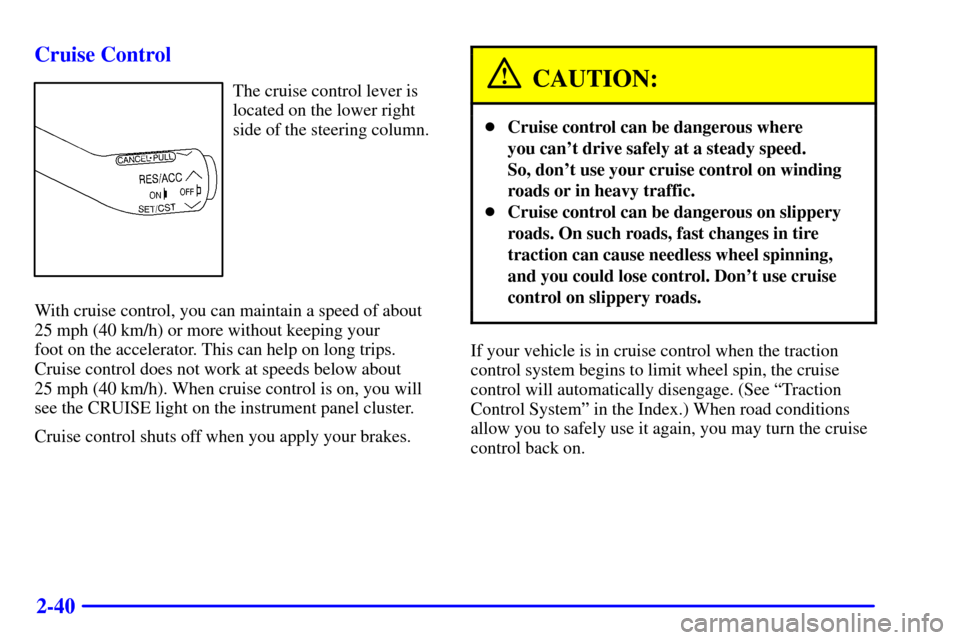
The cruise control lever is
located on the lower right
side of the steering column.
With cruise control, you can maintain a speed of about
25 mph (40 km/h) or more without keeping your
foot on the accelerator. This can help on long trips.
Cruise control does not work at speeds below about
25 mph (40 km/h). When cruise control is on, you will
see the CRUISE light on the instrument panel cluster.
Cruise control shuts off when you apply your brakes.CAUTION:
�Cruise control can be dangerous where
you can't drive safely at a steady speed.
So, don't use your cruise control on winding
roads or in heavy traffic.
�Cruise control can be dangerous on slippery
roads. On such roads, fast changes in tire
traction can cause needless wheel spinning,
and you could lose control. Don't use cruise
control on slippery roads.
If your vehicle is in cruise control when the traction
control system begins to limit wheel spin, the cruise
control will automatically disengage. (See ªTraction
Control Systemº in the Index.) When road conditions
allow you to safely use it again, you may turn the cruise
control back on.
Page 101 of 359

2-41
Setting Cruise Control
CAUTION:
If you leave your cruise control switch on when
you're not using cruise, you might hit a button
and go into cruise when you don't want to. You
could be startled and even lose control. Keep the
cruise control switch off until you want to use
cruise control.
1. Press the button at the end of the lever to turn on
the system.
2. Accelerate to the speed you want.
3. Move the lever down once to SET/CST. The
CRUISE light will come on.
4. Remove your foot from the accelerator pedal.
Resuming a Set Speed
Setting the cruise control at a desired speed and then
applying the brake will end the cruise function.Once you're going about 25 mph (40 km/h) or more,
you can move the cruise control lever up to RES/ACC
(Resume/Accelerate) briefly to reset. This returns you
to your desired preset speed. The CRUISE light will
come on.
If you hold the lever at RES/ACC, the vehicle will
accelerate until you release the lever or apply the brake.
So unless you want to go faster, don't hold the lever
at RES/ACC.
Increasing Speed While Using Cruise Control
There are two ways to go to a higher speed:
�Use the accelerator pedal to go to a higher speed.
Move the cruise lever to SET/CST and then release
the lever and the accelerator pedal. You'll now cruise
at the higher speed.
�Move the lever up to RES/ACC. Hold it there until
you reach a desired speed and then release the lever.
To increase your speed in very small amounts, move
the lever up to RES/ACC one second at a time.
Each time you do this, your vehicle will go about
1 mph (1.6 km/h) faster.
The accelerate feature will only work after you have set
the cruise control speed by moving the cruise lever
down to SET/CST.
Page 102 of 359
2-42
Reducing Speed While Using Cruise Control
There are two ways to reduce your speed while using
cruise control:
�Move the cruise lever down to SET/CST and hold it
there until you reach a desired lower speed, then
release it.
�To slow down in very small amounts, move the
cruise lever to SET/CST briefly. Each time you do
this, you'll go 1 mph (1.6 km/h) slower.
Passing Another Vehicle While Using
Cruise Control
Use the accelerator pedal to increase your speed. When
you take your foot off the pedal, your vehicle will slow
down to the cruise control speed you set earlier.Using Cruise Control on Hills
How well your cruise control will work on hills depends
upon your speed, load and the steepness of the hills.
When going up steep hills, you may have to step on the
accelerator pedal to maintain your speed. When going
downhill, you may have to brake or shift to a lower gear
to keep your speed down. Of course, applying the brakes
or downshifting into FIRST (1) takes you out of cruise
control. Many drivers find this to be too much trouble
and don't use cruise control on steep hills.
Ending Cruise Control
There are three ways to end cruise control:
�Step lightly on the brake pedal.
�Press the button at the end of the cruise lever.
�Pull the cruise lever (CANCEL) toward you.
Erasing Speed Memory
The cruise control set speed memory is erased when you
turn off the cruise control or the ignition.
Page 103 of 359
2-43
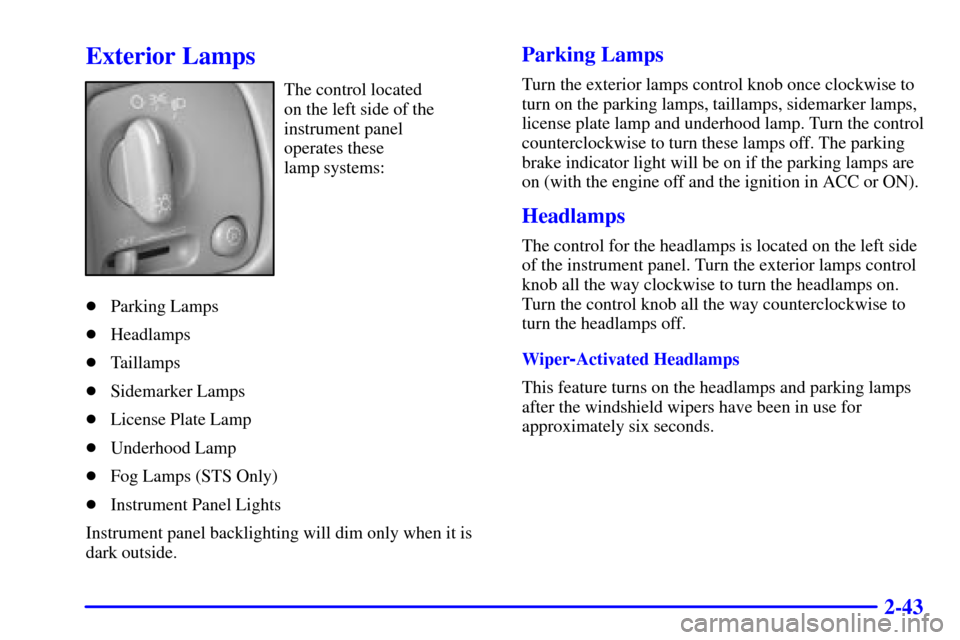
Exterior Lamps
The control located
on the left side of the
instrument panel
operates these
lamp systems:
�Parking Lamps
�Headlamps
�Taillamps
�Sidemarker Lamps
�License Plate Lamp
�Underhood Lamp
�Fog Lamps (STS Only)
�Instrument Panel Lights
Instrument panel backlighting will dim only when it is
dark outside.
Parking Lamps
Turn the exterior lamps control knob once clockwise to
turn on the parking lamps, taillamps, sidemarker lamps,
license plate lamp and underhood lamp. Turn the control
counterclockwise to turn these lamps off. The parking
brake indicator light will be on if the parking lamps are
on (with the engine off and the ignition in ACC or ON).
Headlamps
The control for the headlamps is located on the left side
of the instrument panel. Turn the exterior lamps control
knob all the way clockwise to turn the headlamps on.
Turn the control knob all the way counterclockwise to
turn the headlamps off.
Wiper
-Activated Headlamps
This feature turns on the headlamps and parking lamps
after the windshield wipers have been in use for
approximately six seconds.