111
13
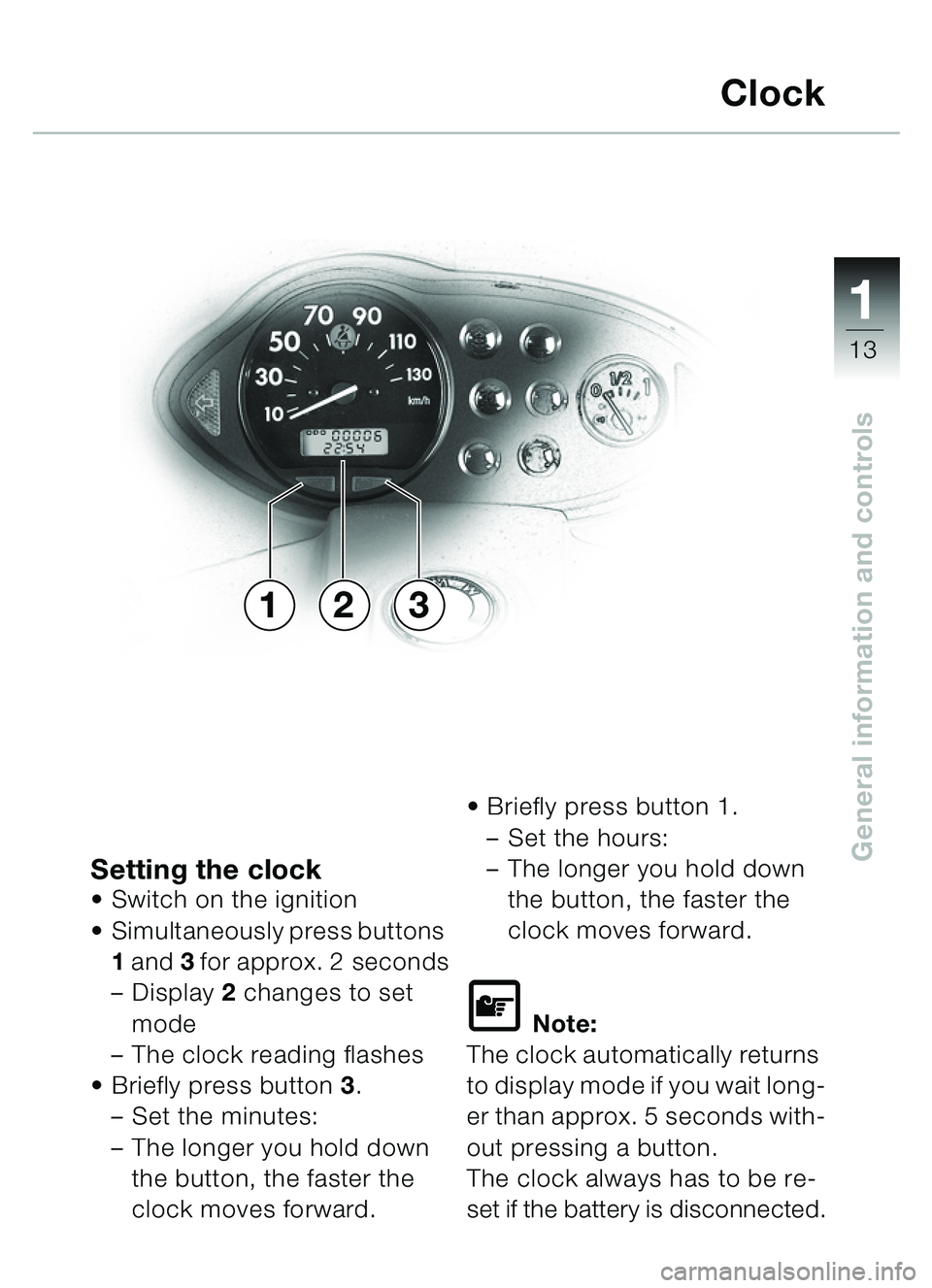
General information and controlsSetting the clockSwitch on the ignition
Simultaneously press buttons
1 and 3 for approx. 2 seconds
– Display 2 changes to set
mode
– The clock reading flashes
Briefly press button 3.
– Set the minutes:
– The longer you hold down
the button, the faster the
clock moves forward.
Briefly press button 1.
– Set the hours:
– The longer you hold down
the button, the faster the
clock moves forward.
\f Note:
The clock automatically returns
to display mode if you wait long-
er than approx. 5 seconds with-
out pressing a button.
The clock always has to be re-
set if the battery is disconnected.
Clock
231
�� �
ii
90
Index
AAnti-lock brake system (ABS)Check, 79
Notes, 78
Self-diagnosis, 79
Troubleshooting, 80
BBMW Service, 85
Brake fluidChanging, 35
Checking level, 35-37
Brake pads, checking, 38
Brake pressure, checking, 34
Brakes Handbrake levers, 34
Warnings, 77
CCatalytic converterSafety instructions, 54
Clock Setting, 13
Cockpit Overview, 9
Coolant level
Checking, 29
EEasy-lift mechanism, 55-61
Emergency off (kill) switch for ignition, 19
Engine oil, 30 Filler neck, 7 Engine oil pressure
Warning light, 11, 72
Equipment, 87
FFront brake Brake fluid level, 37
Handbrake lever, 19
Front fairing panel, 6 Installing, 21
Removing, 21
Fuel
Filler cap, 6
Fuse box, 7
GGeneral view Left side, 6
Right side, 7
HHandlebar fittingLeft, 18
Right, 19
Hardtop, 24
Hazard warning flashers, 17
Headlight beam setting RHD/LHD traffic, 40
Headlight beam throw, adjusting, 40
Headlight flasher, button, 18
High/low beam switch, 18
A – H
�� �