111
13
General information and controlsSetting the clockSwitch on the ignition
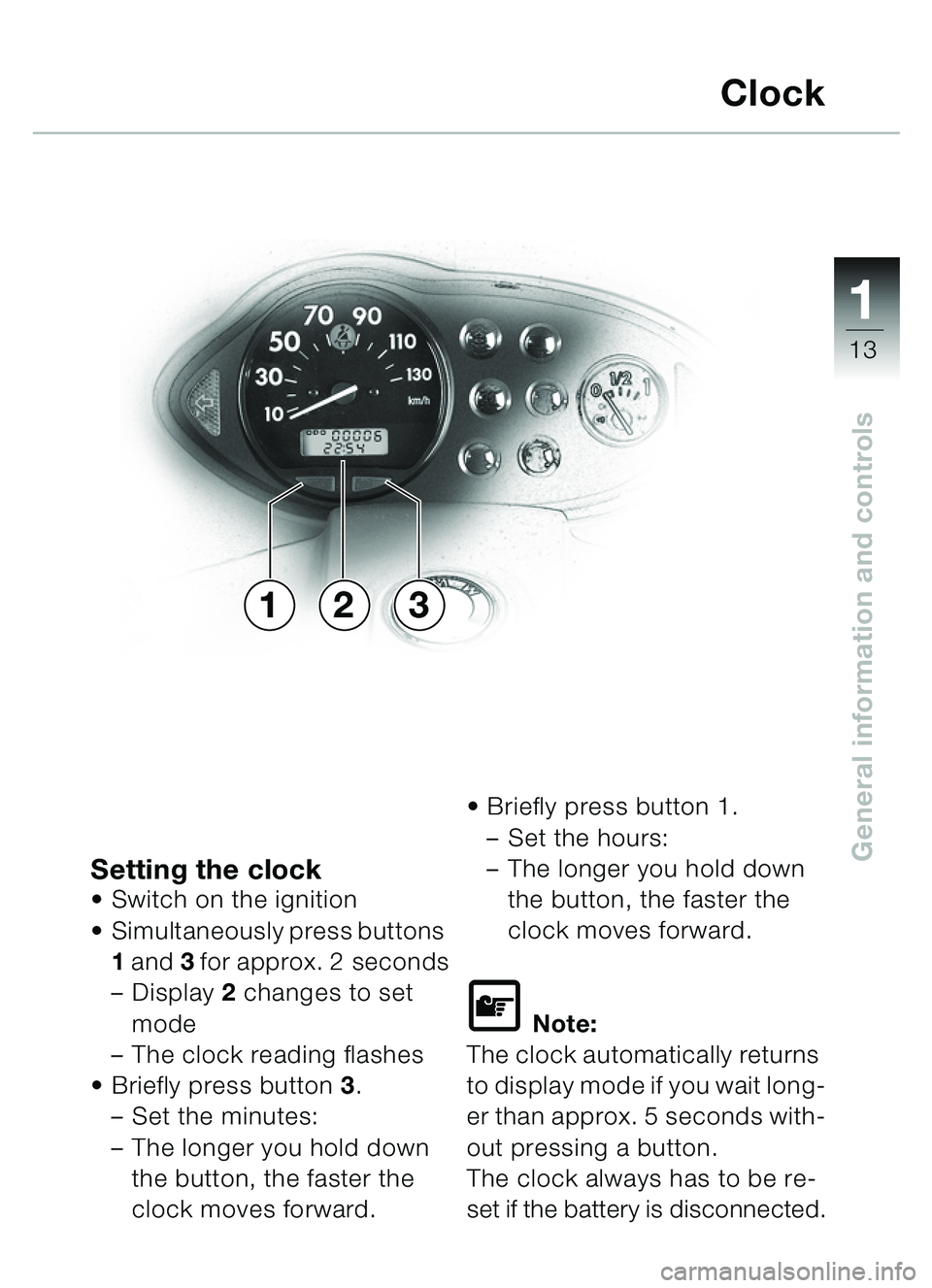
Simultaneously press buttons
1 and 3 for approx. 2 seconds
– Display 2 changes to set
mode
– The clock reading flashes
Briefly press button 3.
– Set the minutes:
– The longer you hold down
the button, the faster the
clock moves forward.
Briefly press button 1.
– Set the hours:
– The longer you hold down
the button, the faster the
clock moves forward.
\f Note:
The clock automatically returns
to display mode if you wait long-
er than approx. 5 seconds with-
out pressing a button.
The clock always has to be re-
set if the battery is disconnected.
Clock
231
�� �