2000 BMW 540I SEDAN wheel
[x] Cancel search: wheelPage 61 of 217
61n
RepairsIndexOverview Controls Car care Technology Data
AirbagsIndicator lamp
The indicator lamp displays the
operational status of the airbag
system in ignition key posi-
tions 1 and 2.
System operational:
>The indicator lamp comes on briefly
then goes out.
System malfunction:
>The indicator lamp fails to come on
>The indicator lamp comes on briefly
before going out and then lighting up
again.
A system malfunction could prevent the
system from responding to an impact
occurring within its normal response
range.
Please have your authorized BMW cen-
ter inspect and repair the system as
soon as possible.
Sitting correctly with airbags
For your safety, comply with the
following instructions for the air-
bags. If you do not, the airbags may not
be able to provide their maximum pro-
tection. All passengers in the vehicle
should be aware of and comply with
this information:
The airbags are supplemental restraint
devices designed to provide extra pro-
tection; they are not a substitute for
safety belts. Wear your safety belt at all
times. The airbags will not be triggered
in the event of a minor accident, a vehi-
cle roll-over, or collisions from the rear.
In these instances, the safety belt pro-
vides optimal protection.
Airbags are located under cover panels
in the steering wheel, in the dashboard,
in the side trim panels in the front and
rear*, and in the windshield pillars and
the sides of the headliner.
Adjust your seat to a position that pro-
vides maximum distance between you
and the steering wheel, the instrument
panel and the door while still allowing
comfortable and safe access to all
vehicle controls.
To avoid sustaining hand and arm inju-
ries: Always grasp the steering wheel
on the rim with the hands at the 9 and
3 o'clock positions: Do not place your
hands on the center pad.
Never allow any objects to obstruct the
area between the airbag and an occu-
pant.
Do not use the cover panel above the
passenger-side airbag as a storage
area.
Do not apply adhesive materials to the
cover panels of the airbags, cover them
or modify them in any other way.
Do not install a rear-facing child re-
straint system in the front passenger
seat of this car.
Children under 13 years of age and
children less than 5 feet (150 cm) tall
should ride only in the rear seat.
Infants or small children should never
be held on the lap of a passenger.
If your car is equipped with side airbags
in the rear passenger area, be sure that
child restraints are mounted correctly
and provided with the greatest-possible
distance between the airbags in the
side trim panels. Do not allow children
to lean out of the child's seat in the di-
rection of the side trim panels. If they
do so, serious injuries can occur if the
airbag is triggered.<
Page 67 of 217
67n
RepairsIndexOverview Controls Car care Technology Data
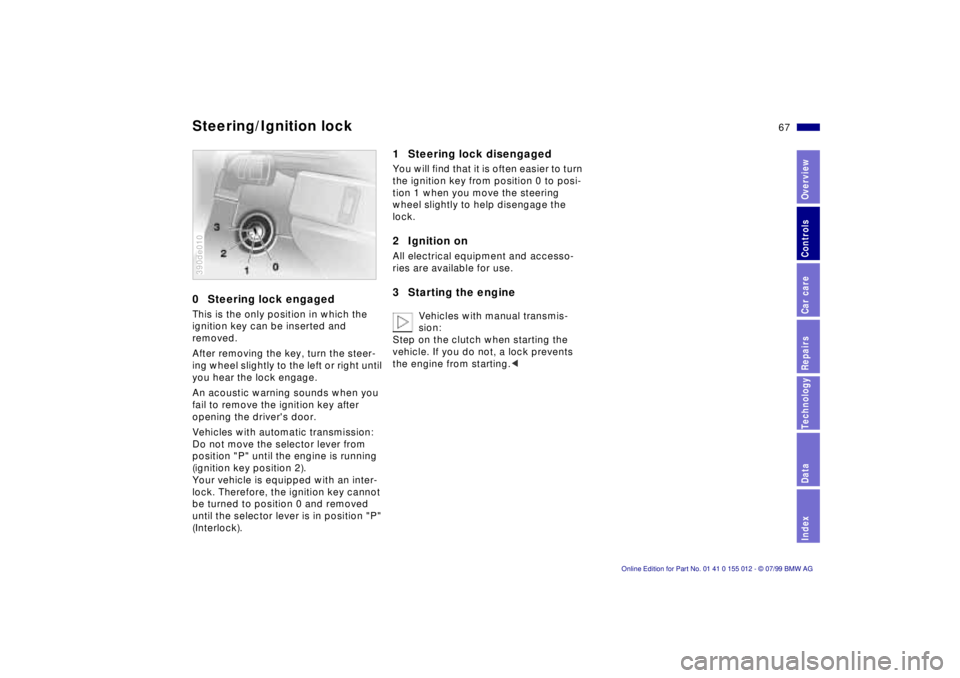
0 Steering lock engagedThis is the only position in which the
ignition key can be inserted and
removed.
After removing the key, turn the steer-
ing wheel slightly to the left or right until
you hear the lock engage.
An acoustic warning sounds when you
fail to remove the ignition key after
opening the driver's door.
Vehicles with automatic transmission:
Do not move the selector lever from
position "P" until the engine is running
(ignition key position 2).
Your vehicle is equipped with an inter-
lock. Therefore, the ignition key cannot
be turned to position 0 and removed
until the selector lever is in position "P"
(Interlock).390de010
1 Steering lock disengagedYou will find that it is often easier to turn
the ignition key from position 0 to posi-
tion 1 when you move the steering
wheel slightly to help disengage the
lock.2 Ignition onAll electrical equipment and accesso-
ries are available for use.3 Starting the engine
Vehicles with manual transmis-
sion:
Step on the clutch when starting the
vehicle. If you do not, a lock prevents
the engine from starting.<
Steering/Ignition lock
Page 69 of 217
69n
RepairsIndexOverview Controls Car care Technology Data
Switching off the engine Parking brakeTurn the ignition key to position 1 or 0.
Never remove the ignition key
while the vehicle is rolling. The
steering locks, making it impossible to
steer the vehicle.
Always remove the ignition key and en-
gage the steering lock before leaving
the vehicle.
Vehicles with manual transmission:
Always engage the parking brake when
parking on slopes and inclined sur-
faces, since placing the lever in 1st gear
or reverse may not provide adequate
resistance to rolling.
Vehicles with automatic transmission:
Place the selector lever in "Park."<
Vehicles with automatic transmission
*:
The vehicle must be stationary and the
selector lever in "Park" before you can
remove the ignition key.
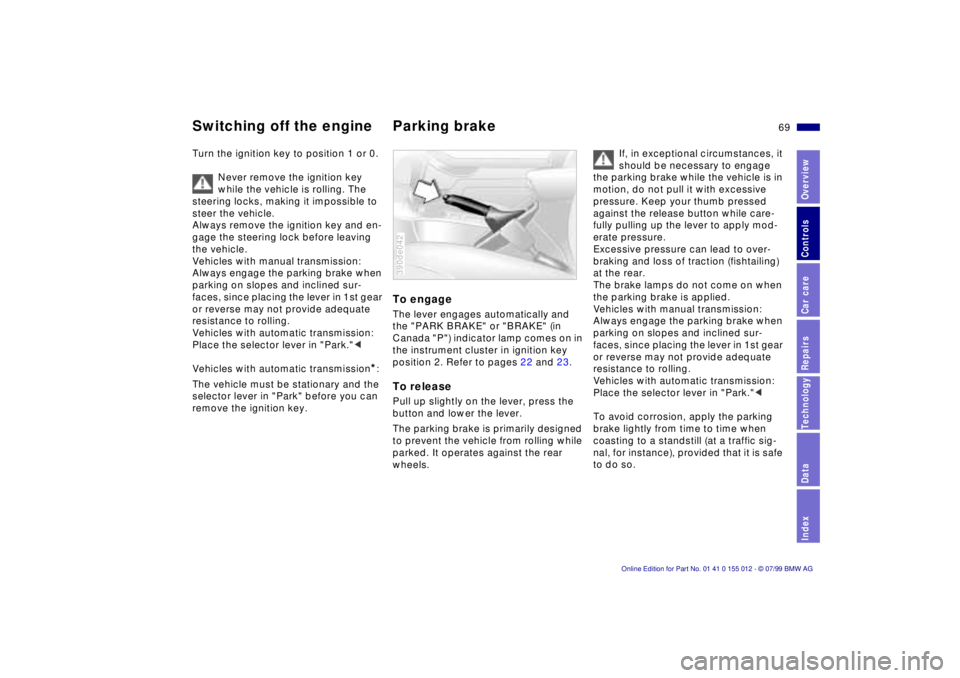
To engageThe lever engages automatically and
the "PARK BRAKE" or "BRAKE" (in
Canada "P") indicator lamp comes on in
the instrument cluster in ignition key
position 2. Refer to pages 22 and 23.To releasePull up slightly on the lever, press the
button and lower the lever.
The parking brake is primarily designed
to prevent the vehicle from rolling while
parked. It operates against the rear
wheels.390de042
If, in exceptional circumstances, it
should be necessary to engage
the parking brake while the vehicle is in
motion, do not pull it with excessive
pressure. Keep your thumb pressed
against the release button while care-
fully pulling up the lever to apply mod-
erate pressure.
Excessive pressure can lead to over-
braking and loss of traction (fishtailing)
at the rear.
The brake lamps do not come on when
the parking brake is applied.
Vehicles with manual transmission:
Always engage the parking brake when
parking on slopes and inclined sur-
faces, since placing the lever in 1st gear
or reverse may not provide adequate
resistance to rolling.
Vehicles with automatic transmission:
Place the selector lever in "Park."<
To avoid corrosion, apply the parking
brake lightly from time to time when
coasting to a standstill (at a traffic sig-
nal, for instance), provided that it is safe
to do so.
Page 72 of 217

72n
Automatic transmission
*
Before leaving the vehicle when
the engine is running, shift the se-
lector lever to the "Park" or "Neutral"
position and apply the parking brake.
The vehicle could move if this is not
done.
Never leave the car unattended with the
engine running. An unattended vehicle
with a running engine represents a po-
tential safety hazard.
If you should accidentally select "Neu-
tral" while traveling at high speed,
remove your foot from the accelerator
pedal immediately. Allow the engine
speed to drop to idle before selecting
the desired drive position. Damage
could otherwise occur due to excessive
engine speed.<
P ParkSelect "Park" only when the vehicle is
stationary. The transmission locks to
prevent the rear wheels from turning.R ReverseSelect "Reverse" only when the vehicle
is stationary.
N NeutralSelect "Neutral" only if your journey is
interrupted for a long period.D Drive
(automatic shift program)This position is designed for driving
under all normal operating conditions.
All forward gears are available.4 Ð Sport ProgramThis position is recommended if you
wish to select a performance-oriented
driving style.
3 and 2 Ð Shift limiterSelect this range when you wish to limit
gear changes (on steep uphill or down-
hill slopes, for instance). The transmis-
sion shifts up only as far as the selected
gear."Kickdown" In the "Kickdown" mode, you achieve
maximum performance.
To activate this mode, depress the ac-
celerator pedal beyond the full-throttle
position, at which a resistance point
must be overcome.
Page 75 of 217
75n
RepairsIndexOverview Controls Car care Technology Data
Automatic transmission with Steptronic
*
Before leaving the vehicle when
the engine is running, shift the se-
lector lever to the "Park" or "Neutral"
position and apply the parking brake.
The vehicle could move if this is not
done. Do not leave the car unattended
with the engine running. An unattended
vehicle with a running engine repre-
sents a potential safety hazard.
If you should inadvertently select "Neu-
tral" while traveling at high speed, re-
move your foot from the accelerator
pedal immediately. Allow the engine
speed to drop to idle before selecting
the desired drive position. Damage
could otherwise occur due to excessive
engine speed.<
P ParkSelect "Park" only when the vehicle is
stationary. The transmission locks to
prevent the rear wheels from turning.R ReverseSelect "Reverse" only when the vehicle
is stationary.N NeutralSelect "Neutral" only if your journey is
interrupted for a long period.
D Drive
(automatic shift program)This position is designed for driving un-
der all normal operating conditions. All
forward gears are available."Kickdown" In the "Kickdown" mode, you achieve
maximum performance.
To activate this mode, depress the ac-
celerator pedal beyond the full-throttle
position, at which a resistance point
must be overcome.
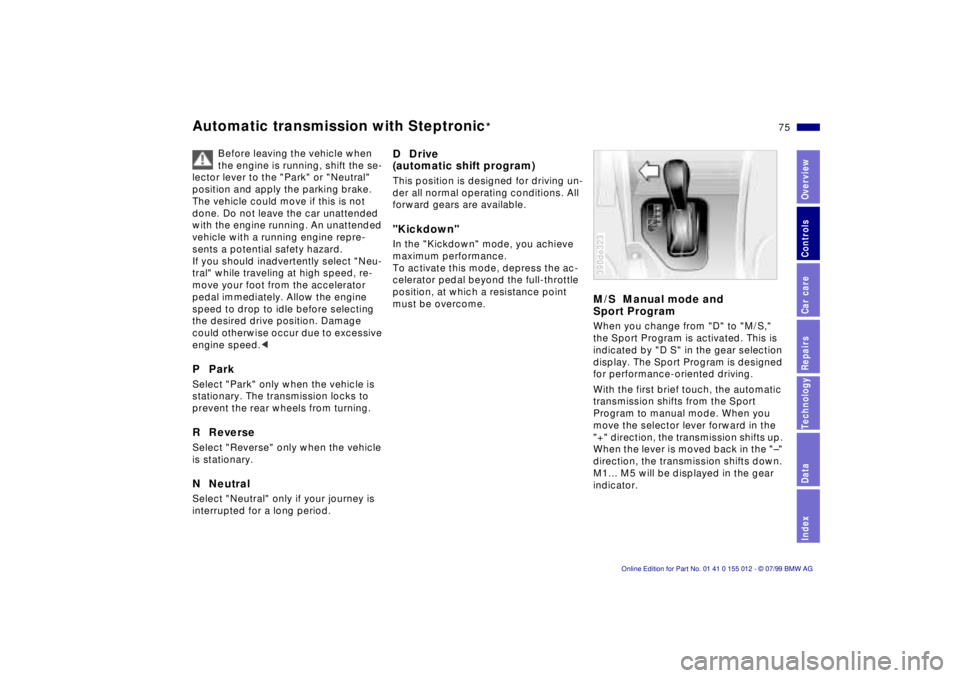
M/S Manual mode and
Sport ProgramWhen you change from "D" to "M/S,"
the Sport Program is activated. This is
indicated by "D S" in the gear selection
display. The Sport Program is designed
for performance-oriented driving.
With the first brief touch, the automatic
transmission shifts from the Sport
Program to manual mode. When you
move the selector lever forward in the
"+" direction, the transmission shifts up.
When the lever is moved back in the "Ð"
direction, the transmission shifts down.
M1... M5 will be displayed in the gear
indicator.390de323
Page 92 of 217
92n
Tire Pressure Control (RDC)
*
The concept RDC monitors the tire pressures at all
four wheels, even when the vehicle is
moving. The system provides an alert
whenever the inflation pressure drops
significantly below the specified pres-
sure in one or more tires.
In order for the system to "learn" the
correct tire inflation pressure, check the
inflation pressure in all tires. Refer to
the table of "Tire inflation pressures"
beginning on page 29 and make any
necessary corrections. Then activate
the system.
This indicator lamp in the in-
strument cluster or the Check
Control will inform you if the tire
pressure is not correct.
Activate the system1 Turn the ignition key to position 2 (do
not start the engine).
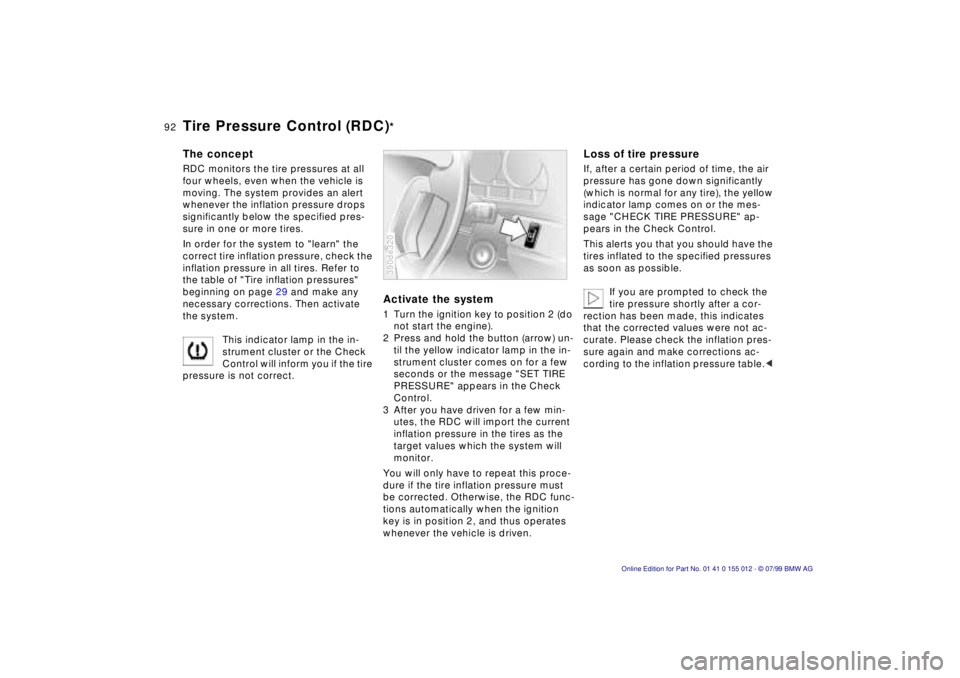
2 Press and hold the button (arrow) un-
til the yellow indicator lamp in the in-
strument cluster comes on for a few
seconds or the message "SET TIRE
PRESSURE" appears in the Check
Control.
3 After you have driven for a few min-
utes, the RDC will import the current
inflation pressure in the tires as the
target values which the system will
monitor.
You will only have to repeat this proce-
dure if the tire inflation pressure must
be corrected. Otherwise, the RDC func-
tions automatically when the ignition
key is in position 2, and thus operates
whenever the vehicle is driven.390de320
Loss of tire pressureIf, after a certain period of time, the air
pressure has gone down significantly
(which is normal for any tire), the yellow
indicator lamp comes on or the mes-
sage "CHECK TIRE PRESSURE" ap-
pears in the Check Control.
This alerts you that you should have the
tires inflated to the specified pressures
as soon as possible.
If you are prompted to check the
tire pressure shortly after a cor-
rection has been made, this indicates
that the corrected values were not ac-
curate. Please check the inflation pres-
sure again and make corrections ac-
cording to the inflation pressure table.<
Page 93 of 217
93n
RepairsIndexOverview Controls Car care Technology Data
Tire Pressure Control (RDC)
*
Flat tireIf there is a tire failure with a loss of air
pressure, the red indicator lamp comes
on or the message "TIRE DEFECT" ap-
pears in the Check Control. In addition,
a gong sounds.
If this occurs, reduce vehicle speed im-
mediately and stop the vehicle in a safe
location. Avoid hard brake applications.
Do not oversteer. Replace the wheel
and flat tire.
The spare tire which is available in
your vehicle as standard equip-
ment is equipped with the electronics
required for RDC and, following activa-
tion of the system, is also monitored af-
ter it is mounted.<
The RDC cannot alert you to se-
vere and sudden tire damage
caused by external factors.<
Have the tires changed by your
authorized BMW center.
Your BMW center has the information
needed for working with RDC and is
equipped with the necessary special
tools.<
System interferenceDuring the period of the malfunction,
the yellow indicator lamp comes on
or the message "TIRE CONTROL
INACTIVE" appears in the Check
Control.
You will also see the same message
>in the event of a system fault
>if a wheel is mounted without the
RDC electronics
>if, in addition to the spare tire,
additional wheels with RDC
electronics are on board.
Please contact your authorized BMW
center for additional information.
Page 101 of 217
101n
RepairsIndexOverview Controls Car care Technology Data
Automatic climate controlAir supply
In the "AUTO" program, the air
flow is controlled automati-
cally. AUTO will appear in the display
(refer to the overview on page 98). Use
"+" and "-" to vary the air flow. When
your setting is displayed by bars, the
automatic air flow is switched off. Auto-
matic air distribution maintains its set-
ting. You can reactivate the automatic
air flow by pressing the "AUTO" button.
When you press "Ð " during operation at
minimum blower speed all displays are
canceled: The fan, heating and air con-
ditioner are switched off. The outside
air supply is closed. By pressing any
button of the automatic climate control
(except the "REST" button 16), you can
switch the system back on.
To defrost windshield and door
windows
This program quickly removes
ice and condensation from the
windshield and the side windows.
Air conditioner
The air is cooled and dehu-
midified and Ð depending on
the temperature setting Ð warmed again
when the air conditioner system is
switched on. Depending on the
weather, the windshield may fog over
briefly when the engine is started.
Use the button to switch off the air con-
ditioner at outside temperatures below
approx. +417 (+56). This will help to
prevent the windows from fogging up.
If the windows fog over after switching
the air conditioner off, switch it back on.
Condensation forms in the air con-
ditioner system during operation,
which then exits under the vehicle.
Traces of condensed water of this kind
are thus normal.<
Automatic recirculated-air
control (AUC)
You can respond to unpleas-
ant external odors by tempo-
rarily stopping the flow of outside air.
The system then recirculates the air
currently within the vehicle. Press the
button repeatedly to run through the
following control sequence:
>Indicator lamps off: Outside air flow
operational.
>Left-hand indicator lamp on Ð AUC
mode: The system recognizes pollut-
ants in the outside air and blocks the
flow of air when necessary. The sys-
tem then recirculates the air currently
within the vehicle.
Depending on the air quality, the au-
tomatic system then switches back
and forth between outside air supply
and recirculation of the air within the
vehicle.
>Right-hand indicator lamp on: The
flow of external air into the vehicle is
permanently blocked. The system
then recirculates the air currently
within the vehicle.
If you have a multifunction steering
wheel with the recirculated-air button
(refer to page 25), you can also use it to
switch between "Off" and the recircu-
lated-air mode or AUC and the recircu-
lated-air mode.