Page 35 of 189
33n
RepairsIndexOverview Controls Car care Technology Data
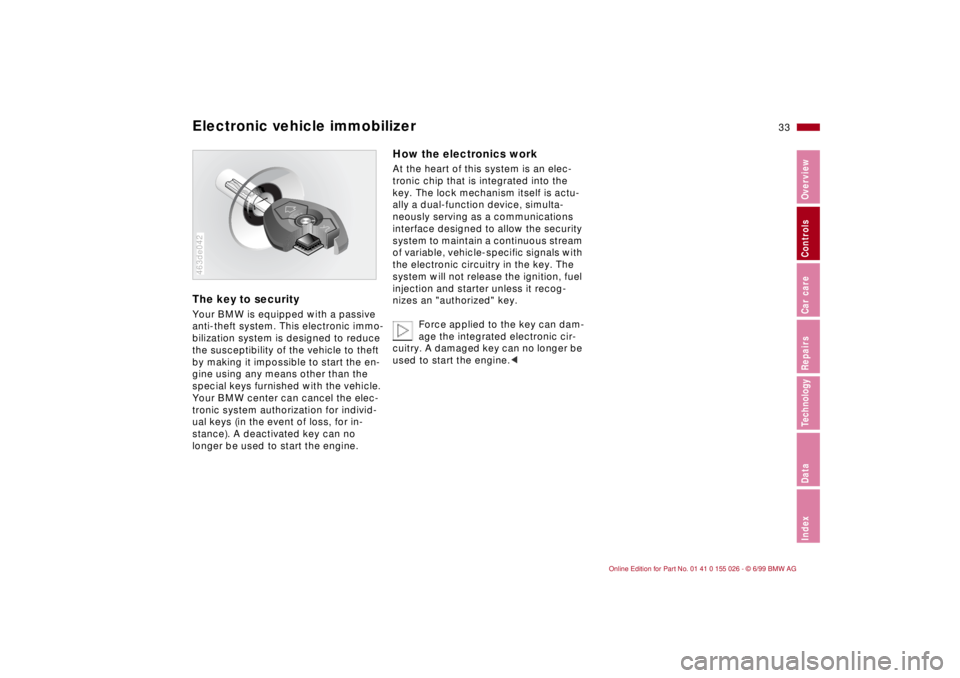
Electronic vehicle immobilizer The key to securityYour BMW is equipped with a passive
anti-theft system. This electronic immo-
bilization system is designed to reduce
the susceptibility of the vehicle to theft
by making it impossible to start the en-
gine using any means other than the
special keys furnished with the vehicle.
Your BMW center can cancel the elec-
tronic system authorization for individ-
ual keys (in the event of loss, for in-
stance). A deactivated key can no
longer be used to start the engine.
BMW
LOCK
463de042
How the electronics workAt the heart of this system is an elec-
tronic chip that is integrated into the
key. The lock mechanism itself is actu-
ally a dual-function device, simulta-
neously serving as a communications
interface designed to allow the security
system to maintain a continuous stream
of variable, vehicle-specific signals with
the electronic circuitry in the key. The
system will not release the ignition, fuel
injection and starter unless it recog-
nizes an "authorized" key.
Force applied to the key can dam-
age the integrated electronic cir-
cuitry. A damaged key can no longer be
used to start the engine.<
Page 36 of 189
34n
Central locking system Door locks – from outside The conceptThe central locking system is ready for
operation whenever the driver's door is
closed. The system engages and re-
leases the locks on the
>doors
>luggage compartment lid
>fuel filler door.
The central locking system can be
operated
>from outside via the door lock and
using the remote control
>from inside by pressing a button.
Activating it from inside does not lock
the fuel filler door (see page 38).
When the system is actuated from the
outside, the anti-theft system is acti-
vated simultaneously. Both the door
locks and release handles remain
locked. The alarm system
* is also
armed or disarmed.
In the event of an accident, the central
locking system unlocks automatically.
In addition, the hazard warning flashers
and interior lamps come on.
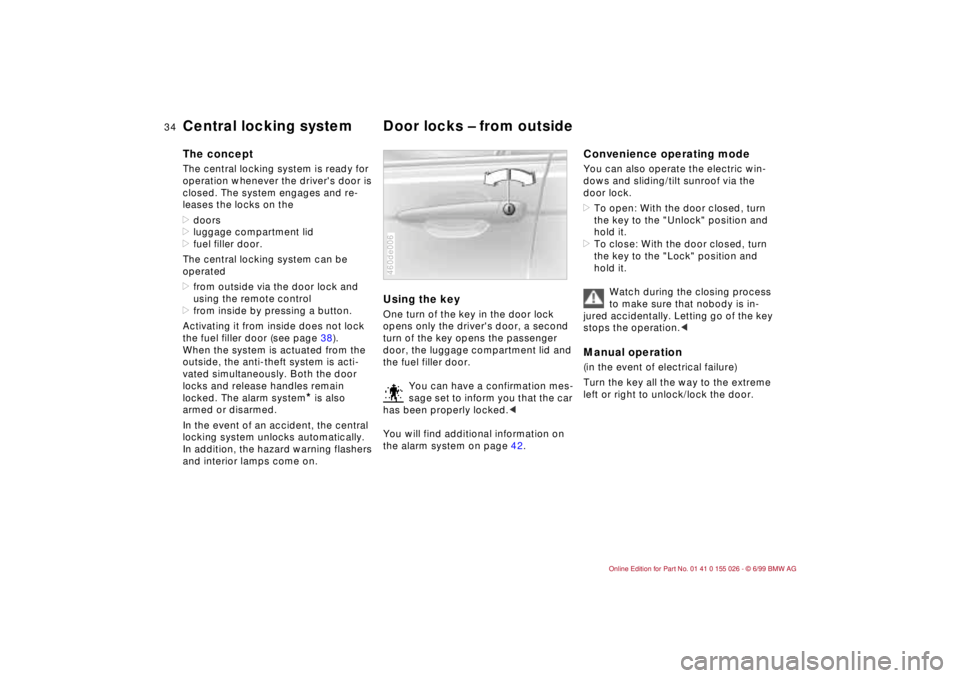
Using the keyOne turn of the key in the door lock
opens only the driver's door, a second
turn of the key opens the passenger
door, the luggage compartment lid and
the fuel filler door.
You can have a confirmation mes-
sage set to inform you that the car
has been properly locked.<
You will find additional information on
the alarm system on page 42.460de006
Convenience operating modeYou can also operate the electric win-
dows and sliding/tilt sunroof via the
door lock.
>To open: With the door closed, turn
the key to the "Unlock" position and
hold it.
>To close: With the door closed, turn
the key to the "Lock" position and
hold it.
Watch during the closing process
to make sure that nobody is in-
jured accidentally. Letting go of the key
stops the operation.
Turn the key all the way to the extreme
left or right to unlock/lock the door.
Page 40 of 189

38n
Door locks – from inside Use this button to operate the central
locking system when the doors are
closed. The doors and luggage com-
partment lid are unlocked or locked
only. The anti-theft alarm system is not
activated.
After opening the driver's door by acti-
vating the remote control once, the
front passenger door can also be
opened by pressing the button. When
the driver's door is closed, it is auto-
matically locked.
If you desire, the central locking
system will secure the locks as
soon as you start to drive. This can be
adjusted to be key-specific.<460us007
To unlock and open the doors>Either unlock the doors together with
the button for the central locking sys-
tem and then pull each of the release
handles above the armrests or
>pull the release handle for each door
twice: The first pull unlocks the door,
and the second one opens it.
Doors locked from outside can be
opened from inside by first press-
ing the button and then pulling a re-
lease handle twice.<
To engage locks>Either use the central locking button
to lock all doors at once, or
>press down the individual door lock
buttons. The fuel filler door then re-
mains unlocked. As an added design
feature to prevent the driver from be-
ing inadvertently locked out of the ve-
hicle, the driver's door lock button
will not engage as long as the door
is open.
Children might be able to lock the
doors from the inside. For this rea-
son, take the vehicle's keys with you so
that the vehicle can be opened again
from the outside at any time.<
Page 76 of 189
74n
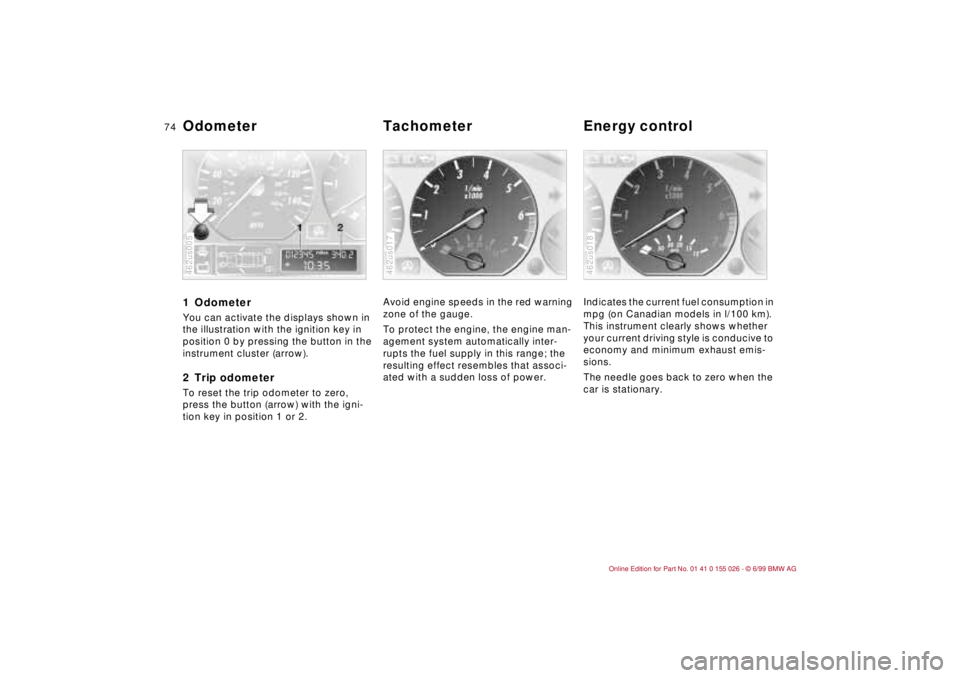
1 Odometer You can activate the displays shown in
the illustration with the ignition key in
position 0 by pressing the button in the
instrument cluster (arrow).2 Trip odometerTo reset the trip odometer to zero,
press the button (arrow) with the igni-
tion key in position 1 or 2.462us005
Avoid engine speeds in the red warning
zone of the gauge.
To protect the engine, the engine man-
agement system automatically inter-
rupts the fuel supply in this range; the
resulting effect resembles that associ-
ated with a sudden loss of power.462us017
Indicates the current fuel consumption in
mpg (on Canadian models in l/100 km).
This instrument clearly shows whether
your current driving style is conducive to
economy and minimum exhaust emis-
sions.
The needle goes back to zero when the
car is stationary. 462us018
Odometer Tachometer Energy control
Page 77 of 189
75n
RepairsIndexOverview Controls Car care Technology Data
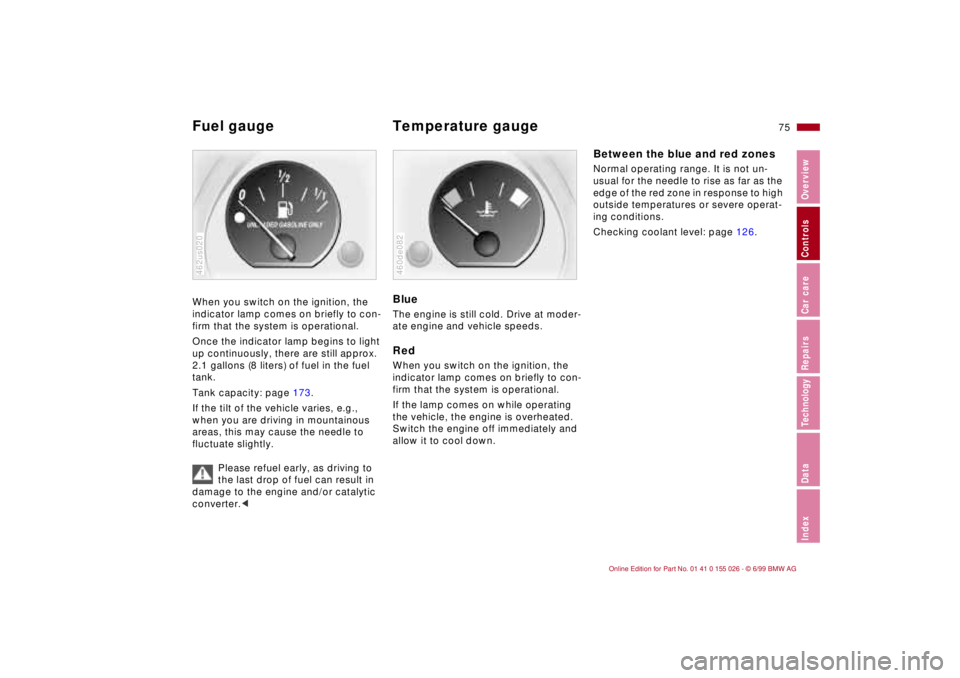
Fuel gauge Temperature gauge When you switch on the ignition, the
indicator lamp comes on briefly to con-
firm that the system is operational.
Once the indicator lamp begins to light
up continuously, there are still approx.
2.1 gallons (8 liters) of fuel in the fuel
tank.
Tank capacity: page 173.
If the tilt of the vehicle varies, e.g.,
when you are driving in mountainous
areas, this may cause the needle to
fluctuate slightly.
Please refuel early, as driving to
the last drop of fuel can result in
damage to the engine and/or catalytic
converter.<462us020
BlueThe engine is still cold. Drive at moder-
ate engine and vehicle speeds.RedWhen you switch on the ignition, the
indicator lamp comes on briefly to con-
firm that the system is operational.
If the lamp comes on while operating
the vehicle, the engine is overheated.
Switch the engine off immediately and
allow it to cool down.460de082
Between the blue and red zonesNormal operating range. It is not un-
usual for the needle to rise as far as the
edge of the red zone in response to high
outside temperatures or severe operat-
ing conditions.
Checking coolant level: page 126.
Page 78 of 189
76n
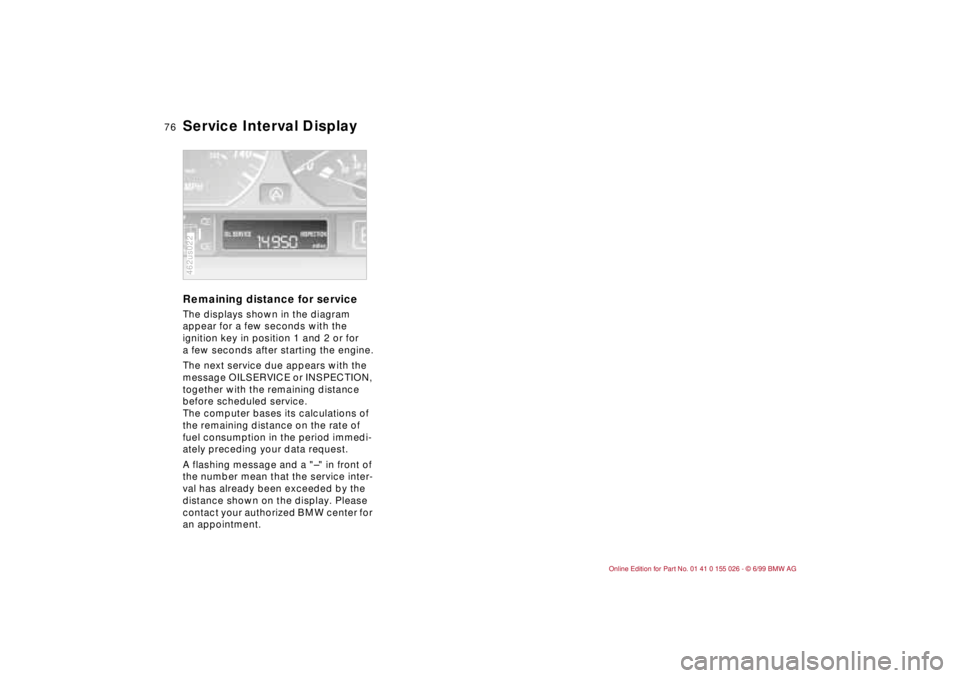
Service Interval Display Remaining distance for serviceThe displays shown in the diagram
appear for a few seconds with the
ignition key in position 1 and 2 or for
a few seconds after starting the engine.
The next service due appears with the
message OILSERVICE or INSPECTION,
together with the remaining distance
before scheduled service.
The computer bases its calculations of
the remaining distance on the rate of
fuel consumption in the period immedi-
ately preceding your data request.
A flashing message and a "–" in front of
the number mean that the service inter-
val has already been exceeded by the
distance shown on the display. Please
contact your authorized BMW center for
an appointment.462us022
Page 79 of 189
77n
RepairsIndexOverview Controls Car care Technology Data
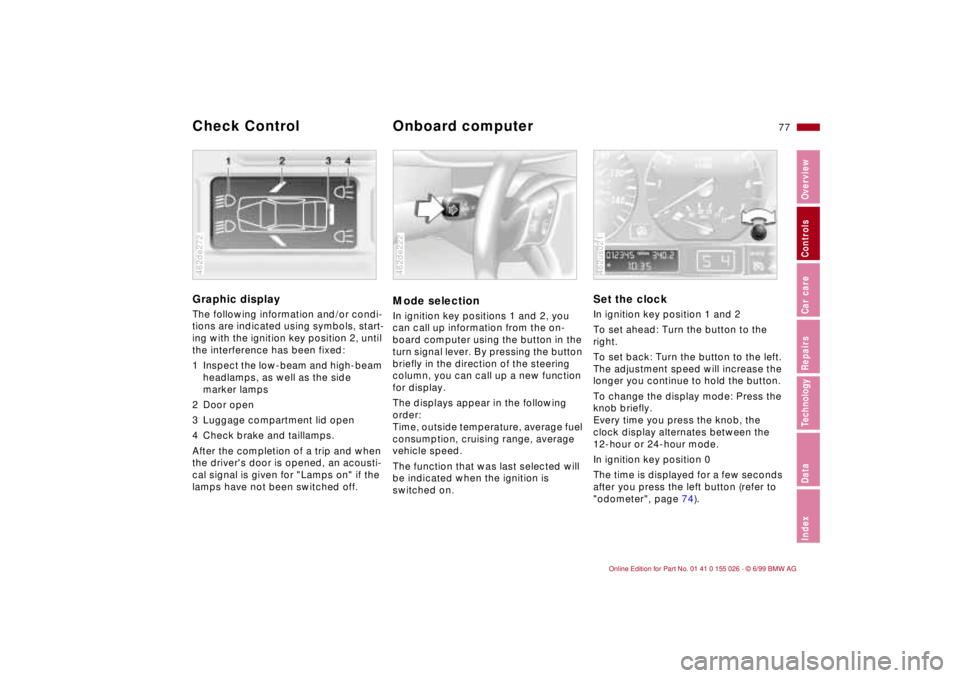
Graphic display
The following information and/or condi-
tions are indicated using symbols, start-
ing with the ignition key position 2, until
the interference has been fixed:
1 Inspect the low-beam and high-beam
headlamps, as well as the side
marker lamps
2 Door open
3 Luggage compartment lid open
4 Check brake and taillamps.
After the completion of a trip and when
the driver's door is opened, an acousti-
cal signal is given for "Lamps on" if the
lamps have not been switched off.462de272
Mode selectionIn ignition key positions 1 and 2, you
can call up information from the on-
board computer using the button in the
turn signal lever. By pressing the button
briefly in the direction of the steering
column, you can call up a new function
for display.
The displays appear in the following
order:
Time, outside temperature, average fuel
consumption, cruising range, average
vehicle speed.
The function that was last selected will
be indicated when the ignition is
switched on.462de222
Set the clockIn ignition key position 1 and 2
To set ahead: Turn the button to the
right.
To set back: Turn the button to the left.
The adjustment speed will increase the
longer you continue to hold the button.
To change the display mode: Press the
knob briefly.
Every time you press the knob, the
clock display alternates between the
12-hour or 24-hour mode.
In ignition key position 0
The time is displayed for a few seconds
after you press the left button (refer to
"odometer", page 74).462us021
Check Control
Onboard computer
Page 80 of 189
78n
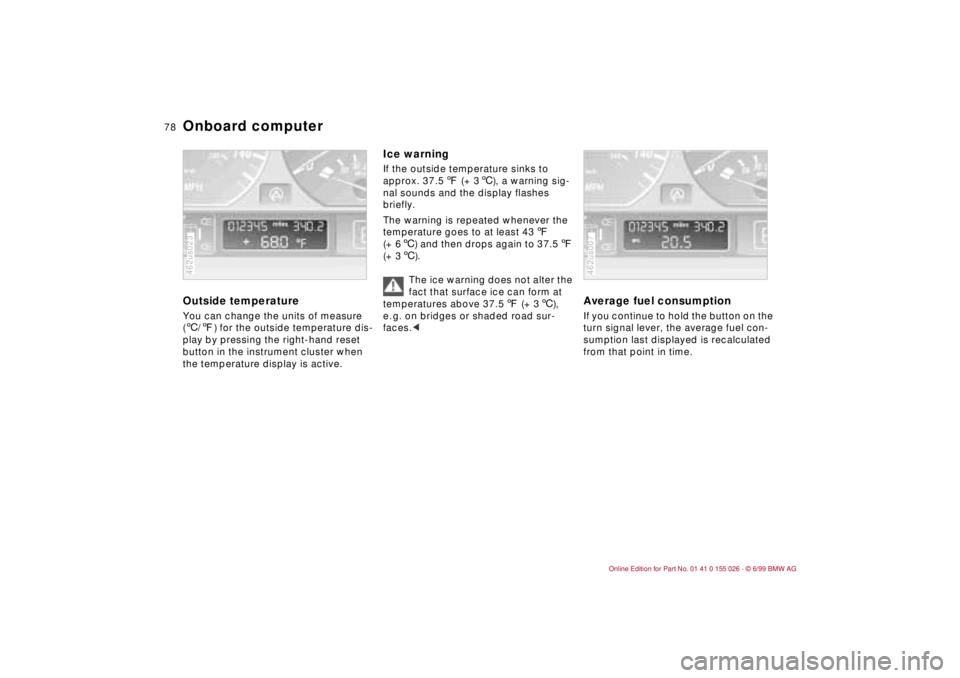
Onboard computerOutside temperature You can change the units of measure
(6/7) for the outside temperature dis-
play by pressing the right-hand reset
button in the instrument cluster when
the temperature display is active.462us023
Ice warning If the outside temperature sinks to
approx. 37.57 (+ 36), a warning sig-
nal sounds and the display flashes
briefly.
The warning is repeated whenever the
temperature goes to at least 437
(+ 66) and then drops again to 37.57
(+ 36).
The ice warning does not alter the
fact that surface ice can form at
temperatures above 37.57 (+ 36),
e. g. on bridges or shaded road sur-
faces.<
Average fuel consumption If you continue to hold the button on the
turn signal lever, the average fuel con-
sumption last displayed is recalculated
from that point in time.462us007