2000 BMW 323Ci CONVERTIBLE steering
[x] Cancel search: steeringPage 31 of 199

Overview
Controls and features
Operation, care
and maintenance
Owner service procedures
Technical data
Index Advanced technology
31n
IndexDataTechnologyRepairsCar careControlsOverview
Driving:
Steering/Ignition lock70
Starting the engine70
Switching off the engine71
Parking brake72
Manual transmission73
Automatic transmission with
Steptronic74
Turn signal indicator/Headlamp
flasher77
Washer/Wiper system/
Rain sensor77
Rear window defroster79
Cruise control80
Everything under control:
Odometer82
Tachometer82
Energy Control82
Fuel gauge83
Coolant temperature gauge83
Service Interval Display83
Check Control84
Clock84
Onboard computer85
Technology for safety and
convenience:
Park Distance Control (PDC)87
Dynamic Stability Control
(DSC)88
Tire Pressure Control (RDC)89Lamps:
Parking lamps/Low beams91
Instrument lighting91
High beams/Parking lamps92
Fog lamps92
Interior lamps92
Reading lamps93
Controlling the climate for
pleasant driving:
Automatic climate control94
Seat heating99
Cabin conveniences:
Glove compartment99
BMW Universal
Transmitter *100
Storage compartments102
Cellular phone103
Ashtray front103
Cigarette lighter104
Ashtray rear104
Loading and transporting:
Ski bag105
Cargo loading106
Luggage rack for the
hardtop108
Page 32 of 199
32n
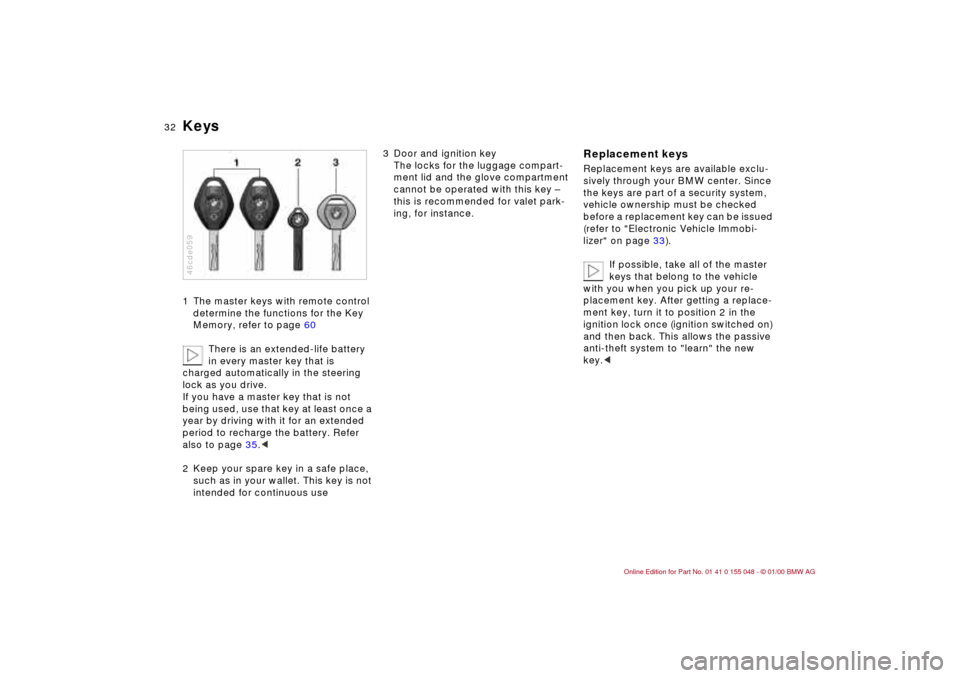
Keys1 The master keys with remote control
determine the functions for the Key
Memory, refer to page 60
There is an extended-life battery
in every master key that is
charged automatically in the steering
lock as you drive.
If you have a master key that is not
being used, use that key at least once a
year by driving with it for an extended
period to recharge the battery. Refer
also to page 35.<
2 Keep your spare key in a safe place,
such as in your wallet. This key is not
intended for continuous use 46cde059
3 Door and ignition key
The locks for the luggage compart-
ment lid and the glove compartment
cannot be operated with this key –
this is recommended for valet park-
ing, for instance.
Replacement keysReplacement keys are available exclu-
sively through your BMW center. Since
the keys are part of a security system,
vehicle ownership must be checked
before a replacement key can be issued
(refer to "Electronic Vehicle Immobi-
lizer" on page 33).
If possible, take all of the master
keys that belong to the vehicle
with you when you pick up your re-
placement key. After getting a replace-
ment key, turn it to position 2 in the
ignition lock once (ignition switched on)
and then back. This allows the passive
anti-theft system to "learn" the new
key.<
Page 35 of 199
35n
IndexDataTechnologyRepairsCar careControlsOverview
Opening and closing – from outsideUsing the remote control The remote control gives you an excep-
tionally convenient method for unlock-
ing and locking your vehicle. Further-
more, it provides two additional func-
tions that only the remote control can
execute:
>Switching on the interior lamps
Using this function, you can also
"search" for your vehicle e. g. when-
ever it is parked in an underground
garage
>Opening the luggage compartment
lid
It will open slightly, regardless of
whether it was previously locked
or unlocked.
When you unlock the vehicle, the anti-
theft system is deactivated, the alarm
system
* is disarmed, and the interior
lamps are turned on. When you lock the
vehicle, the systems are activated and
armed, and the lamps go off.
You can have a signal set as an
acknowledgement message that
the vehicle is closed correctly.<
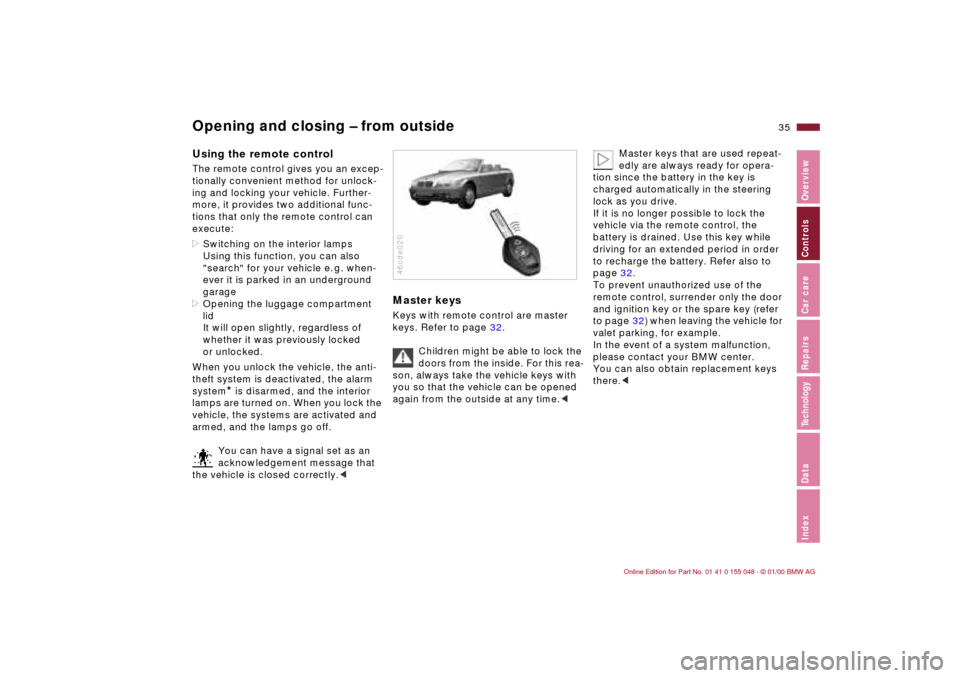
Master keysKeys with remote control are master
keys. Refer to page 32.
Children might be able to lock the
doors from the inside. For this rea-
son, always take the vehicle keys with
you so that the vehicle can be opened
again from the outside at any time.<46cde020
Master keys that are used repeat-
edly are always ready for opera-
tion since the battery in the key is
charged automatically in the steering
lock as you drive.
If it is no longer possible to lock the
vehicle via the remote control, the
battery is drained. Use this key while
driving for an extended period in order
to recharge the battery. Refer also to
page 32.
To prevent unauthorized use of the
remote control, surrender only the door
and ignition key or the spare key (refer
to page 32) when leaving the vehicle for
valet parking, for example.
In the event of a system malfunction,
please contact your BMW center.
You can also obtain replacement keys
there.<
Page 58 of 199
58n
Seat and mirror memory
*
Adjusting steering wheel Mirrors
Passenger side exterior mirror
tilt function(automatic curb monitor)
*
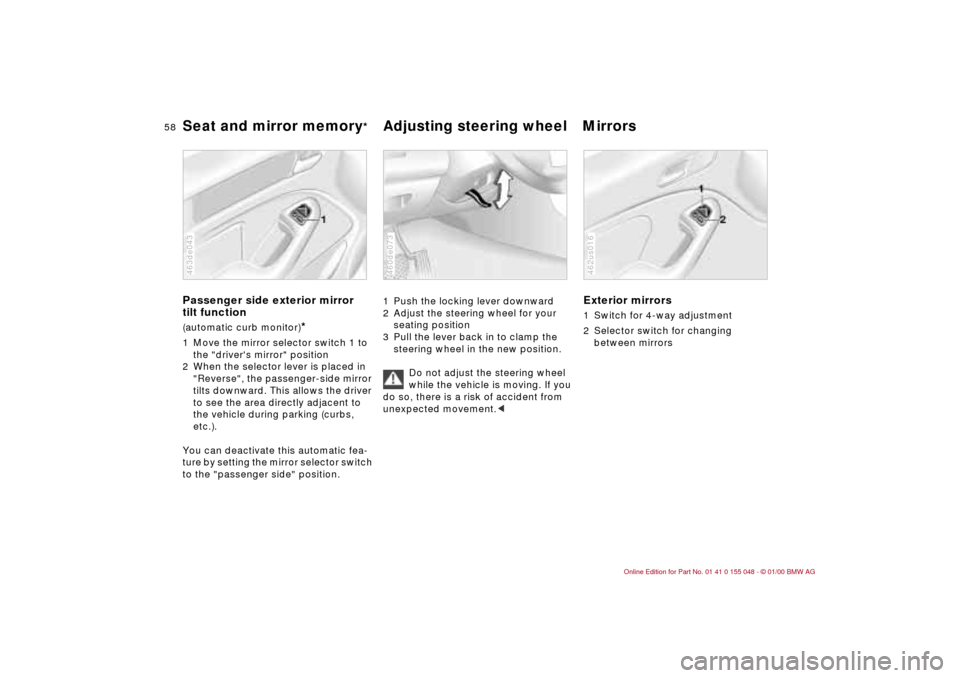
1 Move the mirror selector switch 1 to
the "driver's mirror" position
2 When the selector lever is placed in
"Reverse", the passenger-side mirror
tilts downward. This allows the driver
to see the area directly adjacent to
the vehicle during parking (curbs,
etc.).
You can deactivate this automatic fea-
ture by setting the mirror selector switch
to the "passenger side" position.463de043
1 Push the locking lever downward
2 Adjust the steering wheel for your
seating position
3 Pull the lever back in to clamp the
steering wheel in the new position.
Do not adjust the steering wheel
while the vehicle is moving. If you
do so, there is a risk of accident from
unexpected movement.<460de073
Exterior mirrors1 Switch for 4-way adjustment
2 Selector switch for changing
between mirrors462us016
Page 64 of 199

64n
AirbagsSitting correctly with airbags
For your safety, comply with the
following instructions for the air-
bags. If you do not, the airbags may not
be able to provide their maximum pro-
tection. All passengers in the vehicle
should be aware of and comply with
this information:
The airbags are supplemental restraint
devices designed to provide extra pro-
tection; they are not a substitute for
safety belts. Wear your safety belt at all
times. The airbags will not be triggered
in the event of a minor accident, a vehi-
cle roll-over, or collisions from the rear.
In these instances, the safety belt pro-
vides optimal protection.
Airbags are located under cover panels
in the steering wheel, in the dashboard
and in the side trim panels in the front.
Adjust your seat to a position that pro-
vides maximum distance between you
and the steering wheel, the instrument
panel and the door while still allowing
comfortable and safe access to all
vehicle controls.
To avoid sustaining hand and arm inju-
ries, always grasp the steering wheel
on the rim with the hands at the 9 and
3 o'clock positions. Do not place your
hands on the center pad.
Never allow any objects to obstruct the
area between the airbag and an occu-
pant.
Do not use the cover panel above the
passenger-side airbag as a storage
area.
Do not apply adhesive materials to the
cover panels of the airbags, cover them
or modify them in any other way.
Do not install a rear-facing child re-
straint system in the front passenger
seat of this car.
Children under 13 years of age and
children less than 5 feet (150 cm) tall
should ride only in the rear seat.
Infants or small children should never
be held on the lap of a passenger.
If your car is equipped with side airbags
in the rear passenger area, be sure that
child restraints are mounted correctly
and provided with the greatest-possible
distance between the airbags in the
side trim panels. Do not allow children
to lean out of the child's seat in the di-
rection of the side trim panels. If they
do so, serious injuries can occur if the
airbag is triggered.
(infants and small children in appropri-
ate child restraint systems; larger chil-
dren and adults using the safety belts).
Never let an occupant's head rest near
or on a side airbag because the inflating
airbag could cause a serious or fatal in-
jury. Please note that the word "Airbag"
imprinted on the door trim panel indi-
cates the airbag's location.
Accident research shows that the saf-
est place for children in an automobile
is in the rear seat. However, a child sit-
ting in the rear seat and not properly re-
strained may place his or her head on
or near the airbag, if so equipped. For
example, a child — even though belted
— may fall asleep with his or her head
against the side airbag. It may be diffi-
cult for a driver to ensure that children
in the rear seat will remain properly po-
sitioned at all times and not place their
heads on or near the side airbag.
Therefore, we recommend that the rear
seat side airbags, if so equipped, be
deactivated if children will travel in the
rear seat.
The rear seat side airbags may already
have been deactivated, either at the
time of manufacture or by a BMW
center. Labels in the rear door opening
Page 70 of 199
70n
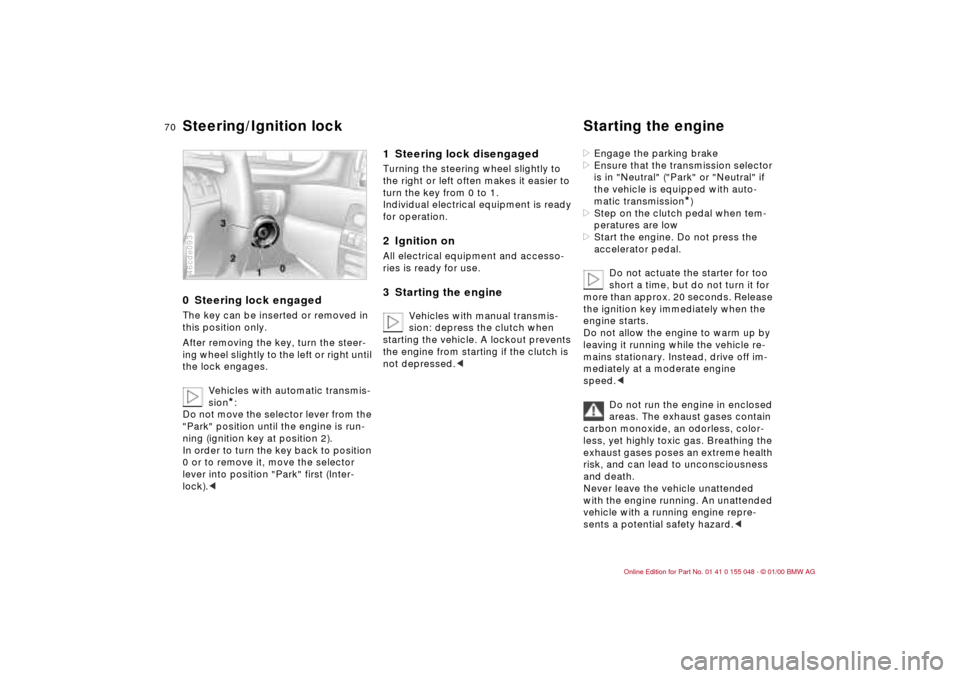
0 Steering lock engaged The key can be inserted or removed in
this position only.
After removing the key, turn the steer-
ing wheel slightly to the left or right until
the lock engages.
Vehicles with automatic transmis-
sion
*:
Do not move the selector lever from the
"Park" position until the engine is run-
ning (ignition key at position 2).
In order to turn the key back to position
0 or to remove it, move the selector
lever into position "Park" first (Inter-
lock).<
46cde093
1 Steering lock disengaged Turning the steering wheel slightly to
the right or left often makes it easier to
turn the key from 0 to 1.
Individual electrical equipment is ready
for operation.2 Ignition onAll electrical equipment and accesso-
ries is ready for use.3 Starting the engine
Vehicles with manual transmis-
sion: depress the clutch when
starting the vehicle. A lockout prevents
the engine from starting if the clutch is
not depressed.<
>Engage the parking brake
>Ensure that the transmission selector
is in "Neutral" ("Park" or "Neutral" if
the vehicle is equipped with auto-
matic transmission
*)
>Step on the clutch pedal when tem-
peratures are low
>Start the engine. Do not press the
accelerator pedal.
Do not actuate the starter for too
short a time, but do not turn it for
more than approx. 20 seconds. Release
the ignition key immediately when the
engine starts.
Do not allow the engine to warm up by
leaving it running while the vehicle re-
mains stationary. Instead, drive off im-
mediately at a moderate engine
speed.<
Do not run the engine in enclosed
areas. The exhaust gases contain
carbon monoxide, an odorless, color-
less, yet highly toxic gas. Breathing the
exhaust gases poses an extreme health
risk, and can lead to unconsciousness
and death.
Never leave the vehicle unattended
with the engine running. An unattended
vehicle with a running engine repre-
sents a potential safety hazard.<
Steering/Ignition lock Starting the engine
Page 71 of 199
71n
IndexDataTechnologyRepairsCar careControlsOverview
Starting the engine Switching off the engine If the engine does not start on the first
attempt (if it is very hot or cold, for in-
stance):
>Press the accelerator pedal halfway
down while engaging the starter.
Cold start at extremely low tempera-
tures, from approx. +5 7 (–15 6)
and at elevations above 3,300 feet
(1,000 meters):
>On the first start attempt, engage the
starter for a longer period (approx.
10 seconds)
>Press the accelerator pedal halfway
down while engaging the starter.Turn the ignition key to position 1 or 0.
Do not remove the ignition key
while the vehicle is still moving. If
you did, the steering lock would engage
when the steering wheel is turned.
When you leave the vehicle, always re-
move the ignition key and engage the
steering lock.
Vehicles with manual transmission:
Always engage the parking brake when
parking on slopes and inclined sur-
faces, since placing the lever in 1st
gear or reverse may not provide ade-
quate resistance to rolling.
Vehicles with automatic transmission
*:
Place the selector lever in "Park".<
Page 85 of 199
85n
IndexDataTechnologyRepairsCar careControlsOverview
Onboard computer
*
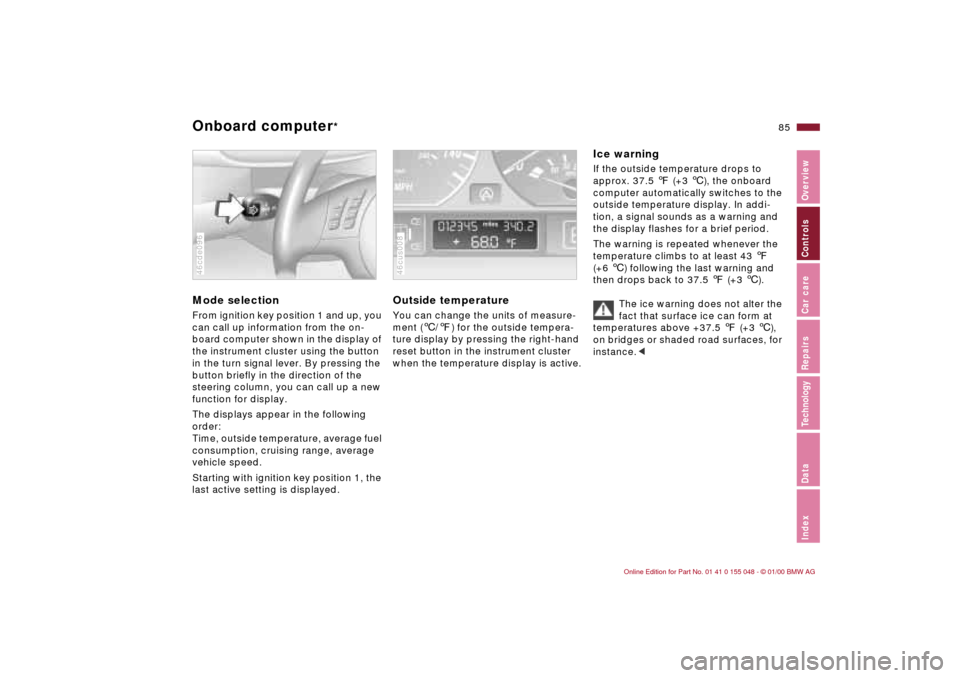
Mode selectionFrom ignition key position 1 and up, you
can call up information from the on-
board computer shown in the display of
the instrument cluster using the button
in the turn signal lever. By pressing the
button briefly in the direction of the
steering column, you can call up a new
function for display.
The displays appear in the following
order:
Time, outside temperature, average fuel
consumption, cruising range, average
vehicle speed.
Starting with ignition key position 1, the
last active setting is displayed.46cde096
Outside temperature You can change the units of measure-
ment (6/7) for the outside tempera-
ture display by pressing the right-hand
reset button in the instrument cluster
when the temperature display is active. 46cus008
Ice warning If the outside temperature drops to
approx. 37.5 7 (+3 6), the onboard
computer automatically switches to the
outside temperature display. In addi-
tion, a signal sounds as a warning and
the display flashes for a brief period.
The warning is repeated whenever the
temperature climbs to at least 43 7
(+6 6) following the last warning and
then drops back to 37.5 7 (+3 6).
The ice warning does not alter the
fact that surface ice can form at
temperatures above +37.5 7 (+3 6),
on bridges or shaded road surfaces, for
instance.<