Page 87 of 376

yellowblue
2-27
ACCESSORY (A): This position lets you use things
like the radio and windshield wipers when the engine is
off. To use ACCESSORY, push in the key and turn it
toward you. The steering wheel will stay locked.
LOCK (B): Before you put the key into the ignition
switch, the switch is in LOCK. It's also the only position
from which you can remove the key. This position locks
the ignition, steering wheel and transaxle. It's a
theft
-deterrent feature.
OFF (C): This position lets you turn off the engine but
still turn the steering wheel. It doesn't lock the steering
wheel like LOCK. Use OFF if you must have the
vehicle pushed or towed.RUN (D): This position is where the key returns after you
start the vehicle. With the engine off, you can use RUN to
display some of the warning and indicator lights.
START (E): This position starts the engine.
A warning chime will sound if you open the driver's
door when the ignition is in OFF, LOCK or
ACCESSORY and the key is in the ignition.
NOTICE:
If your key seems stuck in LOCK and you can't
turn it, be sure you are using the correct key; if
so, is it all the way in? If it is, then turn the
steering wheel left and right while you turn the
key hard. But turn the key only with your hand.
Using a tool to force it could break the key or the
ignition switch. If none of this works, then your
vehicle needs service.
Retained Accessory Power (RAP)
With Retained Accessory Power, the power windows,
audio system and sunroof will continue to work up to
10 minutes after the ignition key is turned to OFF and
none of the doors are opened.
Page 107 of 376

yellowblue
2-47 Turn and Lane Change Signals
The turn signal has two upward (for right) and two
downward (for left) positions. These positions allow you
to signal a turn or a lane change.
To signal a turn, move the lever all the way up or down.
When the turn is finished, the lever will return automatically.
An arrow on the instrument
panel will flash in the
direction of the turn or
lane change.
To signal a lane change, just raise or lower the lever
until the arrow starts to flash. Hold it there until you
complete your lane change. The lever will return by
itself when you release it.
As you signal a turn or a lane change, if the arrow
flashes faster than normal, a signal bulb may be burned
out and other drivers won't see your turn signal.If a bulb is burned out, replace it to help avoid an
accident. If the arrows don't go on at all when you
signal a turn, check for burned
-out bulbs and then check
the fuse (see ªFuses and Circuit Breakersº in the Index).
A chime will sound if you leave the turn signal on for
more than 3/4 mile (1.2 km).
Headlamp High/Low Beam Changer
To change the headlamps
from low beam to high
beam, or high to low, pull
the multifunction lever all
the way toward you. Then
release it.
When the high beams are on, a light on the instrument
panel also will be on.
Flash-to-Pass Feature
When the headlamps are off, pull the lever toward you
to momentarily switch on the high beams (to signal that
you are going to pass). When you release the lever, they
will turn off.
Page 108 of 376

yellowblue
2-48 Windshield Wipers
You control the windshield wipers by turning the band
marked WIPER on the turn signal/multifunction lever.
For a single wiping cycle, turn the band to MIST. Hold
it there until the wipers start, then let go. The wipers will
stop after one cycle. If you want more cycles, hold the
band on MIST longer.
For steady wiping at low speed, turn the band to LOW.
For high
-speed wiping, turn the band further, to HIGH.
To stop the wipers, turn the band to OFF.
You can set the wiper speed for a long or short delay
between wipes. This can be very useful in light rain or
snow. Turn the band to choose the delay time. The
closer to LOW, the shorter the delay.
Be sure to clear ice and snow from the wiper blades
before using them. If they're frozen to the windshield,
carefully loosen or thaw them. If the blades do become
damaged, get new blades or blade inserts.
Heavy snow or ice can overload the wipers. A circuit
breaker will stop them until the motor cools. Clear away
snow or ice to prevent an overload.
Windshield Washer
At the top of the multifunction lever, there's a paddle
with the word PUSH on it. To spray washer fluid on the
windshield, push the paddle. The wipers will run for
several sweeps and then either stop or return to your
preset speed. See ªWindshield Washer Fluidº in
the Index.
CAUTION:
In freezing weather, don't use your washer until
the windshield is warmed. Otherwise the washer
fluid can form ice on the windshield, blocking
your vision.
Page 111 of 376
yellowblue
2-51
Reducing Speed While Using Cruise Control
There are two ways to reduce your speed while using
cruise control:
�Push in the SET button until you reach the lower
speed you want, then release it.
�To slow down in very small amounts, push the
SET button for less than half a second. Each time
you do this, you'll go 1 mph (1.6 km/h) slower.
Passing Another Vehicle While Using Cruise Control
Use the accelerator pedal to increase your speed. When
you take your foot off the pedal, the vehicle will slow
down to the cruise control speed you set earlier.
Using Cruise Control on Hills
How well the cruise control will work on hills depends
upon your speed, load and the steepness of the hills.
When going up steep hills, you may have to step on the
accelerator pedal to maintain your speed. When going
downhill, you may have to brake or shift to a lower gear
to keep your speed down. Of course, applying the brake
takes you out of cruise control. Many drivers find this to
be too much trouble and don't use cruise control on
steep hills.Ending Cruise Control
There are two ways to turn off the cruise control:
�Step lightly on the brake pedal, or
�Move the cruise switch to OFF.
Erasing Cruise Speed Memory
When you turn off the cruise control or the ignition, or
shift into PARK (P) or NEUTRAL (N), the cruise
control set speed memory is erased.
Exterior Lamps
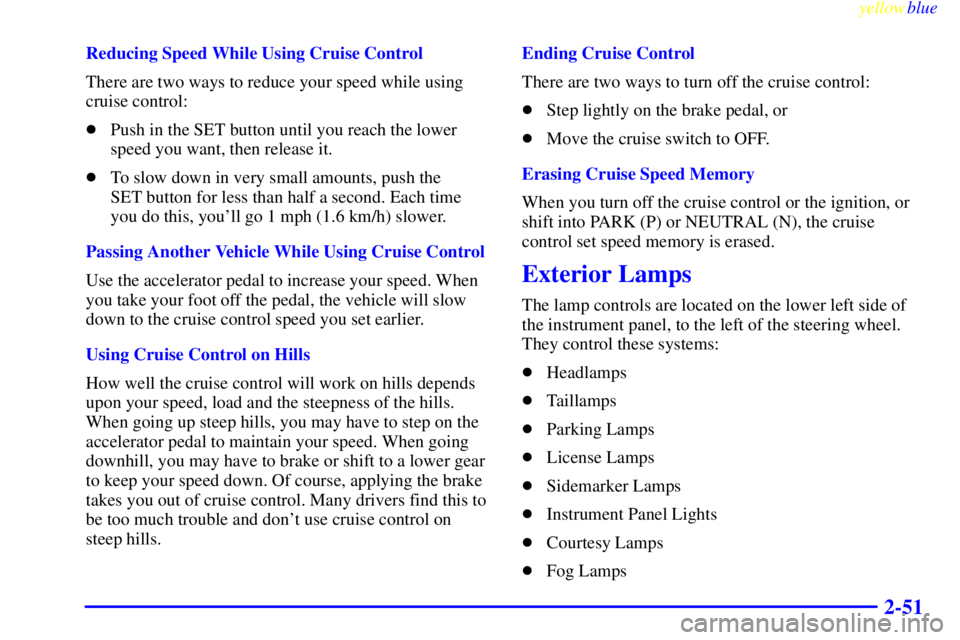
The lamp controls are located on the lower left side of
the instrument panel, to the left of the steering wheel.
They control these systems:
�Headlamps
�Taillamps
�Parking Lamps
�License Lamps
�Sidemarker Lamps
�Instrument Panel Lights
�Courtesy Lamps
�Fog Lamps
Page 112 of 376
yellowblue
2-52
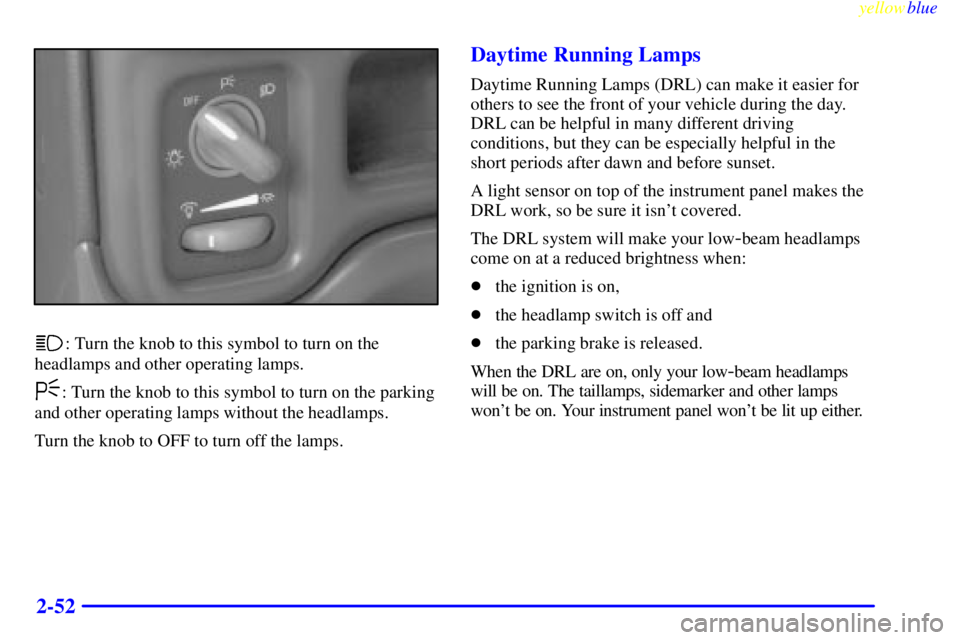
: Turn the knob to this symbol to turn on the
headlamps and other operating lamps.
: Turn the knob to this symbol to turn on the parking
and other operating lamps without the headlamps.
Turn the knob to OFF to turn off the lamps.
Daytime Running Lamps
Daytime Running Lamps (DRL) can make it easier for
others to see the front of your vehicle during the day.
DRL can be helpful in many different driving
conditions, but they can be especially helpful in the
short periods after dawn and before sunset.
A light sensor on top of the instrument panel makes the
DRL work, so be sure it isn't covered.
The DRL system will make your low
-beam headlamps
come on at a reduced brightness when:
�the ignition is on,
�the headlamp switch is off and
�the parking brake is released.
When the DRL are on, only your low
-beam headlamps
will be on. The taillamps, sidemarker and other lamps
won't be on. Your instrument panel won't be lit up either.
Page 113 of 376
yellowblue
2-53
When it's dark enough outside, your headlamps will
change to full brightness. The other lamps that come on
with your headlamps will also come on.
When it's bright enough outside, the regular lamps will
go out, and your low
-beam headlamps change to the
reduced brightness of DRL.
To idle your vehicle with the DRL off, set the parking
brake while the ignition is in OFF or LOCK. Then start
your vehicle. The DRL will stay off until you release the
parking brake.
As with any vehicle, you should turn on the regular
headlamp system when you need it.
Fog Lamps
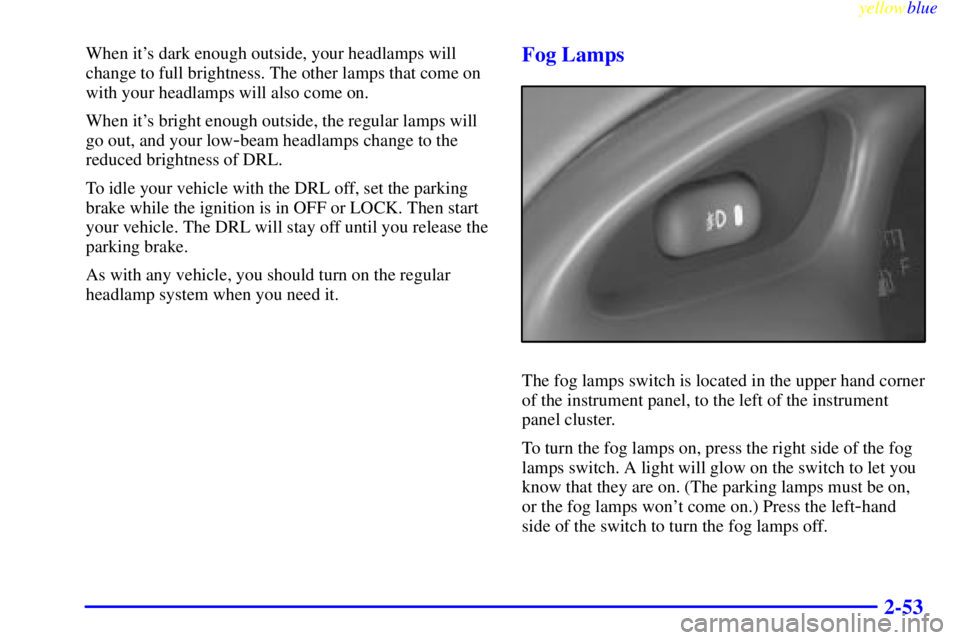
The fog lamps switch is located in the upper hand corner
of the instrument panel, to the left of the instrument
panel cluster.
To turn the fog lamps on, press the right side of the fog
lamps switch. A light will glow on the switch to let you
know that they are on. (The parking lamps must be on,
or the fog lamps won't come on.) Press the left
-hand
side of the switch to turn the fog lamps off.
Page 114 of 376
yellowblue
2-54
The fog lamps will go off whenever you change to
high
-beam headlamps. When you return to low beams,
the fog lamps will come on again.
Interior Lamps
Instrument Panel Intensity Control
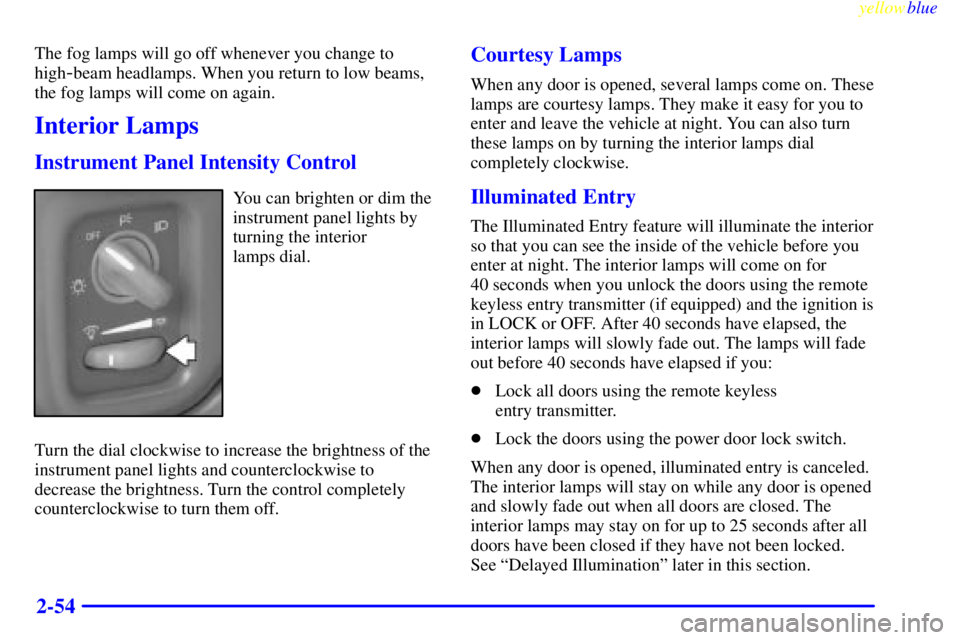
You can brighten or dim the
instrument panel lights by
turning the interior
lamps dial.
Turn the dial clockwise to increase the brightness of the
instrument panel lights and counterclockwise to
decrease the brightness. Turn the control completely
counterclockwise to turn them off.
Courtesy Lamps
When any door is opened, several lamps come on. These
lamps are courtesy lamps. They make it easy for you to
enter and leave the vehicle at night. You can also turn
these lamps on by turning the interior lamps dial
completely clockwise.
Illuminated Entry
The Illuminated Entry feature will illuminate the interior
so that you can see the inside of the vehicle before you
enter at night. The interior lamps will come on for
40 seconds when you unlock the doors using the remote
keyless entry transmitter (if equipped) and the ignition is
in LOCK or OFF. After 40 seconds have elapsed, the
interior lamps will slowly fade out. The lamps will fade
out before 40 seconds have elapsed if you:
�Lock all doors using the remote keyless
entry transmitter.
�Lock the doors using the power door lock switch.
When any door is opened, illuminated entry is canceled.
The interior lamps will stay on while any door is opened
and slowly fade out when all doors are closed. The
interior lamps may stay on for up to 25 seconds after all
doors have been closed if they have not been locked.
See ªDelayed Illuminationº later in this section.
Page 115 of 376

yellowblue
2-55 Delayed Illumination
The Delayed Illumination feature will continue to
illuminate the interior for 25 seconds after all the doors
have been closed so that you can find the ignition and
buckle the seat belt at night. Delayed Illumination will
not occur while the ignition is in RUN or ACCESSORY.
After 25 seconds have elapsed, the interior lamps will
slowly fade out. The lamps will fade out before the
25 seconds have elapsed if you:
�Turn the ignition to RUN or ACCESSORY.
�Lock all doors using the remote keyless entry
transmitter (if equipped).
�Lock the doors using the power door lock switch.
To turn Delayed Illumination feature off or on,
see ªLocks and Lighting Choicesº in the Index.
Exit Lighting
For exiting the vehicle at night, the vehicle is equipped
with the Exit Lighting feature. The interior lamps will
illuminate for up to 25 seconds when you remove the
key from the ignition. After 25 seconds have elapsed,
the interior lamps will slowly fade out. The lamps will
fade out before the 25 seconds have elapsed if you:
�Insert the key and turn the ignition to RUN or
ACCESSORY.
�Lock all doors using the remote keyless entry
transmitter (if equipped).
�Lock the doors using the power door lock switch.
When any door is opened, Exit Lighting is canceled. The
interior lamps will stay on while any door is opened and
will slowly fade out when all the doors are closed. The
interior lamps may stay on for up to 25 seconds after all
the doors have been closed if they have not been locked.
See ªDelayed Illuminationº earlier in this section.
To turn the Exit Lighting feature off or on, see ªLocks
and Lighting Choicesº in the Index.