Page 5 of 392

First Edition for Pontiac Bonneville Owner's Manual ± 1999
yellowblue
v
For example,
these symbols
are used on an
original battery:
CAUTION
POSSIBLE
INJURY
PROTECT
EYES BY
SHIELDING
CAUSTIC
BATTERY
ACID COULD
CAUSE
BURNS
AVOID
SPARKS OR
FLAMES
SPARK OR
FLAME
COULD
EXPLODE
BATTERY
These symbols
are important
for you and
your passengers
whenever your
vehicle is
driven:
DOOR LOCK
UNLOCK
FASTEN
SEAT
BELTS
POWER
WINDOW
AIR BAG
These symbols
have to do with
your lamps:
MASTER
LIGHTING
SWITCH
TURN
SIGNALS
PARKING
LAMPS
HAZARD
WARNING
FLASHER
DAYTIME
RUNNING
LAMPS
FOG LAMPS
These symbols
are on some of
your controls:
WINDSHIELD
WIPER
WINDSHIELD
WASHER
WINDSHIELD
DEFROSTER
REAR
WINDOW
DEFOGGER
VENTILATING
FAN
These symbols
are used on
warning and
indicator lights:
ENGINE
COOLANT
TEMP
BATTERY
CHARGING
SYSTEM
BRAKE
COOLANT
ENGINE OIL
PRESSURE
ANTI-LOCK
BRAKES
Here are some
other symbols
you may see:
FUSE
LIGHTER
HORN
SPEAKER
FUEL
Vehicle Symbols
These are some of the symbols you may find on your vehicle.
Page 61 of 392
2-
yellowblue
2-1
Section 2 Features and Controls
Here you can learn about the many standard and optional features on your vehicle, and information on starting,
shifting and braking. Also explained are the instrument panel and the warning systems that tell you if everything is
working properly
-- and what to do if you have a problem.
2
-2 Keys
2
-4 Door Locks
2
-10 Remote Keyless Entry (Option)
2
-14 Trunk
2
-16 Theft
2
-17 Universal Theft-Deterrent (Option)
2
-18 PASS-Key� II
2
-19 New Vehicle ªBreak-Inº
2
-20 Ignition Positions
2
-21 Starting Your Engine
2
-22 Engine Coolant Heater (If Equipped)
2
-24 Automatic Transaxle Operation
2
-28 Computer Command Ride (Option)
2
-29 Shifting Into PARK (P)
2
-32 Shifting Out of PARK (P)
2
-33 Parking Over Things That Burn
2
-33 Engine Exhaust
2
-34 Running Your Engine While You're Parked
2
-35 Windows2
-35 Horn
2
-36 Tilt Wheel
2
-36 Turn Signal/Multifunction Lever
2
-43 Exterior Lamps
2
-46 Interior Lamps
2
-48 Mirrors
2
-51 Storage Compartments
2
-54 Ashtrays & Cigarette Lighter
2
-55 Sun Visors
2
-55 Air Inflator System (Option)
2
-56 Accessory Power Outlet
2
-57 Sunroof (Option)
2
-58 The Instrument Panel -- Your
Information System
2
-64 Tachometer
2
-64 Warning Lights, Gages and Indicators
2
-77 Head-Up Display (Option)
2
-80 Driver Information Center (Option)
2
-82 Electronic Compass (Option)
Page 67 of 392

yellowblue
2-7
If your vehicle is not equipped with remote keyless
entry, use the following procedure to change modes:
1. Close all doors and turn the ignition on. Keep all
doors closed throughout this procedure.
2. Press and hold the driver's power door lock switch in
the LOCK position through Step 3.
3. Cycle the shift lever, starting in PARK (P), through the
gear selections to advance by one mode for each cycle.
After the first cycle, you will hear a door locking
action, which identifies the current mode.
4. Release the power door lock switch.
Delayed Locking (Option)
This feature lets the driver delay the actual locking of
the vehicle. When the power door lock switch is pressed
with the key removed from the ignition and the driver's
door open, a chime will sound three times to signal that
the delayed locking system is active. When all doors
have been closed, the doors will lock automatically after
five seconds. If any door is opened before this, the
five
-second timer will reset itself once all the doors have
been closed again.
Pressing the door lock switch twice within two seconds
will override this feature.Personalization Programming
The delayed locking feature can be turned on or off for
each driver's remote keyless entry transmitter. Vehicles
are delivered with each remote keyless entry transmitter
defaulted with delayed locking off.
If your vehicle has the remote keyless entry system, do
the following to turn the feature on:
1. Press and hold the power door lock switch in the
LOCK position throughout this procedure. All the
doors will lock.
2. Press the UNLOCK button on the transmitter.
The lock delay is still off and all the doors will
remain locked.
3. Press the UNLOCK button on the transmitter
again. Lock delay is now active and all the doors
will unlock.
4. Release the power door lock switch.
To turn this feature off, repeat the previous procedure.
This procedure changes the mode for only the
transmitter used to change this setting. The procedure
will need to be repeated for the second transmitter.
Page 96 of 392
yellowblue
2-36
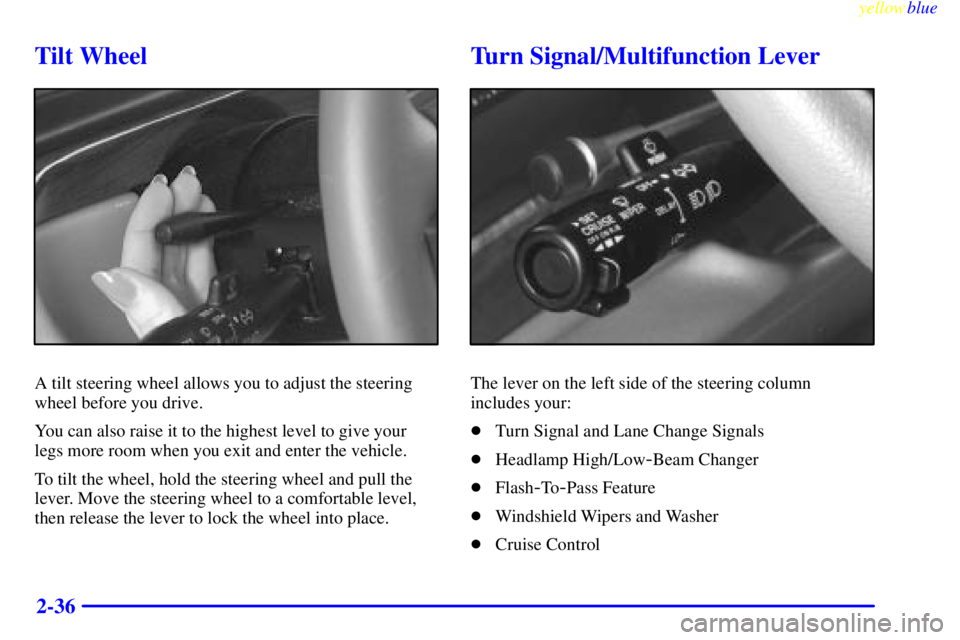
Tilt Wheel
A tilt steering wheel allows you to adjust the steering
wheel before you drive.
You can also raise it to the highest level to give your
legs more room when you exit and enter the vehicle.
To tilt the wheel, hold the steering wheel and pull the
lever. Move the steering wheel to a comfortable level,
then release the lever to lock the wheel into place.
Turn Signal/Multifunction Lever
The lever on the left side of the steering column
includes your:
�Turn Signal and Lane Change Signals
�Headlamp High/Low
-Beam Changer
�Flash
-To-Pass Feature
�Windshield Wipers and Washer
�Cruise Control
Page 97 of 392
yellowblue
2-37 Turn and Lane Change Signals
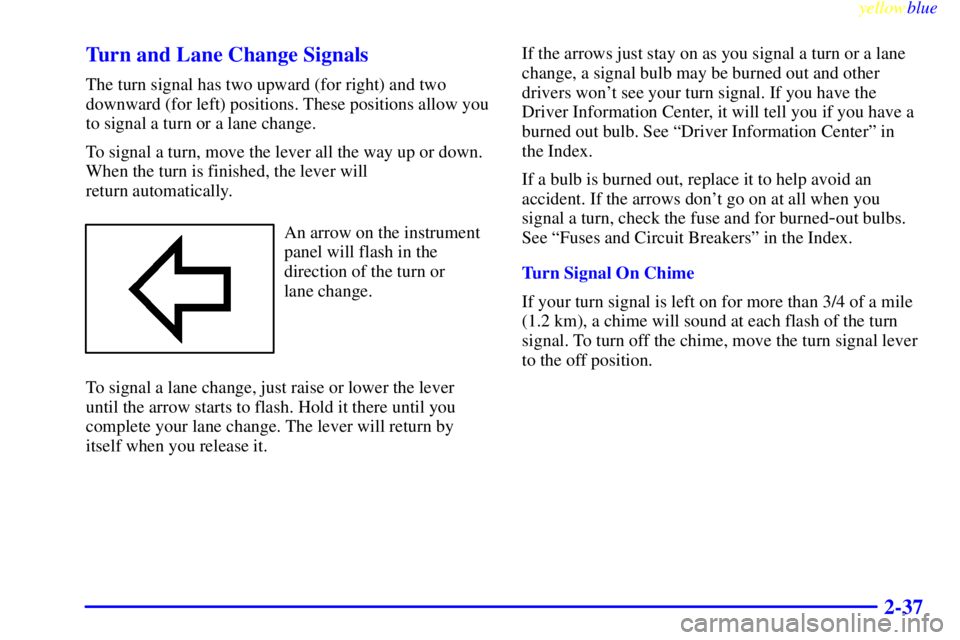
The turn signal has two upward (for right) and two
downward (for left) positions. These positions allow you
to signal a turn or a lane change.
To signal a turn, move the lever all the way up or down.
When the turn is finished, the lever will
return automatically.
An arrow on the instrument
panel will flash in the
direction of the turn or
lane change.
To signal a lane change, just raise or lower the lever
until the arrow starts to flash. Hold it there until you
complete your lane change. The lever will return by
itself when you release it.If the arrows just stay on as you signal a turn or a lane
change, a signal bulb may be burned out and other
drivers won't see your turn signal. If you have the
Driver Information Center, it will tell you if you have a
burned out bulb. See ªDriver Information Centerº in
the Index.
If a bulb is burned out, replace it to help avoid an
accident. If the arrows don't go on at all when you
signal a turn, check the fuse and for burned-out bulbs.
See ªFuses and Circuit Breakersº in the Index.
Turn Signal On Chime
If your turn signal is left on for more than 3/4 of a mile
(1.2 km), a chime will sound at each flash of the turn
signal. To turn off the chime, move the turn signal lever
to the off position.
Page 98 of 392
yellowblue
2-38 Headlamp High/Low-Beam Changer
To change the headlamps from low beam to high beam
or high beam to low beam, pull the turn signal lever
toward you. Then release it.
When the high beams
are on, this light on the
instrument panel will
also be on.
Flash-To-Pass Feature
This feature lets you use your high-beam headlamps to
signal a driver in front of you that you want to pass. It
works even if your headlamps are off.
To use it, pull the turn signal lever toward you a little,
but not so far that you hear a click.
If your headlamps are off or on low beam, your
high
-beam headlamps will turn on. They'll stay on as
long as you hold the lever toward you and the
high
-beam indicator on the dash will come on. Release
the lever to turn the high
-beam headlamps off.
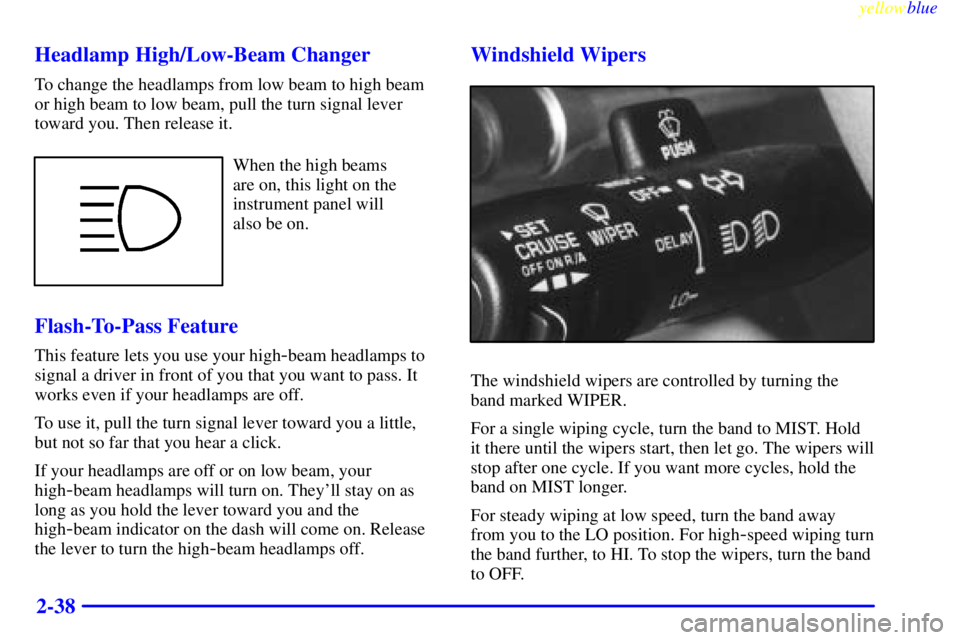
Windshield Wipers
The windshield wipers are controlled by turning the
band marked WIPER.
For a single wiping cycle, turn the band to MIST. Hold
it there until the wipers start, then let go. The wipers will
stop after one cycle. If you want more cycles, hold the
band on MIST longer.
For steady wiping at low speed, turn the band away
from you to the LO position. For high
-speed wiping turn
the band further, to HI. To stop the wipers, turn the band
to OFF.
Page 99 of 392
yellowblue
2-39
The wiper speed may be set for a long or short delay
between wipes. This can be very useful in light rain or
snow. Turn the band to choose the delay time. The
closer to LO, the shorter the delay.
Heavy snow or ice can overload your wiper motor. A
circuit breaker will stop the motor until it cools. Clear
away snow or ice to prevent an overload.
Keep in mind that damaged wiper blades may prevent
you from seeing well enough to drive safely. To avoid
damage, be sure to clear ice and snow from the wiper
blades before using them. If your blades do become
damaged, get new blades or blade inserts.
Windshield Washer
At the top of the turn signal/multifunction lever, there's
a paddle with the word PUSH on it. To spray washer
fluid on the windshield, push the paddle briefly. The
wipers will clear the window and either stop or return to
your preset speed. For more washer cycles, push and
hold the paddle.
CAUTION:
In freezing weather, don't use your washer until
the windshield is warmed. Otherwise the washer
fluid can form ice on the windshield, blocking
your vision.
Some models have a WASHER FLUID warning that
indicates if the fluid level in the windshield washer
reservoir is low. See ªLow Washer Fluid Warning Lightº
in the Index.
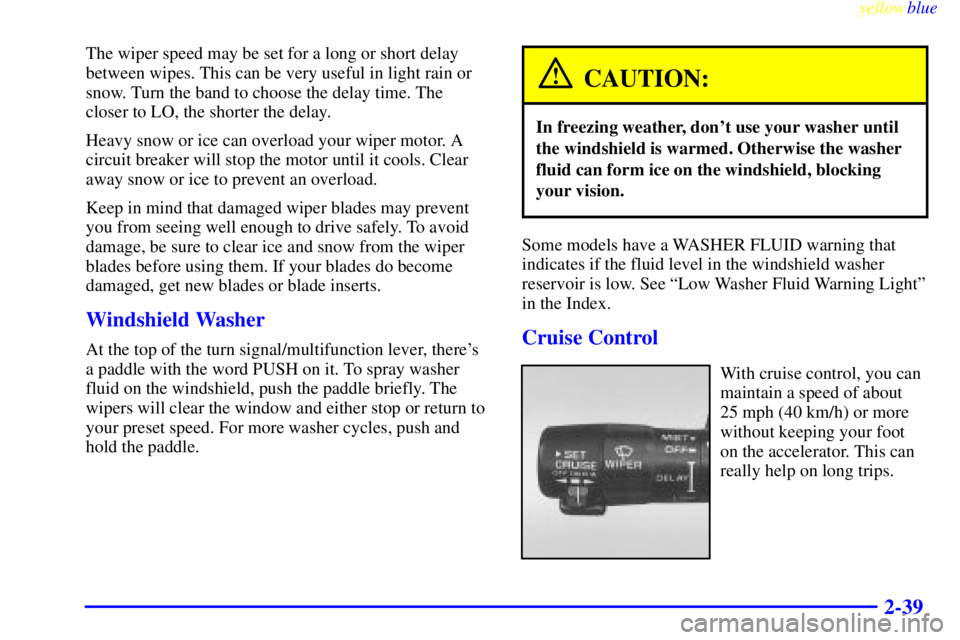
Cruise Control
With cruise control, you can
maintain a speed of about
25 mph (40 km/h) or more
without keeping your foot
on the accelerator. This can
really help on long trips.
Page 119 of 392
yellowblue
2-59
A. Twilight Sentinel/Headlamp Switch
B. Turn Signal/Multifunction Lever
C. Tilt Steering Wheel Lever
D. Instrument Cluster/Gages
E. Audio System Steering Wheel Controls
F. Ignition SwitchG. Air Outlet
H. Climate Control System
I. Glove Box
J. Audio System
K. Hazard Warning Flashers Switch
L. Hood Release