1999 OLDSMOBILE ALERO radio
[x] Cancel search: radioPage 68 of 328
yellowblue
2-8
This feature cannot guarantee that you will never be
locked out of your vehicle. If you don't leave the keys in
the ignition, if you use the manual door lock, or if you
use the remote lock control transmitter (if equipped),
you could still lock your keys inside your vehicle.
Always remember to take your keys with you.
Leaving Your Vehicle
If you are leaving your vehicle, open your door and set
the locks from the inside, then get out and close
the door.
Remote Lock Control (If Equipped)
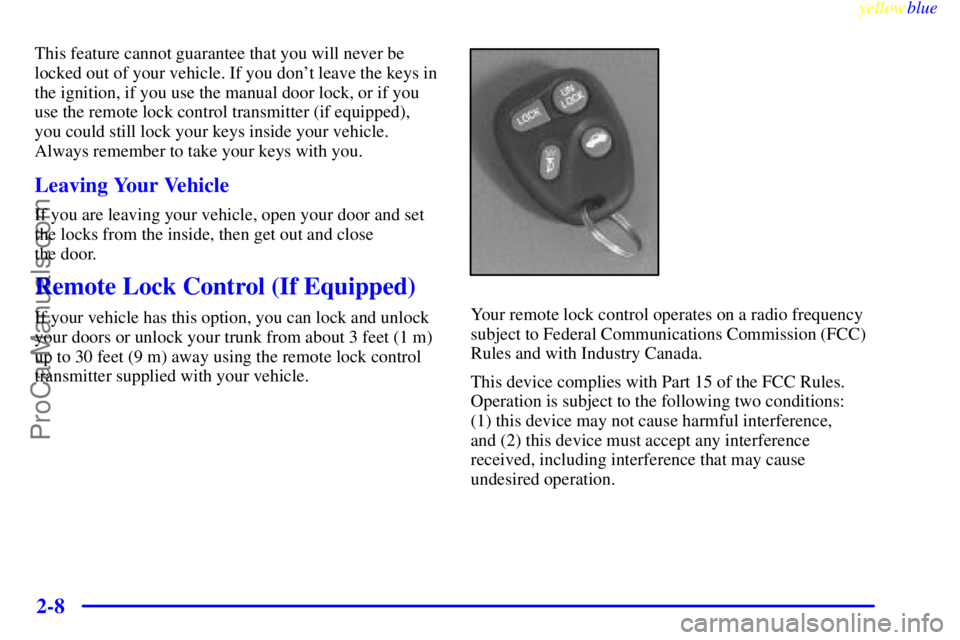
If your vehicle has this option, you can lock and unlock
your doors or unlock your trunk from about 3 feet (1 m)
up to 30 feet (9 m) away using the remote lock control
transmitter supplied with your vehicle.Your remote lock control operates on a radio frequency
subject to Federal Communications Commission (FCC)
Rules and with Industry Canada.
This device complies with Part 15 of the FCC Rules.
Operation is subject to the following two conditions:
(1) this device may not cause harmful interference,
and (2) this device must accept any interference
received, including interference that may cause
undesired operation.
ProCarManuals.com
Page 76 of 328
yellowblue
2-16
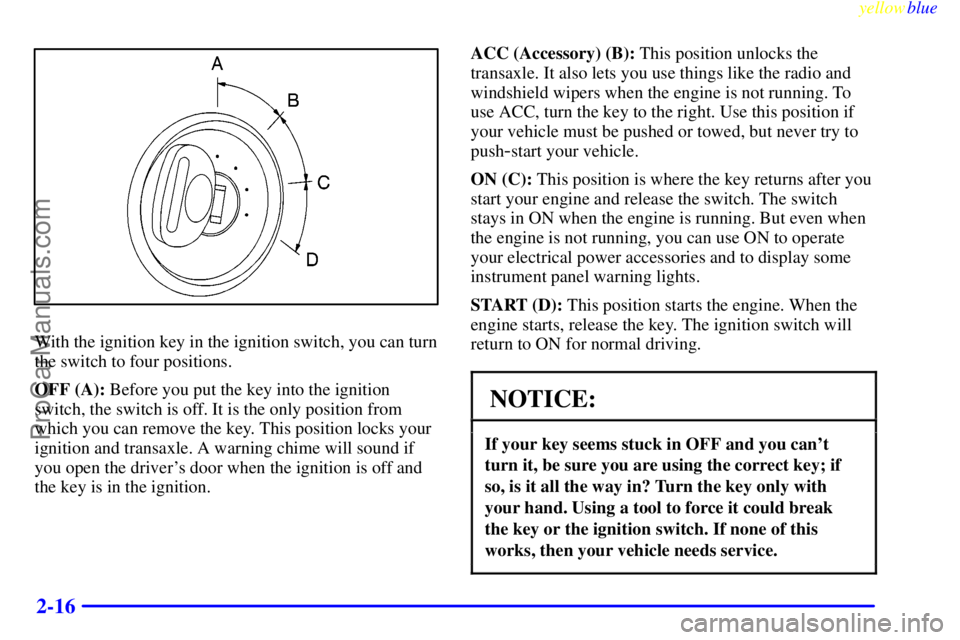
With the ignition key in the ignition switch, you can turn
the switch to four positions.
OFF (A): Before you put the key into the ignition
switch, the switch is off. It is the only position from
which you can remove the key. This position locks your
ignition and transaxle. A warning chime will sound if
you open the driver's door when the ignition is off and
the key is in the ignition.ACC (Accessory) (B): This position unlocks the
transaxle. It also lets you use things like the radio and
windshield wipers when the engine is not running. To
use ACC, turn the key to the right. Use this position if
your vehicle must be pushed or towed, but never try to
push
-start your vehicle.
ON (C): This position is where the key returns after you
start your engine and release the switch. The switch
stays in ON when the engine is running. But even when
the engine is not running, you can use ON to operate
your electrical power accessories and to display some
instrument panel warning lights.
START (D): This position starts the engine. When the
engine starts, release the key. The ignition switch will
return to ON for normal driving.
NOTICE:
If your key seems stuck in OFF and you can't
turn it, be sure you are using the correct key; if
so, is it all the way in? Turn the key only with
your hand. Using a tool to force it could break
the key or the ignition switch. If none of this
works, then your vehicle needs service.
ProCarManuals.com
Page 101 of 328

yellowblue
2-41 Automatic Light Control (ALC)
When it is dark enough outside, your Automatic Light
Control (ALC) will turn on your headlamps along with
other lamps such as the taillamps, sidemarker lamps,
park lamps and the instrument panel lights. The radio
lights will also be dim.
Your vehicle is equipped with a light sensor on the top
of the instrument panel under the defroster grill, so be
sure it is not covered. This will cause the ALC system to
be on whenever the ignition is on.
The ALC system may also come on when driving
through a parking garage, heavy overcast weather or a
tunnel. This is normal.
There is a delay in the transition between the daytime
and nighttime operation of the DRL and the ALC
systems so that driving under bridges or bright overhead
street lights does not affect the system. The DRL and
ALC systems will only be affected when the light sensor
sees a change in lighting lasting longer than this delay.
To idle your vehicle with the ALC system off, set the
parking brake while the ignition is off. Then start the
vehicle. The ALC system will stay off until you release
the parking brake.
As with any vehicle, you should turn on the regular
headlamp system when you need it.
Delayed Headlamps
The delayed headlamps feature will continue to
illuminate the headlamps for 20 seconds after the key is
turned to OFF.
To turn off the delayed headlamps feature, turn the turn
signal/multifunction lever up one position and then back
to OFF.
Fog Lamps (If Equipped)
The button for your fog lamps is located on the
instrument panel, to the left of the steering wheel, beside
the instrument panel intensity control.
When using the fog lamps, the ignition must be on as
well as the parking lamps or the low
-beam headlamps.
Push the button to turn the fog lamps on. An indicator
light on the button will glow when the fog lamps are on.
Push the button again to turn the fog lamps off.
The fog lamps will turn off whenever the high
-beam
headlamps are turned on. When the high beams are
turned off, the fog lamps will come on again.
ProCarManuals.com
Page 108 of 328
yellowblue
2-48
Sun Visors
To block out glare, you can swing down the visors. You
can also remove them from the center mount and swing
them to the side, to block out glare from the side.
All models are equipped with sun visors that can be
extended by sliding the support rod, thus giving twice
the coverage.
Visor Vanity Mirror
Swing down the sun visor and lift the cover to expose
the vanity mirror.
Auxiliary Power Accessory Outlet
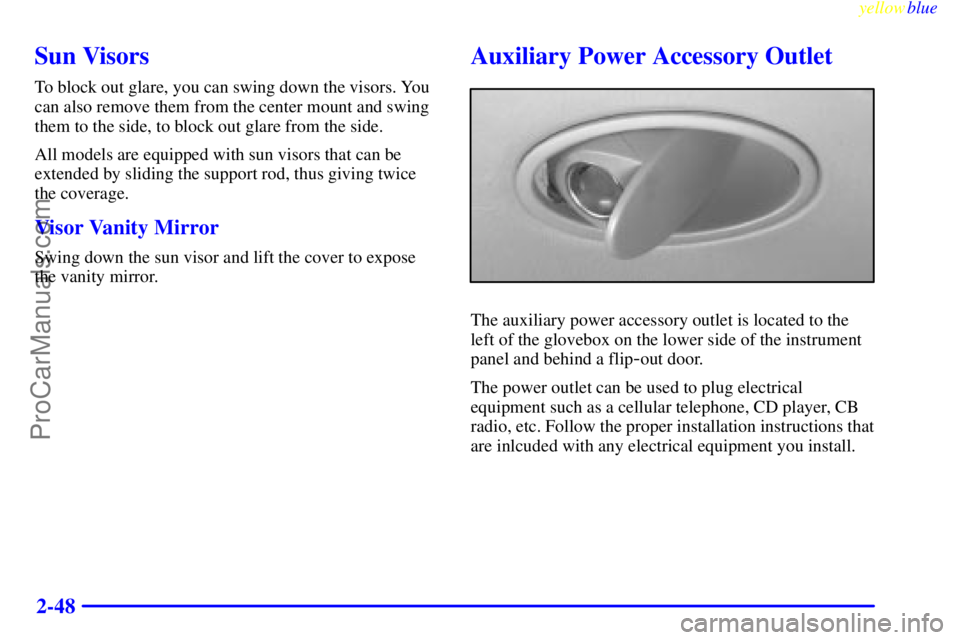
The auxiliary power accessory outlet is located to the
left of the glovebox on the lower side of the instrument
panel and behind a flip
-out door.
The power outlet can be used to plug electrical
equipment such as a cellular telephone, CD player, CB
radio, etc. Follow the proper installation instructions that
are inlcuded with any electrical equipment you install.
ProCarManuals.com
Page 115 of 328
yellowblue
2-55 Air Bag Readiness Light
There is an air bag readiness light on the instrument panel,
which shows the air bag symbol. The system checks the
air bag's electrical system for malfunctions. The light tells
you if there is an electrical problem. The system check
includes the air bag modules, the wiring and the crash
sensing and diagnostic module. For more information on
the air bag system, see ªAir Bagº in the Index.
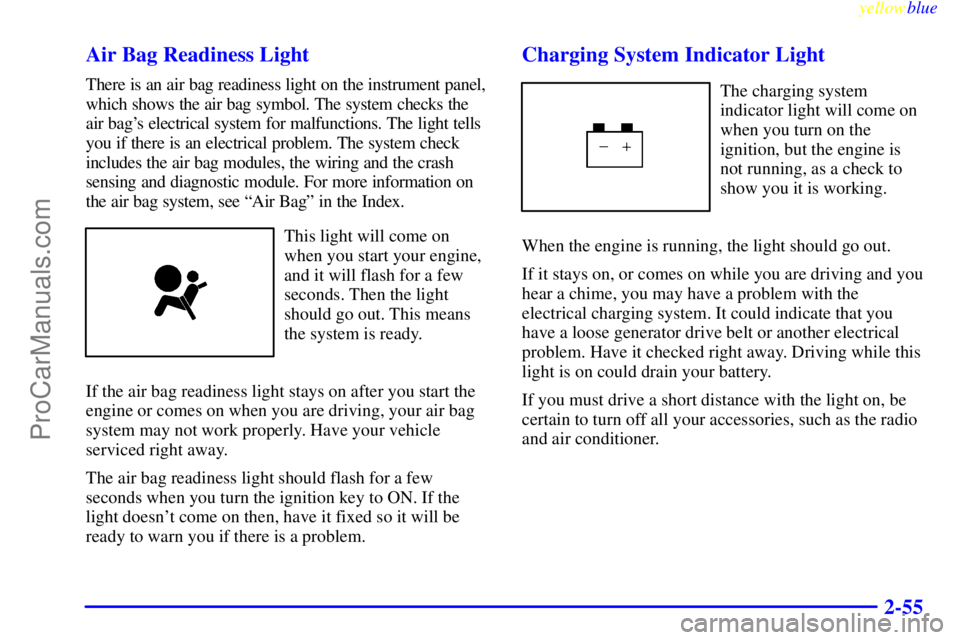
This light will come on
when you start your engine,
and it will flash for a few
seconds. Then the light
should go out. This means
the system is ready.
If the air bag readiness light stays on after you start the
engine or comes on when you are driving, your air bag
system may not work properly. Have your vehicle
serviced right away.
The air bag readiness light should flash for a few
seconds when you turn the ignition key to ON. If the
light doesn't come on then, have it fixed so it will be
ready to warn you if there is a problem.
Charging System Indicator Light
The charging system
indicator light will come on
when you turn on the
ignition, but the engine is
not running, as a check to
show you it is working.
When the engine is running, the light should go out.
If it stays on, or comes on while you are driving and you
hear a chime, you may have a problem with the
electrical charging system. It could indicate that you
have a loose generator drive belt or another electrical
problem. Have it checked right away. Driving while this
light is on could drain your battery.
If you must drive a short distance with the light on, be
certain to turn off all your accessories, such as the radio
and air conditioner.
ProCarManuals.com
Page 129 of 328
3-
yellowblue
3-1
Section 3 Comfort Controls and Audio Systems
In this section, you'll find out how to operate the comfort control and audio systems offered with your vehicle.
Be sure to read about the particular systems supplied with your vehicle.
3
-2 Comfort Controls
3
-2 Climate Control System with
Air Conditioning
3
-3 Air Conditioning
3
-4 Heating
3
-4 Defogging and Defrosting Windows
3
-5 Rear Window Defogger
3
-6 Ventilation System
3
-7 Audio Systems
3
-7 Setting the Clock
3
-7AM-FM Stereo
3
-9AM-FM Stereo with Cassette Tape Player and
Automatic Tone Control (If Equipped)3
-13 AM-FM Stereo with Cassette Tape and
Compact Disc Player with Automatic Tone
Control (If Equipped)
3
-19 Theft-Deterrent Feature (If Equipped)
3
-21 Understanding Radio Reception
3
-22 Tips About Your Audio System
3
-23 Care of Your Cassette Tape Player
3
-24 Care of Your Compact Discs
3
-24 Care of Your Compact Disc Player
3
-24 Backglass Antenna
ProCarManuals.com
Page 136 of 328

yellowblue
3-8
Playing the Radio
PWR
-VOL: Press this knob to turn the system on and
off. To increase volume, turn the knob clockwise. Turn
it counterclockwise to decrease volume.
RECALL: Press this button briefly to recall the station
being played or to display the clock. To change what is
normally shown on the display (station or time), press
the RECALL button until you see the display you want,
then hold the RECALL button until the display flashes.
If you press the button when the ignition is off, the clock
will show for a few seconds.
Finding a Station
AM
-FM: Press this button to switch between AM, FM1
and FM2. The display shows your selection.
TUNE: Press this knob lightly so it extends. Turn it to
choose radio stations. Push the knob back into its stored
position when you're not using it.
SEEK: Press the up or down arrow to go to the next
higher or lower station and stay there. The sound will
mute while seeking.SCAN: Press this button and release it to listen to
stations for a few seconds. The radio will go to a station,
stop for a few seconds, then go on to the next station.
Press the button again to stop scanning. The sound will
mute while scanning, and SCAN will appear on the
display. If you press SCAN for more than two seconds,
the radio will change to P SCAN mode. P SCAN will
appear on the display.
PUSHBUTTONS: The five numbered pushbuttons let
you return to your favorite stations. You can set up to
15 stations (five AM, five FM1 and five FM2). Just:
1. Turn the radio on.
2. Press AM-FM to select the band.
3. Tune in the desired station.
4. Press and hold one of the five numbered buttons.
The sound will mute. When it returns, release the
button. Whenever you press that numbered button,
the station you set will return.
5. Repeat the steps for each pushbutton.
P SCAN: Press SCAN for more than two seconds, and
P SCAN will appear on the display. The radio will go to
the first preset station stored on your pushbuttons, stop
for a few seconds, then go on to the next preset station.
Press SCAN again to stop scanning.
ProCarManuals.com
Page 138 of 328

yellowblue
3-10
Playing the Radio
PWR
-VOL: Press this knob to turn the system on and
off. To increase volume, turn the knob clockwise. Turn
it counterclockwise to decrease volume.
RCL: Press this button briefly to recall the station being
played or to display the clock. To change what is
normally shown on the display (station or time), press
the RCL button until you see the display you want, then
hold the RCL button until the display flashes. If you
press the button when the ignition is off, the clock will
show for a few seconds.
Finding a Station
AM
-FM: Press this button to switch between AM, FM1
and FM2. The display shows your selection.
TUNE: Press this knob lightly so it extends. Turn it to
choose radio stations. Push the knob back into its stored
position when you're not using it.
SEEK: Press the up or down arrow to go to the next
higher or lower station and stay there. The sound will
mute while seeking.SCAN: Press this button and release it to listen to
stations for a few seconds. The radio will go to a station,
stop for a few seconds, then go on to the next station.
Press the button again to stop scanning. The sound will
mute while scanning, and SCAN will appear on the
display. If you press SCAN for more than two seconds,
the radio will change to P SCAN mode. P SCAN will
appear on the display.
PUSHBUTTONS: The five numbered pushbuttons let
you return to your favorite stations. You can set up to
15 stations (five AM, five FM1 and five FM2). Just:
1. Turn the radio on.
2. Press AM-FM to select the band.
3. Tune in the desired station.
4. Press TONE to select the equalization that best suits
the type of station selected.
5. Press and hold one of the five numbered buttons.
The sound will mute. When it returns, release the
button. Whenever you press that numbered button,
the station you set will return and the tone that
you selected will also be automatically selected for
that button.
6. Repeat the steps for each pushbutton.
ProCarManuals.com