Page 20 of 248
²Press the SETUP control to
access the System Check
function. Press RESET to start
the System Check.
²Press and hold the RESET
control.
²Press RESET and SETUP
controls for personalized setting.
²After a successful reset, the
message center will display OIL
LIFE RESET TO 100%.
DATA ERR.These messages indicate improper operation of the vehicle
network communication between electronic modules.
²Fuel Computer
²Oil life
²Charging system
²Door sensor
²Liftgate sensor
²Exterior lamps
²Traction control
²Washer fluid
²Brake Fluid
²Compass
²Outside temperature
Contact your dealer as soon as possible if these messages occur on a
regular basis.
%
%
%
Instrumentation
20
Page 71 of 248

To turn speed control off
²Press OFF or
²Turn off the vehicle ignition.
Once speed control is switched off, the previously programmed set speed
will be erased.
To set a speed
²Press SET+ / SETþ. For speed
control to operate, the speed
control must be ON and the
vehicle speed must be greater
than 48 km/h (30 mph).
If you drive up or down a steep hill, your vehicle speed may vary
momentarily slower or faster than the set speed. This is normal.
Speed control cannot reduce the vehicle speed if it increases above the
set speed on a downhill. If your vehicle speed is faster than the set
speed while driving on a downhill, you may want to shift to the next
lower gear or apply the brakes to reduce your vehicle speed.
If your vehicle slows down more than 16 km/h (10 mph) below your set
speed on an uphill, your speed control will disengage. This is normal.
Pressing RES/RSM/RESUME will re-engage it.
Do not use the speed control in heavy traffic or on roads that
are winding, slippery, or unpaved.
ON
OFF
RES
SET
CST
Controls and features
71
Page 72 of 248
To set a higher set speed
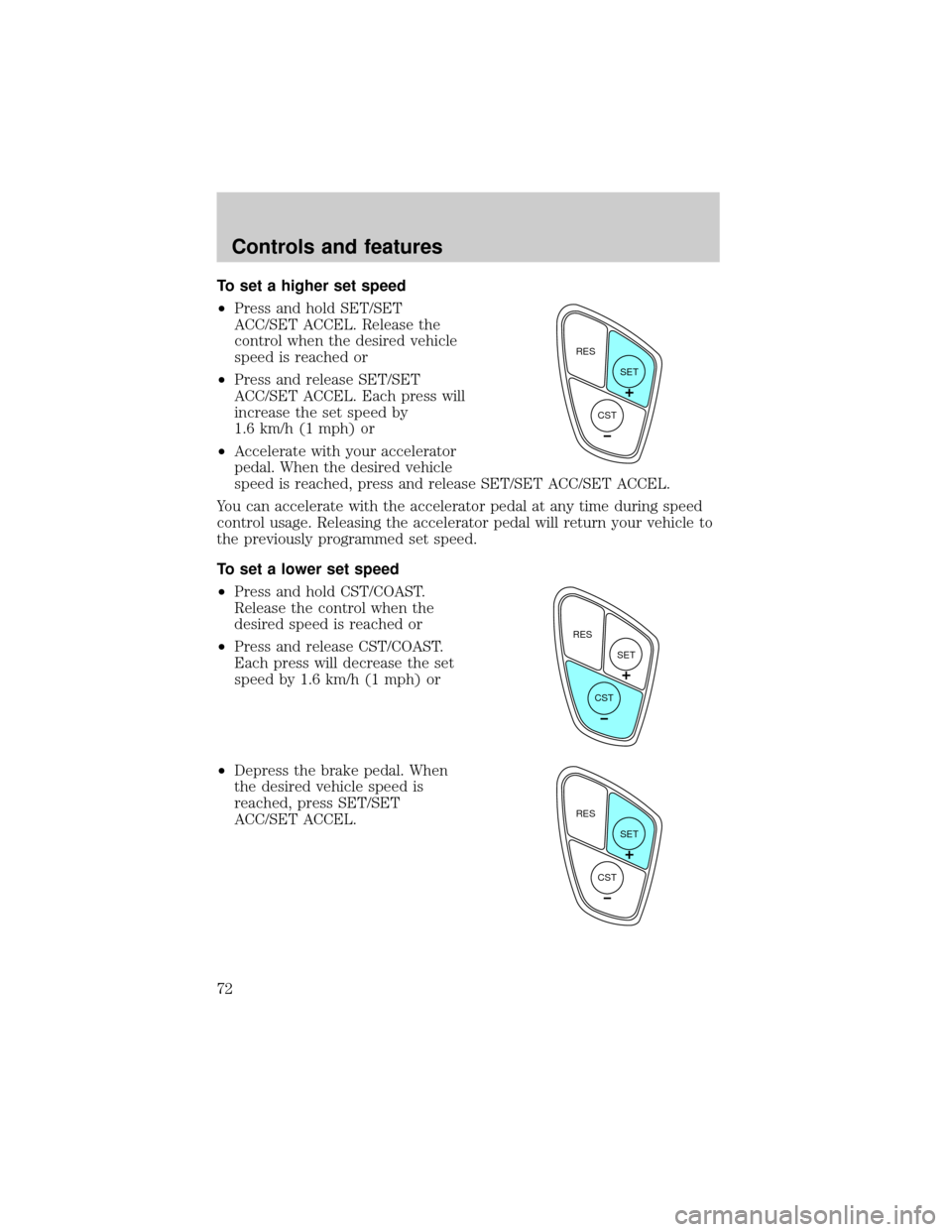
²Press and hold SET/SET
ACC/SET ACCEL. Release the
control when the desired vehicle
speed is reached or
²Press and release SET/SET
ACC/SET ACCEL. Each press will
increase the set speed by
1.6 km/h (1 mph) or
²Accelerate with your accelerator
pedal. When the desired vehicle
speed is reached, press and release SET/SET ACC/SET ACCEL.
You can accelerate with the accelerator pedal at any time during speed
control usage. Releasing the accelerator pedal will return your vehicle to
the previously programmed set speed.
To set a lower set speed
²Press and hold CST/COAST.
Release the control when the
desired speed is reached or
²Press and release CST/COAST.
Each press will decrease the set
speed by 1.6 km/h (1 mph) or
²Depress the brake pedal. When
the desired vehicle speed is
reached, press SET/SET
ACC/SET ACCEL.
RES
SET
CST
RES
SET
CST
RES
SET
CST
Controls and features
72
Page 73 of 248
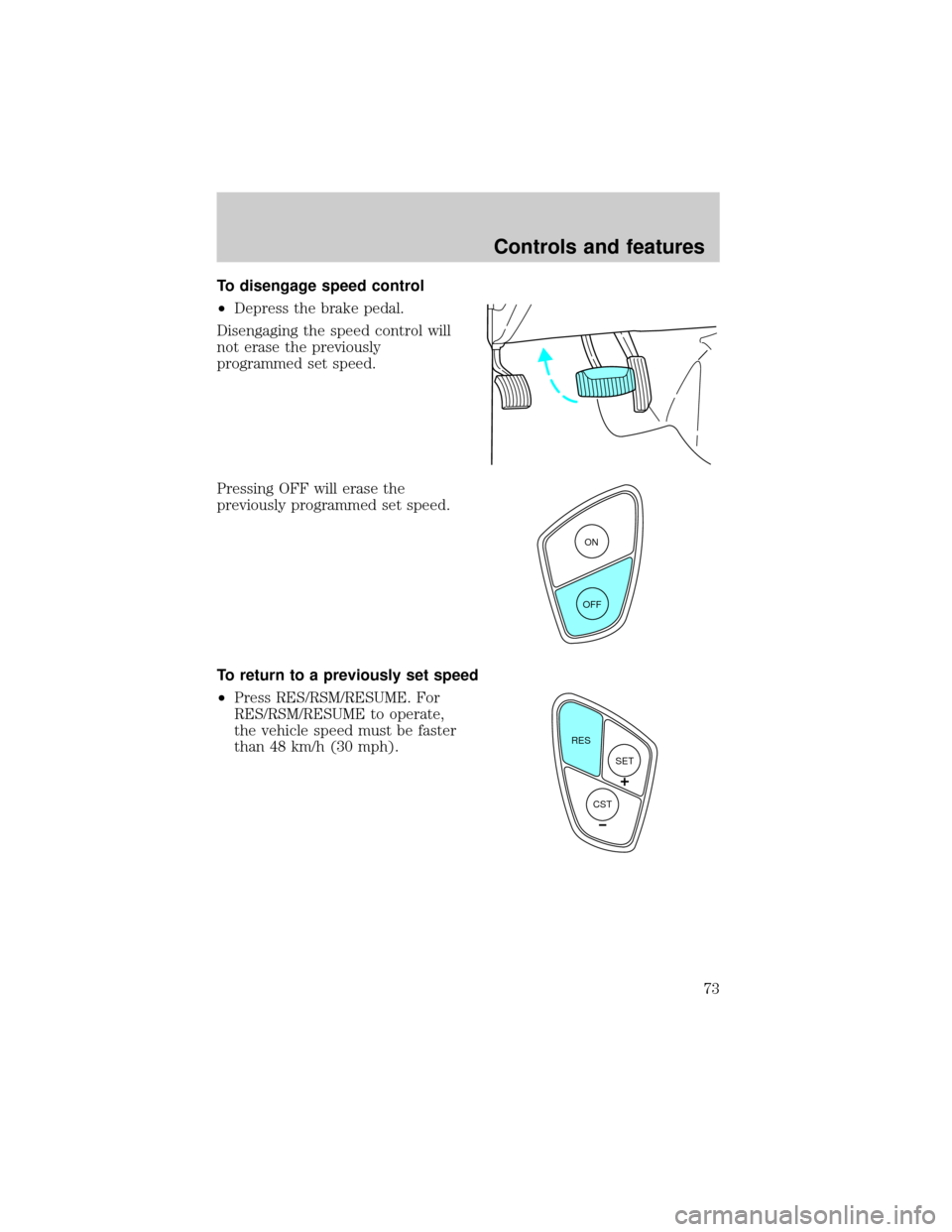
To disengage speed control
²Depress the brake pedal.
Disengaging the speed control will
not erase the previously
programmed set speed.
Pressing OFF will erase the
previously programmed set speed.
To return to a previously set speed
²Press RES/RSM/RESUME. For
RES/RSM/RESUME to operate,
the vehicle speed must be faster
than 48 km/h (30 mph).
ON
OFF
RES
SET
CST
Controls and features
73
Page 91 of 248
POSITIVE RETENTION FLOOR MAT (IF EQUIPPED)
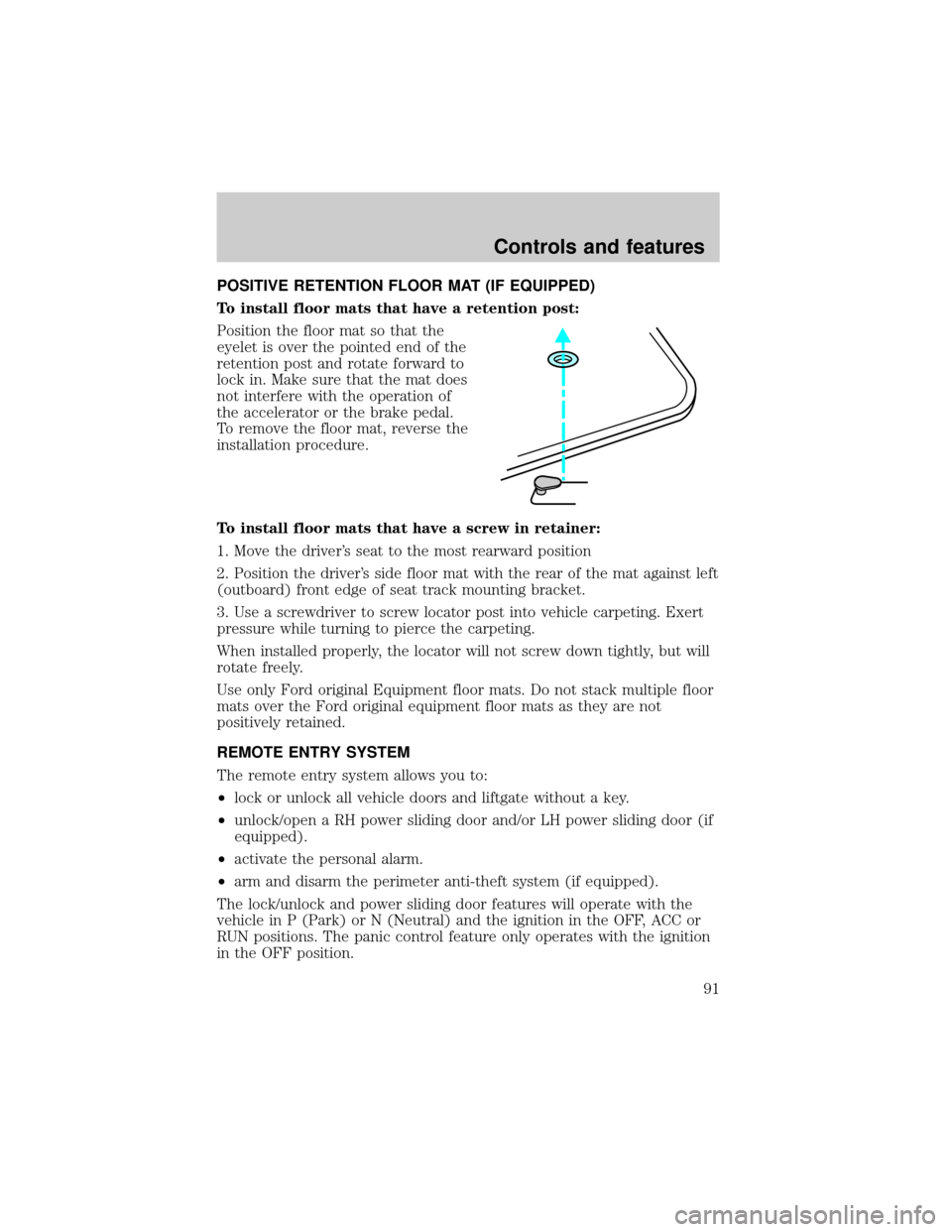
To install floor mats that have a retention post:
Position the floor mat so that the
eyelet is over the pointed end of the
retention post and rotate forward to
lock in. Make sure that the mat does
not interfere with the operation of
the accelerator or the brake pedal.
To remove the floor mat, reverse the
installation procedure.
To install floor mats that have a screw in retainer:
1. Move the driver's seat to the most rearward position
2. Position the driver's side floor mat with the rear of the mat against left
(outboard) front edge of seat track mounting bracket.
3. Use a screwdriver to screw locator post into vehicle carpeting. Exert
pressure while turning to pierce the carpeting.
When installed properly, the locator will not screw down tightly, but will
rotate freely.
Use only Ford original Equipment floor mats. Do not stack multiple floor
mats over the Ford original equipment floor mats as they are not
positively retained.
REMOTE ENTRY SYSTEM
The remote entry system allows you to:
²lock or unlock all vehicle doors and liftgate without a key.
²unlock/open a RH power sliding door and/or LH power sliding door (if
equipped).
²activate the personal alarm.
²arm and disarm the perimeter anti-theft system (if equipped).
The lock/unlock and power sliding door features will operate with the
vehicle in P (Park) or N (Neutral) and the ignition in the OFF, ACC or
RUN positions. The panic control feature only operates with the ignition
in the OFF position.
Controls and features
91
Page 121 of 248
While you are fastened in the seat belt, the combination lap/shoulder belt
with a cinch tongue adjusts to your movement. However, if you brake
hard, turn hard, or if your vehicle receives an impact of 8 km/h (5 mph)
or more, the safety belt will become locked and help reduce your
forward movement.
Lap belts
Adjusting the lap belt
The lap belt does not adjust automatically.
The lap belts should fit snugly and as low as possible around the
hips, not around the waist.
Insert the tongue into the correct
buckle (the buckle closest to the
direction the tongue is coming
from). To lengthen the belt, turn the
tongue at a right angle to the belt
and pull across your lap until it
reaches the buckle. To tighten the
belt, pull the loose end of the belt
through the tongue until it fits
snugly across the hips.
Shorten and fasten the belt when
not in use.
Seating and safety restraints
121
Page 124 of 248

Replacing the second row bench seat belt assemblies after a
collision
All second row bench seat belt assemblies adjacent to a sliding door have
special energy management retractors designed to further reduce the
risk of injury in the event of a head-on collision. These retractors should
be replaced if they were used in any accident in which the front airbags
deploy. If the safety belt assemblies are not replaced, there may be
increased risk of injury in the event of a subsequent collision.
Failure to inspect and if necessary replace the safety belt
assembly under the above conditions could result in severe
personal injuries in the event of a collision.
AIR BAG SUPPLEMENTAL RESTRAINT SYSTEM (SRS)
mi
FM1STSTAUTOP
12345
6
7RPMX1000 THEFT TRAC
ACTIVE TRAC
OFFFFUEL
E404080
120
1602060
80100 MPHTEMP
Hkm/hBRAKEO/D
OFFO/D
ON/OFFINFOSETUP
RESET
DISC
EJMUTEVOL - PUSH ONOFF
T/CFM1
REW FFSCAN
BASS TREB SEL BALTAPE EJ CD
FADEAUTO
CLK
SIDE 1-2 COMP SHUFFLESEEK
TUNE AM FM12 3456DOLBY B NR
A/CFRONT
REAR
OFFMAX
A/C
REAR
CONT
Seating and safety restraints
124
Page 141 of 248
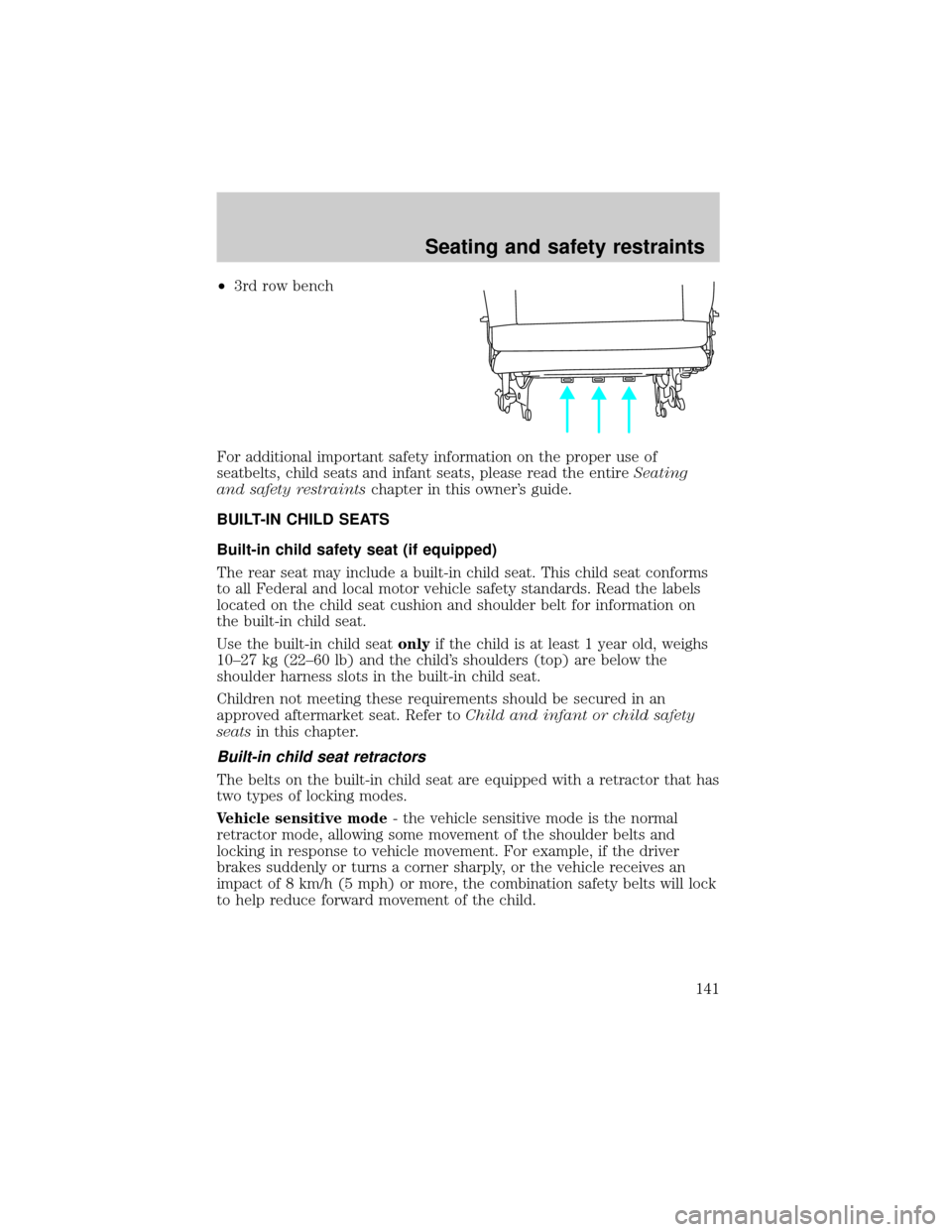
²3rd row bench
For additional important safety information on the proper use of
seatbelts, child seats and infant seats, please read the entireSeating
and safety restraintschapter in this owner's guide.
BUILT-IN CHILD SEATS
Built-in child safety seat (if equipped)
The rear seat may include a built-in child seat. This child seat conforms
to all Federal and local motor vehicle safety standards. Read the labels
located on the child seat cushion and shoulder belt for information on
the built-in child seat.
Use the built-in child seatonlyif the child is at least 1 year old, weighs
10±27 kg (22±60 lb) and the child's shoulders (top) are below the
shoulder harness slots in the built-in child seat.
Children not meeting these requirements should be secured in an
approved aftermarket seat. Refer toChild and infant or child safety
seatsin this chapter.
Built-in child seat retractors
The belts on the built-in child seat are equipped with a retractor that has
two types of locking modes.
Vehicle sensitive mode- the vehicle sensitive mode is the normal
retractor mode, allowing some movement of the shoulder belts and
locking in response to vehicle movement. For example, if the driver
brakes suddenly or turns a corner sharply, or the vehicle receives an
impact of 8 km/h (5 mph) or more, the combination safety belts will lock
to help reduce forward movement of the child.
Seating and safety restraints
141