1999 CADILLAC SEVILLE service indicator
[x] Cancel search: service indicatorPage 79 of 362
yellowblue
2-27
NOTICE:
If your front wheels can't rotate, don't try to
drive. This might happen if you were stuck in
very deep sand or mud or were up against a solid
object. You could damage your transaxle.
Also, if you stop when going uphill, don't hold
your vehicle there with only the accelerator
pedal. This could cause overheating and damage
the transaxle. Use your brakes to hold your
vehicle in position on a hill.
Parking Brake
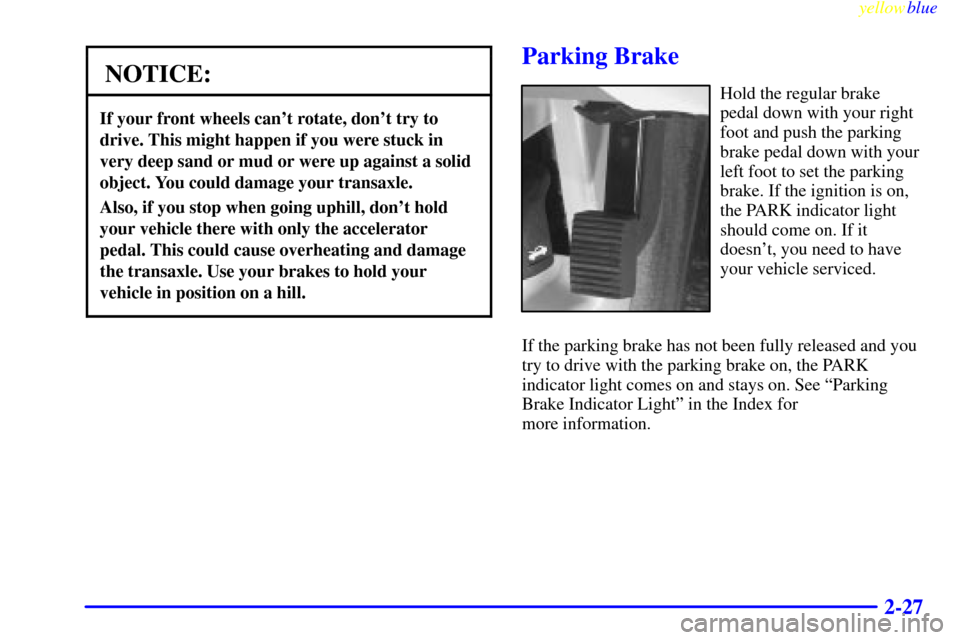
Hold the regular brake
pedal down with your right
foot and push the parking
brake pedal down with your
left foot to set the parking
brake. If the ignition is on,
the PARK indicator light
should come on. If it
doesn't, you need to have
your vehicle serviced.
If the parking brake has not been fully released and you
try to drive with the parking brake on, the PARK
indicator light comes on and stays on. See ªParking
Brake Indicator Lightº in the Index for
more information.
Page 111 of 362

yellowblue
2-59
This device complies with RSS-210 of Industry Canada.
Operation is subject to the following two conditions: (1)
this device may not cause interference, and (2) this device
must accept any interference, including interference that
may cause undesired operation of the device.
Changes and modifications to this system by other than
an authorized service facility could void authorization to
use this equipment.
Programming the Universal Transmitter
Do not use the Universal Transmitter with any garage
door opener that does not have the ªstop and reverseº
safety feature. This includes any garage door opener
model manufactured before April 1, 1982.
Be sure that people and objects are clear of the garage
door you are programming.
Your vehicle's engine should be turned off while
programming the transmitter. Follow these steps to
program up to three channels:
1. If you have previously programmed a transmitter
channel, proceed to Step 2. Otherwise, hold down
the two outside buttons on the Universal Transmitter
until the indicator light begins to flash rapidly (after
20 seconds). Then release the buttons. This
procedure initializes the memory and erases any
previous settings for all three channels.2. Decide which one of the three channels you want to
program. Hold the end of the hand
-held transmitter
about 2 to 5 inches (5 to 13 cm) away from the
surface of the Universal Transmitter so that you can
still see the indicator light.
3. Using both hands, press the hand
-held transmitter
button and the desired button on the Universal
Transmitter. Continue to press both buttons
through Step 4.
4. Hold down both buttons until you see the indicator
light on the Universal Transmitter flash slowly and
then rapidly. The rapid flashing indicates that the
Universal Transmitter has been programmed.
Release both buttons once the indicator light starts
to flash rapidly.
If you have trouble programming the Universal
Transmitter, make sure that you have followed the
directions exactly as described. The Universal
Transmitter may not work with older garage door
openers that do not meet current Federal Consumer
Safety Standards. If you cannot program the transmitter
after repeated attempts, refer to ªRolling Code
Programmingº later in this section or contact the
Universal Transmitter manufacturer at 1
-800-355-3515.
Page 122 of 362
yellowblue
2-70
CAUTION:
Your brake system may not be working properly
if the brake system warning light is on. Driving
with the brake system warning light on can lead
to an accident. If the light is still on after you've
pulled off the road and stopped carefully, have
the vehicle towed for service.
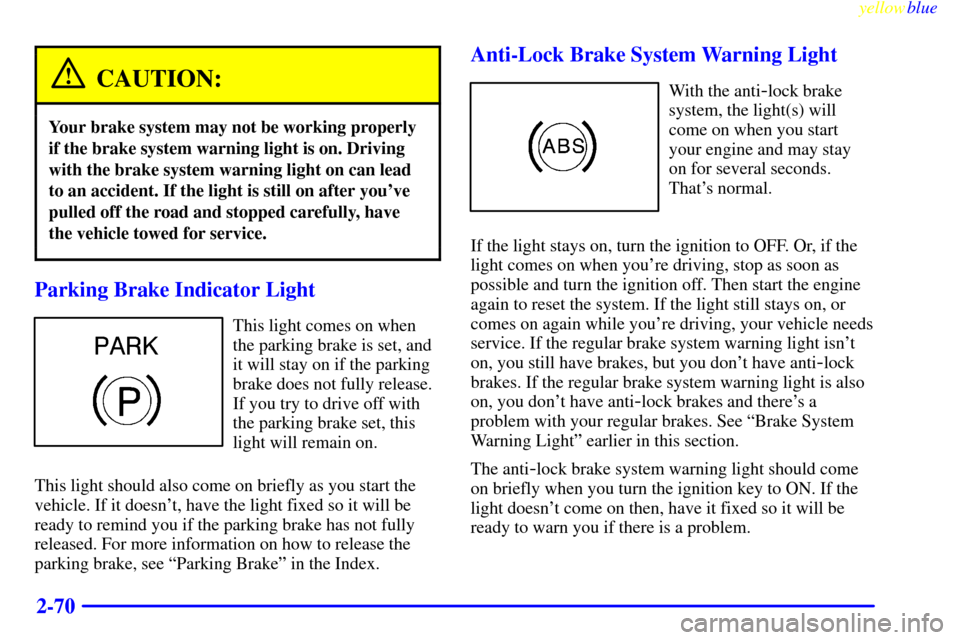
Parking Brake Indicator Light
This light comes on when
the parking brake is set, and
it will stay on if the parking
brake does not fully release.
If you try to drive off with
the parking brake set, this
light will remain on.
This light should also come on briefly as you start the
vehicle. If it doesn't, have the light fixed so it will be
ready to remind you if the parking brake has not fully
released. For more information on how to release the
parking brake, see ªParking Brakeº in the Index.
Anti-Lock Brake System Warning Light
With the anti-lock brake
system, the light(s) will
come on when you start
your engine and may stay
on for several seconds.
That's normal.
If the light stays on, turn the ignition to OFF. Or, if the
light comes on when you're driving, stop as soon as
possible and turn the ignition off. Then start the engine
again to reset the system. If the light still stays on, or
comes on again while you're driving, your vehicle needs
service. If the regular brake system warning light isn't
on, you still have brakes, but you don't have anti
-lock
brakes. If the regular brake system warning light is also
on, you don't have anti
-lock brakes and there's a
problem with your regular brakes. See ªBrake System
Warning Lightº earlier in this section.
The anti
-lock brake system warning light should come
on briefly when you turn the ignition key to ON. If the
light doesn't come on then, have it fixed so it will be
ready to warn you if there is a problem.
Page 124 of 362
yellowblue
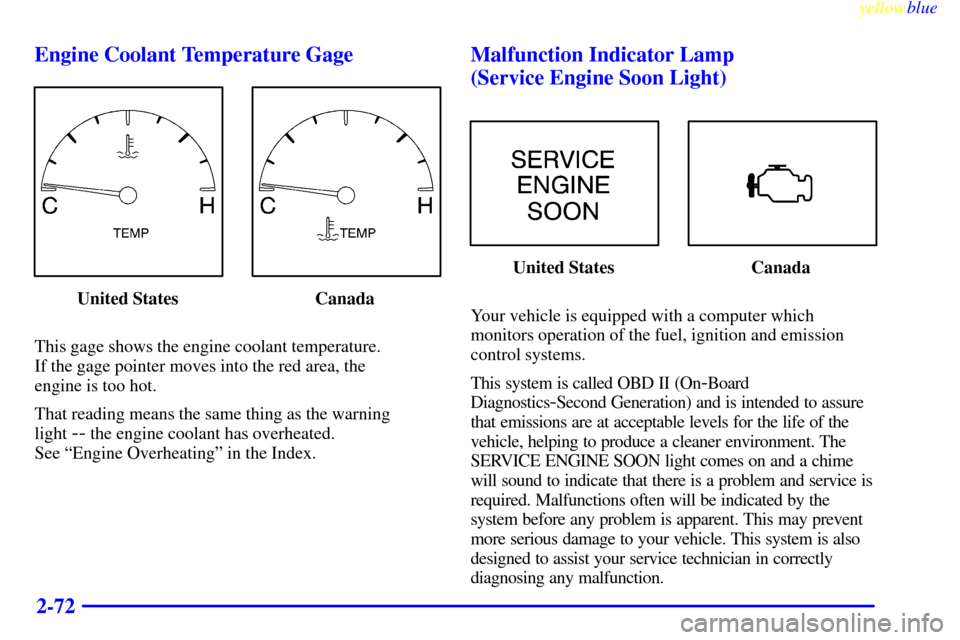
2-72 Engine Coolant Temperature Gage
United States Canada
This gage shows the engine coolant temperature.
If the gage pointer moves into the red area, the
engine is too hot.
That reading means the same thing as the warning
light
-- the engine coolant has overheated.
See ªEngine Overheatingº in the Index.
Malfunction Indicator Lamp
(Service Engine Soon Light)
United States Canada
Your vehicle is equipped with a computer which
monitors operation of the fuel, ignition and emission
control systems.
This system is called OBD II (On
-Board
Diagnostics
-Second Generation) and is intended to assure
that emissions are at acceptable levels for the life of the
vehicle, helping to produce a cleaner environment. The
SERVICE ENGINE SOON light comes on and a chime
will sound to indicate that there is a problem and service is
required. Malfunctions often will be indicated by the
system before any problem is apparent. This may prevent
more serious damage to your vehicle. This system is also
designed to assist your service technician in correctly
diagnosing any malfunction.
Page 132 of 362

yellowblue
2-80
BATTERY VOLTAGE HIGH - 8: This message
shows that the electrical charging system is
overcharging (more than 16 volts). To avoid being
stranded, have the electrical system checked by your
dealership. You can reduce the charging overload by
using the accessories. Turn on the lamps and radio, set
the climate control on AUTO and the fan speed on HI,
and turn the rear window defogger on. You can monitor
battery voltage on the DIC by pressing the INFO button.
The normal range is 11.5 to 15.5 volts when the engine
is running.
BATTERY VOLTAGE LOW
- 6: This message will
appear when the electrical system is charging less than 9
volts or if the battery has been drained. If this message
appears immediately after starting, it is possible that the
generator can still recharge the battery. The battery should
recharge while driving but may take a few hours to do so.
Consider using an auxiliary charger (be sure to follow the
manufacturer's instructions) to boost the battery after
returning home or to a final destination. If this message
appears while driving or after starting your vehicle and
stays on, have it checked immediately to determine the
cause of this problem. To help the generator recharge the
battery quickly, you can reduce the load on the electrical
system by turning off the accessories. You can monitor
battery voltage on the DIC by pressing the INFO button.
The normal range is 11.5 to 15.5 volts.CHANGE BRAKE PADS
- 125: This message is used
to notify you that the brake pads may have worn down.
A sensor is connected to the brake pads and is triggered
when they wear to a certain point. Have the front and
rear brakes serviced by your dealer as soon as possible.
CHANGE ENGINE OIL
- 82: This means that the life
of the engine oil has expired and it should be changed
within 200 miles. See ªEngine Oilº and ªFilter
Recommendationsº in the Maintenance Schedule
booklet. After an oil change, the Oil Life Indicator must
be reset. See ªOil Life Indicator, How to Resetº in
the Index.
CHANGE TRANS FLUID
- 47: This message will
appear when it is time to replace the transaxle fluid. See
the Maintenance Schedule booklet for the proper fluid
and change intervals.
CHECK BRAKE FLUID
- 37: This message will
display if the ignition is in ON to inform the driver that
the brake fluid level is low. Have the brake system
serviced by a technician as soon as possible. See ªBrake
System Warning Lightº in the Index.
CHECK COOLANT LEVEL
- 2: This message will
appear when there is a low level of engine coolant. Have
the cooling system serviced by a technician as soon
as possible.
Page 178 of 362

yellowblue
3-34
When using a scrubbing action, non-abrasive cleaning
cassette, it is normal for the cassette to eject because
your unit is equipped with a cut tape detection feature
and a cleaning cassette may appear as a broken tape.
To prevent the cleaning cassette from being ejected,
use the following steps.
1. Turn the ignition to ON or ACC.
2. Turn the radio off.
3. Press and hold the SOURCE button for two seconds.
The tape symbol on the display will flash
three times.
4. Turn the radio on and insert the scrubbing action
cleaning cassette.
5. Eject the cleaning cassette after the manufacturer's
recommended cleaning time.
When the cleaning cassette has been ejected, the cut tape
detection feature is active again.
You may also choose a non
-scrubbing action, wet-type
cleaner which uses a cassette with a fabric belt to clean
the tape head. This type of cleaning cassette will not
eject on its own. A non
-scrubbing action cleaner may
not clean as thoroughly as the scrubbing type cleaner.The use of a non
-scrubbing action, dry-type cleaning
cassette is not recommended.
After you clean the player, press and hold the eject
button for three seconds to reset the CLEAN TAPE
indicator. The radio will display CLEAN TAPE MSG
CLEARED to show the indicator was reset.
Cassettes are subject to wear and the sound quality may
degrade over time. Always make sure the cassette tape
is in good condition before you have your tape
player serviced.
Care of Your Compact Discs
Handle discs carefully. Store them in their original cases
or other protective cases and away from direct sunlight
and dust. If the surface of a disc is soiled, dampen a
clean, soft cloth in a mild, neutral detergent solution and
clean it, wiping from the center to the edge.
Be sure never to touch the signal surface when handling
discs. Pick up discs by grasping the outer edges or the
edge of the hole and the outer edge.
Page 188 of 362
yellowblue
3-44
The use of a non-scrubbing action, dry-type cleaning
cassette is not recommended.
After you clean the player, press and hold the eject
button for three seconds to reset the CLEAN TAPE
indicator. The radio will display CLEAN TAPE MSG
CLEARED to show the indicator was reset.
Cassettes are subject to wear and the sound quality may
degrade over time. Always make sure the cassette tape
is in good condition before you have your tape
player serviced.
Care of Your Compact Discs
Handle discs carefully. Store them in their original cases
or other protective cases and away from direct sunlight
and dust. If the surface of a disc is soiled, dampen a
clean, soft cloth in a mild, neutral detergent solution and
clean it, wiping from the center to the edge.
Be sure never to touch the signal surface when handling
discs. Pick up discs by grasping the outer edges or the
edge of the hole and the outer edge.
Care of Your Compact Disc Player
The use of CD lens cleaner discs is not advised, due to
the risk of contaminating the lens of the CD optics with
lubricants internal to the CD mechanism.
Diversity Antenna System
Your AM-FM antennas are located in the front windshield
and rear window. Be sure that the inside surfaces of the front
windshield and rear window are not scratched and that the
lines on the glass are not damaged. If the inside surfaces are
damaged, they could interfere with radio reception.
NOTICE:
Do not try to clear frost or other material from
the inside of the rear window with a razor blade
or anything else that is sharp. This may damage
the rear defogger grid and affect your radio's
ability to pick up stations clearly. The repairs
wouldn't be covered by your warranty.
If, when you turn on your rear window defogger, you
hear static on your radio station, it could mean that a
defogger grid line has been damaged. If this is true, the
grid line must be repaired.
If you choose to add an aftermarket cellular telephone to
your vehicle, and the antenna needs to be attached to the
glass, be sure that you do not damage the grid lines for
the AM
-FM antennas or place the cellular telephone
antenna over the grid lines.
Page 268 of 362

yellowblue
6-4
If you're using fuel rated at the recommended octane or
higher and you hear heavy knocking, your engine needs
service. But don't worry if you hear a little pinging
noise when you're accelerating or driving up a hill.
That's normal, and you don't have to buy a higher
octane fuel to get rid of pinging. It's the heavy, constant
knock that means you have a problem.
If your vehicle is certified to meet California Emission
Standards (indicated on the underhood emission control
label), it is designed to operate on fuels that meet
California specifications. If such fuels are not available
in states adopting California emissions standards, your
vehicle will operate satisfactorily on fuels meeting
federal specifications, but emission control system
performance may be affected. The malfunction indicator
lamp on your instrument panel may turn on and/or your
vehicle may fail a smog
-check test. (See ªMalfunction
Indicator Lampº in the Index.) If this occurs, return to
your authorized Cadillac dealer for diagnosis to
determine the cause of failure. In the event it is
determined that the cause of the condition is the type of
fuels used, repairs may not be covered by your warranty.Some gasolines that are not reformulated for low
emissions may contain an octane
-enhancing additive
called methylcyclopentadienyl manganese tricarbonyl
(MMT); ask your service station operator whether or not
the fuel contains MMT. General Motors does not
recommend the use of such gasolines. If fuels containing
MMT are used, spark plug life may be reduced and your
emission control system performance may be affected.
The malfunction indicator lamp on your instrument
panel may turn on. If this occurs, return to your
authorized Cadillac dealer for service.
To provide cleaner air, all gasolines in the United States
are now required to contain additives that will help
prevent deposits from forming in your engine and fuel
system, allowing your emission control system to
function properly. Therefore, you should not have to add
anything to the fuel. In addition, gasolines containing
oxygenates, such as ethers and ethanol, and
reformulated gasolines may be available in your area to
contribute to clean air. General Motors recommends that
you use these gasolines, particularly if they comply with
the specifications described earlier.