Page 143 of 368

yellowblue
3-5
Temperature Control
The TEMP switch sets the temperature for the entire
system when the light on the DUAL button isn't lit. If
the DUAL button light is lit, this master temperature
control sets the temperature for the driver only. Press the
up arrow to raise the temperature and press the down
arrow to lower the temperature. The display will show
your selection for a few seconds, then the outside
temperature will be displayed. If you push the AUTO
button, the system will control the fan speed and airflow.
Passenger's Temperature Control
The PASSENGER CONTROL buttons with the arrows
adjust the temperature on the passenger's side so it is
warmer or cooler than the temperature set by the driver.
Push the DUAL button so that the indicator light is lit.
Press the right arrow button to raise the temperature.
Press the left arrow button to lower the temperature. The
display will not show the passenger's temperature, only
that of the driver. Indicators in the passenger control
section will show passenger temperature relative to the
driver's set temperature.
�The amber light indicates the same temperature as
set for the driver.
�The red lights indicate a warmer temperature than
that of the driver.�The blue lights indicate a cooler temperature than
that of the driver.
Manual Control
If you prefer to manually control the heating, cooling
and ventilation in your vehicle, you can select airflow
direction, fan speed, outside or recirculated air and air
compressor operation with the following buttons:
AIR FLOW: This control has several settings to control
the direction of airflow when the system is not in AUTO.
To access the various modes available, continue to press
the AIR FLOW rocker button up or down until the
desired mode appears in the display:
�WINDSHIELD/FLOOR: This setting directs half
of the air to the floor ducts and half to the defroster
and side window vents.
�MID/FLOOR: This setting directs half of the air
through the instrument panel outlets. Most of the
remaining air is directed through the floor ducts and
a little to the defroster and side window vents.
�MID: This setting directs air through the instrument
panel outlets.
�FLOOR: This setting sends most of the air through
the ducts near the floor. The rest comes out of the
defroster and side window vents.
ProCarManuals.com
Page 144 of 368

yellowblue
3-6
FRONT: This setting brings in outside air and
directs most of the air through the defrost vent. Some of
the air also goes to the floor ducts and the side window
defogger outlets. The indicator on the button will light
and WINDSHIELD will be lit in the display. The air
conditioning compressor will run automatically in
this setting unless the outside temperature is below
40�F (4�C).
VENT: This pushbutton turns the air conditioning
compressor on and off. The indicator is lit when the
compressor is turned off. Recirculation is not permitted
when the compressor is off. The system will try to
control the temperature automatically, but without
the compressor.
VENT is not permitted in FRONT defrost mode. If the
VENT button is pushed while in FRONT defrost mode,
the indicator will light for one second and then turn off.
RECIRC: This setting recirculates much of the air
inside your vehicle. This setting is not permitted in
FRONT defrost mode and is only permitted in WINDSHIELD/FLOOR mode if the compressor is
turned on. The indicator light will be lit when
recirculation is engaged, but will light for one second
and then turn off if selected when not permitted.
Heating (Engine Coolant Heater)
If your vehicle has an engine coolant heater, you can use
it to help your system provide warm air faster when it's
cold outside
-- 0�F (-18�C) or lower. An engine
coolant heater warms the coolant your engine and
heating system use to provide heat. See ªEngine Coolant
Heaterº in the Index.
Defogging and Defrosting
Your system has two settings for clearing the front and
side windows. To defrost the windows quickly, press the
FRONT button; set the temperature to 90 �F (32�C),
select high fan speed and turn the DUAL button off. To
warm passengers while keeping the windows clear, push
the AIR FLOW button until WINDSHIELD/FLOOR
appears in the display. Select fan speed for comfort and
windshield clearing performance.
ProCarManuals.com
Page 146 of 368
yellowblue
3-8 Ventilation System
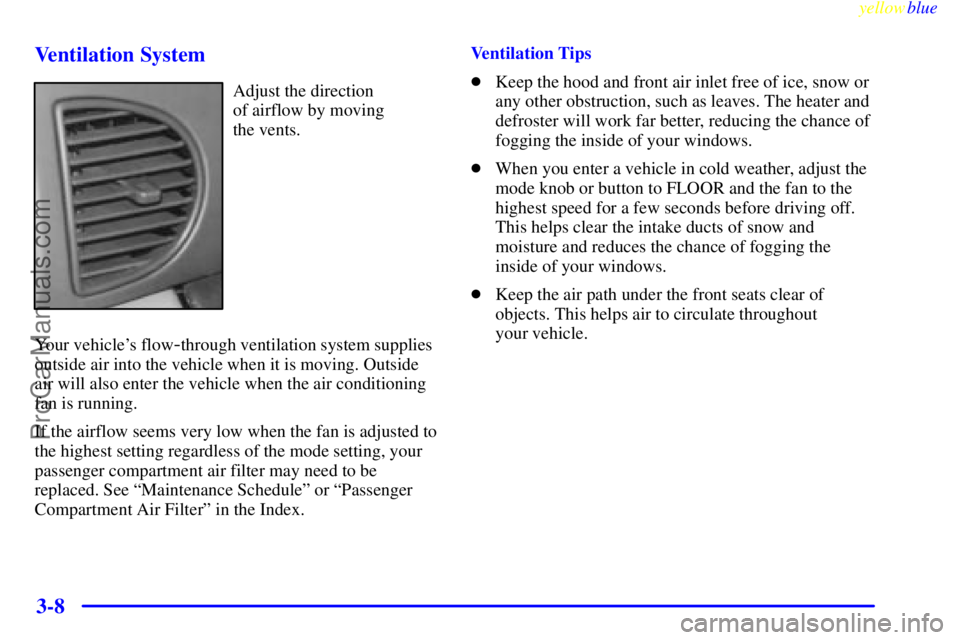
Adjust the direction
of airflow by moving
the vents.
Your vehicle's flow
-through ventilation system supplies
outside air into the vehicle when it is moving. Outside
air will also enter the vehicle when the air conditioning
fan is running.
If the airflow seems very low when the fan is adjusted to
the highest setting regardless of the mode setting, your
passenger compartment air filter may need to be
replaced. See ªMaintenance Scheduleº or ªPassenger
Compartment Air Filterº in the Index.Ventilation Tips
�Keep the hood and front air inlet free of ice, snow or
any other obstruction, such as leaves. The heater and
defroster will work far better, reducing the chance of
fogging the inside of your windows.
�When you enter a vehicle in cold weather, adjust the
mode knob or button to FLOOR and the fan to the
highest speed for a few seconds before driving off.
This helps clear the intake ducts of snow and
moisture and reduces the chance of fogging the
inside of your windows.
�Keep the air path under the front seats clear of
objects. This helps air to circulate throughout
your vehicle.
ProCarManuals.com