Page 111 of 368
yellowblue
2-55
1. Air Outlet
2. Instrument Panel Intensity Control
3. Twilight Sentinel
4. Turn Signal/Multifunction Lever
5. Tilt Steering Wheel Lever
6. Instrument Cluster/Gages
7. Hazard Warning Flasher Switch
8. Audio System9. Glove Box
10. Climate Control System
11. Ashtray and Cigarette Lighter
12. Ignition Switch
13. Traction Control Button
14. Trunk Release Button
15. Hood Release
Page 119 of 368

yellowblue
2-63 Traction Control System Warning
Light (Option)
This warning light should
come on briefly as you start
the engine. If the warning
light doesn't come on then,
have it fixed so it will be
ready to warn you if there's
a problem.
If it stays on, or comes on when you're driving, there
may be a problem with your traction control system and
your vehicle may need service. When this warning light
is on, the system will not limit wheel spin. Adjust your
driving accordingly.The traction control system warning light may come on
for the following reasons:
�If you turn the system off by pressing the button
located to the left of the steering column, the
warning light will come on and stay on. To turn the
system back on, press the button again. The warning
light should go off. (See ªTraction Control Systemº
in the Index for more information.)
�If there's a brake system problem that is specifically
related to traction control, the traction control system
will turn off and the warning light will come on. If
your brakes begin to overheat, the traction control
system will turn off and the warning light will come
on until your brakes cool down.
�If the traction control system is affected by an
engine
-related problem, the system will turn off and
the warning light will come on.
If the traction control system warning light comes on
and stays on for an extended period of time when the
system is turned on, your vehicle needs service.
Page 127 of 368

3-
First Edition for Buick LeSabre Owner's Manual ± 1999
yellowblue
3-1
Section 3 Comfort Controls and Audio Systems
In this section, you'll find out how to operate the comfort control and audio systems offered with your vehicle. Be
sure to read about the particular systems supplied with your vehicle.
3
-2 Comfort Controls
3
-6 Air Conditioning
3
-7 Heating
3
-8 Defogging and Defrosting
3
-8 Rear Window Defogger
3
-9 Passenger Control (If Equipped)
3
-10 Ventilation System
3
-11 Steering Wheel Controls for Climate Control
(If Equipped)
3
-12 Audio Systems
3
-12 Setting the Clock
3
-12 AM-FM Stereo
3
-14 AM-FM Stereo with Cassette Tape Player
(If Equipped)3
-17 AM-FM Stereo with Cassette Tape Player and
Automatic Tone Control (If Equipped)
3
-21 AM-FM Stereo with Compact Disc Player and
Automatic Tone Control (If Equipped)
3
-25 AM-FM Stereo with Cassette Tape and
Compact Disc Player with Automatic Tone
Control (If Equipped)
3
-30 Theft-Deterrent Feature
3
-32 Audio Steering Wheel Controls (If Equipped)
3
-33 Understanding Radio Reception
3
-34 Care of Your Cassette Tape Player
3
-35 Care of Your Compact Discs
3
-35 Care of Your Compact Disc Player
3
-36 Heated Backlite Antenna
Page 137 of 368

First Edition for Buick LeSabre Owner's Manual ± 1999
yellowblue
3-11
Ventilation Tips
�Keep the hood and front air inlet free of ice, snow or
any other obstruction such as leaves. The heater and
defroster will work better, reducing the chance of
fogging your windows.
�Keep the air path under the front seats clear of
objects. This helps air to circulate throughout
your vehicle.
�When the engine idles for a long time, the exterior
temperature sensor may cause the system to blow air
that is too cool. Once the vehicle is moving again,
the system will try to maintain the set temperature
inside your vehicle.
�When you start your vehicle and the EXT display
flashes (Dual Automatic Comfortemp system only)
for some time, the system may need repair. See
your dealer.Steering Wheel Controls for Climate
Control (If Equipped)
G±43±2200±V
If your vehicle has this
feature, you can control the
temperature function by
using the button on your
steering wheel. Press the
TEMP up arrow to increase
the temperature and the
TEMP down arrow to
decrease the temperature.
Page 158 of 368

First Edition for Buick LeSabre Owner's Manual ± 1999
yellowblue
3-32
Disabling the Theft-Deterrent Feature
Enter your secret code as follows; pause no more than
15 seconds between steps:
1. Turn the ignition to ACCESSORY or RUN.
2. Turn the radio off.
3. Press the 1 and 4 buttons together. Hold them down
until SEC shows on the display.
4. Press MIN and 000 will appear on the display.
5. Press MIN again to make the last two digits agree
with your code.
6. Press HRS to make the first one or two digits agree
with your code.
7. Press AM
-FM after you have confirmed that the
code matches the secret code you have written down.
The display will show
---, indicating that the radio is
no longer secured.
If the code entered is incorrect, SEC will appear on the
display. The radio will remain secured until the correct
code is entered.
When battery power is removed and later applied to a
secured radio, the radio won't turn on and LOC will
appear on the display.To unlock a secured radio see ªUnlocking the
Theft
-Deterrent Feature After a Power Lossº earlier in
this section.
Audio Steering Wheel Controls
(If Equipped)
If your vehicle has this feature, you can control certain
radio functions using the buttons on your steering wheel.
Some steering wheel controls may operate climate
controls. See ªSteering Wheel Controls for Climate
Controlº earlier in this section.
G±43±2201±V
SEEK: Press this button to
go to the next higher or
lower radio station. Press
and hold this button again
for two seconds and SCAN
will appear. Press it again to
stop scanning.
Page 172 of 368
yellowblue
4-8
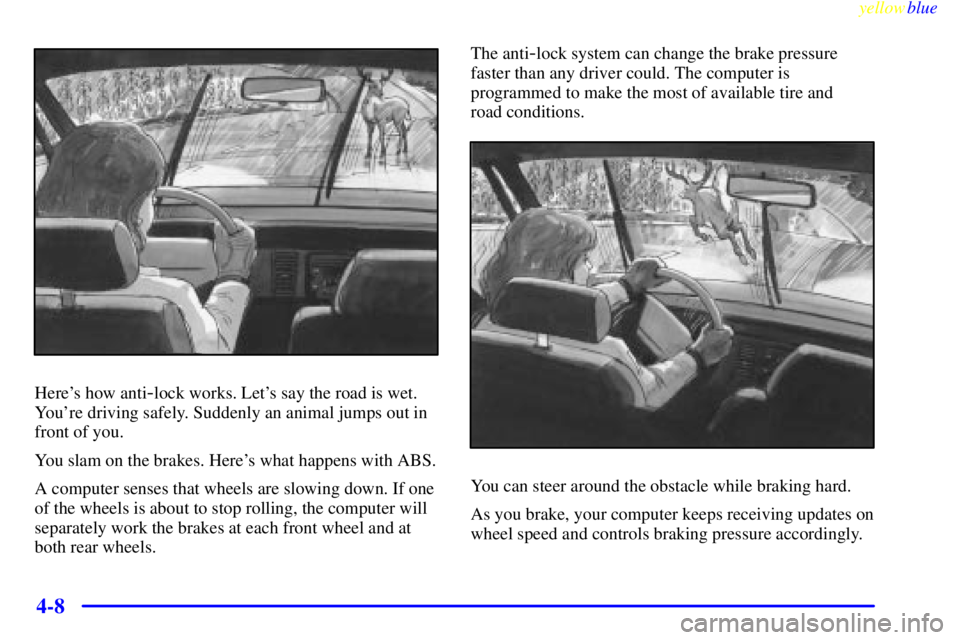
Here's how anti-lock works. Let's say the road is wet.
You're driving safely. Suddenly an animal jumps out in
front of you.
You slam on the brakes. Here's what happens with ABS.
A computer senses that wheels are slowing down. If one
of the wheels is about to stop rolling, the computer will
separately work the brakes at each front wheel and at
both rear wheels.The anti
-lock system can change the brake pressure
faster than any driver could. The computer is
programmed to make the most of available tire and
road conditions.
You can steer around the obstacle while braking hard.
As you brake, your computer keeps receiving updates on
wheel speed and controls braking pressure accordingly.
Page 173 of 368

yellowblue
4-9
Remember: Anti-lock doesn't change the time you need
to get your foot up to the brake pedal or always decrease
stopping distance. If you get too close to the vehicle in
front of you, you won't have time to apply your brakes
if that vehicle suddenly slows or stops. Always leave
enough room up ahead to stop, even though you have
anti
-lock brakes.
Using Anti
-Lock
Don't pump the brakes. Just hold the brake pedal down
firmly and let anti
-lock work for you. You may feel a
slight brake pedal pulsation or notice some noise, but
this is normal.
Traction Control System (If Equipped)
Your vehicle may have a traction control system that
limits wheel spin. This is especially useful in slippery
road conditions. The system operates only if it senses
that one or both of the front wheels are spinning or
beginning to lose traction. When this happens, the
system works the front brakes and reduces engine power
to limit wheel spin.
You may feel or hear the system working, but this
is normal.If your vehicle is in cruise control when the traction
control system begins to limit wheel spin, the cruise
control will automatically disengage. When road
conditions allow you to safely use it again, you may
reengage the cruise control. (See ªCruise Controlº in
the Index.)
This light should come on
briefly when you start the
engine. If it stays on or
comes on while you are
driving, there's a problem
with your traction
control system.
See ªTraction Control System Warning Lightº in the
Index. When this warning light is on, the system will not
limit wheel spin. Adjust your driving accordingly.
The traction control system automatically comes on
whenever you start your vehicle. To limit wheel spin,
especially in slippery road conditions, you should
always leave the system on. But you can turn the
traction control system off if you ever need to. (You
should turn the system off if your vehicle ever gets stuck
in sand, mud, ice or snow. See ªRocking Your Vehicleº
in the Index.)
Page 174 of 368
yellowblue
4-10
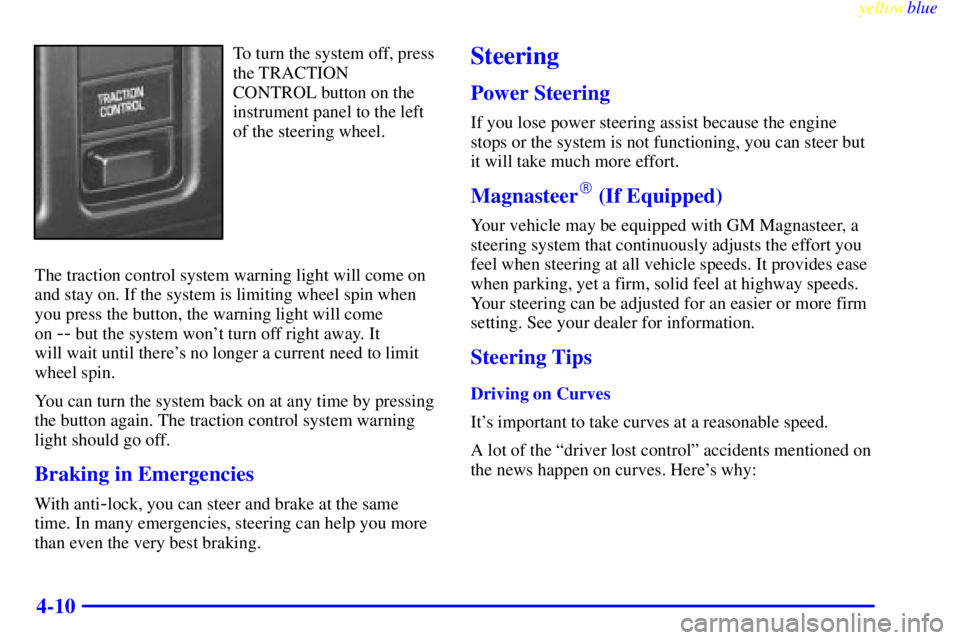
To turn the system off, press
the TRACTION
CONTROL button on the
instrument panel to the left
of the steering wheel.
The traction control system warning light will come on
and stay on. If the system is limiting wheel spin when
you press the button, the warning light will come
on
-- but the system won't turn off right away. It
will wait until there's no longer a current need to limit
wheel spin.
You can turn the system back on at any time by pressing
the button again. The traction control system warning
light should go off.
Braking in Emergencies
With anti-lock, you can steer and brake at the same
time. In many emergencies, steering can help you more
than even the very best braking.
Steering
Power Steering
If you lose power steering assist because the engine
stops or the system is not functioning, you can steer but
it will take much more effort.
Magnasteer� (If Equipped)
Your vehicle may be equipped with GM Magnasteer, a
steering system that continuously adjusts the effort you
feel when steering at all vehicle speeds. It provides ease
when parking, yet a firm, solid feel at highway speeds.
Your steering can be adjusted for an easier or more firm
setting. See your dealer for information.
Steering Tips
Driving on Curves
It's important to take curves at a reasonable speed.
A lot of the ªdriver lost controlº accidents mentioned on
the news happen on curves. Here's why: