Page 153 of 444
Side Window Latches
The rear of each side window swings open.
To open, push the latch
forward to release it, then
swing the window outward.
Press the center of the latch
to secure the window in the
open position.
To close, pull the center of the latch forward and then
close the latch. Press the center of the latch to secure the
window in the closed position.
Power Rear Quarter Windows
This button, located in the
overhead console
switchbank, is used for
opening and closing the
rear quarter windows.
Press the top ribbed side of the button to open the
windows; both windows will open. The windows can be
opened fully
or only a portion depending on how long
the button is pushed.
Press the bottom symbol side of the button to close
both windows.
Horn
You can sound the horn by pressing the horn symbols on
your steering wheel.
2-51
ProCarManuals.com
Page 154 of 444
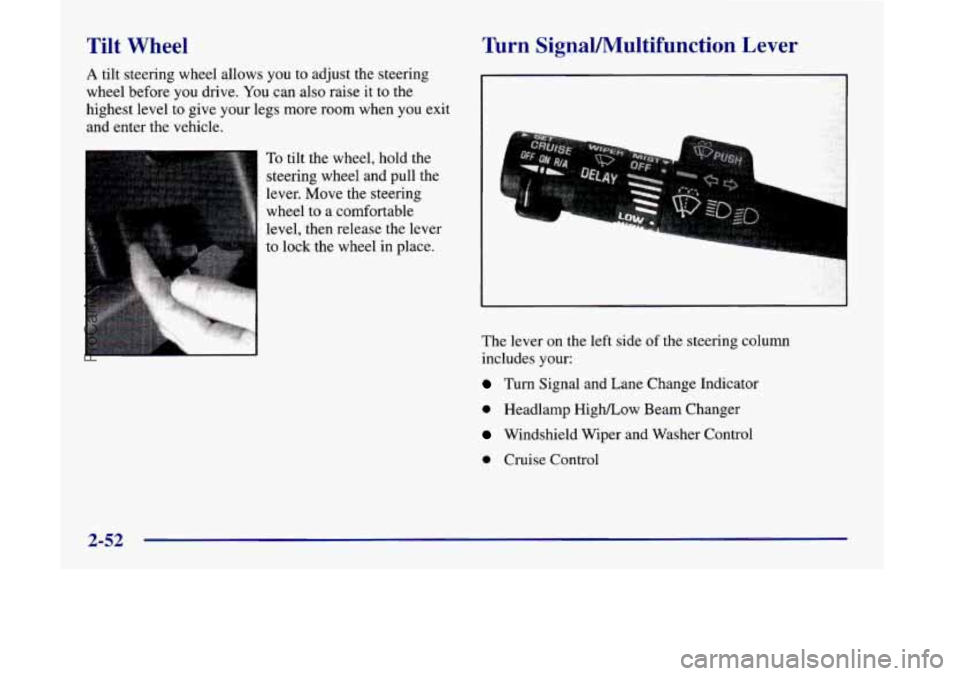
Tilt Wheel
A tilt steering wheel allows you to adjust the steering
wheel before
you drive. You can also raise it to the
highest level to give your legs more room when you exit
and enter the vehicle.
To tilt the wheel, hold the
steering wheel and pull the
lever. Move the steering
wheel to a comfortable
Turn SignaVMultifunction Lever
1
Icr
I
The lever on the left side of the steering column
includes your:
Turn Signal and Lane Change Indicator
0 Headlamp HighLow Beam Changer
Windshield Wiper and Washer Control
0 Cruise Control
2-52
ProCarManuals.com
Page 185 of 444
Your instrument panel is designed to let you know at a glance how your vehicle is running. You’ll know how fast
you’re going, how much fuel you’re using, and many other things you’ll need to drive safely
and economically.
Refer to the accompanying diagram of your instrument panel to locate the components listed below.
A. Side Vents
B. Front Vent
C. Turn SignalMultifunction Lever
D. Hazard Warning Flashers Switch
E. Instrument Cluster
F. Center Vents
G. Audio System
H. Side Vents
I. Lamps Switch
J. Hood Release
K. Steering Wheel Touch Controls (Option)
L. Horn
M. Ignition Switch
N. Steering Wheel Touch Controls (Option)
0. Climate Controls
P. Rear Fan Controls (Option)
Q. Accessory Power Outlet
R. Storage Bin
S. Remote CD Player (Option)
T. Instrument Panel Switchbank
U. LightedAshtray
V. Glove Box
W. Front Vents
X, Fuse Panel
2-83
ProCarManuals.com
Page 205 of 444
Section 3 Comfort Controls and Audio Systc-;
In this section, you’ll find out how to operate the comfort control and audio systems offered with your vehicle. Be
sure to read about the particular systems supplied with your vehicle.
3-2
3-3
3-4
3-4
3-5
3-6
3-8
3-9 3-10
3- 14 Comfort Controls
Air Conditioning
Heating
Defogging and Defrosting
Rear Window Defogger
Rear Climate Control (If Equipped)
Ventilation System
Setting the Clock for All Systems
AM-FM Stereo with Cassette Tape Player and
Automatic Tone Control
AM-FM Stereo with Compact Disc Player and
Automatic Tone Control
(If Equipped) 3-18
3 -20
3-21
3 -24
3 -25
3 -25
3-26
3-27
3 -27
3-27 Rear Seat
Audio
(If Equipped)
Remote Compact Disc Player (If Equipped)
Theft-Deterrent Feature Audio Steering Wheel Controls
(If Equipped)
Understanding Radio Reception
Tips About Your Audio System
Care of Your Cassette Tape Player
Care of Your Compact Discs
Care of Your Compact Disc Player
Integrated Windshield Antenna
3-1
ProCarManuals.com
Page 228 of 444
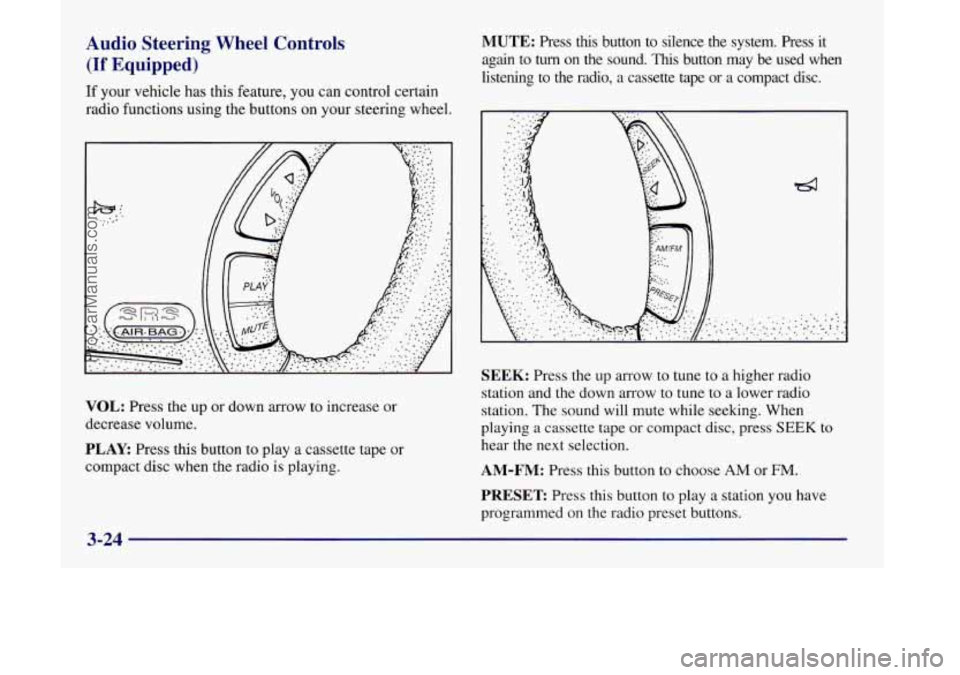
Audio Steering Wheel Controls
(If Equipped)
If your vehicle has this feature, you can control certain
radio functions using the buttons on your steering wheel.
VOL: Press the up or down arrow to increase or
decrease volume.
PLAY: Press this button to play a cassette tape or
compact disc when the radio
is playing.
MUTE: Press this button to silence the system. Press it
again to
turn on the sound. This button may be used when
listening to the radio,
a cassette tape or a compact disc.
SEEK: Press the up arrow to tune to a higher radio
station and the down arrow to tune to a lower radio
station. The sound will mute while seeking. When
playing
a cassette tape or compact disc, press SEEK to
hear the next selection.
AM-FM: Press this button to choose AM or FM.
PRESET Press this button to play a station you have
programmed on the radio preset buttons.
3-24
ProCarManuals.com
Page 233 of 444
Section 4 Your Driving and the Road
Here you’ll find information about driving on different kinds of roads and in varying weather conditions. We’ve also
included many other useful tips on driving.
4-2
4-3
4-6
4-6
4-11
4- 13
4-13
4-
15
4- 16
Defensive Driving
Drunken Driving
Control of a Vehicle
Braking
Steering
Off-Road Recovery
Passing
Loss of Control
Driving at Night Driving
in Rain and on Wet Roads
City Driving
Freeway Driving
Before Leaving on a Long Trip
Highway Hypnosis Hill and Mountain Roads
Winter Driving
Loading Your Vehicle
Towing a Trailer
4-1 8
4-2 1
4-22
4-23
4-24
4-24 4-26
4-30
4-33
4-1
ProCarManuals.com
Page 238 of 444
~ Control of a Vehicle
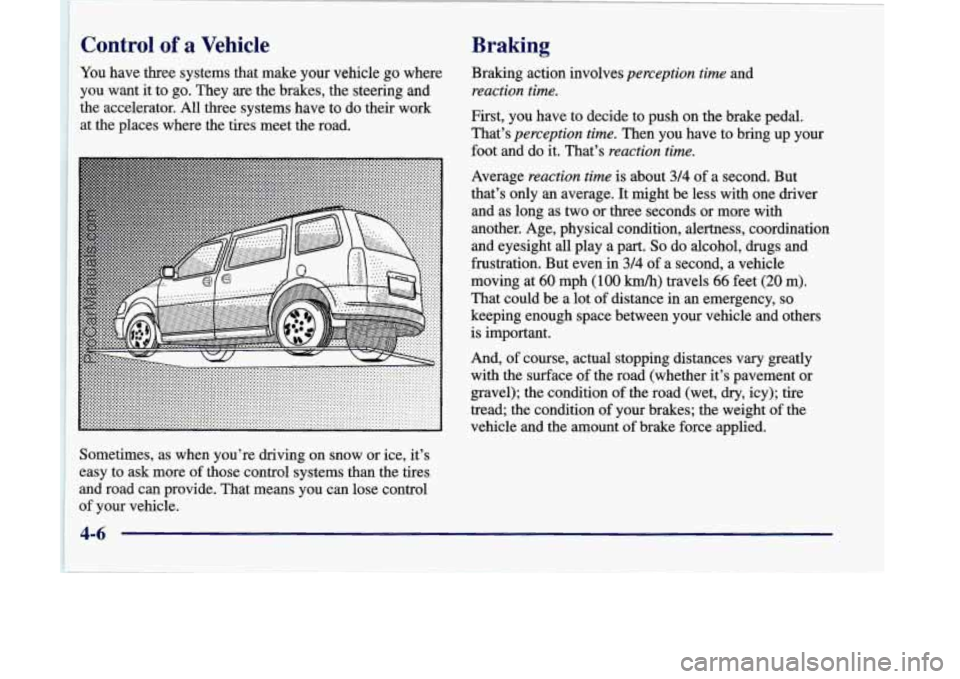
You
have three systems that make your vehicle go where
you want it to go. They are the brakes, the steering and
the accelerator. All three systems have to
do their work
, at the places where the tires meet the road.
Braking
Braking action involves perception time and
reaction time.
First, you have to decide to push on the brake pedal.
That’s
perception time. Then you have to bring up your
foot and do it. That’s
reaction time.
Average reaction time is about 3/4 of a second. But
that’s only an average. It might be less with one driver
and as long as two or three seconds or more with
another. Age, physical condition, alertness, coordination
and eyesight
all play a part. So do alcohol, drugs and
frustration. But even in
3/4 of a second, a vehicle
moving at
60 mph (100 kmh) travels 66 feet (20 m).
That could be a lot of distance in
an emergency, so
keeping enough space between your vehicle and others
is important.
And,
of course, actual stopping distances vary greatly
with the surface of the road (whether it’s pavement or
gravel); the condition of the road (wet,
dry, icy); tire
tread; the condition of your brakes; the weight
of the
vehicle and the amount of brake force applied.
I
Sometimes, as when you’re driving on snow or ice, it’s
I easy to ask more of those control systems than the tires
and road can provide. That means you can lose control
of your vehicle.
ProCarManuals.com
Page 242 of 444
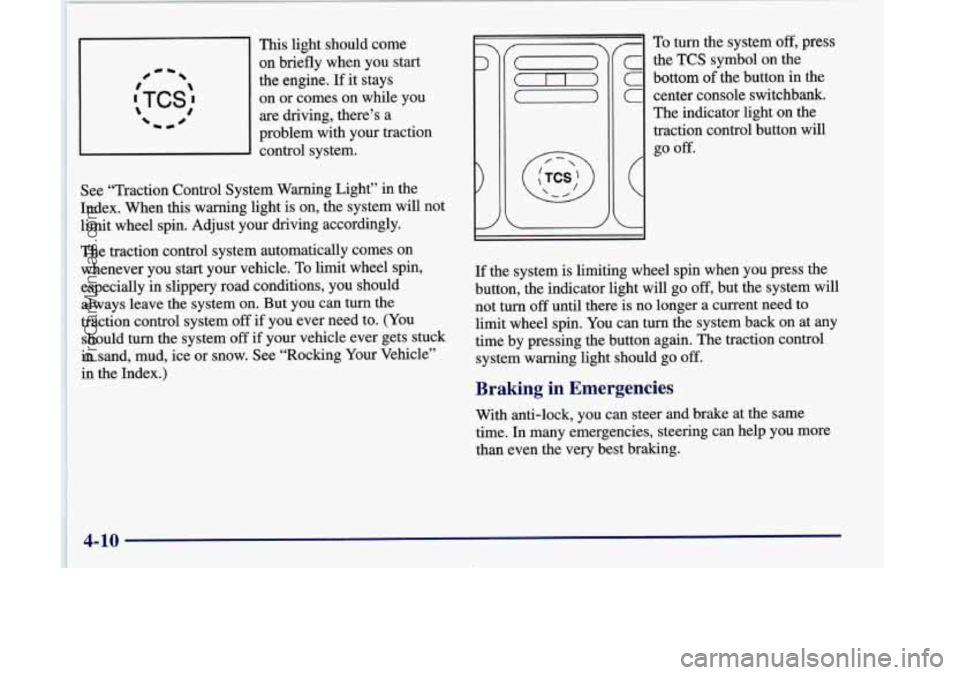
This light should come
on briefly when you start
the engine.
If it stays
on
or comes on while you
are driving, there’s a
problem with your traction
control system.
See “Traction Control System Warning Light” in the
Index. When this warning light is on, the system will not
limit wheel spin. Adjust your driving accordingly.
The traction control system automatically comes on
whenever you start your vehicle. To
limit wheel spin,
especially in slippery road conditions, you should
always leave the system on. But you can turn the
traction control system off
if you ever need to. (You
should turn the system
off if your vehicle ever gets stuck
in sand, mud, ice or snow. See “Rocking Your Vehicle”
in the Index.)
c the TCS symbol on the
C bottom of the button in the
C center console switchbank.
The indicator light on the
traction control button will
c
go off.
-I I
If the system is limiting wheel spin when you press the
button, the indicator light will go
off, but the system will
not turn
off until there is no longer a current need to
limit wheel spin. You can turn the system back on at any
time by pressing the button again. The traction control
system warning light should go
off.
Braking in Emergencies
With anti-lock, you can steer and brake at the same
time. In many emergencies, steering can help you more
than even the
very best braking.
4-10
ProCarManuals.com