1998 Oldsmobile Cutlass ignition
[x] Cancel search: ignitionPage 119 of 348

Malfunction Indicator Lamp (Check Engine Light)
CHECK
Your vehicle is equipped
with a computer which
monitors operation
of the
fuel, ignition and emission
control systems.
This system is called
OBD 11 (On-Board
Diagnostics-Second Generation) and is intended to
assure that emissions are at acceptable levels for the life
of the vehicle, helping to produce a cleaner
environment. The
CHECK ENGINE light comes on to
indicate that there is a problem and service is required.
Malfunctions often will be indicated by the system
before
any problem is apparent. This may prevent more
serious damage to your vehicle.
This system is also
designed to assist your service technician in correctly
diagnosing
any malfunction.
NOTICE:
If you keep driving your vehicle with this light
on, after
a while, your emission controls may not
work as well, your fuel economy may not be as
good and your engine may not run as smoothly.
This could lead to costly repairs that may not be
covered by your warranty.
Modifications made to the engine, transaxle,
exhaust or fuel system of your vehicle or the
replacement of the original tires with other than
those
of the same Tire Performance Criteria
(TPC) can affect your vehicle’s emission controls
and may cause the light to come
on.
modifications to these systems could lead to
costly repairs not covered by your warranty. This
may also result
in a failure to pass a required
Emission Inspection/Maintenance test.
Page 120 of 348

This light should come on, as a check to show you it is
working, when the ignition
is on and the engine is not
running. If the light doesn’t come on, have it repaired.
This light will also come on during a malfunction in one
of two ways:
Light Flashing -- A misfire condition has been
detected.
A misfire increases vehicle emissions and
may damage the emission control system on your vehicle. Retailer or qualified service center diagnosis
and service may be required.
0 Light On Steady -- An emission control system
malfunction has been detected on your vehicle.
Retailer or qualified service center diagnosis and service may be required.
If the Light Is Flashing
The following may prevent more serious damage to
your vehicle:
Reducing vehicle speed.
Avoiding hard accelerations.
Avoiding steep uphill grades.
If you are towing a trailer, reduce the amount of
cargo being hauled as soon as it is possible.
2-56
Page 121 of 348
Have you recently changed brands of fuel?
If so, be sure to fuel your vehicle with quality fuel (see
“Fuel” in the Index).
Poor fuel quality will cause your
engine not to
run as efficiently as designed. You may
notice this as stalling after start-up, stalling when you
put the vehicle into gear, misfiring, hesitation on
acceleration or stumbling on acceleration. (These
conditions may
go away once the engine is warmed up.)
This will be detected by the system and cause the light
to
turn on.
If you experience one or more of these conditions,
change the fuel brand you use. It will require at least one
full tank of the proper fuel to
turn the light off.
If none of the above steps have made the light turn off,
have your retailer or qualified service center check the
vehicle. Your retailer has the proper test equipment and
diagnostic tools to fix any mechanical or electrical
problems that may have developed.
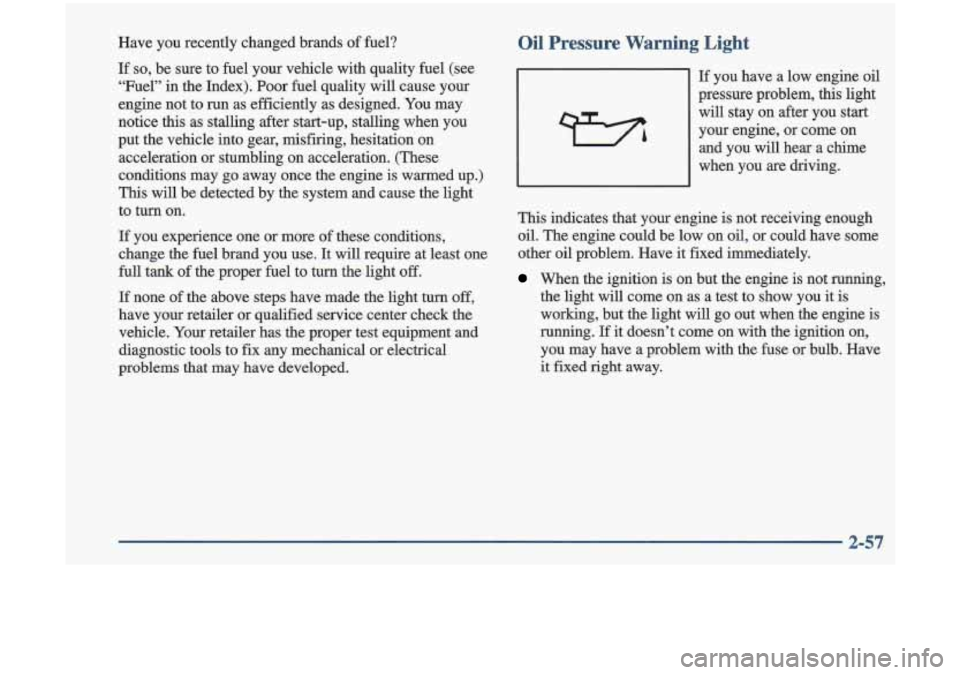
Oil Pressure Warning Light
If you have a low engine oil
pressure problem, this light
will stay on after you start
your engine,
or come on
and you will
hear a chime
when you are driving.
This indicates that your engine is not receiving enough
oil. The engine could be low
on oil, or could have some
other oil problem. Have it fixed immediately.
When the ignition is on but the engine is not running,
the light will come on as a test to
show you it is
working, but the light will
go out when the en-gine is
running. If it doesn’t come on with the ignition on,
you may have a problem with the fuse or bulb. Have
it fixed right away.
2-57
Page 123 of 348

Passlock Warning Light Low Washer Light
This light
will come on
briefly when you
turn the
ignition on. The light
will stay on until the
engine starts.
If the light flashes for several seconds, the passlock
system has entered a tamper mode.
If the vehicle fails to
start, see “Passlock” in the Index.
If the light comes on continuously while driving and
stays on, there may be a problem with the passlock
system. Your vehicle will not be protected by passlock,
and you should see your retailer.
Cruise Light
CRUISE
The CRUISE light comes
on whenever you set your
cruise control.
LOW
WASH
The LOW WASH light will
come on briefly when you
turn on the ignition.
It will also come on, chime and stay on if the fluid
reservoir is less than one-third full.
Service Vehicle Soon Light
SERVICE
VEHICLE
SOON
This light will come on
briefly when you turn
on the ignition.
It will stay on
if it detects a problem on the vehicle, such
as a
DRL or an ALC malfunction. If this happens, see
your retailer service department as soon as possible.
2-59
Page 124 of 348

Door Ajar Light
When the ignition is on, this
light will stay on until all
doors are closed and
completely latched.
You will hear a brief chime if a door
is unlatched after
the engine is started and the vehicle is not
in PARK (P)
or NEUTRAL (N).
Fuel Gage
UN
0
E 0
0 FUELDOOR 83 D
Your fuel gage tells you
about how much fuel you
have left, when the ignition
is on. When the indicator
nears empty, the light will come on and you will hear a
chime. You still have a little
fuel left, but you should get
more soon. Here are four things that
some owners ask about. None
of these show a problem with your fuel gage:
At the service station, the gas pump shuts off before
0 It takes a little more or less fuel to
fill up than the
the gage reads full.
gage indicated.
For example, the gage may have
indicated the tank was half full, but it actually took a
little more
or less than half the tank’s capacity to fill
the tank.
The gage moves a little when you turn a corner or, I
The gage goes back to empty when you turn off
speed up.
the ignition.
Page 129 of 348

Rear Window Defogger
The rear window defogger
uses a warming grid
to remove fog from the
rear window.
Press the defogger switch. The indicator light will
glow. The rear window defogger will turn itself
off
after about 10 minutes after the first time the button is
pressed, and after
5 lninutes each additional time the
button is pressed. You can turn the defogger off by
pressing
the button again or turning off the ignition.
Do not attach a temporary vehicle license across the
defogger grid on the rear window.
NOTICE:
Don’t use a razor blade or anything else sharp on
the inside
of the rear window. If you do, you
could cut
or damage the warming grid, and the
repairs wouldn’t be covered by your warranty.
Ventilation System
For mild outside temperatures when little heating or
cooling is needed, use VENT to direct outside air
through your vehicle.
Your vehicle also has the
flow-through ventilation system.
Your vehicle’s flow-through ventilation system supplies outside
air into the vehicle when it is moving. Outside
air will also enter the vehicle when the
air conditioning
fan is running.
I
I
Page 131 of 348

AM-FM Stereo
Playing the Radio
PWR-VOL:
Press this knob to turn the system on and
off.
To increase volume, turn the knob to the right. Turn
it to the left to decrease volume.
RECALL: Press this button briefly to recall the station
being played or to display the clock.
To change what is
normally shown on the display (station
or time), press
the
RECALL button until you see the display you want,
then hold the
RECALL button until the display flashes.
If you press the button when the ignition is off, the clock
will show for a few seconds.
Finding a Station
AM-FM: Press this button to switch between AM, FM1
and FM2. The display shows your selection.
TUNE: Press this knob lightly so it extends. Turn it to
choose radio stations. Push the knob back into its stored
position when you’re not using it.
SEEK: Press the up or down arrow to go to the next
higher or lower station and stay there. The sound will
mute while seeking.
SCAN: Press this button and release it to listen to
stations for a few seconds. The radio will go to a station,
stop for a few seconds, then go on to the next station.
Press the button again to stop scanning. The sound will
mute while scanning, and
SCAN will appear on the
display. If you press
SCAN for more than two seconds,
the radio will change to P
SCAN mode. P SCAN will
appear on the display.
3-7
Page 133 of 348

AM-FM Stereo with Cassette Tape Player and Automatic Tone Control
(If Equipped)
Playing the Radio
PWR-VOL: Press this knob to turn the system on and
off. To increase volume, turn the knob to the right. Turn
it to the left to decrease volume.
RCL: Press this button briefly to recall the station
being played or to display the clock. To change what is
normally shown on the display (station or time), press
the RCL button until you see the display you want, then
hold the RCL button until the display flashes.
If you
press the button when the ignition
is off, the clock will
show for a few seconds.
Finding a Station
AM-FM: Press this button to switch between AM, FM1
and FM2. The display shows your selection.
TUNE: Press this knob lightly so it extends. Turn it to
choose radio stations. Push the knob back into its stored
position when you’re not using
it.
SEEK: Press the up or down arrow to go to the next
higher or lower station and stay there. The sound will
mute while seeking.
SCAN: Press this button and release it to listen to
stations for a few seconds. The radio will
go to a station,
stop for a few seconds, then go on to the next station.
Press the button again to stop scanning. The sound will
mute while scanning, and SCAN will appear on the
display.
If you press SCAN for more than two seconds,
the radio will change to
P SCAN mode. P SCAN will
appear on the display.
3-9