Page 92 of 260

Theft warning system operation
The theft warning system emits the follow-
ing alarm:
cThe headlights and tail lights flash and
the horn sounds intermittently. In addi-
tion, the starter motor does not operate.
cThe alarm automatically turns off after
two to three minutes. However, the alarm
reactivates if the vehicle is tampered with
again. The alarm can be shut off by
unlocking a door with the key or by
pressing the
button on the multi-
remote controller.
The alarm is activated when:
ca door is unlocked or opened without
using the key or the multi-remote control-
ler. This includes unlocking the doors
with the inside door lock switch.
cthe hood is opened.
cthe ignition is placed into the ACC, ON,
or START position without the key in the
ignition.
How to stop the alarm
The alarm stops only by unlocking a door
with the key or by pressing the
button on
the multi-remote controller. The alarm does
not stop if the ignition key is turned to the
ACC or ON position.
If the system does not operate as de-
scribed above, have it checked by an
authorized NISSAN dealer.
To operate the wipers intermittently, adjust
the knob between the S (slow) and F (fast)
positions. For continuous operation, select
LO or HI.
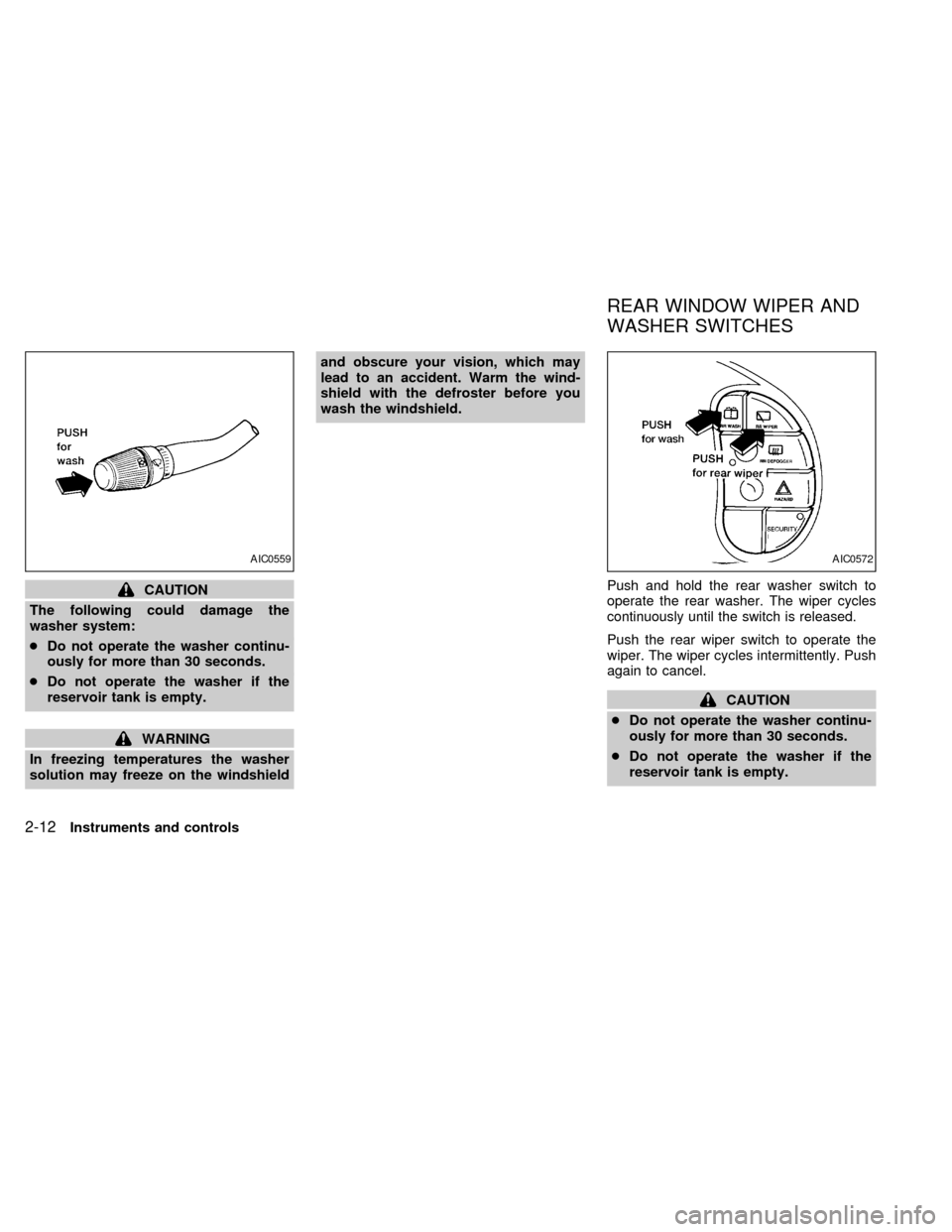
To operate the washer, press on the end of
the wiper knob. For more washer fluid, push
and hold the end of the wiper knob. The
wipers cycle a few times when the washer is
activated. The washer operates in any of
the wiper positions.
AIC0561
WINDSHIELD WIPER AND
WASHER SWITCH
Instruments and controls2-11
ZX
Page 93 of 260
CAUTION
The following could damage the
washer system:
cDo not operate the washer continu-
ously for more than 30 seconds.
cDo not operate the washer if the
reservoir tank is empty.
WARNING
In freezing temperatures the washer
solution may freeze on the windshieldand obscure your vision, which may
lead to an accident. Warm the wind-
shield with the defroster before you
wash the windshield.
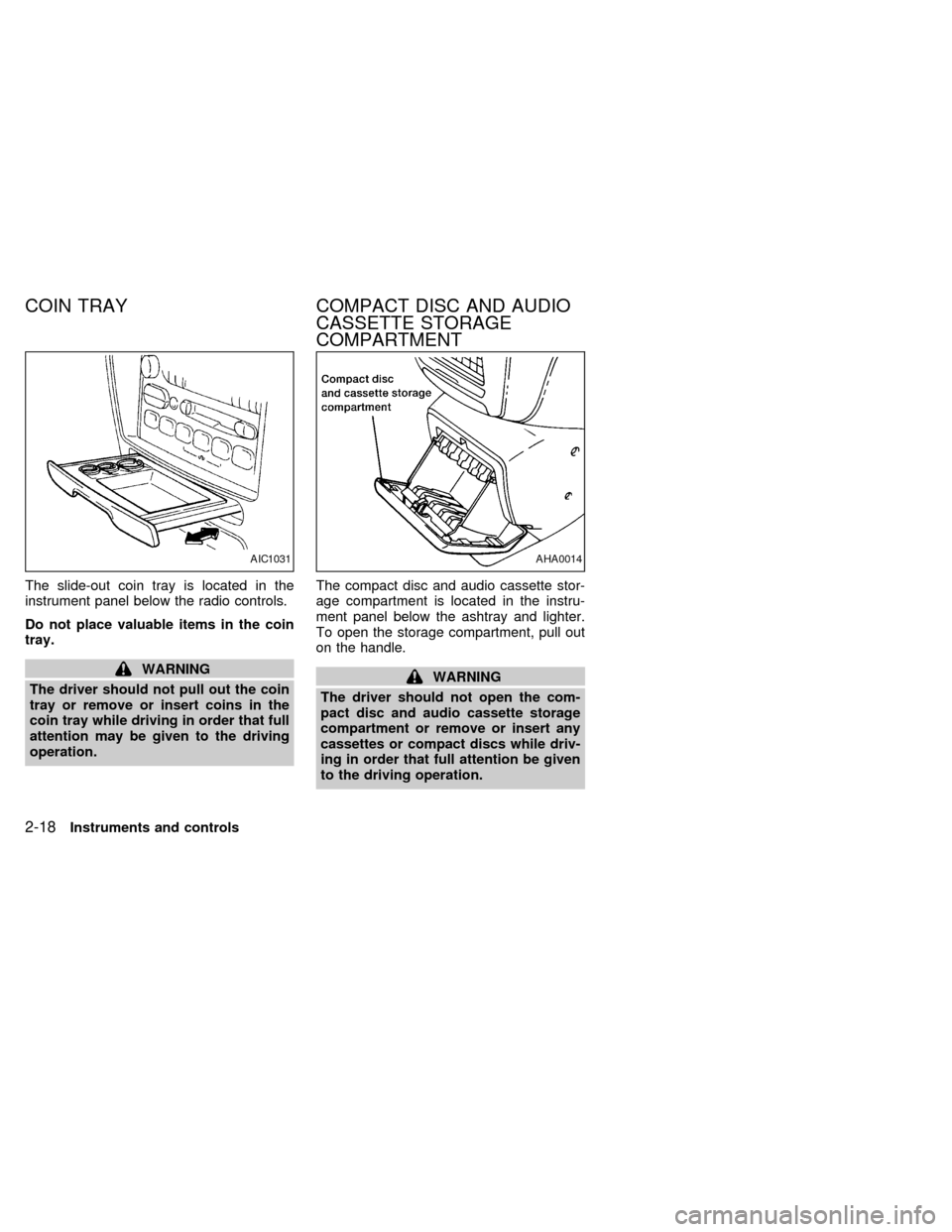
Push and hold the rear washer switch to
operate the rear washer. The wiper cycles
continuously until the switch is released.
Push the rear wiper switch to operate the
wiper. The wiper cycles intermittently. Push
again to cancel.
CAUTION
cDo not operate the washer continu-
ously for more than 30 seconds.
cDo not operate the washer if the
reservoir tank is empty.
AIC0559AIC0572
REAR WINDOW WIPER AND
WASHER SWITCHES
2-12Instruments and controls
ZX
Page 94 of 260
To defog the rear window glass, start the
engine and push the switch on. The indica-
tor light on the switch comes on. Push the
switch again to turn the defogger off.
The rear window defogger switch is also
used to defrost, defog, or de-ice the power
outside heated mirrors (if so equipped).
It automatically turns off in approximately 15
minutes.
CAUTION
When cleaning the inner side of the
window, be careful not to scratch or
damage the rear window defogger.
Lighting
Turn the dial to theposition:
The front parking, side marker, tail, license
plate and instrument lights come on.
Turn the dial to the
position:
Headlights come on and all of the previously
listed lights remain on.
To select the high beam, push the turn
signal lever away from you. The lever
latches in place. Pull it back to select the low
beam.
DAYTIME RUNNING LIGHT
SYSTEM (Canada only)
The headlights automatically illuminate at a
reduced intensity when the engine is started
with the parking brake released. The day-
time running lights operate with the head-
light switch in the OFF position or in the
position. Turn the headlight switch to
theposition for full illumination when
driving at night.
If the parking brake is applied before the
engine is started, the daytime running lights
do not illuminate. The daytime running lights
illuminate once the parking brake is re-
leased. The daytime running lights will re-
main on until the ignition switch is turned
OFF.
WARNING
When the daytime light system is ac-
tive, tail lights on your vehicle will not
be on. It is necessary at dusk to turn on
your headlights. Failure to do so could
cause an accident injuring yourself and
others.
AIC0573AIC0043
REAR WINDOW DEFOGGER
SWITCHHEADLIGHT CONTROL
SWITCH
Instruments and controls2-13
ZX
Page 97 of 260
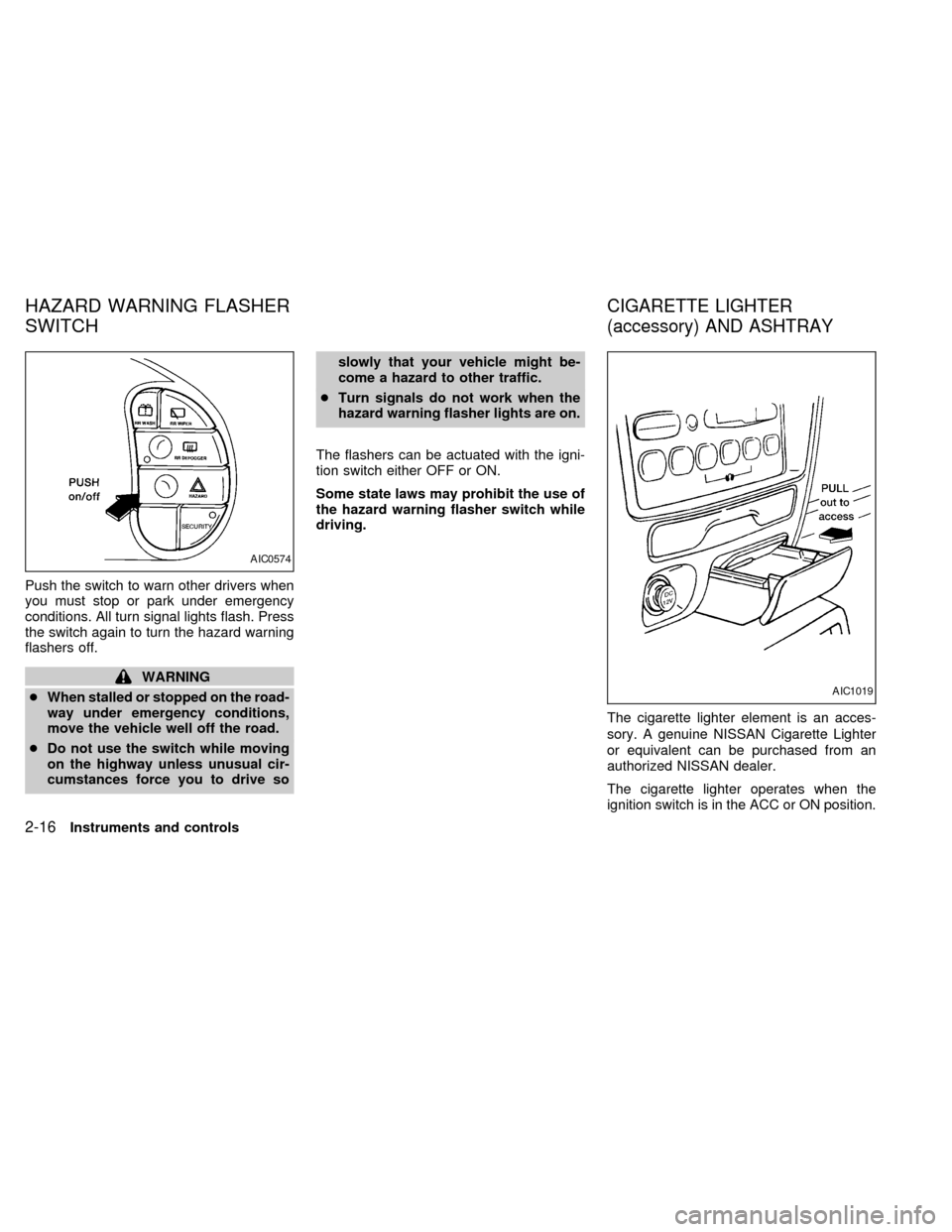
Push the switch to warn other drivers when
you must stop or park under emergency
conditions. All turn signal lights flash. Press
the switch again to turn the hazard warning
flashers off.
WARNING
cWhen stalled or stopped on the road-
way under emergency conditions,
move the vehicle well off the road.
cDo not use the switch while moving
on the highway unless unusual cir-
cumstances force you to drive soslowly that your vehicle might be-
come a hazard to other traffic.
cTurn signals do not work when the
hazard warning flasher lights are on.
The flashers can be actuated with the igni-
tion switch either OFF or ON.
Some state laws may prohibit the use of
the hazard warning flasher switch while
driving.
The cigarette lighter element is an acces-
sory. A genuine NISSAN Cigarette Lighter
or equivalent can be purchased from an
authorized NISSAN dealer.
The cigarette lighter operates when the
ignition switch is in the ACC or ON position.
AIC0574
AIC1019
HAZARD WARNING FLASHER
SWITCHCIGARETTE LIGHTER
(accessory) AND ASHTRAY
2-16Instruments and controls
ZX
Page 98 of 260
Push the lighter in all the way. When the
lighter is heated, it springs out.
Return the lighter to its original position after
use.
CAUTION
The cigarette lighter socket is a power
source for the cigarette lighter element
only. The use of the cigarette lighter
socket as a power source for any other
accessory is not recommended.
WARNING
The cigarette lighter should not be
used while driving in order that full
attention may be given to the driving
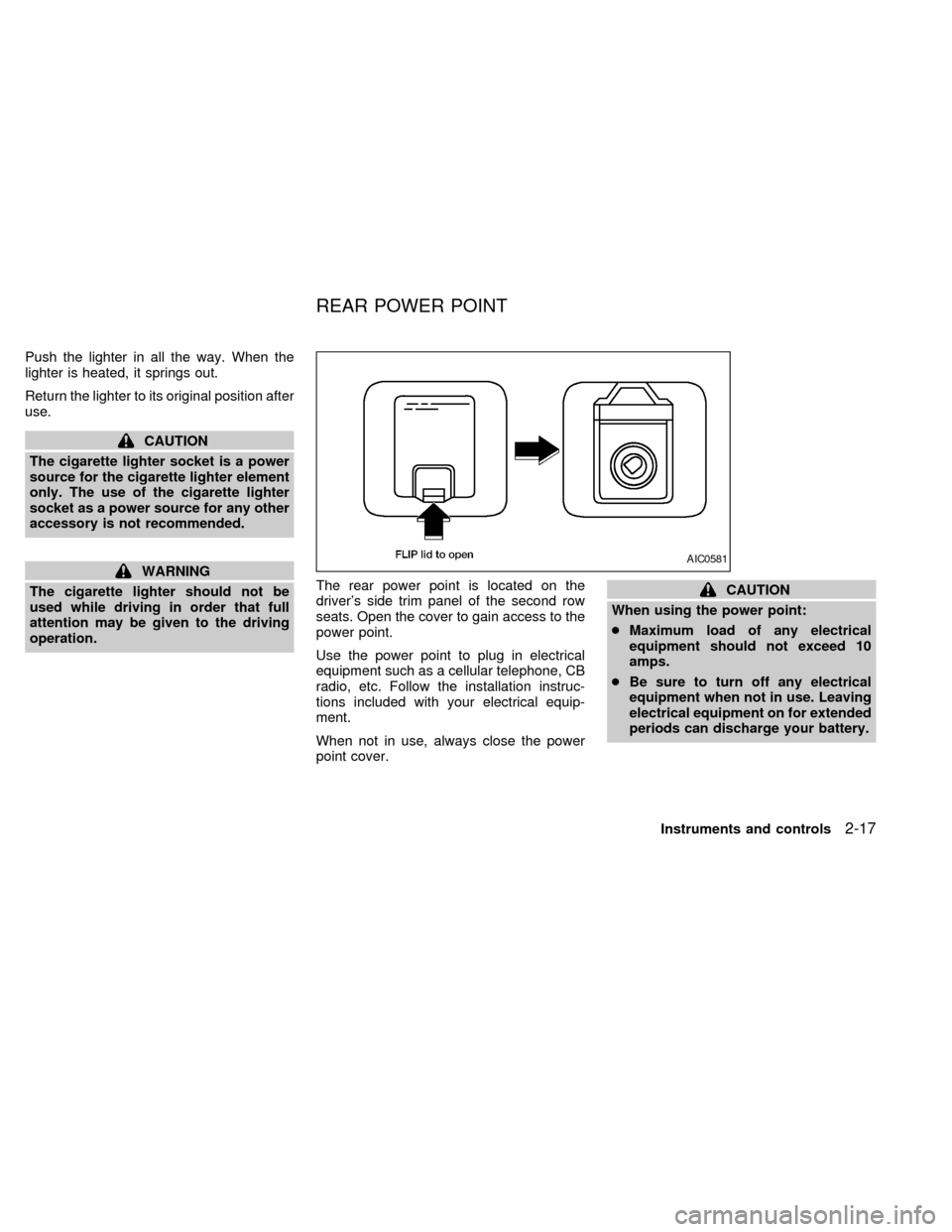
operation.The rear power point is located on the
driver's side trim panel of the second row
seats. Open the cover to gain access to the
power point.
Use the power point to plug in electrical
equipment such as a cellular telephone, CB
radio, etc. Follow the installation instruc-
tions included with your electrical equip-
ment.
When not in use, always close the power
point cover.
CAUTION
When using the power point:
cMaximum load of any electrical
equipment should not exceed 10
amps.
cBe sure to turn off any electrical
equipment when not in use. Leaving
electrical equipment on for extended
periods can discharge your battery.
AIC0581
REAR POWER POINT
Instruments and controls2-17
ZX
Page 99 of 260
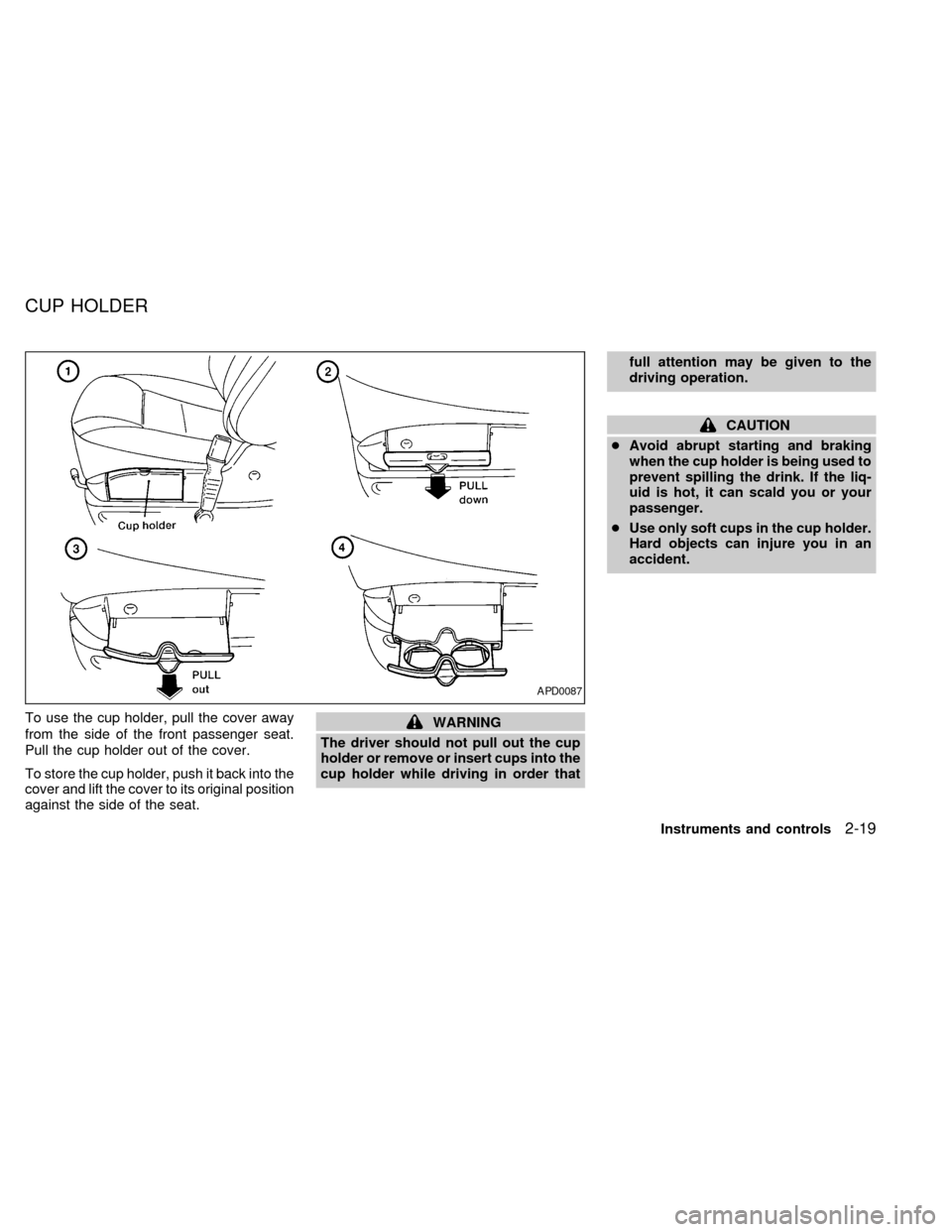
The slide-out coin tray is located in the
instrument panel below the radio controls.
Do not place valuable items in the coin
tray.
WARNING
The driver should not pull out the coin
tray or remove or insert coins in the
coin tray while driving in order that full
attention may be given to the driving
operation.The compact disc and audio cassette stor-
age compartment is located in the instru-
ment panel below the ashtray and lighter.
To open the storage compartment, pull out
on the handle.WARNING
The driver should not open the com-
pact disc and audio cassette storage
compartment or remove or insert any
cassettes or compact discs while driv-
ing in order that full attention be given
to the driving operation.
AIC1031AHA0014
COIN TRAY COMPACT DISC AND AUDIO
CASSETTE STORAGE
COMPARTMENT
2-18Instruments and controls
ZX
Page 100 of 260
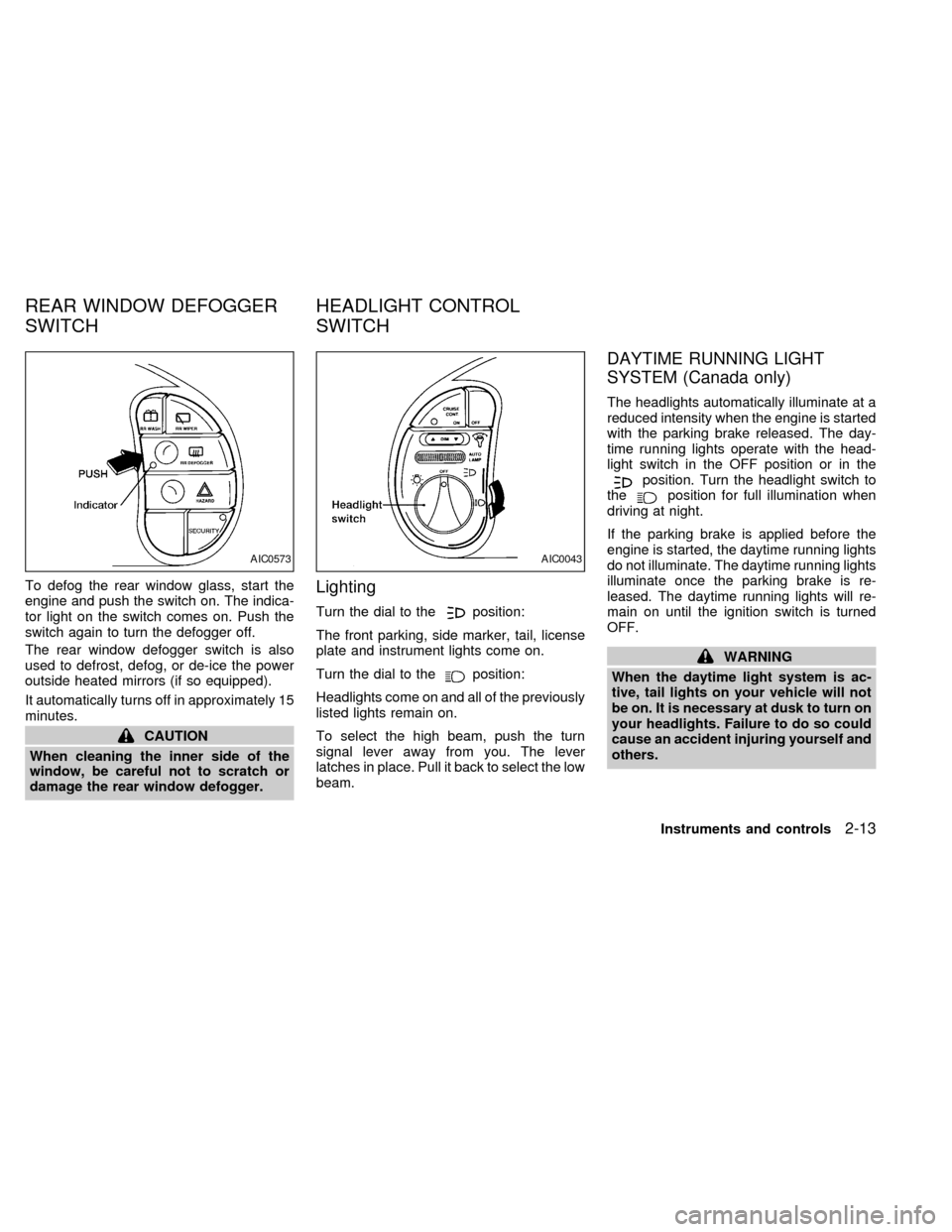
To use the cup holder, pull the cover away
from the side of the front passenger seat.
Pull the cup holder out of the cover.
To store the cup holder, push it back into the
cover and lift the cover to its original position
against the side of the seat.WARNING
The driver should not pull out the cup
holder or remove or insert cups into the
cup holder while driving in order thatfull attention may be given to the
driving operation.
CAUTION
cAvoid abrupt starting and braking
when the cup holder is being used to
prevent spilling the drink. If the liq-
uid is hot, it can scald you or your
passenger.
cUse only soft cups in the cup holder.
Hard objects can injure you in an
accident.
APD0087
CUP HOLDER
Instruments and controls2-19
ZX
Page 101 of 260
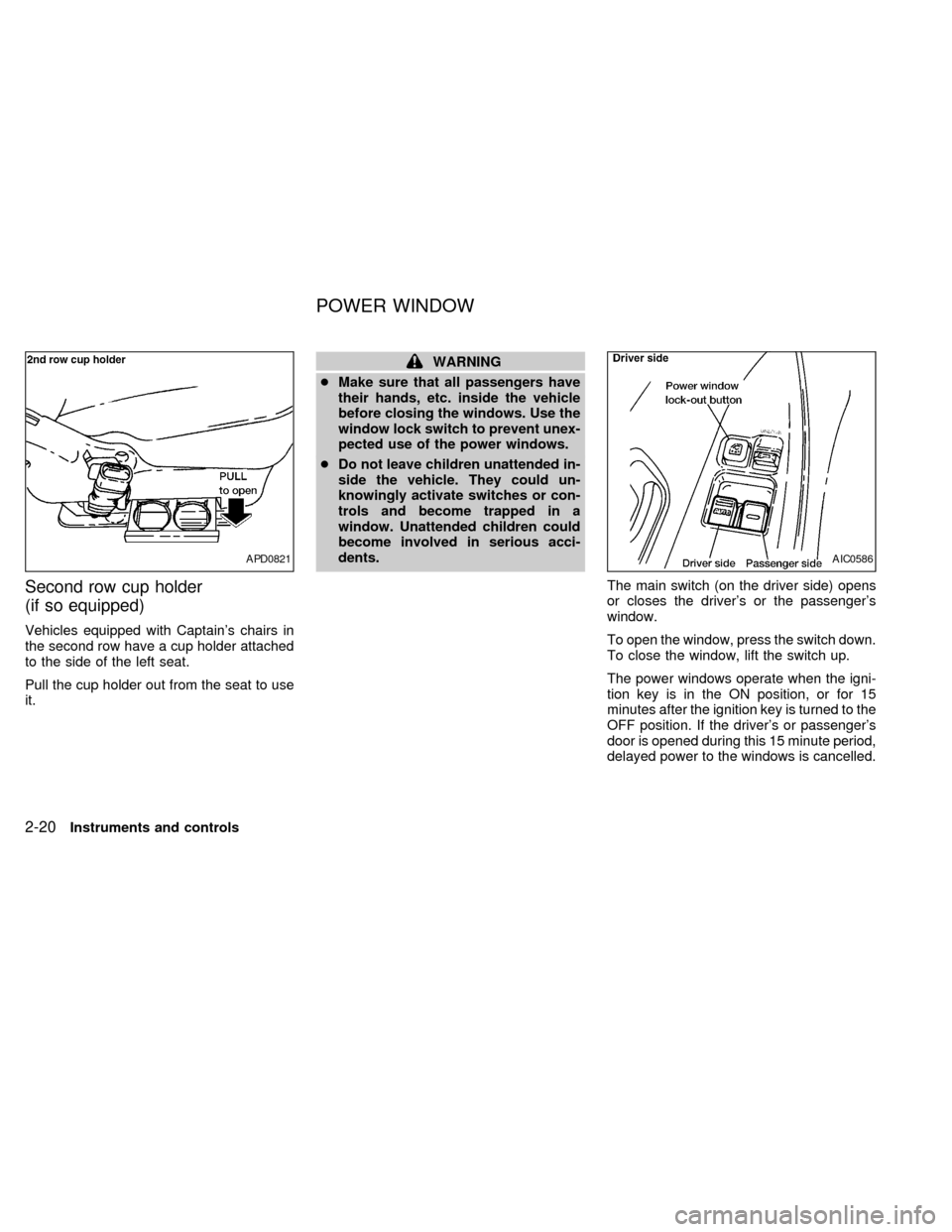
Second row cup holder
(if so equipped)
Vehicles equipped with Captain's chairs in
the second row have a cup holder attached
to the side of the left seat.
Pull the cup holder out from the seat to use
it.
WARNING
cMake sure that all passengers have
their hands, etc. inside the vehicle
before closing the windows. Use the
window lock switch to prevent unex-
pected use of the power windows.
cDo not leave children unattended in-
side the vehicle. They could un-
knowingly activate switches or con-
trols and become trapped in a
window. Unattended children could
become involved in serious acci-
dents.
The main switch (on the driver side) opens
or closes the driver's or the passenger's
window.
To open the window, press the switch down.
To close the window, lift the switch up.
The power windows operate when the igni-
tion key is in the ON position, or for 15
minutes after the ignition key is turned to the
OFF position. If the driver's or passenger's
door is opened during this 15 minute period,
delayed power to the windows is cancelled.
APD0821AIC0586
POWER WINDOW
2-20Instruments and controls
ZX