Page 2 of 188

ICONS
Indicates a warning. Read the
following section onWarningsfor
a full explanation.
Indicates vehicle information
related to recycling and other
environmental concerns will follow.
Correct vehicle usage and the
authorized disposal of waste
cleaning and lubrication materials
are significant steps towards
protecting the environment.
WARNINGS
Warnings provide information
which may reduce the risk of
personal injury and prevent
possible damage to others, your
vehicle and its equipment.
BREAKING-IN YOUR VEHICLE
There are no particular breaking-in
rules for your vehicle. During the
first 1 600 km (1 000 miles) of
driving, vary speeds frequently.
This is necessary to give the
moving parts a chance to break in.
If possible, you should avoid full
use of the brakes for the first
1 600 km (1 000 miles).
INFORMATION ABOUT THIS
GUIDE
The information found in this
guide was in effect at the time of
printing. Ford may change the
contents without notice and
without incurring obligation.
Introduction
2
Page 11 of 188
O/D off
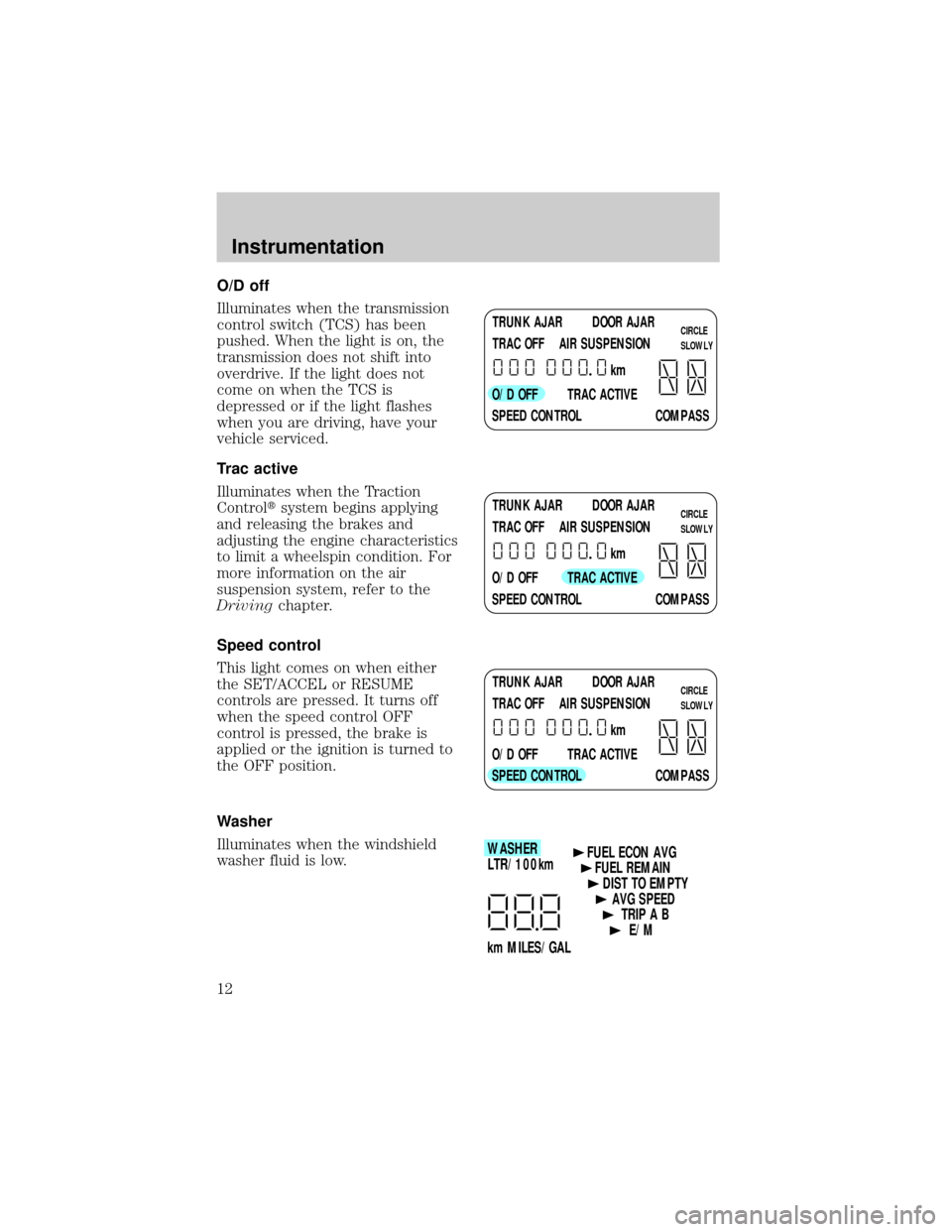
Illuminates when the transmission
control switch (TCS) has been
pushed. When the light is on, the
transmission does not shift into
overdrive. If the light does not
come on when the TCS is
depressed or if the light flashes
when you are driving, have your
vehicle serviced.
Trac active
Illuminates when the Traction
Controltsystem begins applying
and releasing the brakes and
adjusting the engine characteristics
to limit a wheelspin condition. For
more information on the air
suspension system, refer to the
Drivingchapter.
Speed control
This light comes on when either
the SET/ACCEL or RESUME
controls are pressed. It turns off
when the speed control OFF
control is pressed, the brake is
applied or the ignition is turned to
the OFF position.
Washer
Illuminates when the windshield
washer fluid is low.
TRUNK AJAR DOOR AJAR
TRAC OFF AIR SUSPENSION
O/D OFF TRAC ACTIVE
SPEED CONTROL COMPASSkmCIRCLE
SLOWLY
TRUNK AJAR DOOR AJAR
TRAC OFF AIR SUSPENSION
O/D OFF TRAC ACTIVE
SPEED CONTROL COMPASSkmCIRCLE
SLOWLY
TRUNK AJAR DOOR AJAR
TRAC OFF AIR SUSPENSION
O/D OFF TRAC ACTIVE
SPEED CONTROL COMPASSkmCIRCLE
SLOWLY
WASHER
LTR/100km
km MILES/GALFUEL ECON AVG
FUEL REMAIN
DIST TO EMPTY
AVG SPEED
TRIP A B
E/M
Instrumentation
12
Page 37 of 188
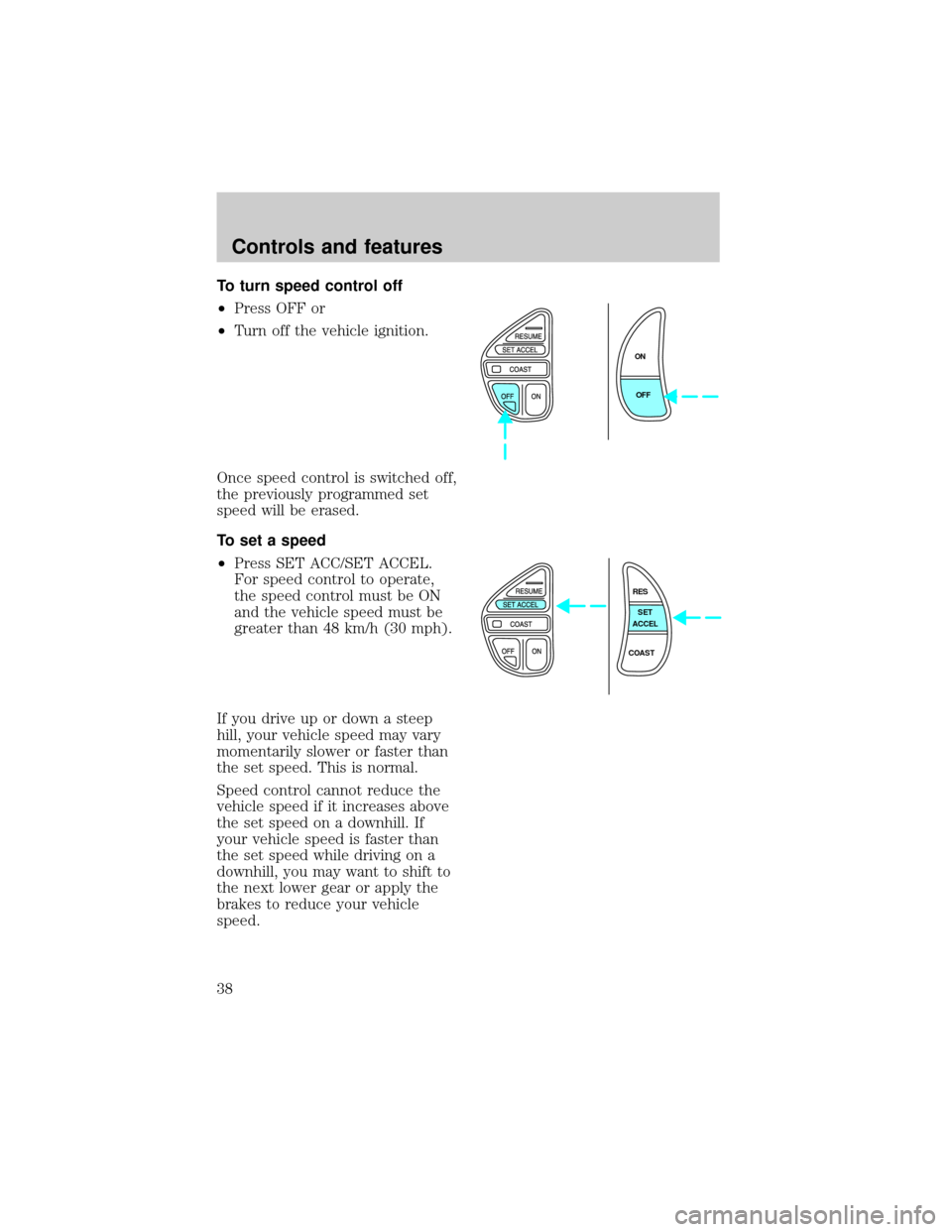
To turn speed control off
²Press OFF or
²Turn off the vehicle ignition.
Once speed control is switched off,
the previously programmed set
speed will be erased.
To set a speed
²Press SET ACC/SET ACCEL.
For speed control to operate,
the speed control must be ON
and the vehicle speed must be
greater than 48 km/h (30 mph).
If you drive up or down a steep
hill, your vehicle speed may vary
momentarily slower or faster than
the set speed. This is normal.
Speed control cannot reduce the
vehicle speed if it increases above
the set speed on a downhill. If
your vehicle speed is faster than
the set speed while driving on a
downhill, you may want to shift to
the next lower gear or apply the
brakes to reduce your vehicle
speed.
ON
OFF
RES
SET
ACCEL
COAST
Controls and features
38
Page 69 of 188
Combination lap and shoulder
belts
1. To fasten, insert the tongue into
the slot in the buckle.
2. To unfasten, push the red
release button and remove the
tongue from the buckle.
The front and rear outboard safety
restraints in the vehicle are
combination lap and shoulder
belts. The front and rear seat
passenger outboard safety belts
have two types of locking modes
described below:
Vehicle sensitive mode
The vehicle sensitive mode is the
normal retractor mode, allowing
free shoulder belt length
adjustment to your movements and
locking in response to vehicle
movement. For example, if the
driver brakes suddenly or turns a
corner sharply, or the vehicle
Seating and safety restraints
70
Page 95 of 188

BRAKES
Your brakes are self-adjusting.
Refer to the ªService Guideº for
scheduled maintenance.
Occasional brake noise is normal
and often does not indicate a
performance concern with the
vehicle's brake system. In normal
operation, automotive brake
systems may emit occasional or
intermittent squeal or groan noises
when the brakes are applied. Such
noises are usually heard during the
first few brake applications in the
morning; however, they may be
heard at any time while braking
and can be aggravated by
environmental conditions such as
cold, heat, moisture, road dust, salt
or mud. If a ªmetal-to-metal,º
ªcontinuous grindingº or
ªcontinuous squealº sound is
present while braking, the brake
linings may be worn-out and
should be inspected by a qualified
service technician.
Anti-lock brake system (ABS)
On vehicles equipped with an
anti-lock braking system (ABS), a
noise from the hydraulic pump
motor and pulsation in the pedal
may be observed during ABS
braking events. Pedal pulsation
coupled with noise while braking
under panic conditions or on loose
gravel, bumps, wet or snowy roads
is normal and indicates proper
functioning of the vehicle's
anti-lock brake system. If the
vehicle has continuous vibration or
Driving
96
Page 96 of 188
shudder while braking, felt mainly
in the steering wheel, the vehicle
most likely needs service.
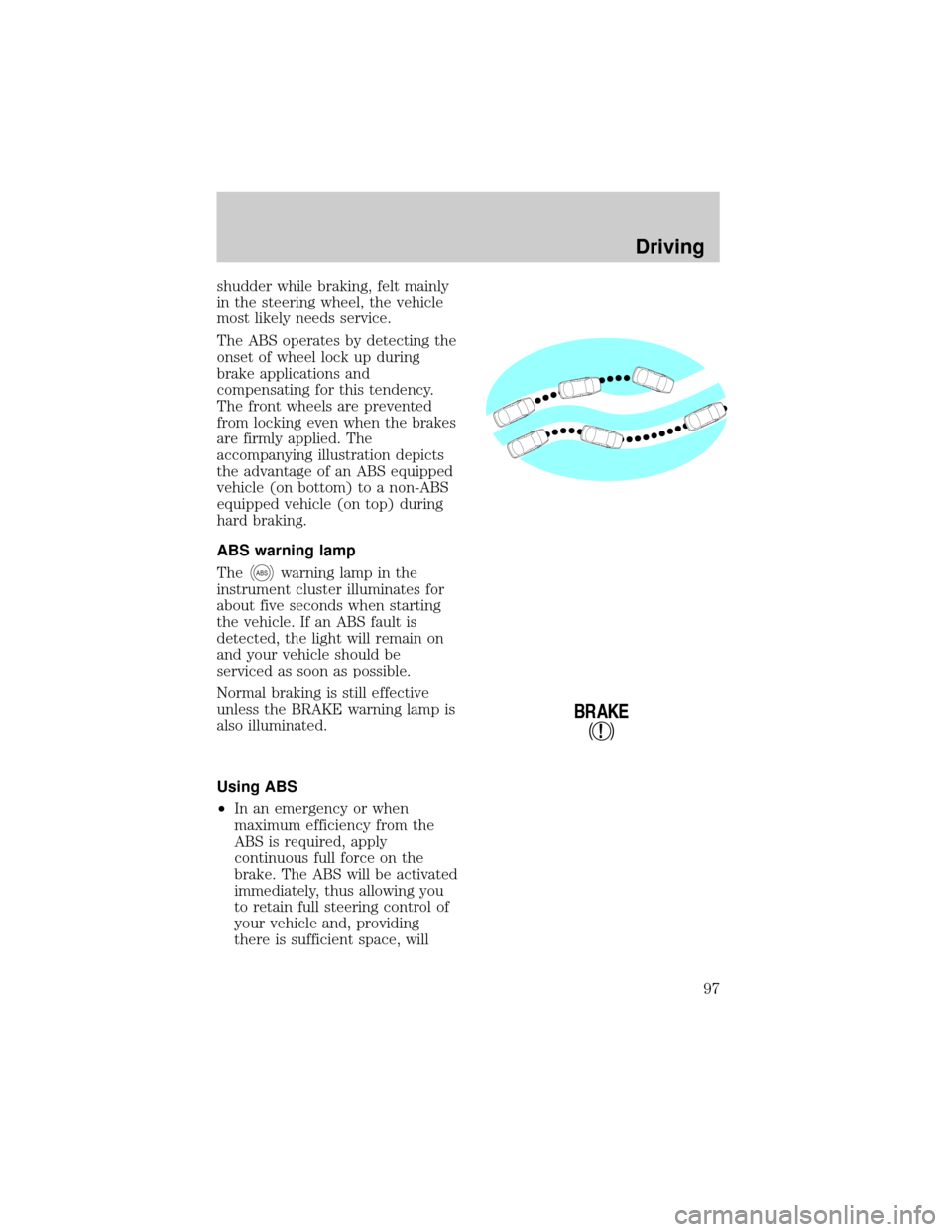
The ABS operates by detecting the
onset of wheel lock up during
brake applications and
compensating for this tendency.
The front wheels are prevented
from locking even when the brakes
are firmly applied. The
accompanying illustration depicts
the advantage of an ABS equipped
vehicle (on bottom) to a non-ABS
equipped vehicle (on top) during
hard braking.
ABS warning lamp
The
ABSwarning lamp in the
instrument cluster illuminates for
about five seconds when starting
the vehicle. If an ABS fault is
detected, the light will remain on
and your vehicle should be
serviced as soon as possible.
Normal braking is still effective
unless the BRAKE warning lamp is
also illuminated.
Using ABS
²In an emergency or when
maximum efficiency from the
ABS is required, apply
continuous full force on the
brake. The ABS will be activated
immediately, thus allowing you
to retain full steering control of
your vehicle and, providing
there is sufficient space, will
!
BRAKE
Driving
97
Page 97 of 188
enable you to avoid obstacles
and bring the vehicle to a
controlled stop.
²We recommend that you
familiarize yourself with this
braking technique. However,
avoid taking any unnecessary
risks.
Parking brake with auto-release
Apply the parking brake whenever
the vehicle is parked.
To set the parking brake:
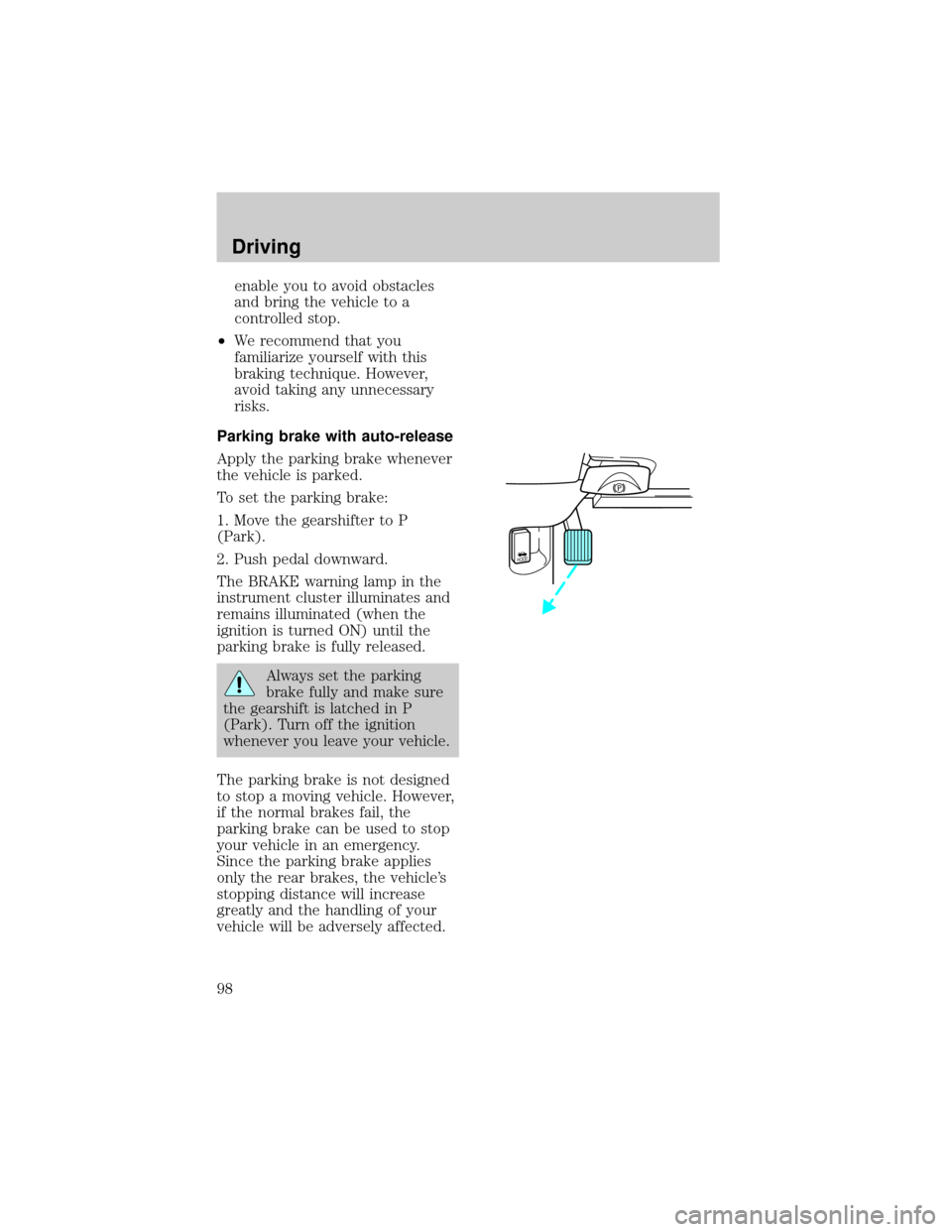
1. Move the gearshifter to P
(Park).
2. Push pedal downward.
The BRAKE warning lamp in the
instrument cluster illuminates and
remains illuminated (when the
ignition is turned ON) until the
parking brake is fully released.
Always set the parking
brake fully and make sure
the gearshift is latched in P
(Park). Turn off the ignition
whenever you leave your vehicle.
The parking brake is not designed
to stop a moving vehicle. However,
if the normal brakes fail, the
parking brake can be used to stop
your vehicle in an emergency.
Since the parking brake applies
only the rear brakes, the vehicle's
stopping distance will increase
greatly and the handling of your
vehicle will be adversely affected.
HOOD
Driving
98
Page 99 of 188

Wheel-speed sensors allow excess
rear wheel spin to be detected by
the Traction Controlyportion of
the ABS computer. Any excessive
wheel spin is controlled by
automatically applying and
releasing the rear brakes in
conjunction with engine torque
reductions. Engine torque
reduction is realized via the fully
electronic spark and fuel injection
systems. This process is very
sensitive to driving conditions and
very fast acting. The rear wheels
ªsearchº for optimum traction
several times a second and
adjustment are made accordingly.
The Traction Controlysystem will
allow your vehicle to make better
use of available traction on
slippery surfaces. The system is a
driver aid which makes your
vehicle easier to handle primarily
on snow and ice covered roads.
During Traction Controly
operation you may hear an electric
motor type of sound coming from
the engine compartment and the
engine will not ªrev-upº when you
push further on the accelerator.
This is normal system behavior.
If you should become stuck in
snow or ice or on a very slippery
road surface, tyro switching the
Traction Controlysystem off. This
may allow excess wheel spin to
ªdigº the vehicle out a enable a
successful ªrockingº maneuver.
If the Traction Controlysystem is
cycled excessively, the brake
Driving
100