Page 99 of 272
Heating and Cooling
To Heat
To warm the interior:
1. Start the engine. 2. Select and
3. Set the fan to the desired speed.
4. Adjust the warmth of the air with the temperature control lever.
To Heat and Dehumidify with Air
Conditioning
Air conditioning, as it cools, removes moisture from the air. When used incombination with the heater, it
makes the interior warm and dry.
1. Switch the fan on.
2. Turn on the air conditioning. 3. Select and
4. Adjust the temperature control
lever so the mixture of heated and
cooled air feels comfortable.
This setting is suitable for all driving conditions whenever the outside
temperature is above 32°F (0°C).
To Defog and Defrost
To remove fog from the inside of the windows:
1. Switch the fan on.
2. Turn on the air conditioning. 3. Select and
4. Adjust the temperature control
lever so the airflow from the
defroster vents feels warm.
5. Turn on the rear window defogger to help clear the rear window.
CONTINUED
Comfort and Convenience FeaturesProCarManuals.comMain Menu Table of Contents s t
Page 100 of 272
Heating and Cooling
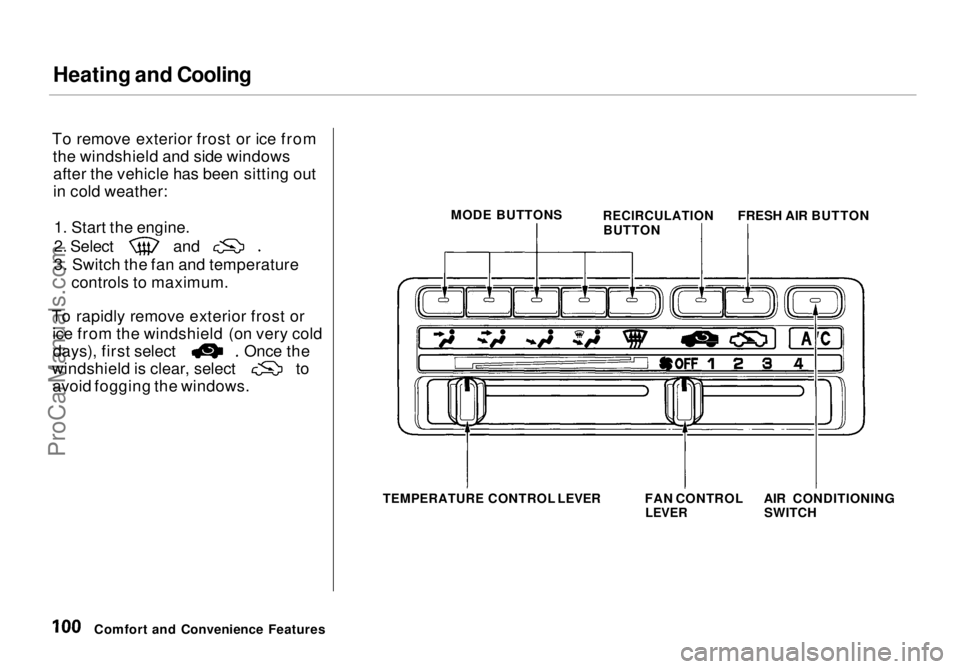
To remove exterior frost or ice from the windshield and side windowsafter the vehicle has been sitting out
in cold weather:
1. Start the engine. 2. Select and
3. Switch the fan and temperature
controls to maximum.
To rapidly remove exterior frost or ice from the windshield (on very cold days), first select Once the
windshield is clear, select to
avoid fogging the windows.
Comfort and Convenience Features MODE BUTTONS
RECIRCULATION
BUTTON FRESH AIR BUTTON
TEMPERATURE
CONTROL LEVER FAN CONTROL
LEVER
AIR CONDITIONING
SWITCHProCarManuals.comMain Menu Table of Contents s t
Page 101 of 272
Heating and Cooling
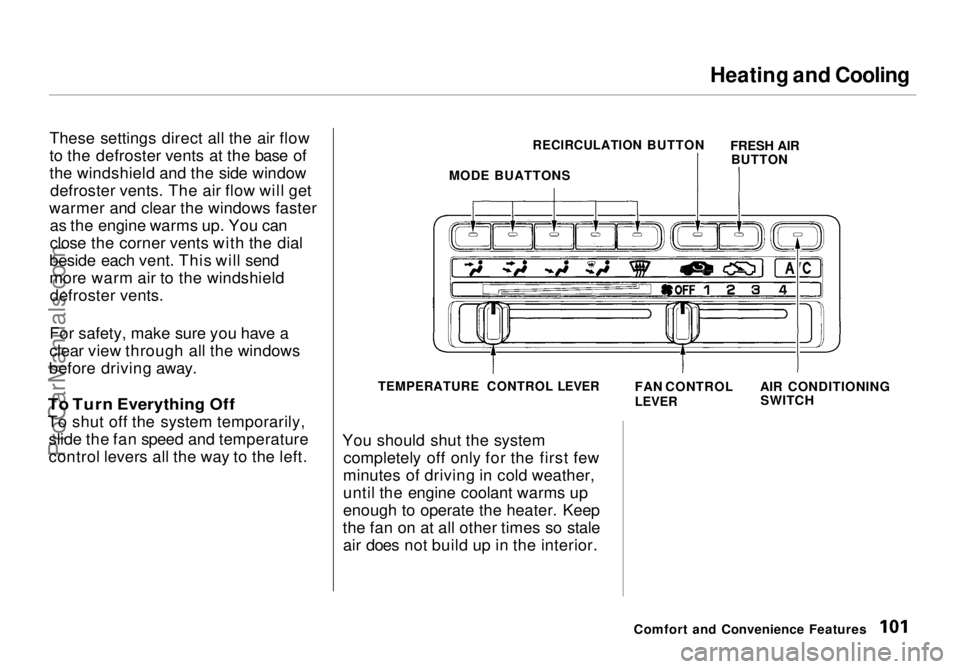
These settings direct all the air flow
to the defroster vents at the base of
the windshield and the side window defroster vents. The air flow will get
warmer and clear the windows faster as the engine warms up. You can
close the corner vents with the dial
beside each vent. This will send
more warm air to the windshield defroster vents.
For safety, make sure you have a
clear view through all the windows
before driving away.
To Turn Everything Off
To shut off the system temporarily, slide the fan speed and temperature
control levers all the way to the left. You should shut the system
completely off only for the first few
minutes of driving in cold weather,
until the engine coolant warms up
enough to operate the heater. Keep
the fan on at all other times so stale air does not build up in the interior.
Comfort and Convenience Features
MODE BUATTONS
RECIRCULATION BUTTON
FRESH AIR
BUTTON
TEMPERATURE CONTROL LEVER
FAN CONTROL
LEVER
AIR CONDITIONING
SWITCHProCarManuals.comMain Menu Table of Contents s t
Page 117 of 272
Audio System
Radio Frequencies
Your Honda's radio can receive the complete AM and FM bands.
Those bands cover these frequen-
cies:
AM band: 530 to 1,710 kilohertz
FM band:
87.7 to 107.9 megahertz
Radio stations on the AM band are assigned frequencies at least ten
kilohertz apart (530, 540, 550).
Stations on the FM band are
assigned frequencies at least 0.2
megahertz apart (87.9, 88.1, 88.3).
Stations must use these exact
frequencies. It is fairly common for stations to round-off the frequency in
their advertising, so your radio could display a frequency of 100.9 even
though the announcer may identify
the station as "FM101." Radio Reception
How well your Honda's radio
receives stations is dependent on
many factors, such as the distance
from the station's transmitter, nearby large objects, and atmos-
pheric conditions.
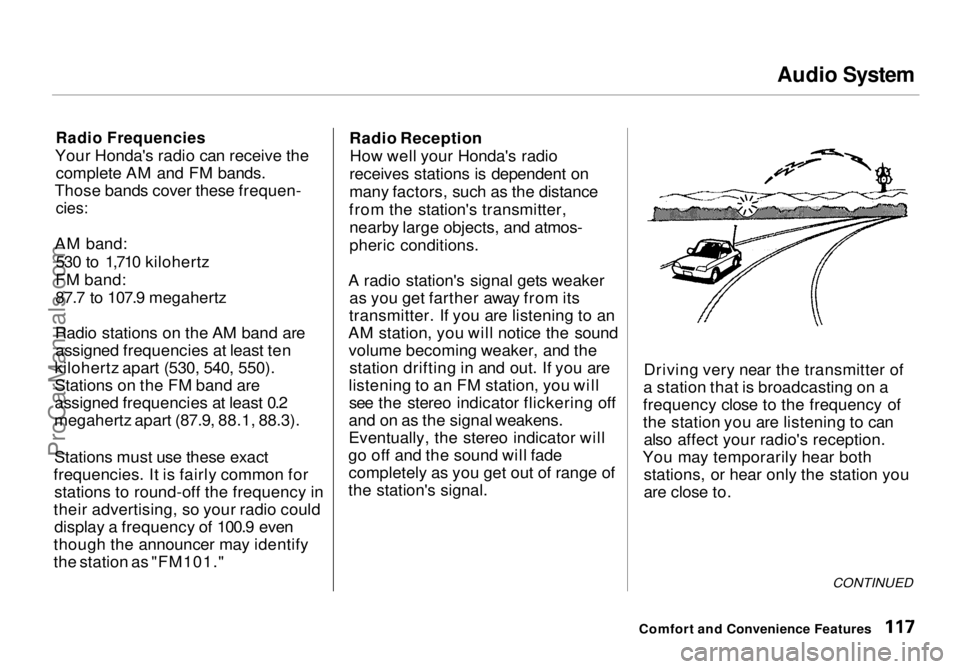
A radio station's signal gets weaker as you get farther away from its
transmitter. If you are listening to an
AM station, you will notice the sound volume becoming weaker, and the station drifting in and out. If you are
listening to an FM station, you will see the stereo indicator flickering off
and on as the signal weakens.
Eventually, the stereo indicator will
go off and the sound will fade completely as you get out of range of
the station's signal. Driving very near the transmitter of
a station that is broadcasting on a
frequency close to the frequency of
the station you are listening to can also affect your radio's reception.
You may temporarily hear both stations, or hear only the station you
are close to.
CONTINUED
Comfort and Convenience FeaturesProCarManuals.comMain Menu Table of Contents s t
Page 133 of 272
Fuel Economy
The condition of your vehicle and
your driving habits are the two most important things that affect the fuel
mileage you get.
Vehicle Condition Always maintain your vehicle accord- ing to the maintenance schedule.
This will keep it in top operating condition.
An important part of that mainte- nance is the Owner Maintenance
Checks (see page 146). For
example, an underinflated tire
causes more "rolling resistance,"
which uses fuel. It also wears out faster, so check the tire pressure at
least monthly.
In winter, the build-up of snow on
your vehicle's underside adds weight and rolling resistance. Frequent
cleaning helps your fuel mileage and
reduces the chance of corrosion. Driving Habits
You can improve fuel economy by driving moderately. Rapid acceler-
ation, abrupt cornering, and hard
braking use more fuel.
Always drive in the highest gear that allows the engine to run and acceler-
ate smoothly.
Depending on traffic conditions, try
to maintain a constant speed. Every
time you slow down and speed up,
your vehicle uses extra fuel. Use the cruise control, when appropriate, to
increase fuel economy. A cold engine uses more fuel than a
warm engine. It is not necessary to"warm-up" a cold engine by letting it
idle for a long time. You can drive away in about a minute, no matter
how cold it is outside. The engine
will warm up faster, and you get
better fuel economy. To cut clown on the number of "cold starts," try tocombine several short trips into one.
The air conditioning puts an extra load on the engine which makes it
use more fuel. Turn off the A/C tocut down on air conditioning use.
Use the flow-through ventilation
when the outside air temperature is moderate.
Before DrivingProCarManuals.comMain Menu Table of Contents s t
Page 151 of 272
Driving in Bad Weather
Visibility — Being able to see clearly in all directions and being
visible to other drivers are important in all weather conditions. This is
more difficult in bad weather. To beseen more clearly during daylight
hours, turn on your headlights.
Inspect your windshield wipers and
washers frequently. Keep the wind- shield washer reservoir full of the
proper fluid. Have the windshield
wiper blades replaced if they start to streak the windshield or leave parts
unwiped. Use the defrosters and air
conditioning to keep the windows
from fogging up on the inside (see
page 99).
Traction — Check your tires
frequently for wear and proper
pressure. Both are important in
preventing "hydroplaning" (loss of
traction on a wet surface). In the
winter, mount snow tires on all four
wheels for the best handling.
Watch road conditions carefully, they can change from moment to
moment. Wet leaves can be as slip-
pery as ice. "Clear" roads can have
patches of ice. Driving conditionscan be very hazardous when the
outside temperature is near freezing.
The road surface can become covered with areas of water puddles
mixed with areas of ice, so your
traction can change without warning.
Be careful when downshifting. If
traction is low, you can lock up the drive wheels for a moment and cause
a skid. Be very cautious when passing, or
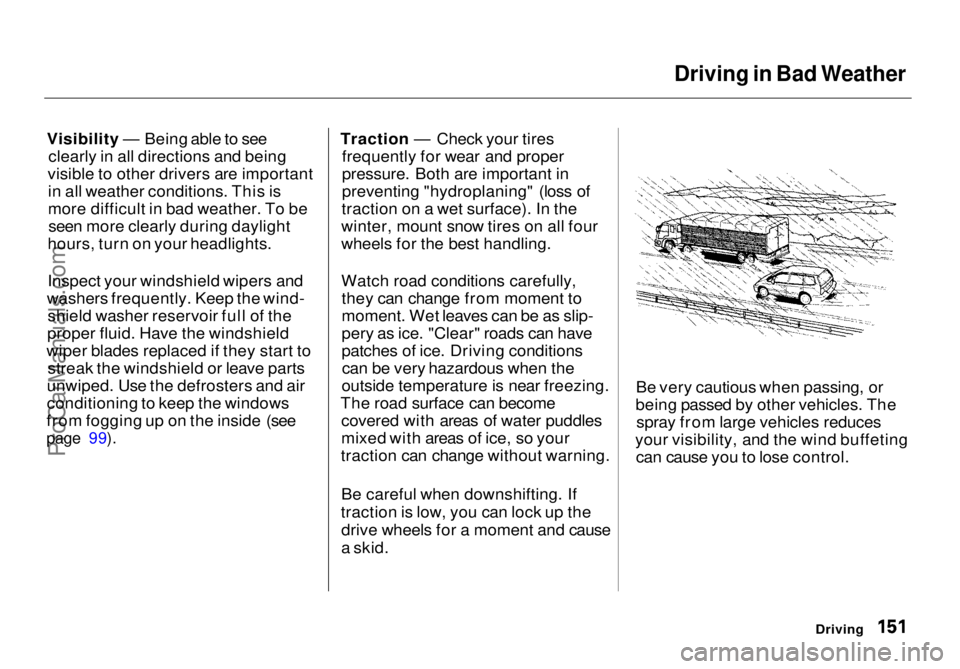
being passed by other vehicles. The spray from large vehicles reduces
your visibility, and the wind buffeting can cause you to lose control.
DrivingProCarManuals.comMain Menu Table of Contents s t
Page 155 of 272
Towing a Trailer
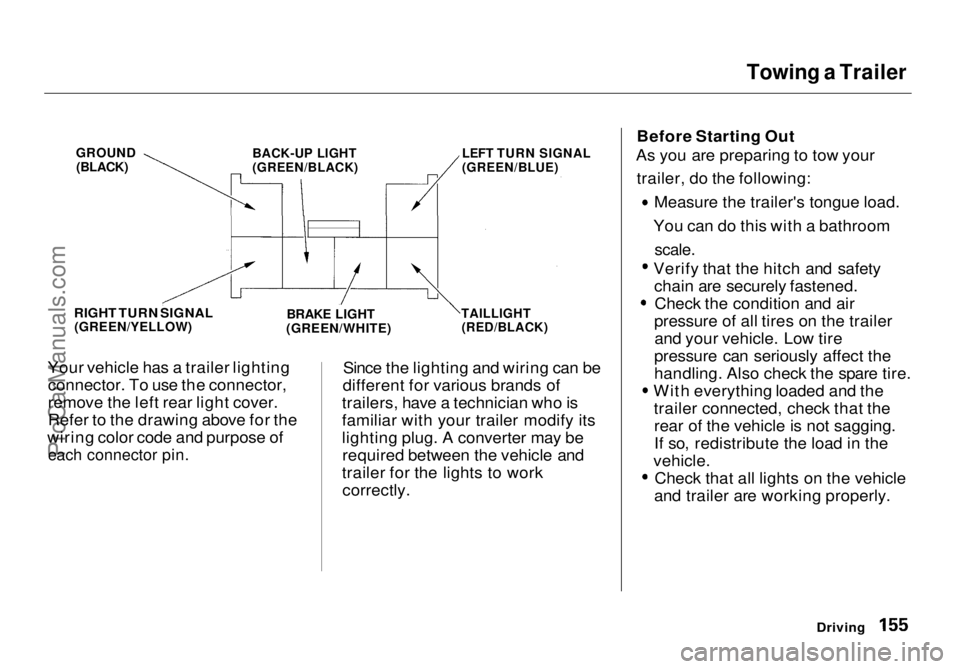
Your vehicle has a trailer lighting connector. To use the connector,
remove the left rear light cover.
Refer to the drawing above for the
wiring color code and purpose of
each connector pin.
Since the lighting and wiring can be
different for various brands of
trailers, have a technician who is
familiar with your trailer modify its
lighting plug. A converter may be required between the vehicle and
trailer for the lights to work correctly. Before Starting Out
As you are preparing to tow your
trailer, do the following: Measure the trailer's tongue load.
You can do this with a bathroom
scale.
Verify that the hitch and safety
chain are securely fastened. Check the condition and air
pressure of all tires on the trailer and your vehicle. Low tire
pressure can seriously affect the
handling. Also check the spare tire. With everything loaded and the
trailer connected, check that therear of the vehicle is not sagging.
If so, redistribute the load in the
vehicle. Check that all lights on the vehicle
and trailer are working properly.
Driving
GROUND
(BLACK)
BACK-UP LIGHT
(GREEN/BLACK)
LEFT TURN SIGNAL
(GREEN/BLUE)
RIGHT TURN SIGNAL
(GREEN/YELLOW)
BRAKE LIGHT
(GREEN/WHITE)
TAILLIGHT
(RED/BLACK)ProCarManuals.comMain Menu Table of Contents s t
Page 156 of 272
Towing a Trailer
Towing Safety
Your vehicle will not stop as quicklywith a trailer in tow. Leave extra distance between your vehicle and
other vehicles. Avoid braking or
turning suddenly. This could cause
the trailer to jackknife or possibly
turn over.
Keep in mind that your total vehicle
is now much longer. Leave more
room when making turns. The trailer
tracks a smaller arc than the vehicle
and can hit or run over something
that the vehicle misses. When
passing another vehicle, make sure
the trailer is clear before changing
lanes.
The vehicle/trailer combination is
more affected by crosswinds and
buffeting. When being passed by a
large vehicle, keep a constant speed and steer straight ahead. If there is
too much wind buffeting, slow down
to get out of the other vehicle's air
turbulence.
Towing a trailer puts an extra load on your vehicle. You should have
your vehicle serviced according to the "Maintenance Schedule undersevere driving conditions" on page 164. This extra load is magnified when
you are driving in hilly terrain.
Watch the temperature gauge closely when climbing hills. If it gets
near the hot area, turn off the air
conditioning (if it is on). If this does
not reduce the heat, it may be
necessary to pull to the side of the
road and wait for the engine to cool.
If the automatic transmission shifts
frequently between 3rd and 4th gears, put it in D3. This will help
prevent the transmission fromoverheating. Help keep the brakes
from overheating by shifting to a lower gear when going downhill.
DrivingProCarManuals.comMain Menu Table of Contents s t