Audio System
Digital Clock
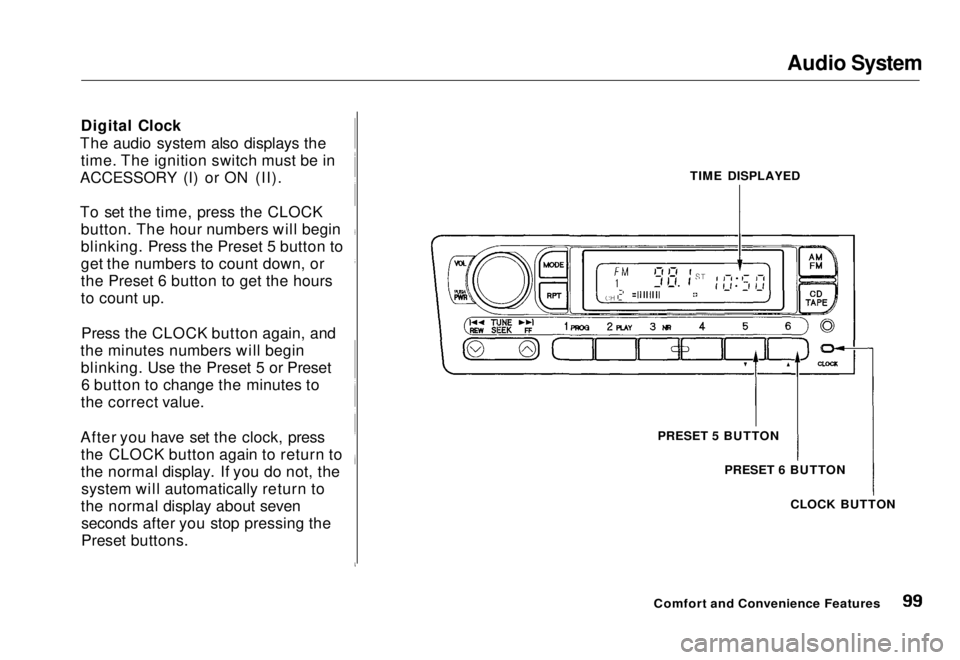
The audio system also displays the time. The ignition switch must be in
ACCESSORY (I) or ON (II).
To set the time, press the CLOCK button. The hour numbers will begin
blinking. Press the Preset 5 button to
get the numbers to count down, or
the Preset 6 button to get the hours
to count up.
Press the CLOCK button again, and
the minutes numbers will begin blinking. Use the Preset 5 or Preset6 button to change the minutes to
the correct value.
After you have set the clock, press the CLOCK button again to return to
the normal display. If you do not, thesystem will automatically return to
the normal display about seven seconds after you stop pressing the
Preset buttons. TIME DISPLAYED
PRESET 5 BUTTON PRESET 6 BUTTON
CLOCK BUTTON
Comfort and Convenience FeaturesMain Menu Table of Contents s t
Lights
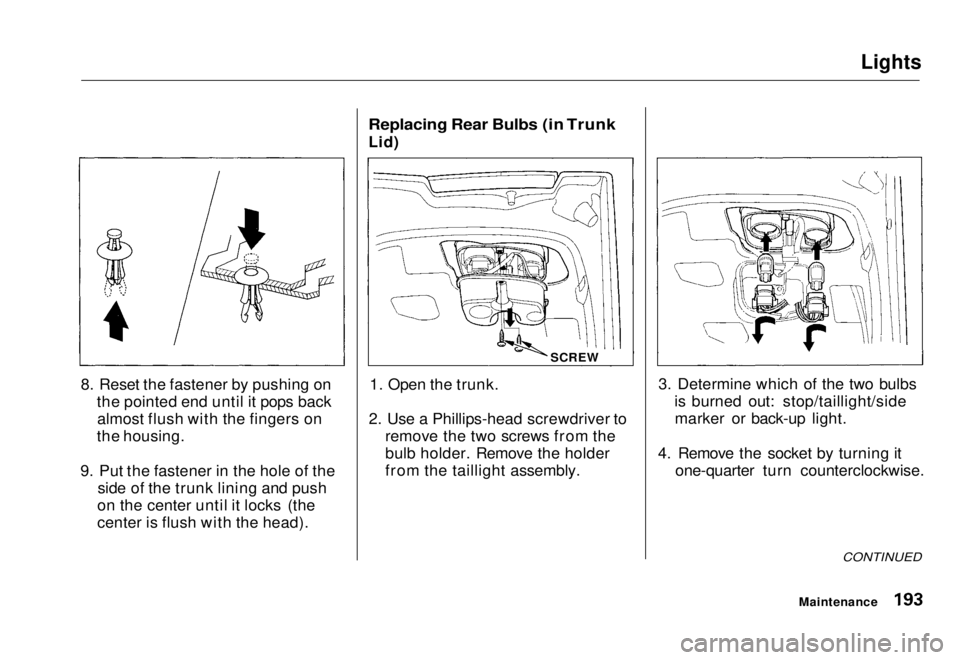
8. Reset the fastener by pushing on the pointed end until it pops backalmost flush with the fingers on
the housing.
9. Put the fastener in the hole of the side of the trunk lining and push
on the center until it locks (the
center is flush with the head).
Replacing Rear Bulbs (in Trunk
Lid)
1. Open the trunk.
2. Use a Phillips-head screwdriver to remove the two screws from the
bulb holder. Remove the holder
from the taillight assembly. 3. Determine which of the two bulbs
is burned out: stop/taillight/sidemarker or back-up light.
4. Remove the socket by turning it one-quarter turn counterclockwise.
CONTINUED
Maintenance
SCREWMain Menu Table of Contents s t